
Nice to see that Disney can still produce heartfelt animation. Short and sweet.
Year: 2013
-
It’s an Incredible Deal – Part II
Back in September last year, I wrote about the pricing of Microsoft Office 2013. Unlike Paul Thurott , I failed to see how it was “An Incredible Deal”. For my use, the change to a subscription model would increase my cost of ownership over a 6 year period by almost 5 times.
Subsequent to that, Microsoft announced an offer to buy a copy of Office Home and Student 2010, and get a copy of Office Home and Student 2013 when it became available, for free. Well, I thought, that sounded pretty good. A little further investigation rather took the icing off the cake. The 2010 version of Home and Student’s licensed for use on 3 PCs, while the 2013 version is only licensed for use on one. Nevertheless, I thought that the offer remained sufficiently attractive to warrant investing in a copy of Home and Student 2010. I could install Office 2013 on my tablet, and carry on with 2010 on our other two PCs.
So I purchased a copy of Office Home and Student 2010 and registered for the offer. And yesterday, I received an email from Microsoft telling me that the new Office was available and that I could redeem my offer.
I clicked on the link in the email and arrived at the Microsoft web page setup for the offer. Clicking on the “Redeem now” button, brought up a page where, amongst other things , I was asked to enter the Product key of my existing version of Office and select the country/region where I would be using the version of Office 2013. Note that I have an English language version of Office 2010, and I would be using Office 2013 here in the Netherlands.
I filled in all the fields, clicked the “Submit” button and promptly got an error 012913 -very helpful, not. Noticing that the web page was set to English (US) , I changed it to English (International), and tried again. Nope, same error.
With a sinking heart l changed the web page to Nederlands and repeated the process yet again. This time I got further – I was asked whether I wanted the subscription version of Office 2013 or the single license version. However, note that I am now looking at a page written in Dutch. The clear implication is that if I download the single license version I will end up with the Dutch version of Office.
Now, this might not be a problem providing I can change the display language and the proofing tools to UK English. This blog post from Julian Parish in the Office team seems to suggest that the language packs are available, but that, as a consumer, I have to buy them. That’s not really what I wanted to hear. It is particularly galling when you realise that the display and help languages of Windows 8 can be changed or added to for free.
One other little thing. Microsoft has also changed the licensing terms of the downloadable software. Unlike earlier versions, it can no longer be uninstalled from one PC and transferred to another. Now, once installed on a PC, that’s it – it can never be transferred. And if your PC breaks, and you get a new motherboard, for example, then tough, Office will stop working, and you will need to buy a new license.
I can’t say that I’m delighted with these changes, but I fear it’s the shape of things to come from Microsoft. Next up, I fear that Windows 9 will switch to a subscription model as well.
Update: Well, I decided that I’d see what would happen if I went one step further on the Dutch web site, and selected the downloadable Office Home and Student version. Thankfully, the next page gave me the opportunity to confirm that my country was the Netherlands, but also gave me the option of choosing English. I rather think that should have been made clearer earlier in the process…
So now I’m in the process of downloading and installing what I hope will be an English language version of Office. Oh gawd, now I’ve got a perky little welcome video playing.
Update 2: I see that Paul Thurrott is still convinced that the subscription model is “an incredible deal”. He writes:
Office 365 Home Premium, at just $99.99 a year, with five easily distributed and changed PC/device installs of Office 2013 Professional, is obviously the way to go for most people.
I’m clearly not most people. It’s way too expensive and a very bad way to go for me. However, I do agree that the fact that Microsoft has apparently removed the right to transfer licenses between machines is a slap in the face from the customer’s point of view.
Update 3: Peter Bright, writing in Ars Technica, calls a spade a spade:
If you buy a perpetual retail license for Office 2013, it will be locked to the computer you first install it on, forever. Buy a new PC and you won’t be allowed to install your existing copy of Office on it, even if you wipe the disk of the old PC. You’ll have to splurge for a new one.
This is a change in policy from Office 2010. Office 2010 permitted a single transition from one PC to a new one. It’s not, however, an entirely new policy: OEM pre-installed versions of Office (and Windows) are similarly tied to their (OEM) hardware and can’t migrate. Adam Turner at The Age first pressed Microsoft for clarification over what its “single PC” constraint actually meant, and noted the newly aligned OEM and retail licenses.
It’s difficult to see the wisdom in this change. It’s not a big change, but it’s not a nice one, either.
Update 6th March 2013: Following protest, it appears as though Microsoft has changed its mind. Excellent news.
-
Queen Abdicates
Stop Press: the Queen is abdicating in favour of her middle-aged son.
Nope, this is not Betty handing over the reins of the monarchy to Charlie (god forbid); it’s Queen Beatrix of The Netherlands handing the reins over to Prince Willem-Alexander.
A well-timed and sensible choice.
The Prince and Princess Maxima are well-equipped to pick up the reins and carry on. They are, like Beatrix herself, not unintelligent, understand both business and society and are well-liked by their subjects. I’m no monarchist, but I have a lot of respect for them.
-
Thoughts on the Lenovo ThinkPad 2 – Part IV
Welcome back to the next episode in what seems to be turning out to be a series of posts on my experience of using my first Windows 8 tablet – a Lenovo ThinkPad 2.
The last post took a look at some of the software applications that Lenovo has provided for their tablet, and I’ll continue that look in this post. I ended that post somewhat abruptly when I discovered how awful Lenovo’s tutorial on Windows 8 was. Not only was it shockingly poor, but it is also built for the Desktop version of Internet Explorer. One might expect that a Windows 8 tutorial would take advantage of the Modern UI of Windows 8. Clearly Lenovo don’t think so.
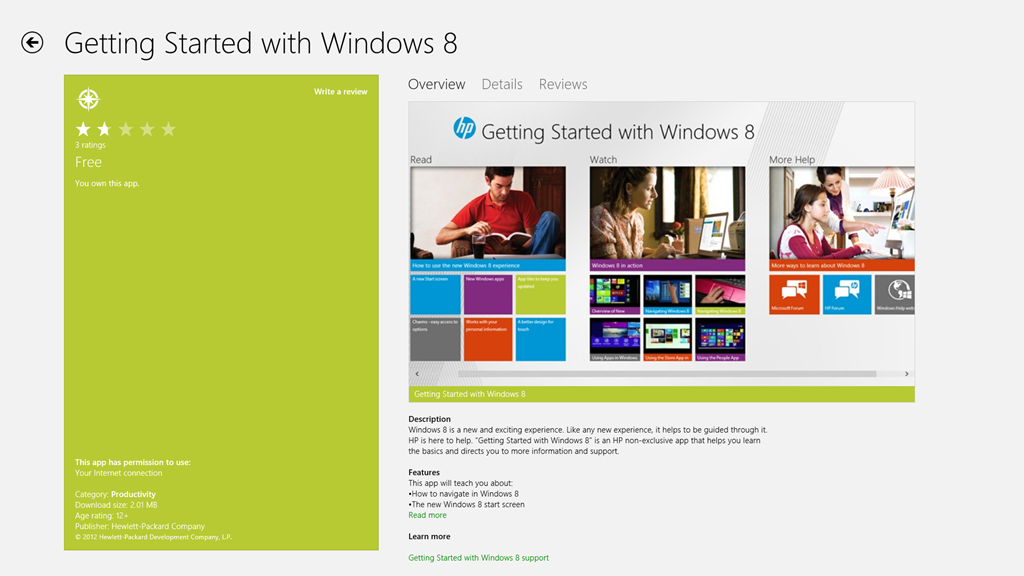
To see how it should be done, I think it’s instructive to take a look at HP’s tutorial for Windows 8. It is fully a Modern UI App – no forcing the hapless user to open the Desktop web browser here. This tutorial, while it was originally designed by HP for use on their Windows 8 systems, is now freely available in the Windows Store for download and installation onto any Windows 8 system:

If you’re new to Windows 8, it’s worth taking a look at this tutorial.
OK, now onwards with the contents of Lenovo’s Companion App:
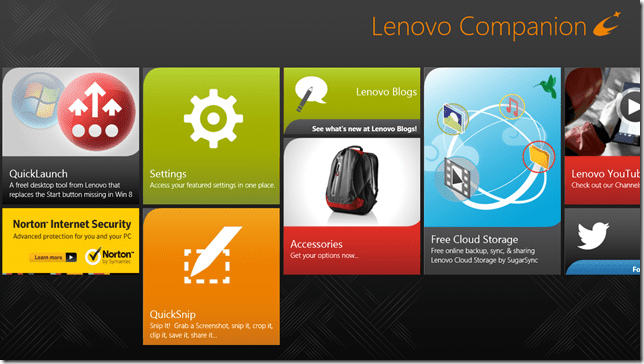
Ah, QuickLaunch turns out to be yet another Start Button replacement tool. I really don’t understand the attraction of these. I want to learn how to ride my bike, not go through life with training wheels clamped to it.
Next up is the trial version of Norton Internet Security that Lenovo installed on my ThinkPad. One of the first things I did was to uninstall it, and to revert to Microsoft’s Windows Defender, which is built into Windows 8. It’s sufficient protection, in my opinion.
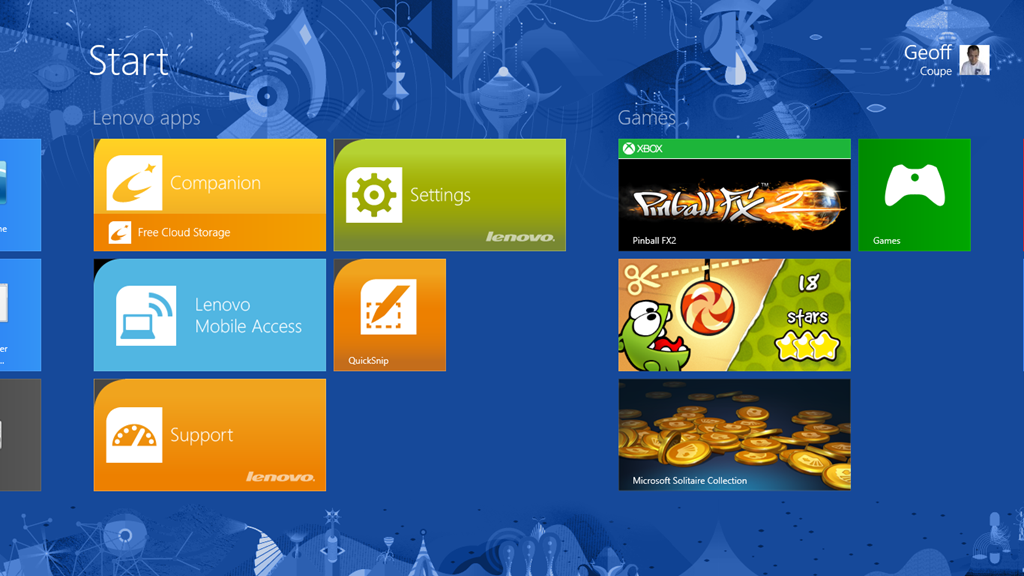
Then we have a couple of adverts for two of Lenovo’s own utilities: Settings and QuickSnip. I’ll deal with them later.
Lenovo Blogs opens a scrolling view of links to Lenovo’s corporate blogs. Clicking on a link will open the blog post inside the Companion App, rather than switching to the web browser, which is a nice touch. E.g. the “8 Cool Things About The ThinkPad Tablet 2” post shown here:
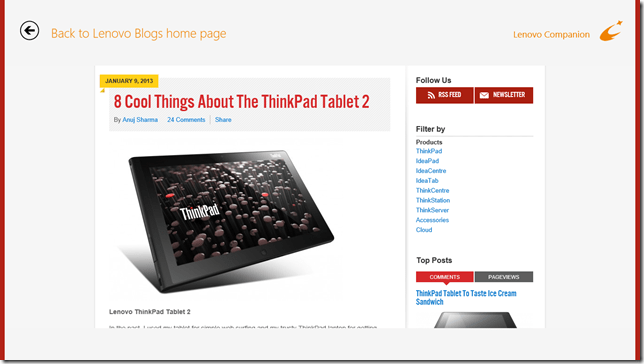
Needless to say, the blogs are primarily a marketing tool, and present a rosy picture. I couldn’t help but comment on the above blog post to correct some of the rosiness.
The links to the Lenovo channels on YouTube and Twitter are further examples of marketing. Once again, these channels are displayed within the Companion App itself, rather than shelling out to a separate instance of the web browser. I suspect the same thing is supposed to happen for the Accessories tile, but all I got was a blank page and a plaintive message that there was “No matched content for this system”. There is in fact an online Lenovo shop in the Netherlands, so I suspect that once again the developers of the Companion App assume that we all live in the US of A.
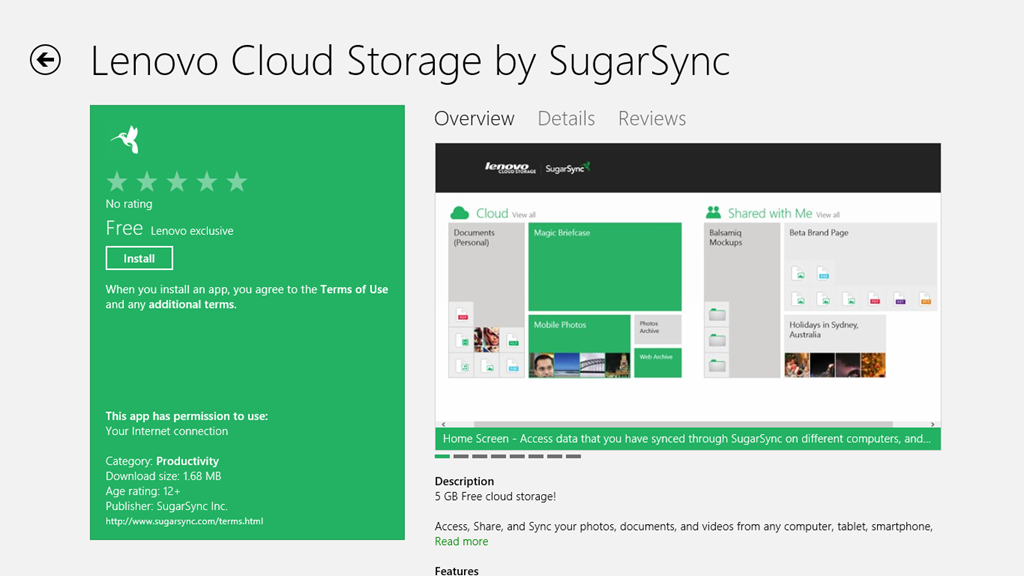
And as I said in my last post, I have no interest in signing up for Lenovo’s Cloud Storage – I am already a satisfied SkyDrive user.
To summarise, the Companion App strikes me as primarily a Marketing tool from Lenovo. I think it can be uninstalled without any second thoughts. Right, that about wraps it up for the Companion App, now let’s take a look at the Settings App.
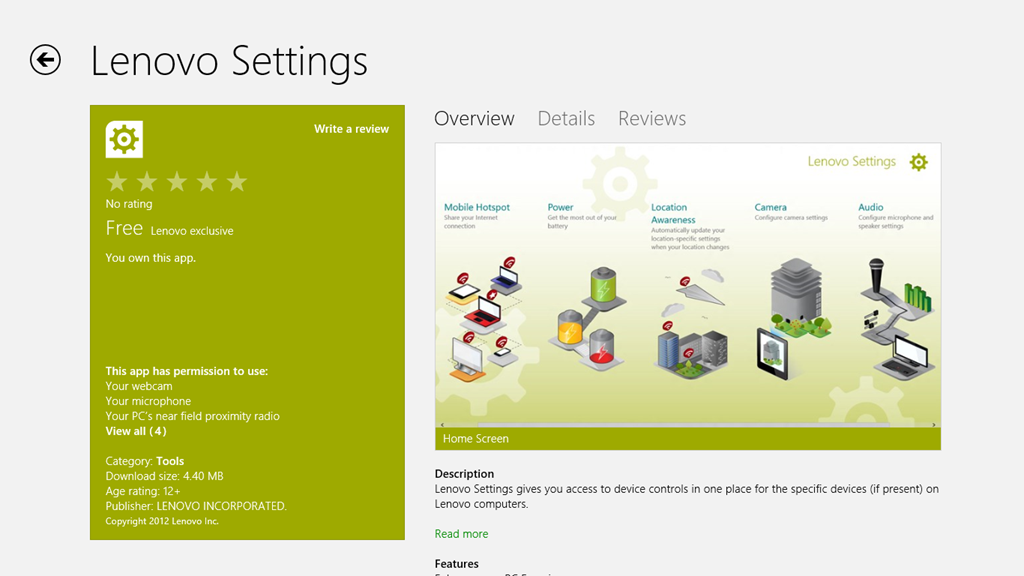
The Settings App is a bit strange on my system. I’m not sure whether it’s working as it is supposed to. If I look at the Settings App in the Windows Store, I see this:
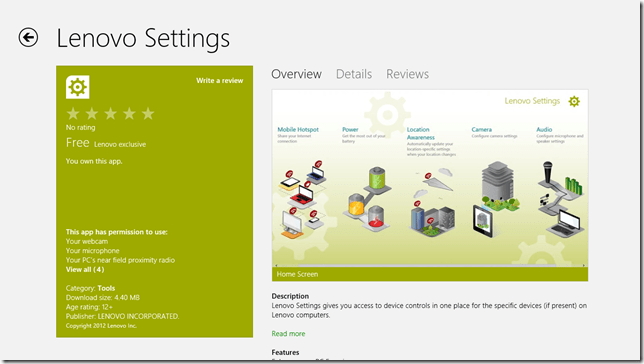
It shows a screenshot of the Settings App that contains five major sections:
- Mobile Hotspots (for internet sharing)
- Power
- Location Awareness
- Camera
- Audio
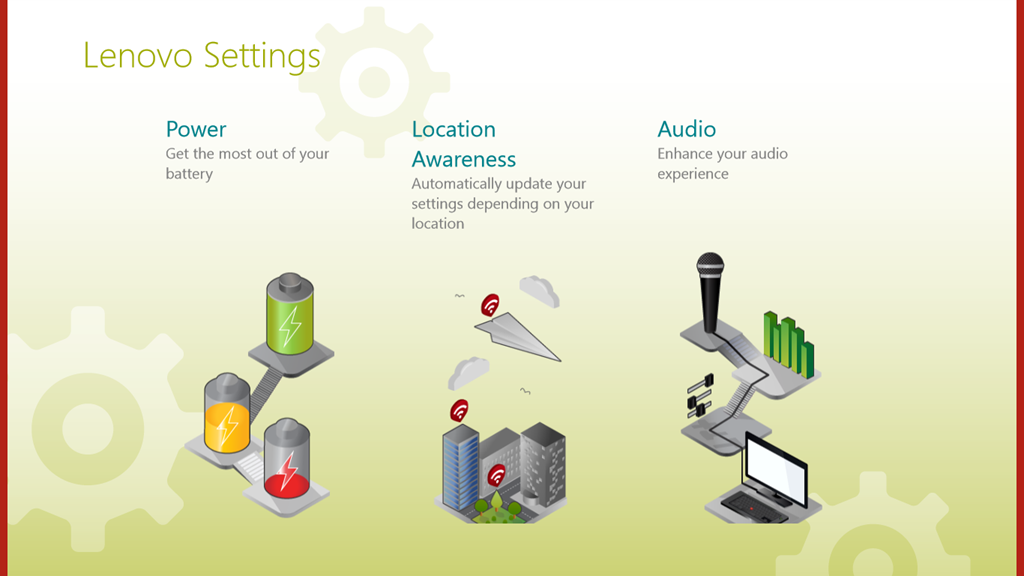
Yet, when I open up the Settings App on my ThinkPad, this is what I see:
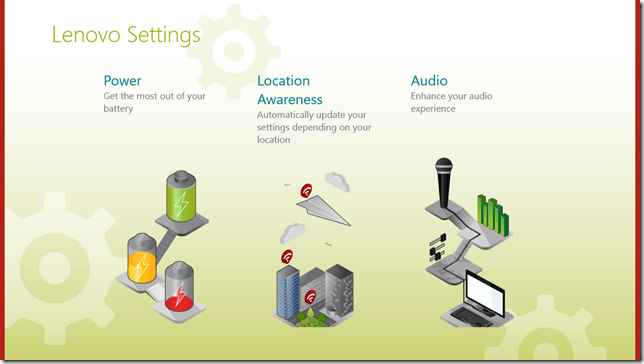
That is, just three:
- Power
- Location Awareness
- Audio
Yet, I have two cameras in the ThinkPad. Why aren’t the settings for these shown here? ‘Tis a puzzlement.
(Update 26 February 2013: Lenovo has just released a new version of the Settings App, and there is now an entry for the Camera Settings. They’ve also said that they are working on the Mobile Settings entry for the ThinkPad Tablet 2, so this should arrive at some point)
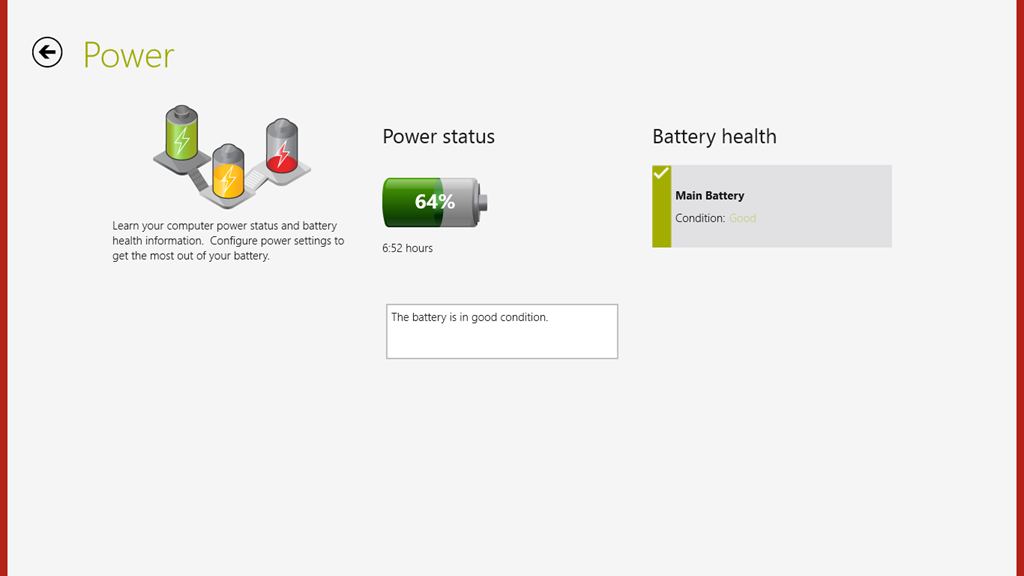
I suppose this App is OK, as far as it goes, but I think I would have liked to have seen the Power setting (in particular, the battery charge remaining) broken out into a separate tile that could be pinned to the Start Screen, or displayed in the Settings App tile itself. That would have been useful. Having to start up the Settings App, and then select the Power section – not so much.

There’s not much more to say about this App – it’s pretty ho-hum as it stands.
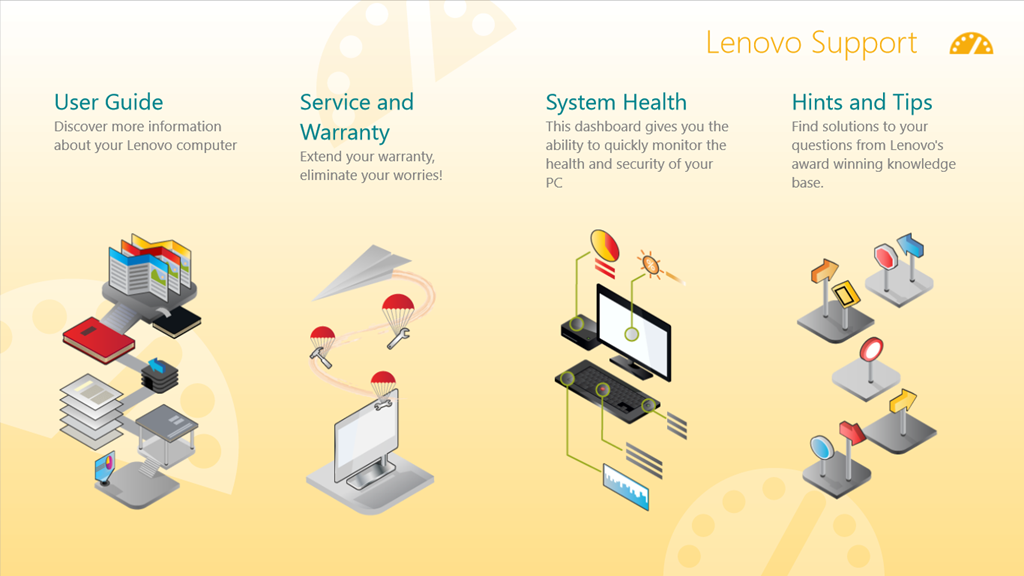
The Support App opens with a horizontally scrollable window showing six sections:
- User Guide
- Services and Warranty
- System Health
- Hints and Tips
- Knowledge Base
- Discussion Forum
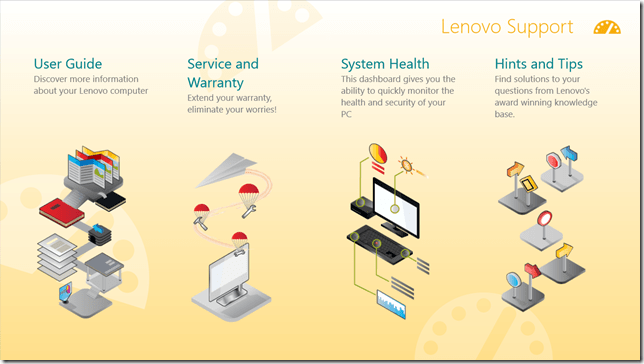

The User Guide section launches the PDF file of the user guide in the Microsoft Reader App. While it may be thought to be a little more clumsy to launch the Reader, rather than display the user guide directly within the Support App, this does have one advantage. The Reader App is able to use the Devices in the Charms bar to print out pages from the user guide. The Support App (just like all the other Lenovo Apps) does not support Devices. What is more, the Reader App, unlike Microsoft’s Modern UI Internet Explorer and Mail Apps, can print out a subset of pages from the guide.
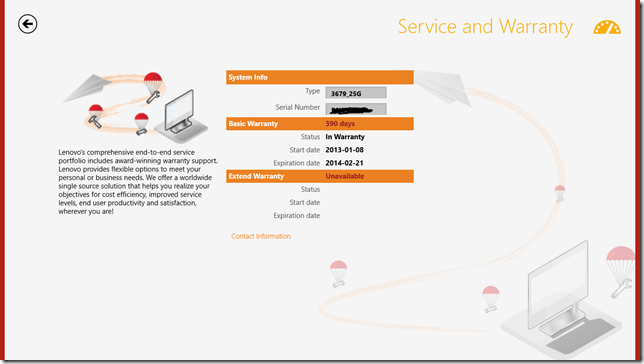
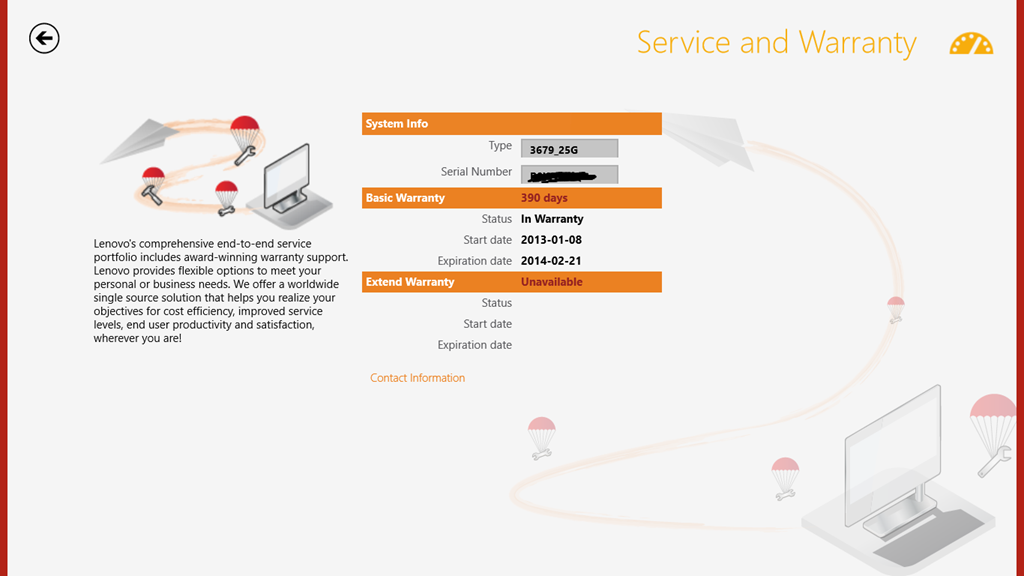
I do like the fact that the Service and Warranty section displays the exact state of the warranty on my ThinkPad. It tells me how many days I have left before something will inevitably break – just after the warranty runs out, or am I being overly cynical here?
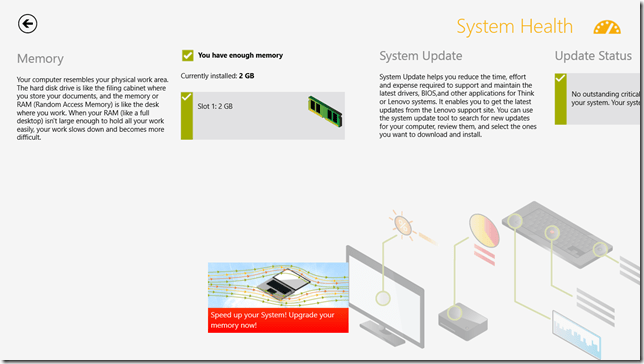
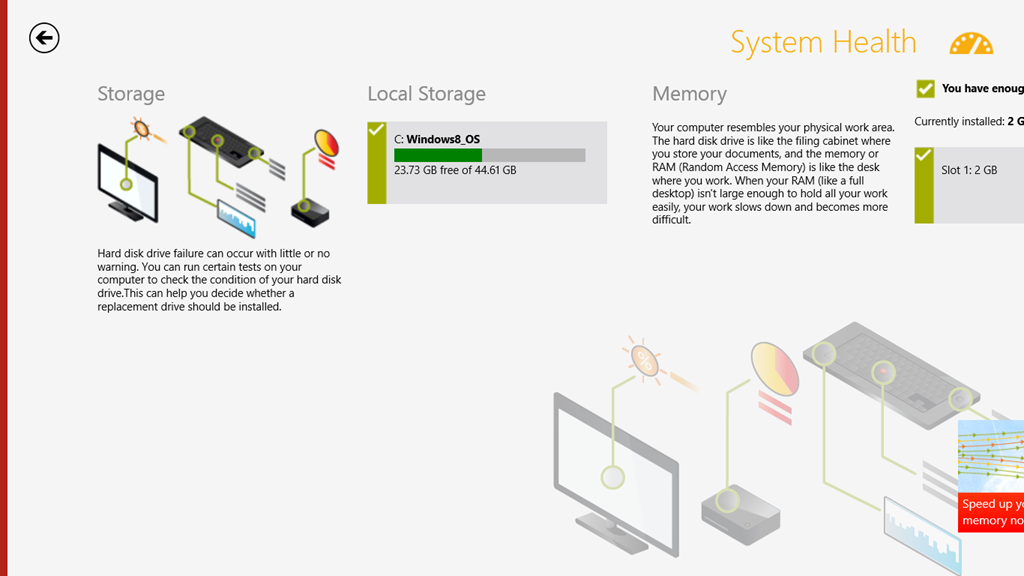
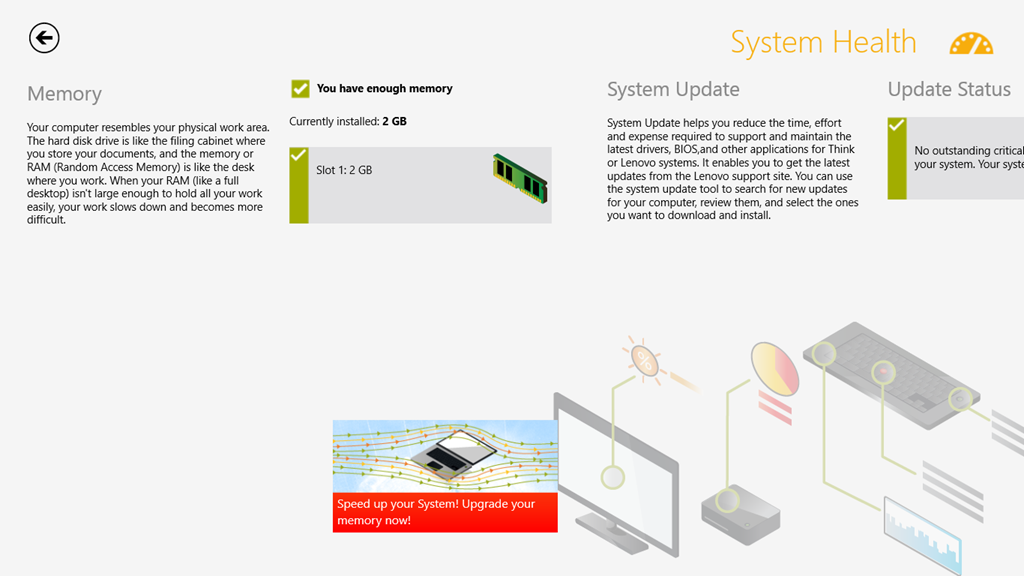
The System Health section is a little useful. It does indicate the amount of free storage and the amount of installed memory. However, while it tantalisingly states that “You can run certain tests on your computer to check the condition of your hard disk drive”, it doesn’t actually tell you what these tests actually are and where to find them.

I’m also slightly disappointed that under the memory section, there is a clickable link that takes you to the online Lenovo shop where you can buy additional memory. Er, the ThinkPad 2 uses the Intel Clover Trail Atom chip – this only supports a maximum of 2GB memory, and more cannot be fitted. That link should never appear if this App is running on the ThinkPad 2.
Attention to detail is important, I think. It makes the difference between an acceptable user experience, and a great user experience. It also turns your users into active supporters of your products.
The rest of the sections (“Hints and Tips”, “Knowledge Base”, “Discussion Forum”) show information scraped from the various Lenovo resources and forums on the web. Like the Companion App, these are shown directly within the Support App itself, rather than shelling out to the web browser. For a quick overview, this is probably OK, but frankly, if I want to read the Lenovo ThinkPad forums, it is far easier to read them directly in a web browser. I can also interact, by replying to threads or making new ones. I cannot do this from within the Support App.
In summary, I find the App OK. It is good-looking, but without much depth. However, it can stay on my system.
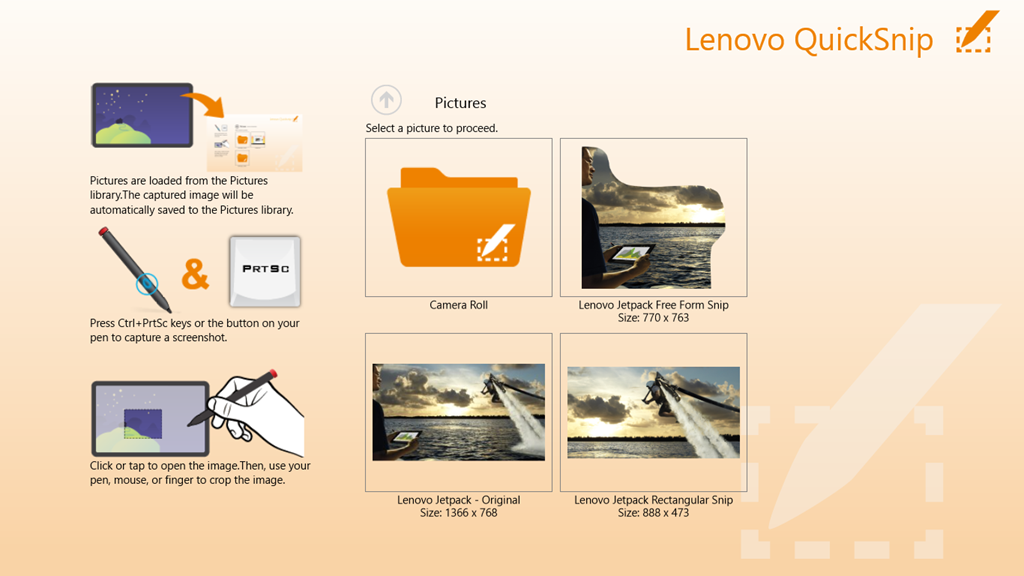
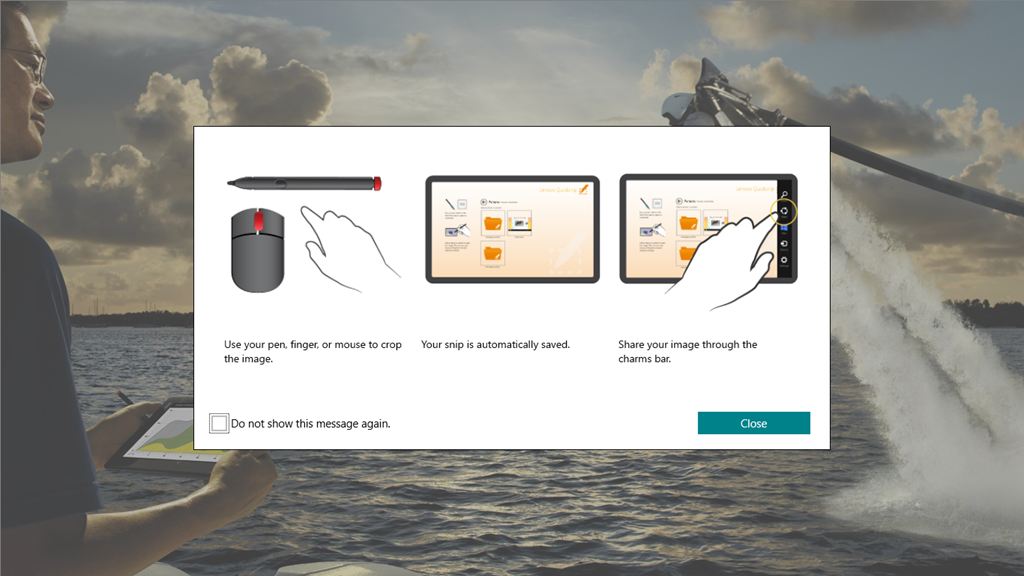
The QuickSnip App is a simple image cropping tool, which uses the Share function in the Charms bar to pass on cropped images:
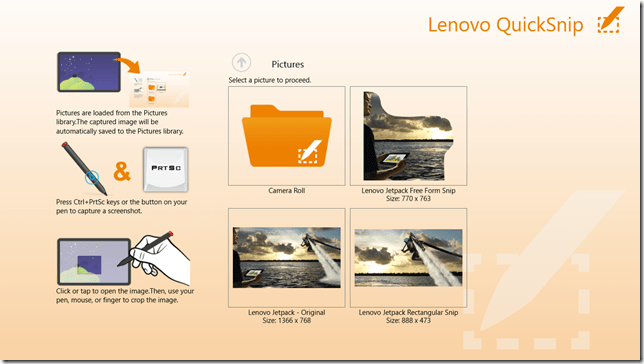
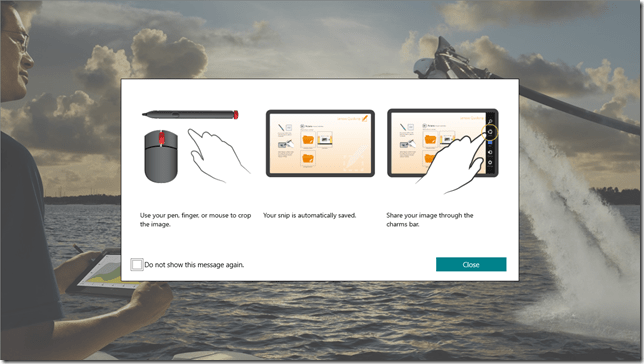
This App from Lenovo is like the majority of the current crop of Modern UI Apps provided by Microsoft: almost entirely useless.
I’ve just uninstalled it from my system.
Overall, I cannot say that the Lenovo Apps have provided a great experience. I still think that the ThinkPad 2 hardware is basically a solid product, and I’m still very happy with my purchase. But I don’t think I’m head over heels in love with it. Perhaps I’m just too rational – I doubt whether I could ever be an Apple fanboi either.
-
Thoughts on the Lenovo Thinkpad 2 -Part III
Following on from the last post, here’s some further thoughts on the software experience of the ThinkPad tablet.
One criticism that I’ve often read of PC OEMs is that they stuff their machines with bloat-ware. While I don’t think that Lenovo is quite as bad as some, it still comes with some software of questionable utility.
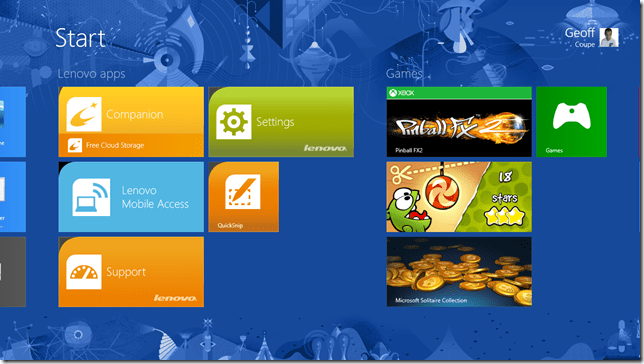
Here we see five utilities, I’ve already removed a couple; the inevitable anti-virus trial, and an application to access Lenovo’s cloud storage
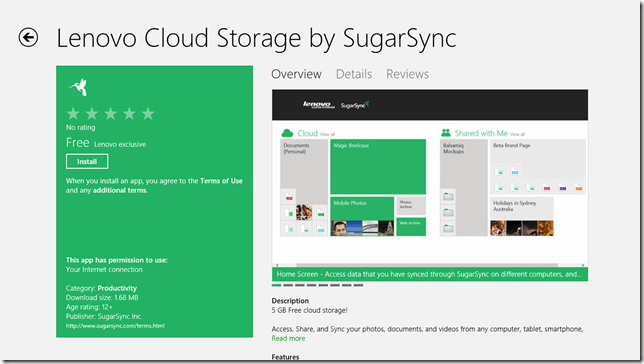
Since I already use Skydrive (with luckily 25 GB free storage), I don’t need the hassle of managing more cloud storage.
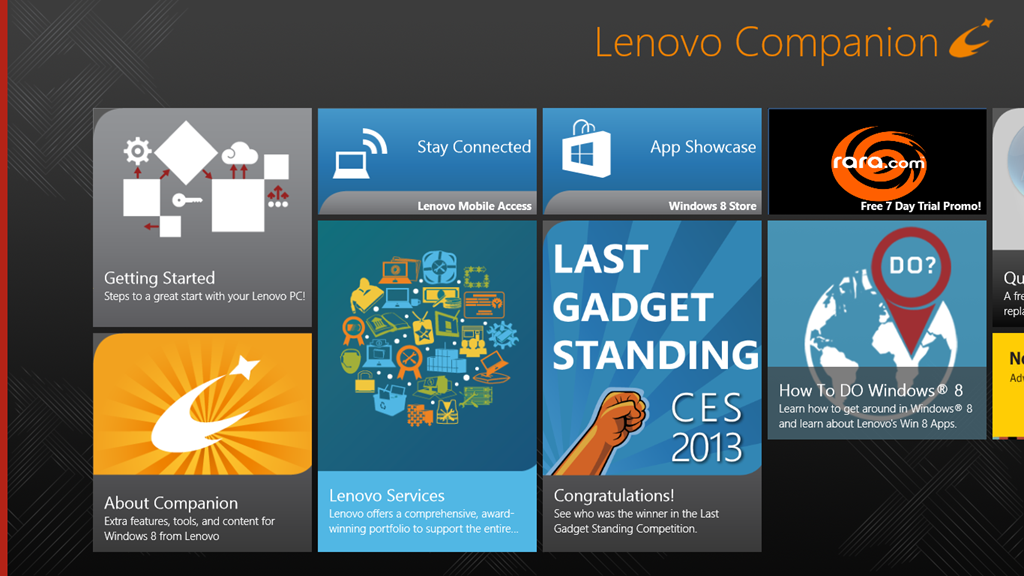
Let’s take a look at the remaining five applications. First up, the Companion App.
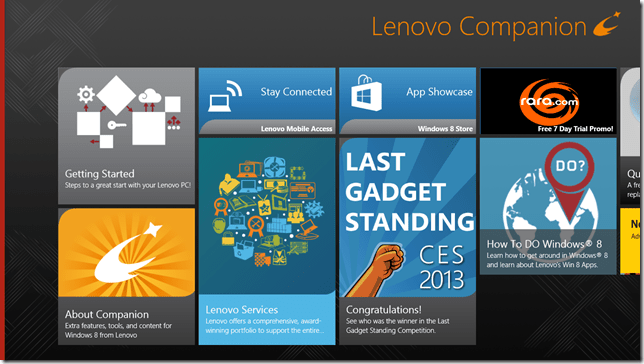
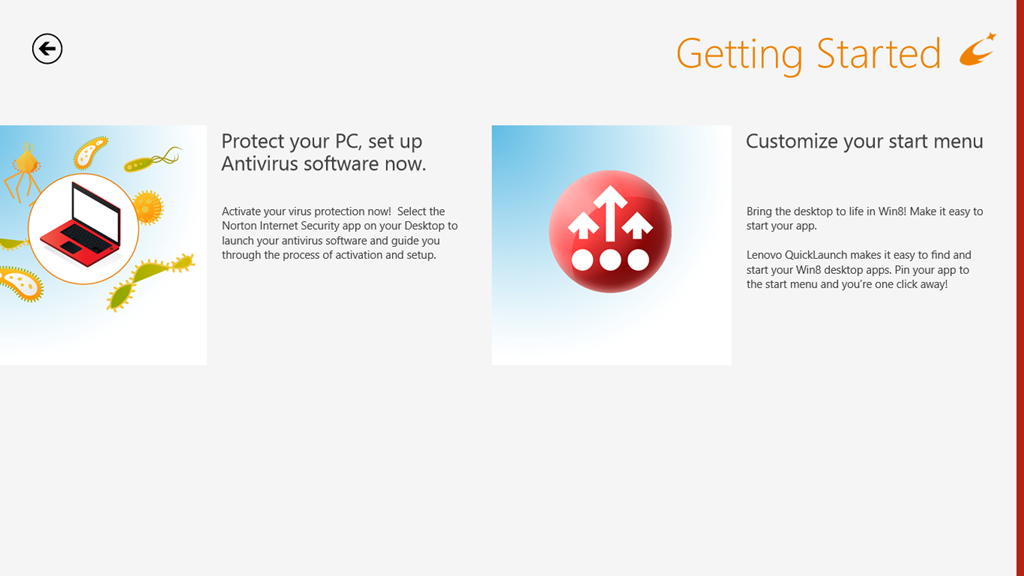
Oh dear, this doesn’t look good. Basically lots of (questionable) style, and little (apparent) substance. OK, let’s take a look at the “Getting Started” section.
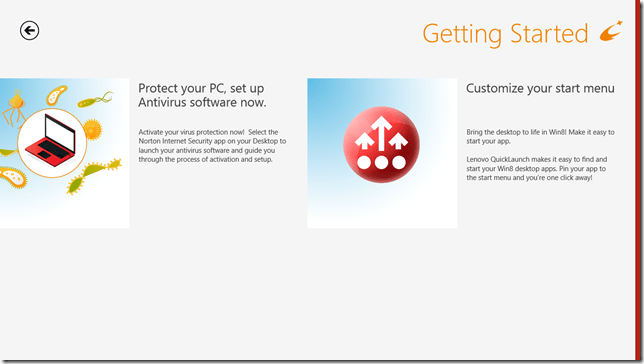
Oh gawd, another invitation to install Norton Internet Security. Look, people, Windows 8 comes with a perfectly good anti-virus and anti-malware software out of the box. A Pox on your suggested alternatives. I’ve been there, I’ve done that. I’ve paid the money, had the bloated software experience, and frankly – no more…
OK. What’s this “Customize your start menu” stuff? Well, frankly, I haven’t a clue, because there’s nothing on that screen that is a link to take me to anything resembling a “Lenovo Quicklaunch”. It’s dead. Fail number two.
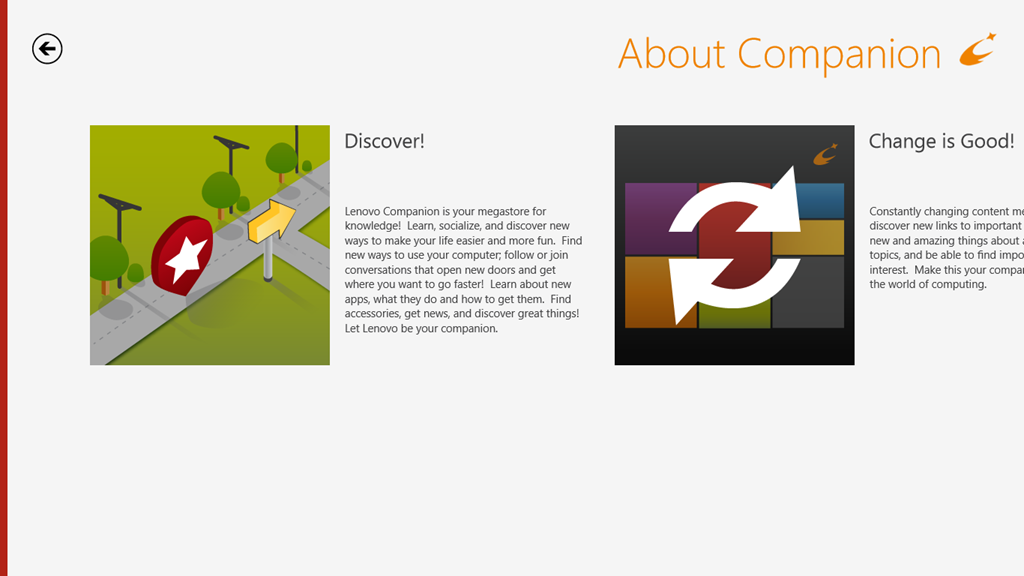
So then I made the mistake of clicking on the “About Companion” tile.
Welcome to the land of Exclamation Points!!!
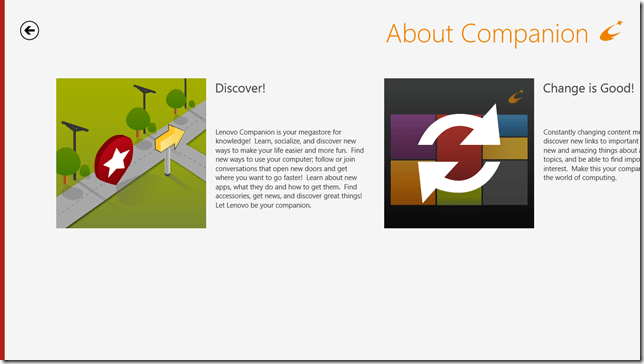
Discover! Change is Good! Your Companion!
Er, basically – fuck off.
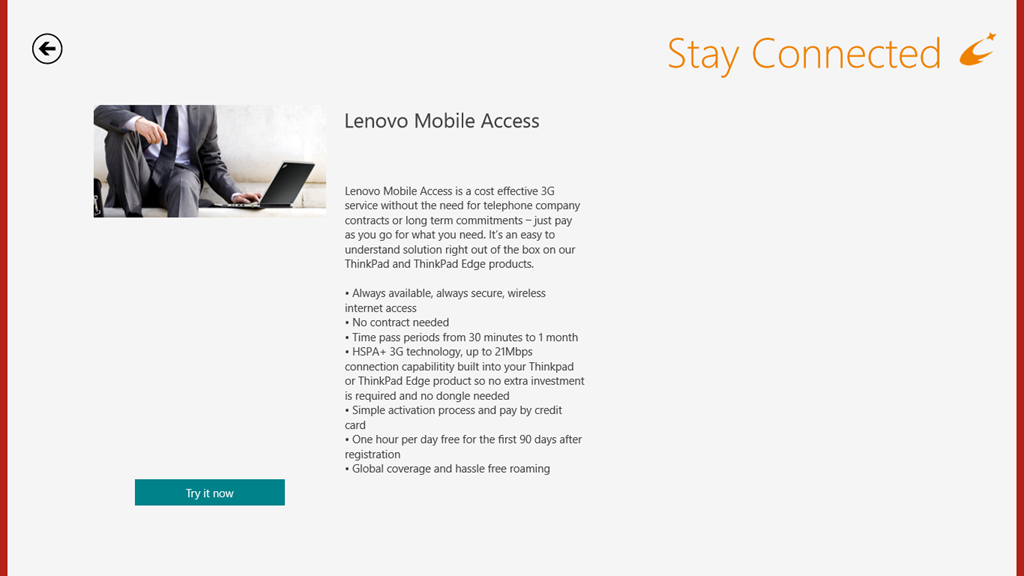
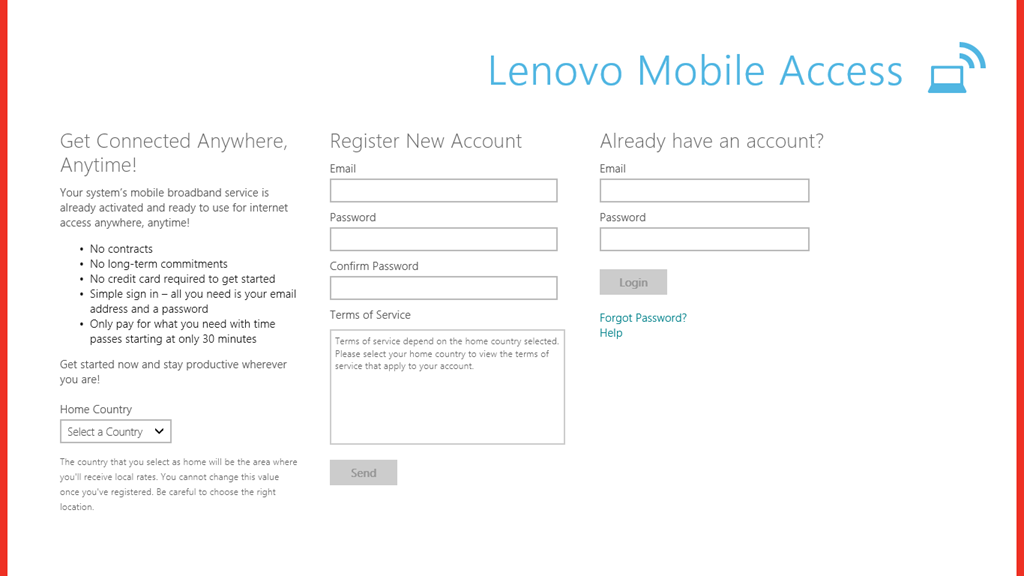
OK – onwards to the next point in our journey: the “Stay Connected” tile. This is, as expected an advert for the Lenovo Mobile Access service.
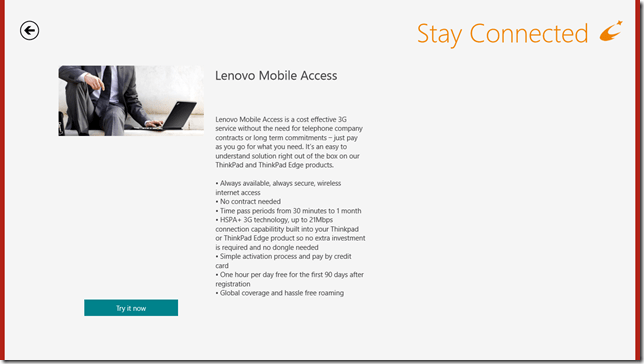
Well, this is all very well; but unfortunately, it doesn’t work for me, as I’ve documented here. I still haven’t had my connectivity issues resolved by Macheen’s Support service, so I’m continuing to use Vodafone’s service, thank you very much.
Update 25 February 2013: I’ve now heard back from Lenovo/Macheen Support, and they have indeed fixed my problems with Lenovo Mobile Access, so I can now choose to use their pay-as-you-go mobile access service. Excellent.
Update 30 December 2013: Ah, not so excellent. Lenovo/Macheen have deactivated my SIM card because I hadn’t used it for six months, and expect me to buy a new one to continue using their service. Sorry, guys, you’ve just lost a customer, and I’m certainly not recommending you to all my friends.
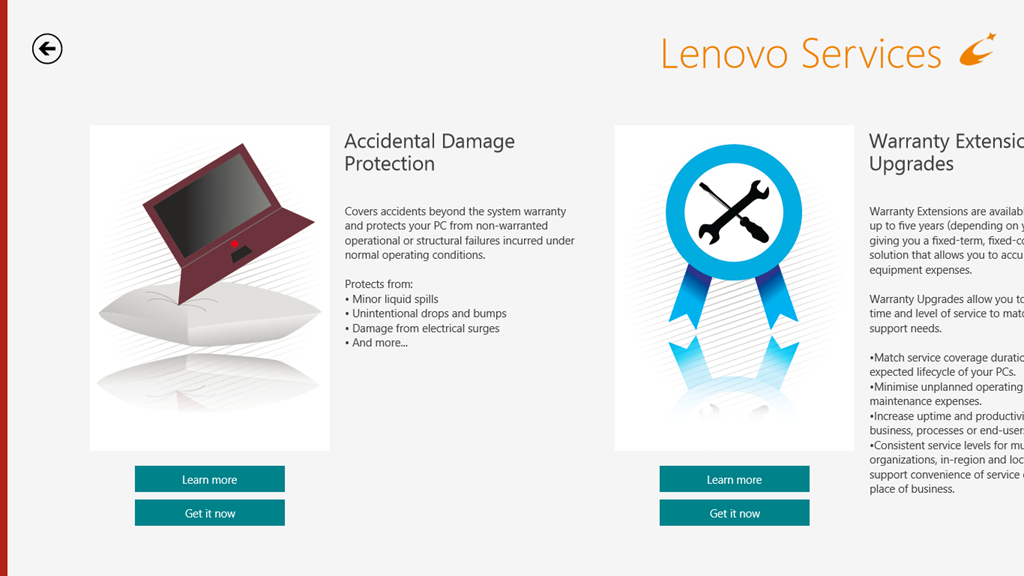
Onwards to the Lenovo Services, with its very busy graphic. This turns out to be an invitation to shell out money to enjoy extra warranty protection or premium support services.
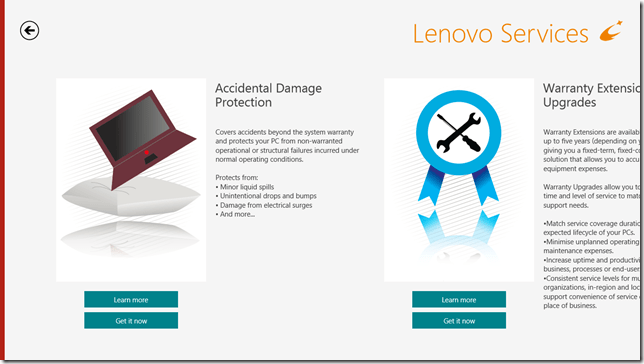
While I have no objection in principle to this, I do wish that the developers of these web pages would realise that not everyone lives in the US of A and direct us to the local country services.
On to the “App Showcase”tile. Personally, I’m underwhelmed, but maybe that’s just me.
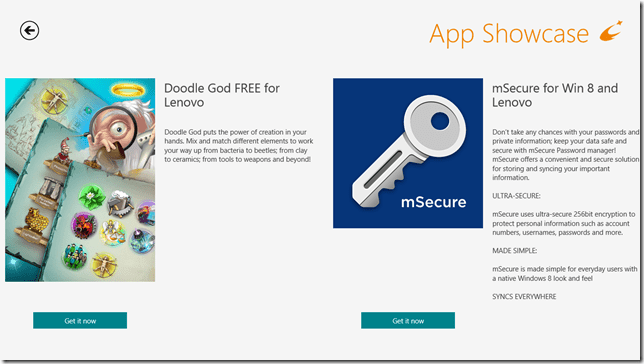
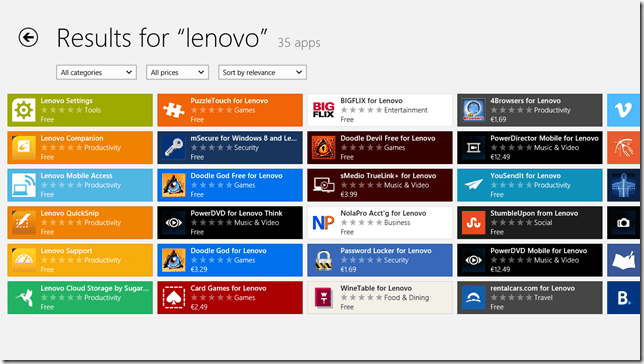
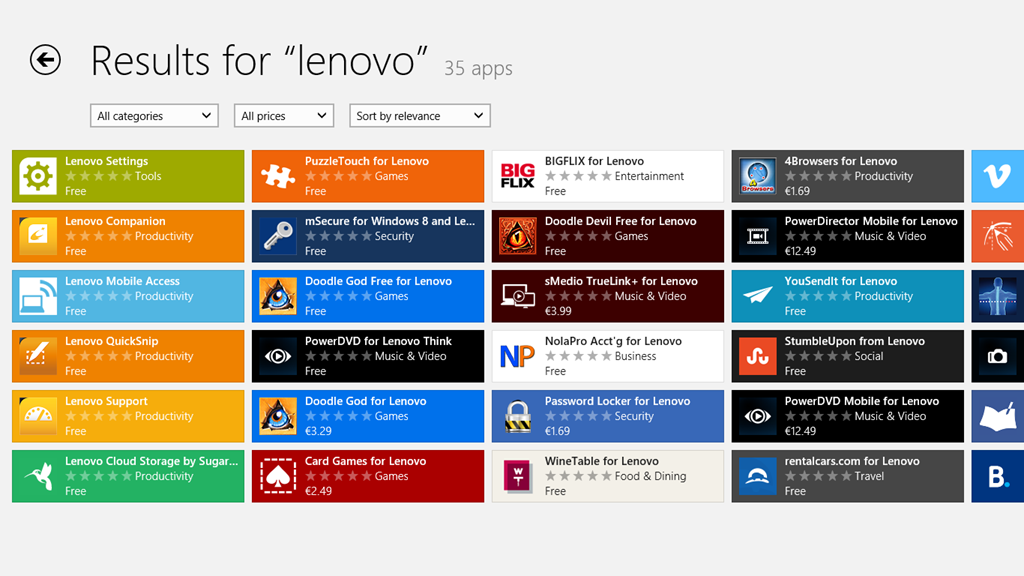
After all, I could just search for “Lenovo” in the Windows Store and see many more possibilities to choose from. Or not, as the case may be:
I’ll skip over the “Last Gadget Standing” tile, which is a transient advert for an event in the past, and the “rara.com” tile, which is an invite to download yet another music service and move swiftly on to the “How to DO Windows® 8” tile. Really, the title alone is enough to make me want to lose the will to live. Still, let’s steel ourselves and press on.
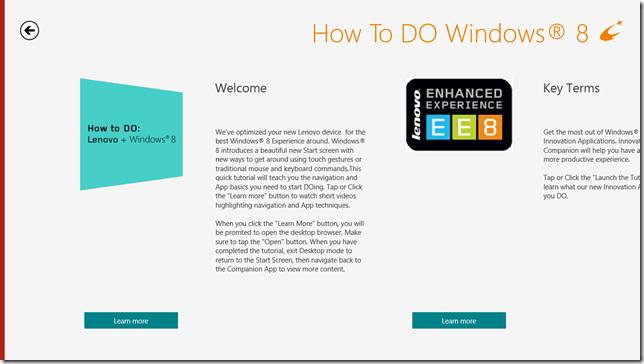
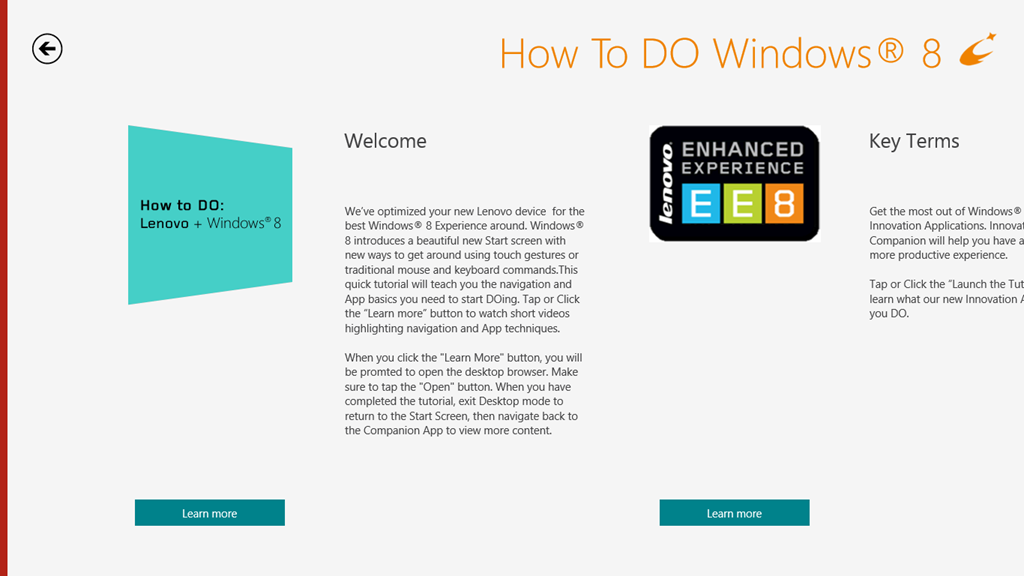
There are some ominous signs in the welcome message that this is not going to be a smooth experience. For example: “When you click the ‘Learn more’ button, you will be prompted to open the Desktop browser”. Oh dearie me; this does not bode well.
And sure enough:
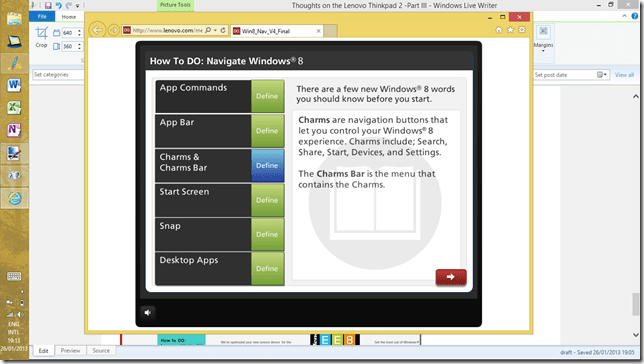
Oh, dear god – is this really the best you could do?
I’m sorry. I really need to pause and take a deep breath at this point. I’ll carry on with exploring the Lenovo experience later on, when I’ve had a chance to recover.
I should just say that I do rather like the Lenovo ThinkPad 2 tablet. It’s just that the software that’s been tossed onto it rather sours the overall experience.
-
Thoughts on the Lenovo Thinkpad 2 -Part II
This is a followup to my last post , which concentrated on the hardware of my recently acquired Lenovo ThinkPad 2, This time I’m looking at the software experience.
Well, of course, the software experience is all about the use of Windows 8. As I’ve said many times before, people seem to either love or hate Windows 8. Personally speaking, I love it. True, there are many areas in which it could be improved , but overall I am well satisfied.
Let’s take the area of handwriting recognition.
This entire post has been created by using a pen. No keys have been pressed in the making of this post. Well, apart from the Prtscn key on a wireless keyboard to take screenshots.
It is true that there are changes between the handwriting recognition input panels of Windows 7 and Windows 8. For example:
In Windows 7, there are three ways in which the tablet input panel can be invoked on the Desktop. In Windows 8, there is just one way on the Desktop to invoke the panel – tapping the icon in the taskbar.
Secondly, the Windows 7 tablet input panel had three modes that the user could switch between by means of explicit buttons on the input panel. In Windows 8 , although the three modes are still present, they are accessed differently. Now, the tablet input panel is larger and takes up half the screen.
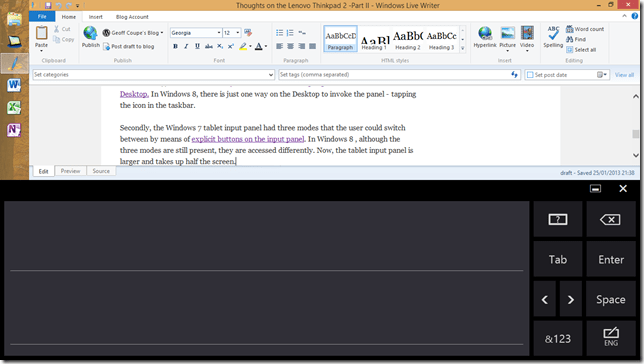
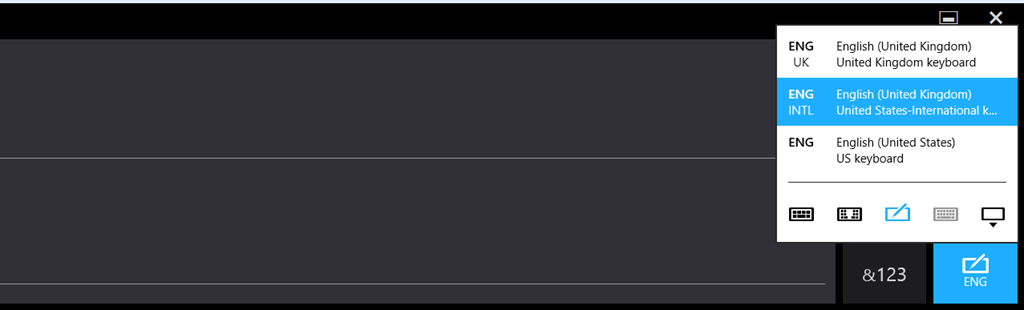
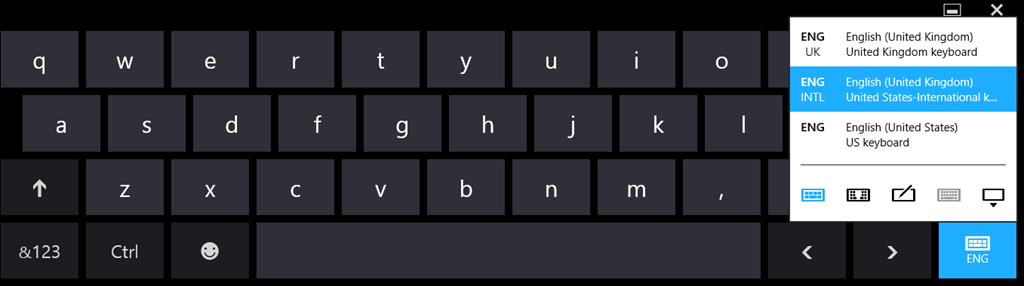
The icon at the bottom right is used to switch between the handwriting and keyboard modes:
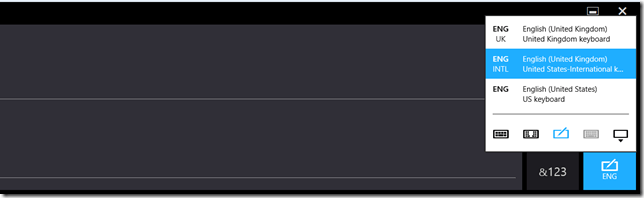
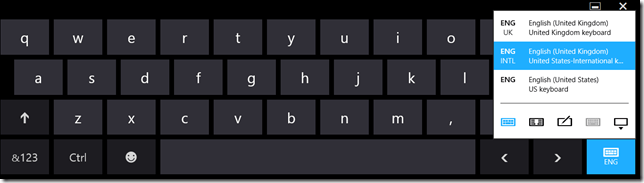
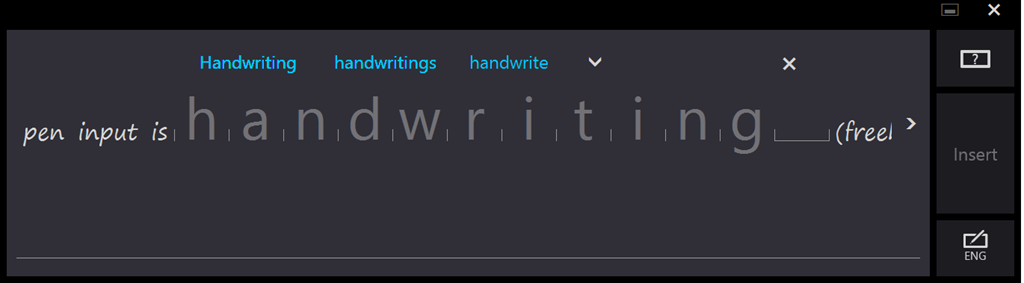
The default mode for the pen input is handwriting (freehand)
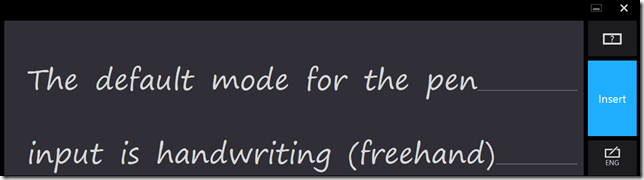
Tapping on a word switches the panel into its third mode. This is the character mode where individual characters may be edited, and where the dictionary kicks in and shows alternatives:
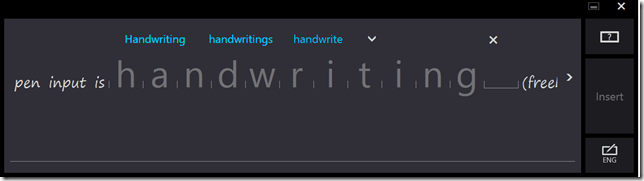
To my mind, the tablet input panel has been improved in Windows 8 over that in Windows 7. However , not everyone feels that way. Some people are finding it difficult to adjust to the new design.
I’ll carry on with thoughts on the software experience in a later post.
-
Thoughts On The Lenovo ThinkPad 2
I received my Lenovo ThinkPad 2 tablet last Friday. Since then, I’ve been playing around with it to get a feel for the good points and bad points of both the tablet itself, and how the experience of using Windows 8 on a proper tablet might be.
First the hardware.
As I wrote last week, I chose the Lenovo tablet from a shortlist of four. Well, five if you include the outside candidate: the Microsoft Surface Pro tablet. There were a number of reasons as to why I picked out the Lenovo tablet.
- The build quality looked promising.
- The dimensions were compact, so that the tablet was not unwieldy. It could be comfortably held in one hand.
- The pen could be stored in a silo in the tablet itself’. The three other tablets on my shortlist came with loose pens.
- The particular model of the ThinkPad range that I chose (the 3679-25G) came with a full set of sensors and capabilities: GPS , WiFi, Bluetooth, WWAN and NFC.
- It was a pure “slate” tablet.
A couple of the other models on my shortlist were hybrid convertibles. That is, they looked like notebooks, but the “screen” could be completely detached, and then they acted as a slate tablet. Such hybrids have their advantages – for example, some carry an extra battery in the keyboard section for extra life between charges. But in the end I decided that the form factor was not what I was looking for. I already had a wireless keyboard (a Microsoft Arc) that I could use directly with the tablet when required.
So how is the hardware shaping up? Well, so far, I think it’s shaping up pretty well. The build quality does seem to be very good and the form factor is just right for me. There are trade-offs though. Because of the small form factor, the pen is smaller than I would like. It is a bit fiddly to use for long passages. In fact, while this whole post has been created using a pen, from this point on I’ve changed to using a full-size pen (an ancient Wacom pen that I’ve had for at least 10 years). The supplied pen will still be fine for quick notes, and for on the road use; but for extended writing, the full-size pen is much more comfortable.
One thing, like all the tablets currently available, it has a smooth glossy screen. This is all very well, but it does mean that the feel of the pen writing on the glass is very slippery – like writing on glass, in fact. I might look out for a screen protector that turns the experience into something that approximates closer into writing on paper.
The display is bright and clear enough for me and with a wide viewing angle. I admit that I haven’t tried to use it outside in the garden in bright sunlight, but that’s partly because we have overcast skies, 20 cms. snow, and -8 degrees Celsius at the moment. There is only so much that I’m prepared to suffer in my testing. The sound quality is also good enough for me. It’s a tablet, for heaven’s sake, not a piece of Hi-Fi equipment.
Battery life is perfectly acceptable. I’m getting a day’s use out of it, and that seems to be improving as the battery beds in.
The cameras front and back seem OK. I have not done any extensive testing on them. I’ve had a couple of Skype sessions with the front camera, and everything seemed perfectly satisfactory to both parties.
Looking at the Lenovo forum devoted to the ThinkPad slates, there are two hardware issues that are being reported. These are:
- The USB port does not seem to be able to power some devices.
- The WiFi sensitivity is reported by some people as being unacceptably poor.
I have not tried a range of USB devices, so I cannot confirm this issue. However, even if my tablet suffers from this issue, I would not consider this a showstopper because of my patterns of usage. But I can well understand that for some people it would be – for example, those who need true portability on the road with no power point in sight and who need to plug in external hard drives into their tablet.
I have not seen any evidence of unacceptable lack of sensitivity in the WiFi of my tablet. It seems perfectly normal to me.
Update: it’s possible that this poor sensitivity is being caused by an assembly issue. A recent posting in that thread suggests that the cable connector of the WiFi antenna is not seating correctly on the WiFi board in the models showing poor sensitivity.
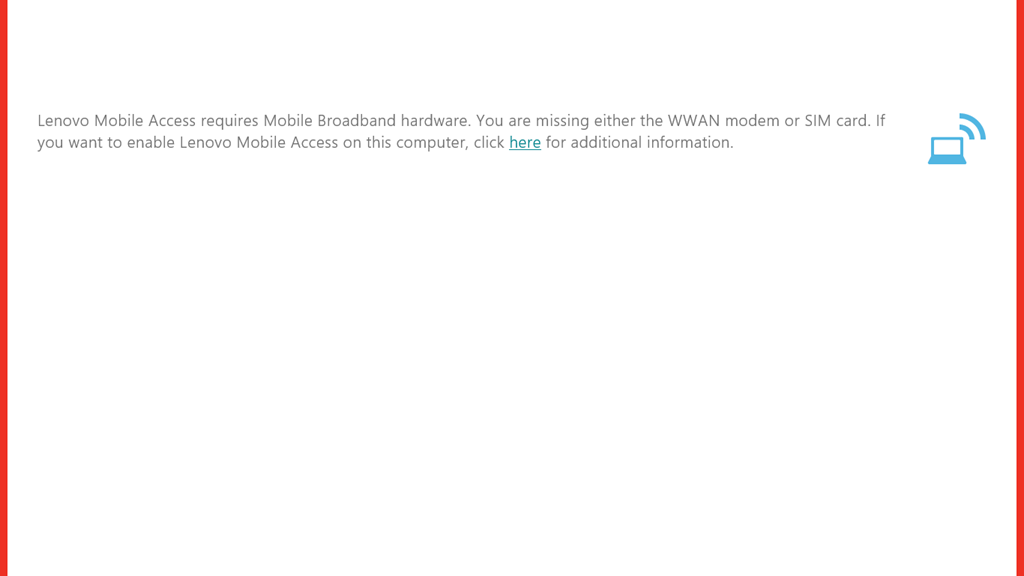
I do have an issue with my WWAN connectivity at the moment. This model has a WWAN modem, and came with a Lenovo SIM card installed. When I start up the Lenovo Mobile Access App, I see the start screen, then briefly a screen with fields for my user details, but immediately this is overlaid with an error screen that claims that I am missing either the WWAN modem or my SIM card.
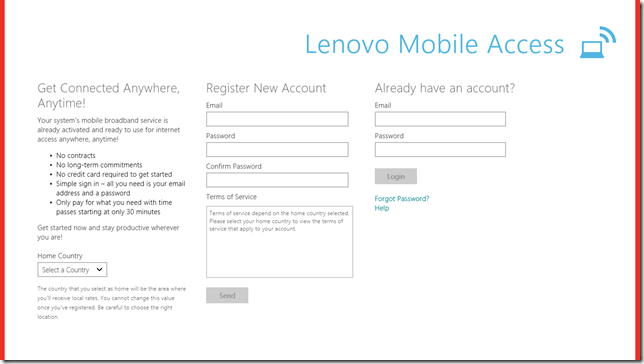
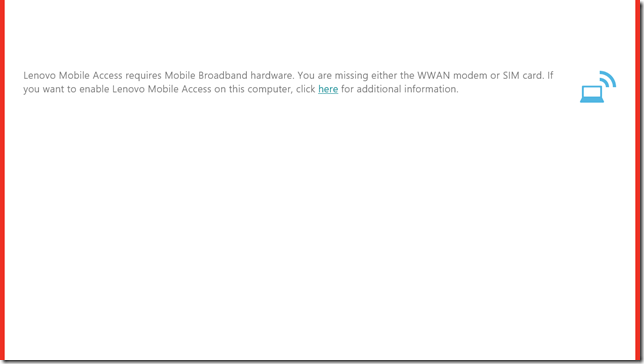
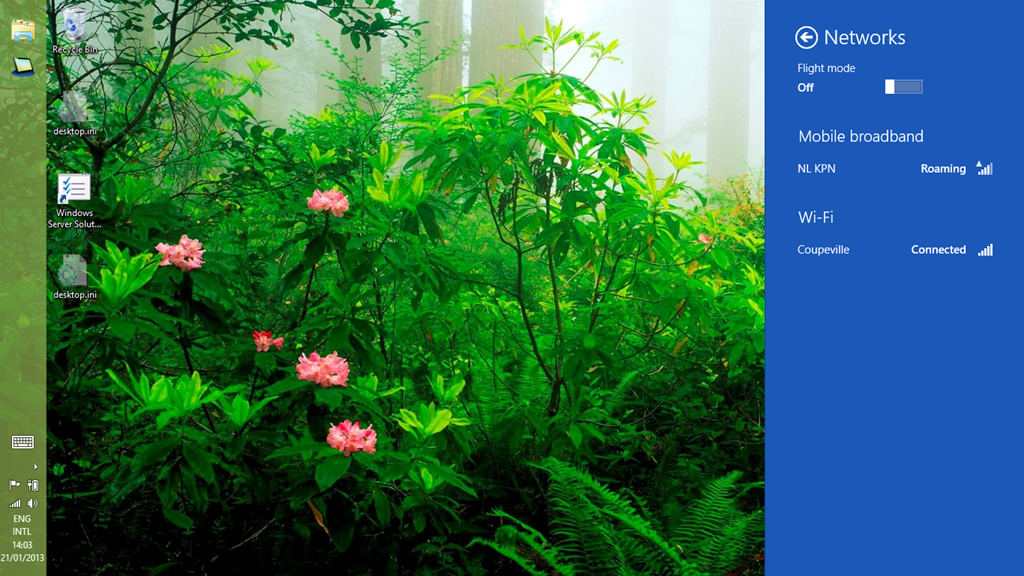
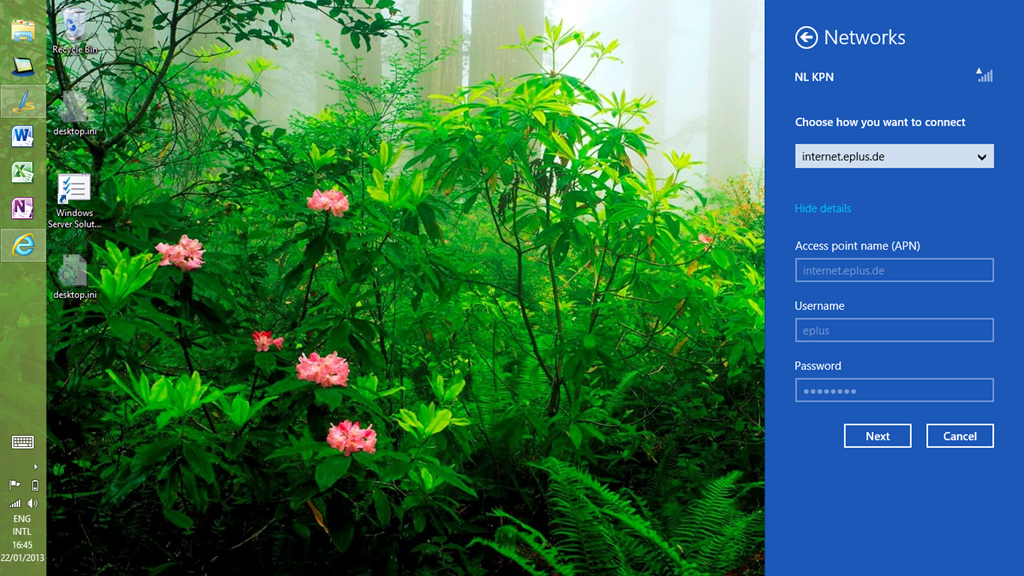
However, both the WWAN and SIM card are present. In the Windows 8 Network settings there is a Mobile Broadband network shown, with NL KPN showing as the network service provider.
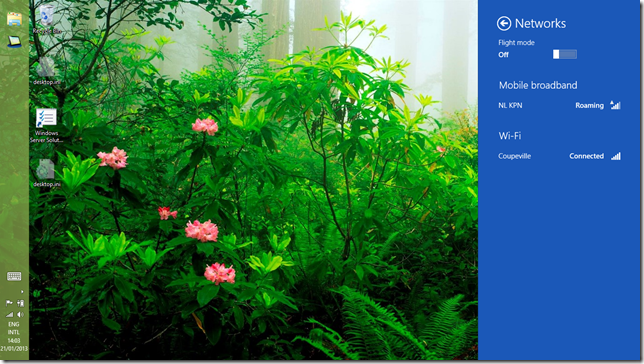
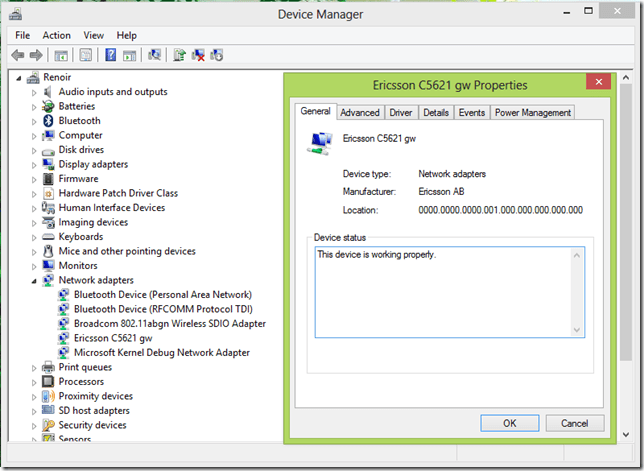
Unfortunately, the fields for the APN, username and password are all blank. I can hear network activity is present, by the interference on the speakers of my desktop PC nearby, so I assume that the WWAN and SIM card are working. The device manager is also claiming that the WWAN modem is working properly.
I rang the helpdesk and unlike many of my experiences, the person I spoke to was very helpful. I sent through the logs of the application via email at his request and a support ticket has been opened.
Today, I noticed a change. The APN and other fields now had values in them.
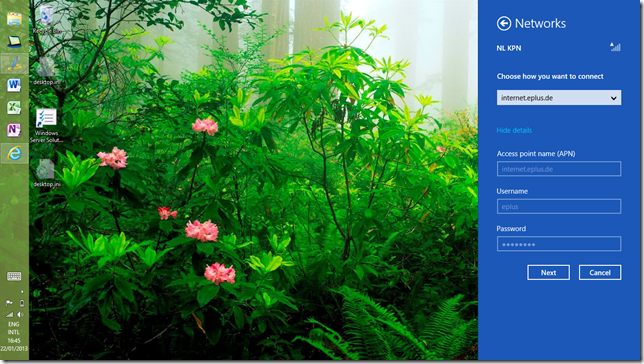
I assume that they have been put there by a Macheen engineer (the company that provides the mobile access services for Lenovo). However, I still can’t connect. This is probably because the engineer has put in the details for an APN in Germany, while I, and KPN, reside in The Netherlands. I’ve sent another email to the support service, so we’ll see what will happen.
Update: I had an email reply back from Support, which contained another set of APN details. I tried this, and definitely got connected to their mobile access service, but alas, the Lenovo Mobile Services App is still complaining that either the WWAN modem or the SIM card is missing. It’s lying, and I’ve told Support this. We’ll see what they come up with next…
Update 2: While I’m waiting for Lenovo/Macheen Support to get back to me, I thought I’d try a Vodafone pre-paid SIM card in my tablet. Vodafone NL are offering these pre-paid SIM cards for Tablets for free at the moment, so it didn’t cost me anything to try it.
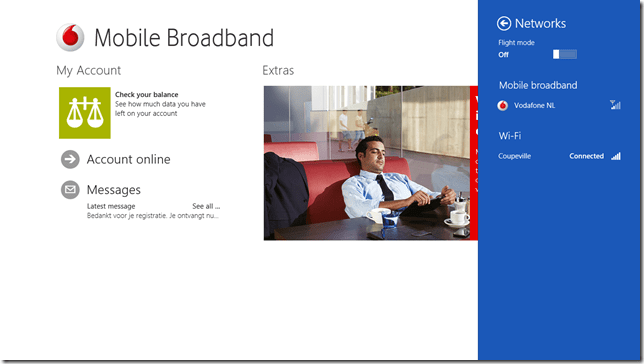
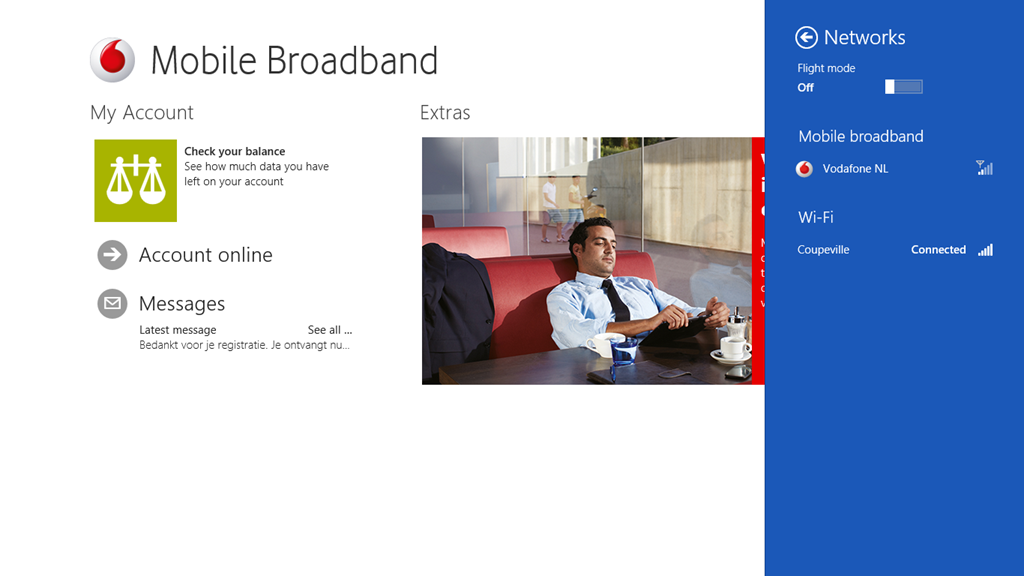
The experience was pretty straightforward. I plugged in the SIM, looked at the Network settings, and it showed a “Locked” indication. Touching that brought up the field to enter the SIM code, which I did, and then it showed a Vodafone NL service connection. Interestingly, it also showed a link to download the Vodafone Windows 8 Mobile Access application. Touching that took me to the application’s entry in the Windows Store, so I installed it.
Now I have a working Broadband connection which I can use while I’m travelling. The Vodafone app is pretty good and straightforward to use. Here’s a screenshot showing the app, with the network settings screen overlaid on the right.
I may just stick with the Vodafone service.
That is all I can think of now. I’ll put my thoughts on the software into another post.
Update 3: Here are the other posts concerning my impressions of the ThinkPad’s software experience.
Thoughts on the Lenovo Thinkpad 2 -Part II
Thoughts on the Lenovo Thinkpad 2 -Part III
Thoughts on the Lenovo ThinkPad 2 – Part IV
Update 4: well, I’ve had my tablet for ten days now, and I thought I’d add a few comments on how the tablet has been behaving during that time.
When I first started it up, there were thirty-four Windows 8 updates that needed to be applied, and these all went without a hitch. Similarly for some Modern UI App updates. On the second day, I installed Office 2010 on the tablet, and that then installed twenty-seven Office 2010 updates. A day later, I had a further ten Windows 8 updates installed automatically. Since that initial flurry of activity, there has been the usual daily update of the Windows Defender signature file. All this has gone faultlessly.
During the ten days of operation, I have had just two occasions where the pen and touch input stopped working, and I needed to restart the tablet. I see that on the Lenovo forum, there are complaints that the tablet does not wake up after going to sleep. However, for me, there has only been one time when I couldn’t bring the tablet out of sleep, and I needed to physically reset the machine by pushing a bent paperclip into the reset hole. Other than that, the machine has behaved faultlessly. I am very pleased with it.
Update 5: 25 February 2013. I’ve just had an email back from Lenovo/Macheen support saying that they’ve fixed my problems with using Lenovo Mobile Access. And indeed they have – it’s now working satisfactorily. Now I just have to decide whether I continue with the Lenovo or the Vodafone service. Ah, decisions, decisions.
Update 6: 11 May 2013. Some people have been reporting issues with the speakers in the ThinkPad Tablet; one of the speakers, usually the one on the right hand side, will start distorting the sound, and playing back at a lower volume. It’s now started happening on my tablet. It’s a hardware issue, so to fix it means returning the tablet for repair under warranty.
Update 7: 26 May 2013. I raised an Electronic Service Call with Lenovo on the 14th. Two days later (Thursday), the tablet was picked up by courier for delivery to a repair centre in Frankfurt. A week later, the tablet was repaired under warranty and returned to me on the Friday. That was a turnaround of four working days (we had a holiday weekend), and within Lenovo’s target of six working days for repairs. I’m pleased with this.
-
Test Post
This is a test post made on my new Lenovo ThinkPad 2 using the handwriting recognition of Windows 8. I must admit that it’s pretty scarily good at recognising my scrawl.
-
I’m Sorry, I Haven’t a Clue
You know, I think it is preferable for someone to acknowledge that they don’t know the answer, rather than to either studiously ignore the question, or make something up on the spot.
This has been brought to mind during my hunt for a suitable Windows 8 Tablet.
You may recall that I haven’t been too impressed with the current state of the Windows 8 Tablet market. Well, it’s now six weeks further on, so I’ve been gathering more data points in my search for a suitable tablet to invest in.
My shortlist of tablets came down in the end to
- the Lenovo Thinkpad 2
- the Dell Latitude 10
- the Asus Vivo Tab TF810c
- the HP Envy X2
The Lenovo and the Dell are pure tablets, while the Asus and HP are hybrid convertibles – they can be used as notebooks, but their keyboards completely detach when required. All four supposedly had active digitizers with proper pen support, which was one of my requirements.
I also had an outside candidate, the Microsoft Surface Pro. Outside, because although it uses the more powerful Intel Core i5 CPU, in place of the Intel Atom Z2760 CPU used in the above tablets, this in turn means that it has a shorter battery life, and requires a cooling fan. There’s also a question mark over whether it will be available in the Dutch market.
In the end, I dropped both the HP and the Asus from consideration. The HP, while it supposedly had an active digitizer, the pen was optional, and at the moment is completely unobtainable. In fact, it’s like the mythical unicorn – some people claim to have seen it, but in practice, it’s missing in action. The Asus looks good, and seems to have a decent build quality, but what finally knocked it out of consideration for me is the fact that Asus support is lagging badly. Unlike the other vendors, Asus still do not yet have updated software drivers available for their product, or the Intel Atom chipset. That’s not a good sign in my book.
It was then down to a choice between the Lenovo or the Dell. I liked the fact that the Dell had a replaceable battery, but on the other hand, the prices for the accessories were always higher than for the Lenovo range. So my choice came down to the Lenovo Thinkpad 2.
The problem was, that there was not just the one model in the Thinkpad 2 range, there was a veritable army of them, and it was far from clear as to what precisely the differences might be, or what what be available in the Dutch market.
Lenovo publish documents that detail the models that are available in Western Europe. The first time I looked, last December, there were only a few to choose from. Then, in January, more became available. There seemed to be two series of products: the 3679 series and the 3682 series. From the published information (as of January 2013), that detailed the models as follows:
Type-model Storage Tablet
PenWWAN NFC O.S. 3679-23G 64GB No None None Win8 32 3679-24G 64GB Pen Yes None Win8 Pro32 3679-25G 64GB Pen Yes NFC Win8 Pro32 3679-2PG 32GB No None None Win8 32 3679-4HG 64GB No Yes None Win8 32 Type-model Storage Tablet
PenWWAN NFC O.S. 3682-28G 64GB Pen None None Win8 Pro32 3682-29G 64GB Pen None NFC Win8 Pro32 3682-25G 32GB No None None Win8 32 3682-42G 64GB No Yes None Win8 Pro32 3682-4FG 64GB Pen Yes NFC Win8 Pro32 However, when I looked at the sites of the Dutch retailers, I was seeing a completely different series of numbers:
N3S23MH – 64GB, Win 8 (not clear whether it has the pen or NFC)
N3S25MH – 64GB, Win 8 Pro (not clear whether it has the pen or NFC)
N3S4HMH – 64GB, Win 8 (not clear whether it has the pen or NFC)
N3S2PMH – 32GB, Win 8 (not clear whether it has the pen or NFC)Looking at all the sets of numbers, and the prices, then I was fairly sure that the mapping would be:
3679-23G – N3S23MH
3679-24G – ?
3679-25G – N3S25MH
3679-2PG – N3S2PMH
3679-4HG – N3S4HMHHowever, I had no clue as to what the difference was between the 3679 and the 3682 series.
I documented all this in the Lenovo Thinkpad forum, and hoped that someone from Lenovo would pop along to clear up the confusion.
No such luck.
And there it stood until a few days ago when I saw that one of the Dutch retailers (only the one so far) had the N3S25MH model arriving in stock. So, I emailed the retailer to ask whether this model shipped with the digitizer and the pen.
No response.
Yesterday, the model was showing as in stock, so I asked again. I also took a chance and ordered it.
Of course, as soon as my order was accepted, I had a reply from the retailer that (1) this model did not come with a pen, but that (2) I could order a pen part number FRU39T0803. Naturally, this pen was NOT the Thinkpad 2 pen, but something else entirely.
Clearly, either this salesperson did not have a clue, or my assumption that the N3S25MH model was the 3679-25G model was completely wrong. I might add that a few weeks back, I was reliably informed by another Dutch reseller that the N3S23MH model came with a digitizer and pen (it doesn’t).
Well, the Thinkpad 2 arrived today, and I’m relieved to report that the N3S25MH is exactly the same as the 3679-25G model – it even says this on the box. So it came with the pen, with WWAN and NFC.
It also came with a large sticky label plastered on the back saying NON-ENCRYPTION. I suspect that this is the difference between the 3679 series and the 3682 series. The latter has the TPM hardware fitted and enabled, while the former does not.
It is a bit frustrating that we have to figure all this out by ourselves. Lenovo don’t make it clear, and their resellers, judging from my experience of the Dutch resellers, don’t have a clue.
-
A Fine Balance
I see that the European Court of Human Rights has delivered its judgments in the cases of four Christians who claimed that their religious rights were being infringed by their employers.
And I think that the ECHR got it right. They supported the claim of Nadia Eweida, and dismissed the other three claimant’s cases.
Frankly, I didn’t think British Airways had a leg to stand on when (1) they refused to allow Eweida to wear a crucifix visibly while (2) they allowed the wearing of turbans and hijabs, and (3) they subsequently changed the rules so that the wearing of crucifixes was permissible.
In the other three cases, the ECHR quite rightly pointed out that Christian rights do not trump human rights. However, Andrea Williams of the Christian Legal Centre wants to reframe these as cases where gay rights is apparently winning over human rights:
In the cases of Ladele and McFarlane, she added, sexual rights had been given priority over religious liberty: “[The judges said] that if an employer has an equalities policy and says there should be no discrimination in any way on the grounds of sexual orientation no matter what your Christian belief is that the sexual orientation rights win.”
Nonsense. As Joshua Rozenberg writes:
Take the case of Lilian Ladele, the registrar of births, deaths and marriages who lost her job when she refused to conduct civil partnership ceremonies. By a majority of five votes to two, the Strasbourg judges dismissed her claim that she had suffered discrimination in comparison to a registrar with no religious objection to same-sex unions.
That was because the local authority for which she worked also had a legitimate duty to protect the rights of same-sex couples. The human rights court generally allows member states a wide discretion — what it calls a “margin of appreciation” — when it comes to striking a balance between competing rights. According to the five judges in the majority, the decision to sack her was within that discretion.
But what am I to make of the language used by the two dissenting judges (out of the seven on the panel)?
In a dissenting judgment, two ECHR judges, Nebojsa Vucinic and Vincent de Gaetano, said Ladele’s right to freedom of conscience had been infringed. They explained: “We are of the view that once a genuine and serious case of conscientious objection is established, the state is obliged to respect the individual’s freedom of conscience.”
They also launched a fierce verbal attack on the culture prevalent in her local authority: “In the third applicant’s case, however, a combination of backstabbing by her colleagues and the blinkered political correctness of the borough of Islington (which clearly favoured ‘gay rights’ over fundamental human rights) eventually led to her dismissal.”
That is quite extraordinary language from judges who sit on the ECHR. However, as Rozenberg points out:
Minority judgments are written by the judges themselves, unlike the majority ruling which is compiled by officials. The court itself would never have said that gay rights were not human rights.
I note that the two judges hail from Montenegro and Malta. Clearly, based on these two individuals, who, one would assume, represent the highest flowering of moral and judicial sensibility, the moral zeitgeist has not moved forward in those countries at the same rate as elsewhere.
-
Pwned!
I couldn’t help but chuckle over this quote from Vint Cerf during his presentation at CES yesterday. He was speaking at the Consumer Electronics Show’s “Silvers Summit” on technology geared toward the older population:
“Some people think silver surfers don’t know how to use technology. I have news for you: some of us invented this stuff,” the 69-year-old Cerf noted.
Thank you Vint. It needed saying.








 Geoff Coupe's Blog