Reflections on life at “De Witte Wand”…

Year: 2014

  • Trying to Nail It

    A few weeks ago I wrote a piece on the newly-announced Surface Pro 3 from Microsoft: For the Want of a Nail. In summary, while I thought that the device was impressive, it seemed to me to miss a few things that I would be looking for in my next tablet.

    First, the positives of the SP3 (from my perspective):

    • The form factor is both a tablet and a notebook.
    • Build quality is high.
    • Beautiful engineering – particularly on the adjustable kickstand.
    • Thinner and lighter than the 13 inch Macbook Air laptop.
    • The 12 inch display (2160×1440 pixels) has a more comfortable 3:2 aspect ratio with a high pixel density (216.33 pixels per inch), and is both pen and touch-enabled.
    • The pen feels and behaves like a proper pen, not a pointy stick.
    • There will be a range of models available, running from devices fitted with the Intel Core i3 processor, through ones with the Intel Core i5, up to the most powerful, fitted with the Intel Core i7.

    And the negatives:

    • It’s got a fan – I really want my tablet to be fanless.
    • All the currently announced models are WiFi only – no WWAN.
    • No models have GNSS included, so the Location services in Windows 8.1 won’t work without carrying around an external GPS device and using a software shim such as GPSDirect.
    • No models have NFC included
    • It appears as though the rear camera is fixed-focus, and not auto-focus.

    The Surface Pro 3 models are also premium-priced, but that’s no different to Apple’s pricing strategy. Actually, I think you can argue that Microsoft gives you more value for money than Apple, because no MacBook is currently touch-enabled or equipped with a pen.

    Reading, and watching, the reviews of the Surface Pro 3 that have been published in the Media, it is depressing to me how many reviewers seem unable to grasp that Microsoft are attempting to change the game here with a totally new form factor. These reviewers seem to be, to a man (or woman), technical journalists who use their Macbooks to type out their articles with their laptops balanced on their knees. The pinnacle of silliness in this respect are the animated images of this reviewer crossing her legs while typing. As Hal Berenson writes:

    Microsoft is going for a unique form factor with the Surface Pro 3, one that says we compromised the tablet a little and we compromise the notebook a little and have this one device that can be both at the same time.  Detachables are a device class that let you have a notebook or a tablet, but not at the same time.

    Still, as I wrote a few weeks ago, my primary usage case for this type of device would be as a tablet. I don’t own a laptop or a notebook. And in that case, I thought:

    If I were to look at the SP3 models for simply a replacement for my TPT2 as a companion tablet, then I would go for the Core i3 model of the SP3. However, for roughly the same price as what I paid for my TPT2 eighteen months ago, I would be losing GNSS, NFC, and WWAN with the SP3. I really don’t see the point.

    And I concluded then:

    Frankly, I think I’ll give the SP3 a miss. I don’t see that I could justify it. It’s more likely that I will be replacing my 18 month old ThinkPad Tablet 2 with a new ThinkPad Tablet 10.

    However, I’ve been thinking about this some more, while waiting for Lenovo to release models and pricing details of their new ThinkPad 10 tablet. Now that those details are beginning to trickle out, I’m really wondering whether the decision is quite as clear cut as I first thought.

    At the moment, as I wrote here, of the 17 different configurations that Lenovo list for their “TopSeller” ThinkPad 10 20C1 model, only three are currently being listed by Dutch retailers. Those are the:

    • 20C1001DMH – 64GB, 2GB RAM, Wi-Fi only
    • 20C10024MH – 128GB, 4GB RAM, Wi-Fi, WWAN (LTE), NFC
    • 20C10026MH – 64GB. 4GB RAM, Wi-Fi, WWAN (LTE), NFC

    All of those models are equipped with a touchscreen, digitiser and pen, Bluetooth, and GNSS. They run Windows 8.1 Pro (32 bits for the 2GB 20C1001DMH, and 64bits for the 4GB models).

    Indicative prices are:

    • 20C1001DMH – €685
    • 20C10024MH – €880
    • 20C10026MH – €806

    Now the interesting thing is if I look at the Core i3 model of the SP3. Like the Lenovo 20C10026MH model of the ThinkPad 10, this model of the SP3 has 64GB, 4GB RAM, touchscreen, pen, Bluetooth and Wi-Fi. It also runs the 64bits version of Windows 8.1 Pro. However, it has no WWAN, GNSS, or NFC.

    On the other hand, it has a bigger screen (12 inches diagonal, 2160×1440 pixels, versus the 10.1 inches and 1920×1200 pixels of the ThinkPad 10). Being a Core i3 machine, it is also faster than the Atom-based ThinkPad 10. And the price?

    • €819

    That’s right, less than €15 more expensive than the 20C10026MH model of the ThinkPad 10.  OK, so I’d need to provide WWAN capability via my smartphone, use my bluetooth GPS tracker with the SP3 to provide real-time GPS data, and forego NFC. But would that really be such a major hurdle? Even if I went with the cheapest ThinkPad 10, the WiFi-only 20C1001DMH, the Core i3 is only €134 more expensive, and I’d be getting more storage, more screen and more performance for my money.

    Ah, you say, but you’ve forgotten to include the cost of the Type Cover in the cost of your SP3 – that adds in a further €130. Well, I respond, it’s true that I will need a cover for the SP3; but I don’t need a Type Cover, just a plain cover will do. Even a swish leather case such as the Manvex will only set me back about €40.

    Really, the only sticking point for me now is the fact that the SP3 has a fan. I really have appreciated the fact that my trusty ThinkPad Tablet 2 is fanless. Do I really want to take a step back and go with a device that has a mechanical fan in it?

    Well, here in the Netherlands, there won’t be any models of the SP3 available anyway until the 31st August, so I have a while to watch and wait. There’s no rush. My ThinkPad Tablet 2 is serving me well.


  • Lenovo Marketing 101

    Lenovo’s new ThinkPad 10 tablet is supposedly available in a variety of hardware and software configurations. The Product Specifications Reference documents for Western Europe list a total of 17 different configurations for the ThinkPad 10 20C1 – TopSeller model.

    Basically these are arrived at by twiddling five main factors:

    • Memory size: 2GB or 4GB RAM
    • Storage: 64GB or 128GB
    • Connectivity: WiFi-only, or WiFi and WWAN
    • Touch-only, or Pen- and Touch-enabled
    • Windows 8.1 Pro or Windows 8.1 SST

    For that last factor, operating system, I would say that Windows 8.1 Pro is relevant for business users (it includes features designed for IT management in a corporate environment), while Windows 8.1 SST is aimed at the consumer (it’s cheaper, and it also includes a one-year subscription to Office 365 Personal).

    With that in mind, I began looking around at Dutch online retailers who are promising to make the ThinkPad 10 available when it is released this month. Without exception, they are all listing models running Windows 8.1 Pro.

    Now, it’s true that all Lenovo’s marketing for the ThinkPad 10 is aimed at business use, but if they are listing models with Windows 8.1 SST one would think that they have at least half an eye on the consumer market as well. These models would also be cheaper than those with Windows 8.1 Pro.

    So I decided I would ask one of the retailers whether they would be making these models available as well. Back came the answer that unless I was prepared to buy more than 20, then I could forget about it. I’m not sure whether that’s Lenovo or the retailer being reluctant to deal in small quantities, but the end result is the same: the very models that are attractive to the consumer aren’t easily available for purchase here in the Netherlands.

    A so-called TopSeller model that isn’t actually available? Someone, somewhere needs to take a long hard look at their marketing skills. I’m beginning to feel myself pushed back to considering the Microsoft Surface Pro 3 for my next tablet.

  • Bird Feeder

    Seated, as I frequently am, in front of the computer; I also have a view through the window to the garden, and to the bird feeders strategically positioned in direct view. That’s so I can catch views of the locals…

    20140529-1138-45

    20140531-0708-34

  • Feed the Birds…

    We’ve got a large cherry tree in our front garden. Every year it gives a wonderful display of cherry blossom, followed by a large crop of cherries. Unfortunately, as soon as they are ripe, an equally large flock of starlings appears from nowhere and proceeds to strip the tree of fruit in very short order. This year I managed to get there just before them and pick enough fruit to make six pots of cherry jam. The starlings got the rest…

    060424-1402-31

    20070407-1437-35

    20090602-1725-07

    20140601-1652-20(001)

  • Chuck, Vlad, and Godwin’s Law

    Heaven knows, I don’t have much time for Prince Charles. His views, particularly on the subject of alternative medicine, strike me as being not only misguided, but downright dangerous because of his position of influence. Still, just as a stopped clock is right twice a day, he is capable of saying something close to sensible sometimes. Except on this last occasion he appears to have broken the media’s version of Godwin’s law by comparing Vladimir Putin to Hitler. Naturally, our Vlad doesn’t like it.

    While it’s easy to laugh at both Charles’ continuing ability to open his mouth to change feet, and at Putin’s reaction, it’s probably better to consider the comparison between Putin and Hitler more soberly. Stephen Liddell has done just that, and it makes for interesting, and rather worrying, reading.

    Addendum: I have just read David Mitchell’s article on the same topic, and notice that he also uses the “stopped clock is right twice a day” line. Pure coincidence, I assure you – I definitely didn’t plagiarise Mitchell’s article…

  • For the Want of a Nail…

    Last Tuesday, Microsoft announced the latest device in their Surface range: the Surface Pro 3. Everyone expected that Microsoft would be announcing a different, smaller, model – the so-called Surface Mini, but somewhere between announcing the launch event, and the event itself, someone in Microsoft apparently got cold feet – but that’s another story.

    The Surface Pro 3 is being pitched by Microsoft as a true laptop replacement. It is not seen as being just a tablet, such as the iPad. At the launch event, Microsoft’s Panos Panay claimed that 96% of people who own an iPad also own a laptop, since the traditional tablet is “designed for you to sit back and watch movies, read books, made for browsing the web, snacking on apps…”, whilst “Laptops aren’t designed that way at all, they are designed to get stuff done”.

    The result of the design process for the Surface Pro 3 is a device that is as powerful as a laptop, whilst being lighter than the 13-inch MacBook Air.

    There will be a range of models available, running from devices fitted with the Intel Core i3 processor, through ones with the Intel Core i5, up to the most powerful, fitted with the Intel Core i7. All will have a new form factor ratio (3:2) for the screen, which is both touch and pen-enabled.

    I have to say that the SP3 models are tempting. But I want to be rational about this. My current devices are a full Desktop PC (home build) and a companion tablet (Lenovo ThinkPad 2, with GNSS, NFC and WWAN). I don’t have a laptop.

    Microsoft, for some reason known only to themselves, have not included any of these capabilities (GNSS, NFC and WWAN) in what is clearly positioned as their flagship model (the SP3 web site trumpets: “best of a laptop, best of a tablet”). I agree that NFC is, at this stage of the game, more of a “nice-to-have” feature in a tablet than a necessity. It is further advanced in the smartphone world, and is already being exploited in applications such as those for mobile payments. And many people argue that WWAN is unnecessary in a tablet, since most tablet owners will have a smartphone, and the tablet can access the internet through the smartphone when WiFi is not available. This is true, but it’s not as convenient as having WWAN directly available in the tablet, and it also drains the phone’s battery faster. Still, at a pinch, it’s a way of achieving internet access.

    However, I am really surprised that Microsoft has still not seen fit to include GNSS capability in any of their Surface products (other than their Surface 2 LTE device, where GNSS comes riding on the back of the WWAN chip). A dedicated GNSS chip (such as the Broadcomm BCM47521) consumes little in the way of real estate or power. Location services are part of the Windows 8.1 operating system, and many Apps (e.g. maps, weather, astronomy, photography) make use of them.

    All models of the Lenovo ThinkPad Tablet 2 come with GNSS as standard (as do the newly announced successor, the ThinkPad Tablet 10). Having used Apps that exploit GNSS on my TPT2, I really don’t want to go backwards and lose this capability in my next tablet. It seems to me that Microsoft has missed an opportunity here to provide leadership. As far as I’m concerned, it takes the edge off the claim that the SP3 is the “best of a laptop, best of a tablet” product.

    If I were to look at the SP3 models for simply a replacement for my TPT2 as a companion tablet, then I would go for the Core i3 model of the SP3. However, for roughly the same price as what I paid for my TPT2 eighteen months ago, I would be losing GNSS, NFC, and WWAN with the SP3. I really don’t see the point.

    It seems to me that the only option worth considering (for my case) would be the “origami computing” option – going for the i7 SP3 + docking station + type cover to replace both the Desktop AND the tablet. Expensive, yes (extremely!), so I certainly couldn’t justify it on economic terms, but it would be rather a statement of where I want to get to. And I’d still be losing the GNSS, NFC, and WWAN capabilities.

    Frankly, I think I’ll give the SP3 a miss. I don’t see that I could justify it. It’s more likely that I will be replacing my 18 month old ThinkPad Tablet 2 with a new ThinkPad Tablet 10.

  • Rise Like a Phoenix…

    Well, of course, as soon as I read of the controversy surrounding Conchita Wurst, I couldn’t help but cheer her on in the Eurovision Song Festival. A drag queen, with a beard? It brings back fond memories of the Sisters of Perpetual Indulgence

    And then when I saw her in the second semi-final, I was even more pleased to realise that not only had she a damn good belter of a song with strong lyrics – Rise Like a Phoenix – but she could deliver it with style and panache.

    And now she’s won Eurovision 2014. Well done her!

    Martin and I watched the final last Saturday – Eurovision is a guilty pleasure. It is so over-the-top and almost the definition of camp. Every year it has more than its fair share of cringeworthy moments. This year, the French entry scored highly, and I’m still trying to get the image of the butter-churning Polish lady out of my mind.

    But there were some good songs. The Dutch entry, although I didn’t much care for it, did far better than we all hoped, coming second. If it hadn’t have been for the phenomenon of Conchita, it would have swept the board.

    I see that the UK public displayed their usual good taste by awarding the Polish girls the full douze points. It was only the UK jury voting them down that balanced it out. We Dutch were almost as bad – the public put them in 2nd place, while the jury put them in 25th place.

    At least we redeemed ourselves over Conchita – both public and jury placed her in 1st place.

    Also, while the Russian jury followed the party line and put Austria in 11th place, the Russian public actually ranked Conchita in 3rd place… We live in interesting times.

  • OneDrive – Still No Proper Support For Tags

    Update 23 January 2015: OneDrive now searches Tags – at last! So please treat what follows as a historical post illustrating the situation as it was up until January 2015…

    Update 8 October 2015: And now Tags added to photos via OneDrive online will get added to the photos’ metadata, and thus also be synced back down to the photos held in OneDrive on your PCs.

    Update 5 October 2024: And now Microsoft has removed the ability to search tags in photos stored in OneDrive. They have rendered OneDrive useless for managing photos.

    Microsoft has recently added some new features to OneDrive, listed in the OneDrive Blog: Updating OneDrive: Five New Features You Asked For.

    Unfortunately, the five do not include one that I (and others) have been requesting for the past three years: proper support for tags in photo metadata.

    Interestingly, one thing has changed, there is now a “Tags” heading displayed along with the “People tags” heading in the information pane for a photo. This returns a feature that was removed in June 2011. However, this does not yet seem to be fully working. Let me try and illustrate this.

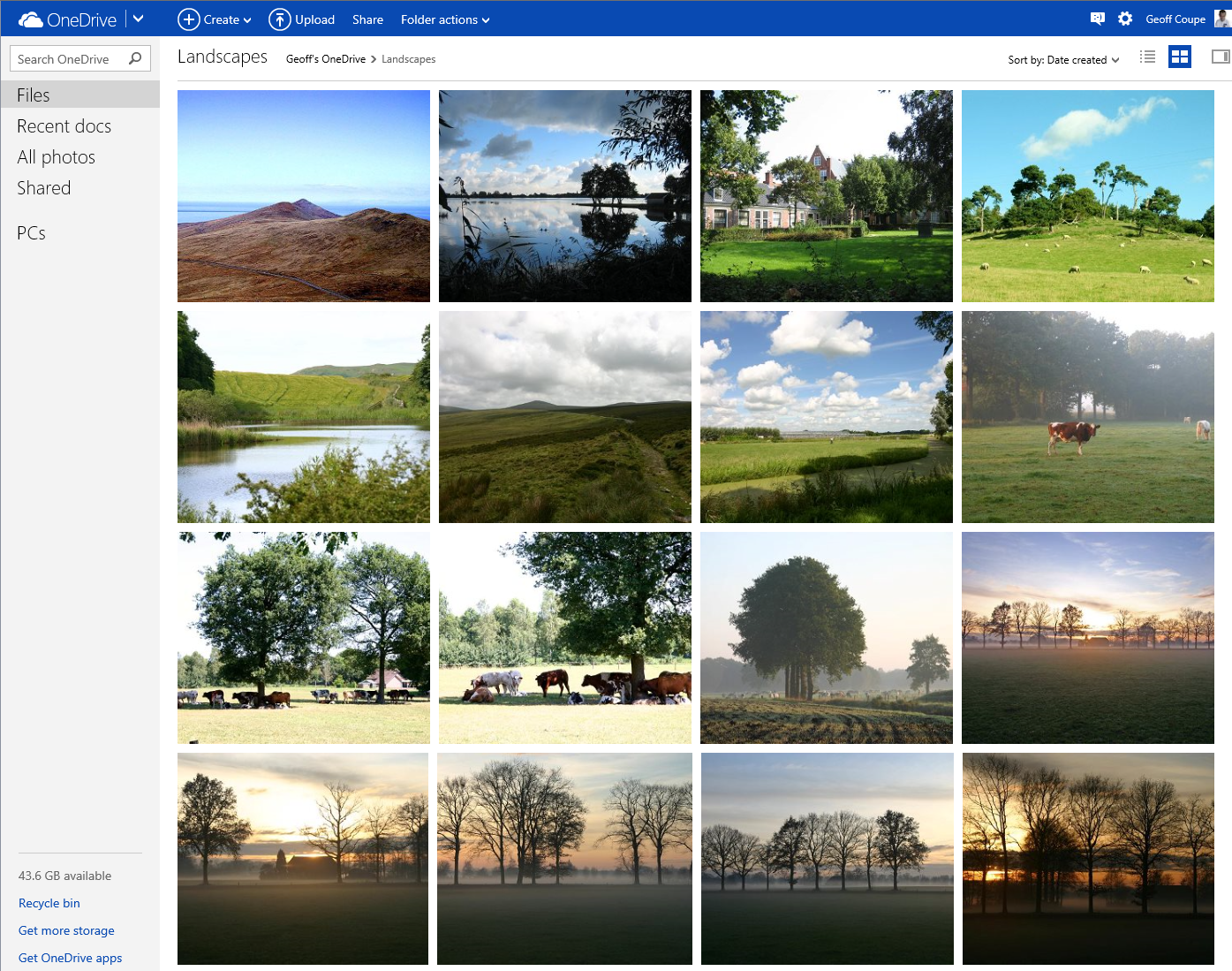
    First, here’s the new view of a folder of photos on OneDrive; it has larger thumbnails than the previous version:

    Onedrive 01

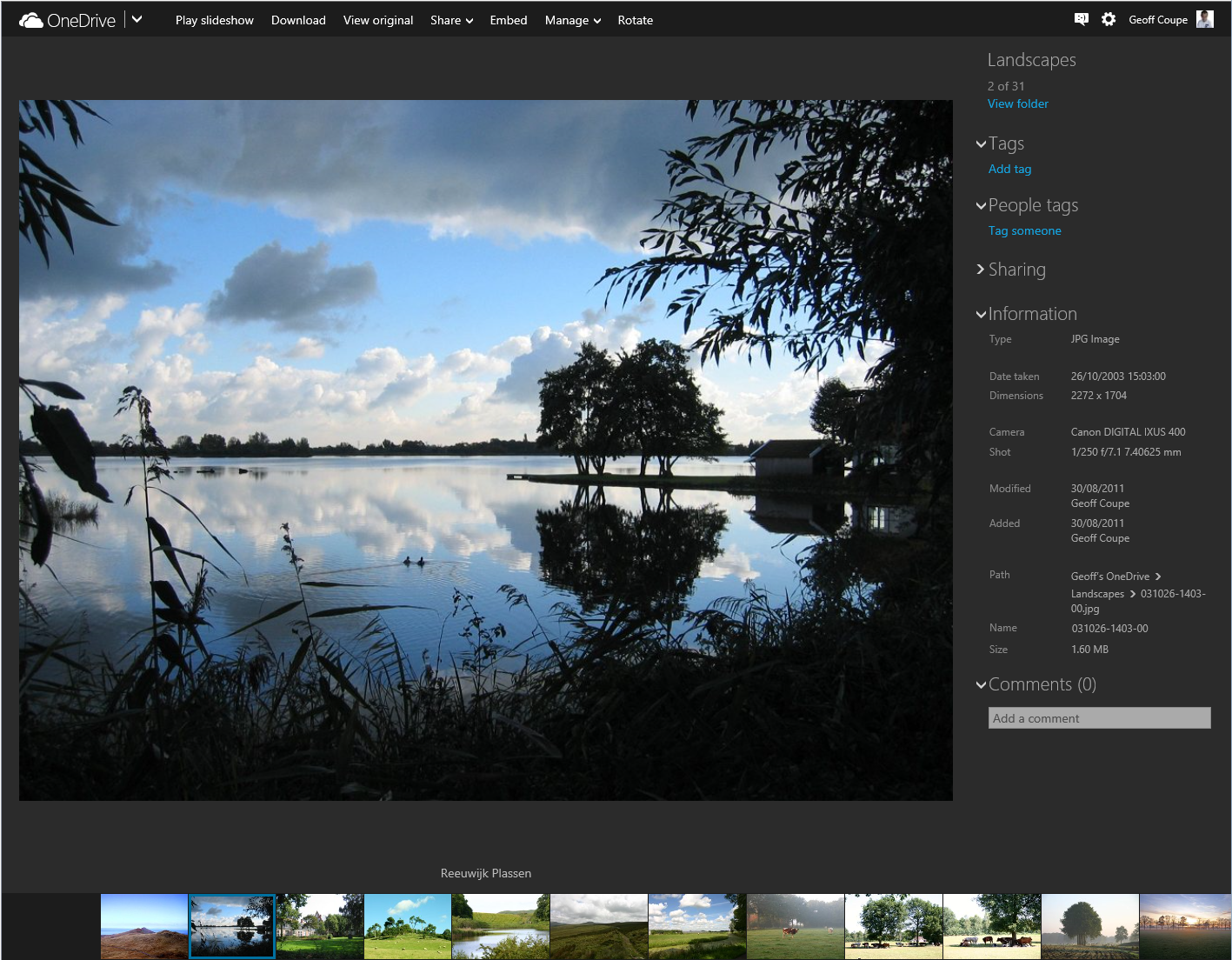
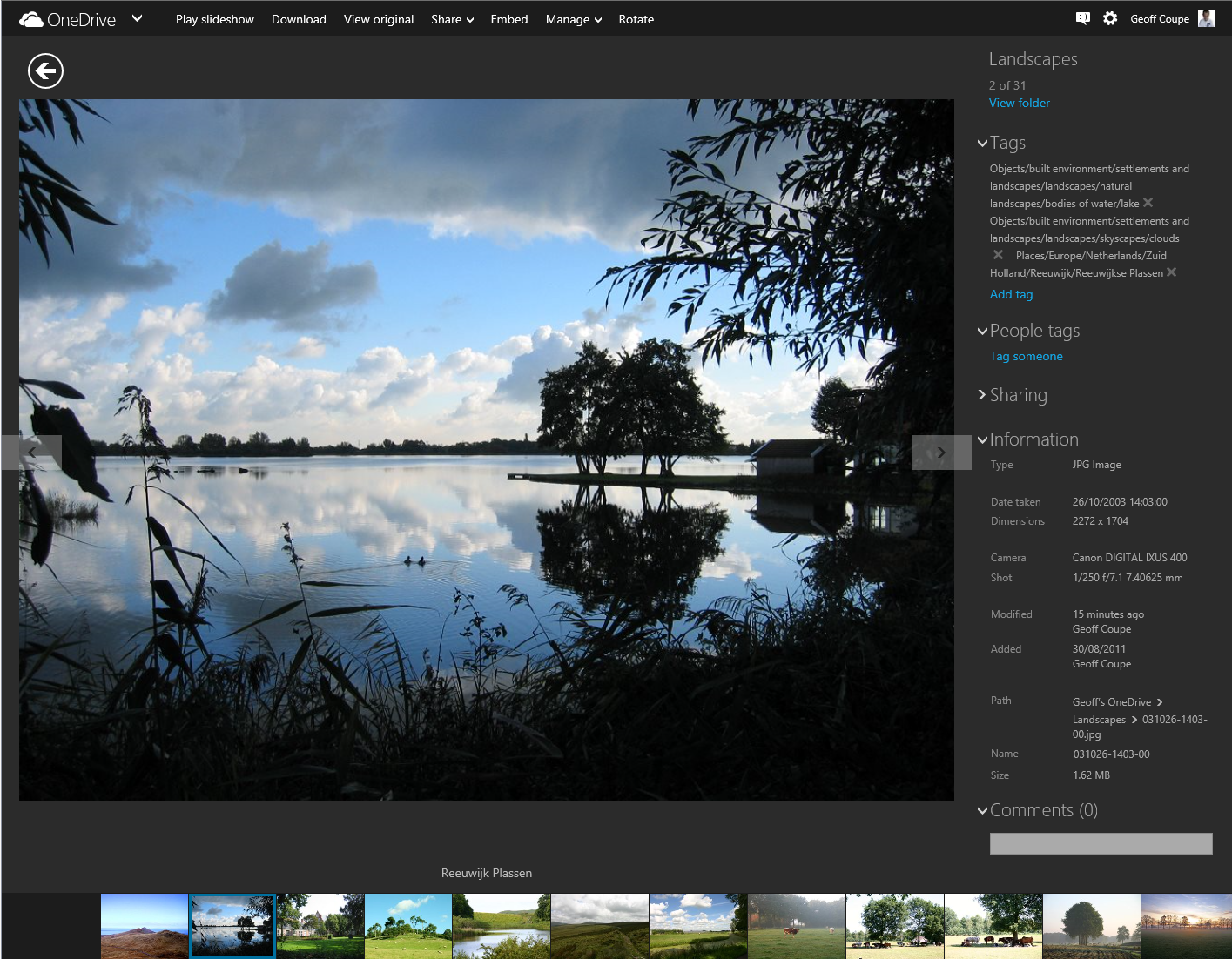
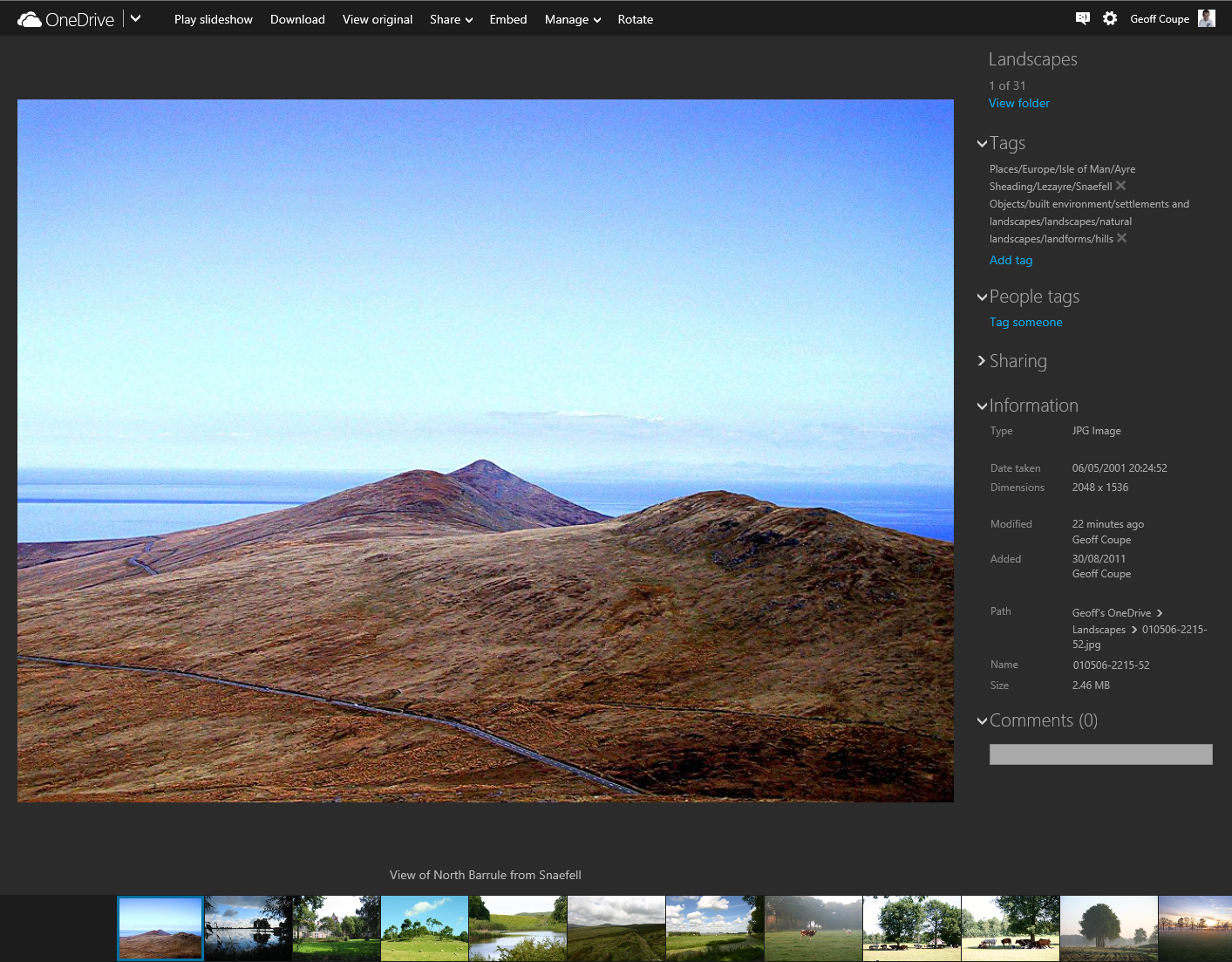
    Now let’s look at an individual photo using OneDrive, and show the metadata stored in the photo displayed in the information panel on the right:

    Onedrive 02

    Notice how OneDrive claims there are no descriptive tags in this photo, by the fact that under the “Tags” heading, there is only the link to add a tag.

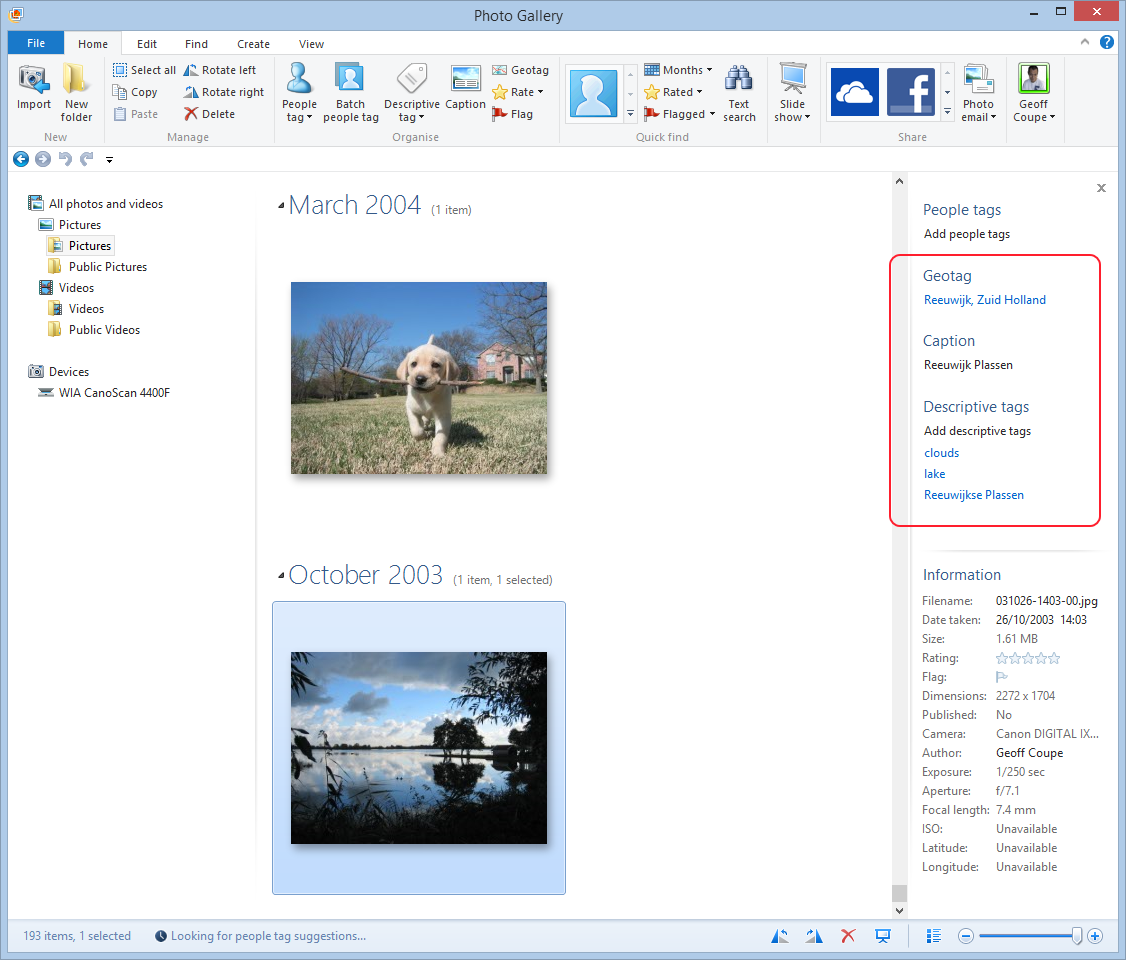
    However, this photo (like all the photos I have on OneDrive) has been tagged. I can show this by downloading a copy of this photo to my PC (by clicking on the “Download” link shown at the top of the OneDrive window), and then using Microsoft’s Photo Gallery to display the metadata in its information panel:

    Onedrive 03

    You can see that there are both Descriptive tags (clouds, lake, Reeuwijkse Plassen) and Location metadata (Reeuwijk, Zuid Holland – what Microsoft wrongly calls geotags; they are in fact more properly called geocodes) in this photo, and they were not being displayed in OneDrive.

    And then I discovered something really interesting. When I went back to displaying this photo in OneDrive, suddenly the Descriptive tags were showing up:

    Onedrive 05

    I can only conclude that the act of downloading the file has triggered a process in OneDrive to start displaying the tags in this file. All the other photos in the folder did not have any tags being displayed. As a further test, I downloaded another photo in the folder, and then went back to look at the photo in OneDrive. Lo and behold, that photo now had its descriptive tags displayed:

    Onedrive 06

    This is clearly a step forward, but it’s still a broken experience. We should not have to download every file in order to get the descriptive tags to display.

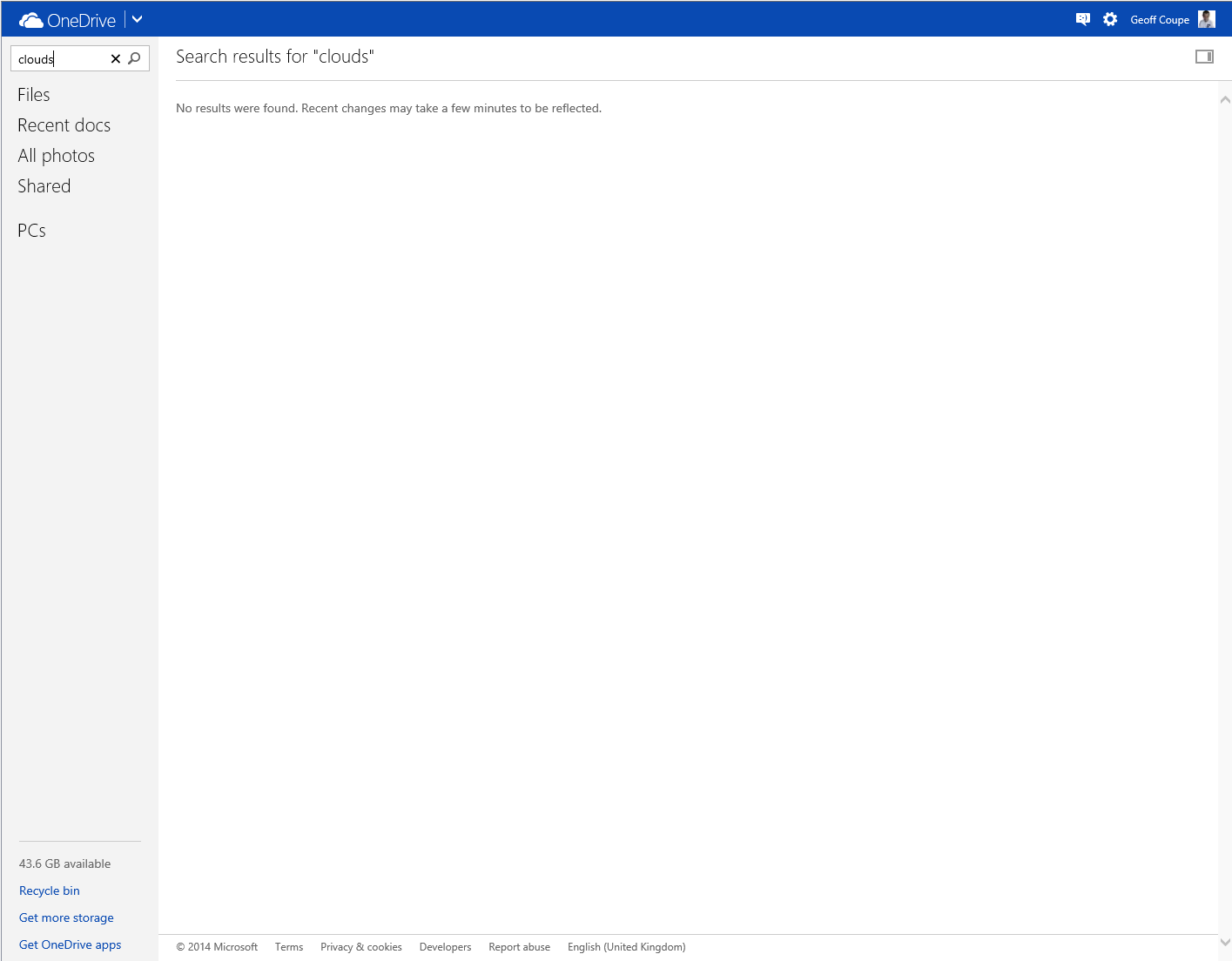
    And descriptive tags are still not being searched in OneDrive. That first sample photo has a descriptive tag “clouds” in it (to be strictly correct, it has a hierarchical tag Objects/built environment/settlements and landscapes/skyscapes/clouds), but doing a search for it in OneDrive produces no results:

    Onedrive 04

    According to Microsoft’s Omar Shahine: “this work just ranks lower on the priority list than some other things we are doing right now”.

    I just hope that the work remains on the list of things to do, and that this broken experience doesn’t last for too long.

    Addendum: A word of warning. Do not use the “Add tag” feature in OneDrive, if you want your photo metadata to remain consistent. Any tags added to photos using OneDrive do not get added to the metadata of the photos. You end up with a tag list displayed by OneDrive that does not reflect the tag list contained in the photo metadata.

    As of October 2015, this has now seems to have been fixed. Tags added in OneDrive will now get synced back to your photo metadata.

  • The UN Goes Bollywood

    The UN Human Rights Office has made the first ever Bollywood music video for gay rights as part of their Free & Equal initiative:

    With my Indian ancestry, I thought it rather charming and sweet…

  • Note To Self…

    …wait until after the 7th September 2014 before visiting the Rijksmuseum. Why? Because until then, my least-favourite philosopher, Alain de Botton, has apparently filled the Rijksmuseum with giant Post-it notes of his own. It doesn’t sound promising:

    De Botton’s evangelising and his huckster’s sincerity make him the least congenial gallery guide imaginable. He has no eye, and no ear for language. With their smarmy sermons and symptomology of human failings, their aphorisms about art leading us to better parts of ourselves, De Botton’s texts feel like being doorstepped.

    Pity, I still haven’t managed to get back to visit the Rijksmuseum since its grand reopening following a ten-year refurbishment. I want to see L’Amour Menaçant by Etienne-Maurice Falconet again. However, I really don’t want to wade through de Botton’s golden shower of musings during my visit.

    Addendum: whilst I don’t like to kick a man while he’s down, this piece of invective from the Spectator contains some choice morsels:

    All this would be easy to ignore, except that his latest book Art as Therapy, co-written with art historian John Armstrong, now has a wretched afterlife in a museum. And it’s not just any old provincial museum, but the Rijksmuseum. This important and scholarly institution should frankly be embarrassed. From April to September this year we’ll be able to visit its world-class collection of medieval art, Dutch Golden Age paintings and 20th-century artefacts and find de Botton’s anodyne thoughts, in their utterly uninsightful, depressingly reductionist therapeutic guise, accompanying not only the works on display, but items in the shop, the café, the cloakroom and the entrance.

    Well, quite.

  • Microsoft’s Keyboard for Giants

    Microsoft have been in the hardware business since 1982. The majority of their hardware designs are for mice and keyboards, and I’ve owned a few over the years. The last set that I bought was the Arc Keyboard and Arc Mouse for our HTPC. I liked the minimalist design and small dimensions of the Arc Keyboard, and the Arc Mouse is neat, but I need to put the mouse down onto a flat surface to use it.

    Now, Microsoft has announced a new All-in-One Media keyboard. It combines a keyboard and an integrated multi-touch trackpad in one, with dedicated keys for Windows 8.1 and media controls. Sounds like an ideal device as an upgrade for our HTPC. I’m already often using the Arc Keyboard with my ThinkPad Tablet 2 when I want to type long documents.

    I’m just a bit surprised that the A-i-O Media Keyboard is not backlit. I would have thought that this would be a natural design feature for a keyboard intended to be used with HPTCs in a darkened room.

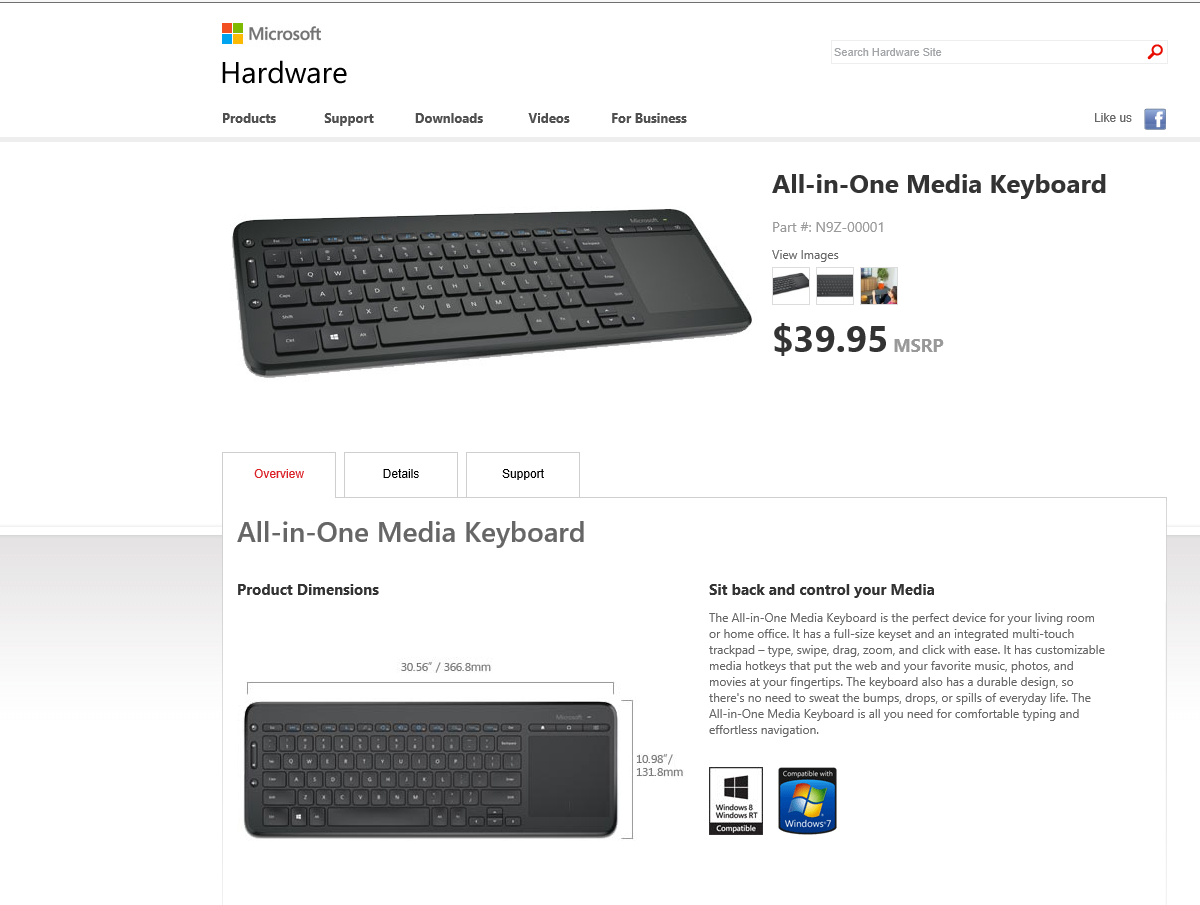
    I also notice that Microsoft have apparently built this keyboard for giants. According to the current product page, the keyboard is huge: 30.56 inches wide by 10.98 inches deep. This must be an error; the metric measurements are a much more reasonable 36.68 cms. by 13.18 cms.

    Keyboard 01

    Addendum 6 June 2014: The keyboard is now available here in the Netherlands. I purchase one a couple of weeks back for use with our HTPC. The all-in-one design is much more convenient than having to juggle a keyboard and mouse. Thumbs-up.

  • Music and Windows Phone

    Back in the days of Windows Phone 7, Microsoft’s Zune application was used to copy or synchronise media (music, photos, videos and podcasts) between your PC’s media libraries and your Windows Phone. When I had a Nokia Lumia 800 (which used Windows Phone 7.8), it was wonderfully easy to transfer music and podcasts from my libraries to my phone and to manage them on my phone with it.

    Then I upgraded to a Nokia Lumia 1020, which uses Windows Phone 8, and found that I’d need to change the media management software, because Zune doesn’t work with Windows Phone 8. Microsoft has released a new generation of media management software for use with Windows Phone 8.

    Microsoft make two versions of this media management software for Windows, a desktop application and a Modern UI App.

    I have tried both of them, and I’m here to tell you that they are both absolutely abysmal. Microsoft should really be embarrassed at how bad they are.

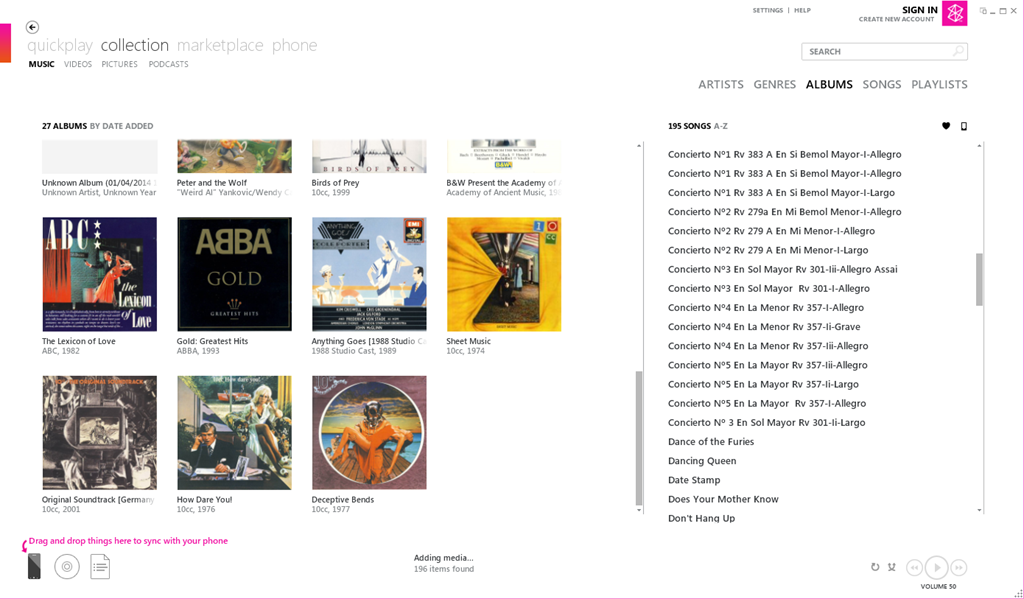
    Here’s a screenshot of Zune displaying some of my music albums. To copy an album across to the phone, I simply drag and drop the albums onto the icon of the phone:

    Zune 04

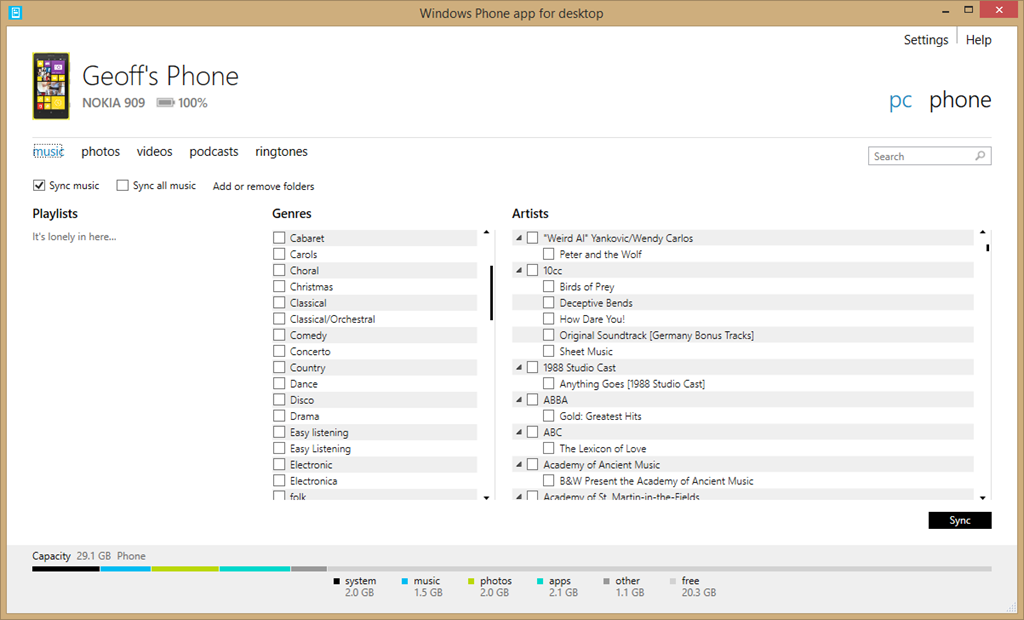
    Here’s the equivalent screen of the new desktop application:

    Zune 06

    For a start, there’s no way of displaying albums; only a list of genres and artists. Secondly, there’s no display of Album Art, which I find gives me useful visual cues. Thirdly, if I select a genre, then the list displayed under Artists does not change to display only those items (songs) that are tagged with the relevant genre, so I have no way of knowing the specifics of what I am about to sync. Also, I have no way of knowing how much space will be required on my phone.

    If you think this is bad, here’s the equivalent opening screenshot of the Modern UI App when adding music to your phone:

    Zune 07

    The problem is that Microsoft has focused on its subscription-based cloud service for music – Xbox Music – and forgotten about those of us who have our own music collections or have no interest in paying a monthly subscription fee. If you are a subscriber to the Xbox Music service, then you can download music from the service directly to your Windows Phone 8 device. But if you are not a subscriber, Microsoft will point you in the direction of one of their media management software applications to transfer music to your phone, and using them is a horribly painful process.

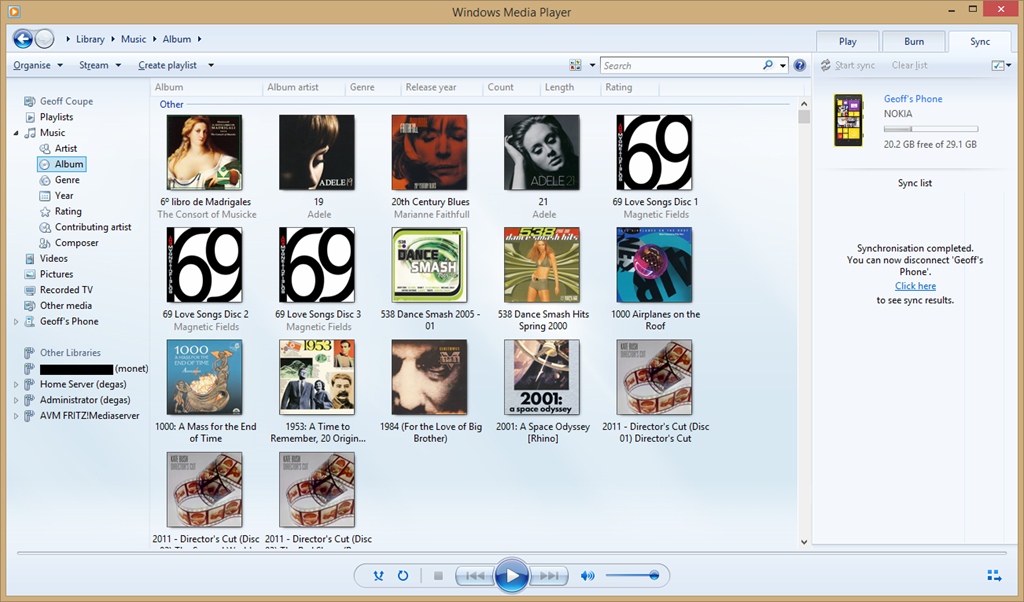
    Fortunately, I have discovered that there is another alternative; and that is Microsoft’s good old Windows Media Player. It knows about Windows Phone 8 devices, and can sync to them with ease. I can display my music collection by Album, Artist, Genre, Rating, even by Composer (none of the other Microsoft applications can do this), and sync my selection to my phone with ease.

    Zune 08

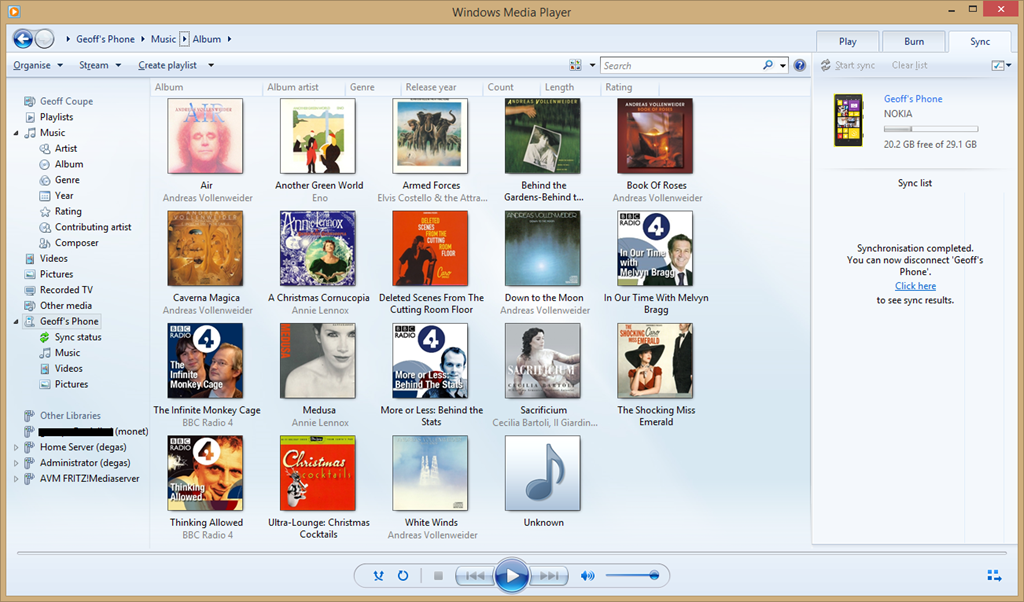
    You can also use it to browse the content of your Windows Phone and manage your media on the phone if you so wish. Here’s the Album view:

    Zune 09

    And here’s the photos on my phone:

    Zune 11

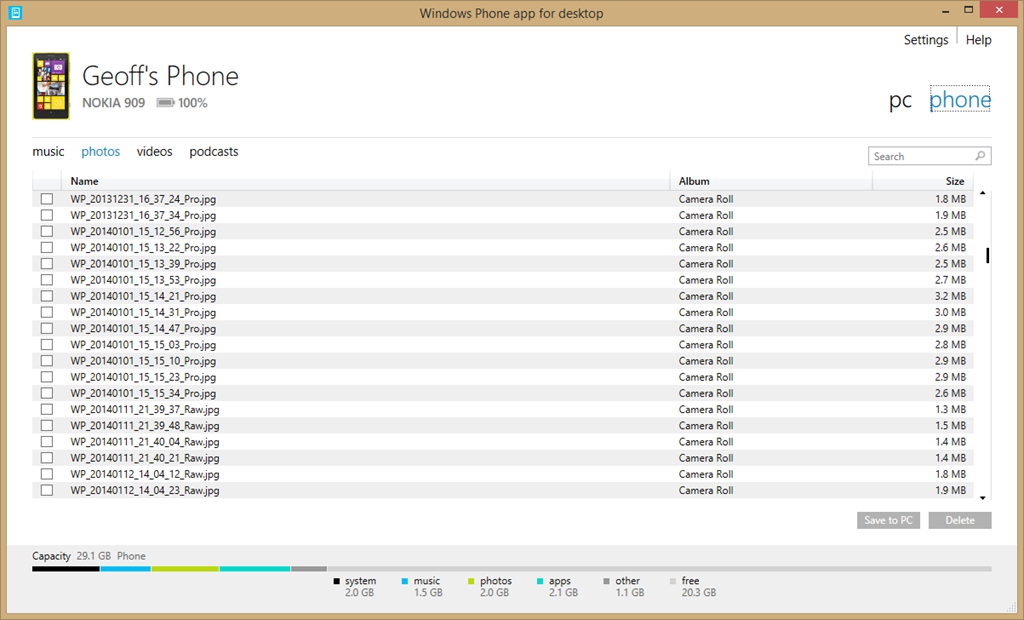
    By way of contrast, here’s what you see when you use Microsoft’s brand spanking new desktop application for Windows Phone to browse your photos:

    Zune 12

    Yup, it can’t even display thumbnails of your photos… As I say, Microsoft should be thoroughly ashamed of this rubbish.

    I’ll be sticking to Windows Media Player for managing the music media on my phone from now on.

    There’s a sting in the tail I’m afraid for those of you who are using a Windows device running Windows RT, such as the Surface 2. Windows Media Player isn’t available for Windows RT. I’m afraid you are stuck with Microsoft’s abysmal Windows Phone App.

  • First Day Out

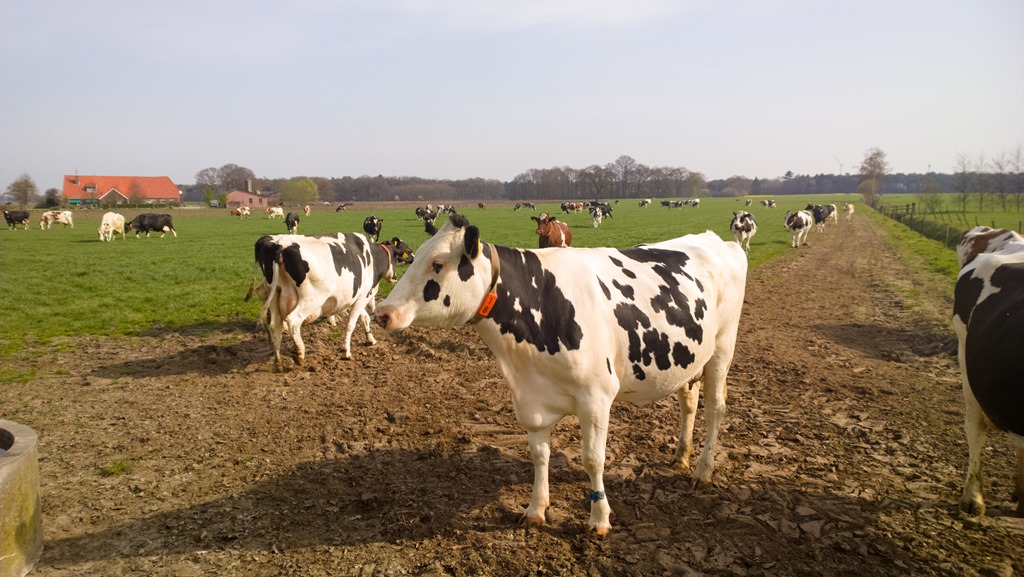
    Our neighbour has a herd of dairy cattle. During the winter, they are kept indoors, but come the spring, they are let out to graze in his fields. Today was the first time they were let out this year, and you can see from the videos that they are pleased to be out in the fields. In the second video, near the start, if you watch it fullscreen, you can just see a couple of hares running to avoid getting trampled on by a cow weighing 500 kg.

    WP_20140330_11_14_53_Raw__highres 

    WP_20140330_11_04_17_Raw__highres

  • Welcome, England and Wales…

    …you finally made it. At midnight on Saturday 29 March 2014, same-sex couples in England and Wales will be able to legally tie the knot. It’s been a long, hard battle for them to get equality, but the day has finally come. England and Wales join the other fifteen countries that recognise same-sex marriage.

    It’s also refreshing to see that the Church of England has thrown in the towel, and that the current Archbishop of Canterbury has publicly signalled the end of the Church of England’s resistance to same-sex marriage. Mind you, the global Anglican Church still has plenty of spleen and venom to vent on the issue, so now the fight moves elsewhere.

    In the meantime, congratulations to those who are preparing to get married. Sandi Toksvig has an excellent article on what it means to her.

  • Sleeping Beauty and Maleficent

    Back in 1959, when I was ten years old, I went to our local cinema and saw Walt Disney’s Sleeping Beauty. I was utterly mesmerised by it. Two things gripped me, and never let me go: the look of the film, and the music. Well, the music was by Tchaikovsky, after all, and it merely confirmed to me that classical music was worth listening to.

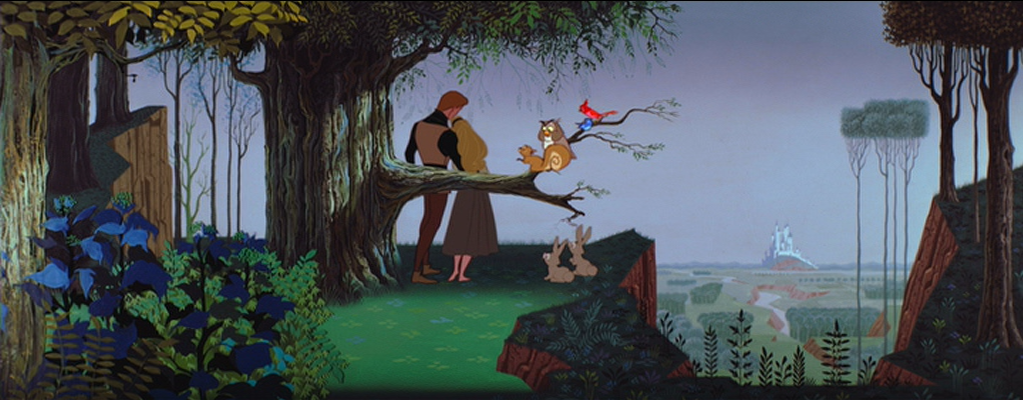
    The look of the film was extraordinary. The backgrounds were styled after the illustrations in medieval Books of Hours. For Sleeping Beauty, although Disney’s regular production designer was in charge of the film’s overall look, the film’s colour stylist and chief background designer was Eyvind Earle. His work was detailed, heavily stylised, and brought a real sense of landscape into the film.

    Sleeping Beauty 01

    There was a terrific villainess as well – the bad fairy, and in Disney’s version, she had a name: Maleficent. And now, she’s back – there’s a new Disney live-action film coming out in May this year, with Angelina Jolie as the eponymous villainess. I must admit that the film’s trailer looks as though it may actually give the old film a run for its money.

  • Geert and Gedogen

    Gedogen is one of those (many?) Dutch words that is somewhat difficult to translate. On the face of it, it means to tolerate, permit, suffer and allow. However, there is something lurking behind those straightforward definitions; an additional layer of meaning that indicates that the tolerance, the permission and so forth are granted, well, perhaps not grudgingly per se, but perhaps almost in spite of the thing that is being tolerated. There’s a sense of turning a blind eye to behaviour that, strictly speaking, is illegal, or should not be condoned, but which one tolerates out of a sense of liberalism and of a sense of “live and let live”.

    Someone who has been the beneficiary of much gedogen is the Dutch populist politician Geert Wilders. He, on the other hand, exhibits near zero gedogen for his targets: immigrants, Muslims and Moroccans.

    We’ve just had elections here in the Netherlands for the town councils (the Gemeenten), and Wilders’ party fielded candidates in just two places: The Hague and Almere. During the campaign, Wilders went on record as saying that voters in The Hague should vote for a city with lower taxes and, if possible, fewer Moroccans. As a result, one Labour candidate (Fouad Sidhali) tweeted a comparison of Wilders to Hitler, a statement he later withdrew after criticism from senior Labour officials, saying the comparison had been unjustified.

    I found it fascinating to observe the media and politicians exhibiting gedogen towards Wilders by focusing on Sidhali’s tweet, rather than the initial remark by Wilders. It was as though Wilders was the injured party, rather than Sidhali, who had probably responded with understandable exasperation over yet more of Wilders’ xenophobic rhetoric.

    Wilders then (oh so predictably) responded by saying Fouad Sidali’s rethink was sensible but that ‘it would have been more sensible to leave for Morocco’.

    And so it goes. Geert grins under the grace of gedogen.

    But perhaps a line has now been crossed. During last night’s after-election celebrations in the Hague, Wilder asked his supporters ‘and do you want more or fewer Moroccans in your city and in the Netherlands?’ To which the crowd chanted ‘fewer, fewer, fewer’. ‘ We’ll arrange that,’ Wilders said with a faint smile (or was it a smirk?) when the chanting died down.

    I would like to think that people are beginning to think that enough is enough, and that the emperor has no clothes, other than rags of xenophobia and racism. We will see what happens during the European elections in May.

  • RIP, Clarissa

    Clarissa Dickson Wright has died. The phrases: “larger than life” and “a true British eccentric” fitted her like gloves. It was almost 20 years ago that she, together with Jennifer Paterson (also, alas, dead) roared onto British TV with an unlikely cookery programme called Two Fat Ladies. It was an instant hit, and I have all their cookery books lined up on the shelf in the kitchen for occasional reference.

    Dickson Wright had an appalling childhood caused by an alcoholic and violent father. Her full name, as befitting the larger than life moniker, was Clarissa Theresa Philomena Aileen Mary Josephine Agnes Elsie Trilby Louise Esmerelda Dickson Wright.

    Whilst I did not agree with her on certain issues, she was undoubtedly a formidable woman, and life will be duller without her.

  • Lawrence of Arabia

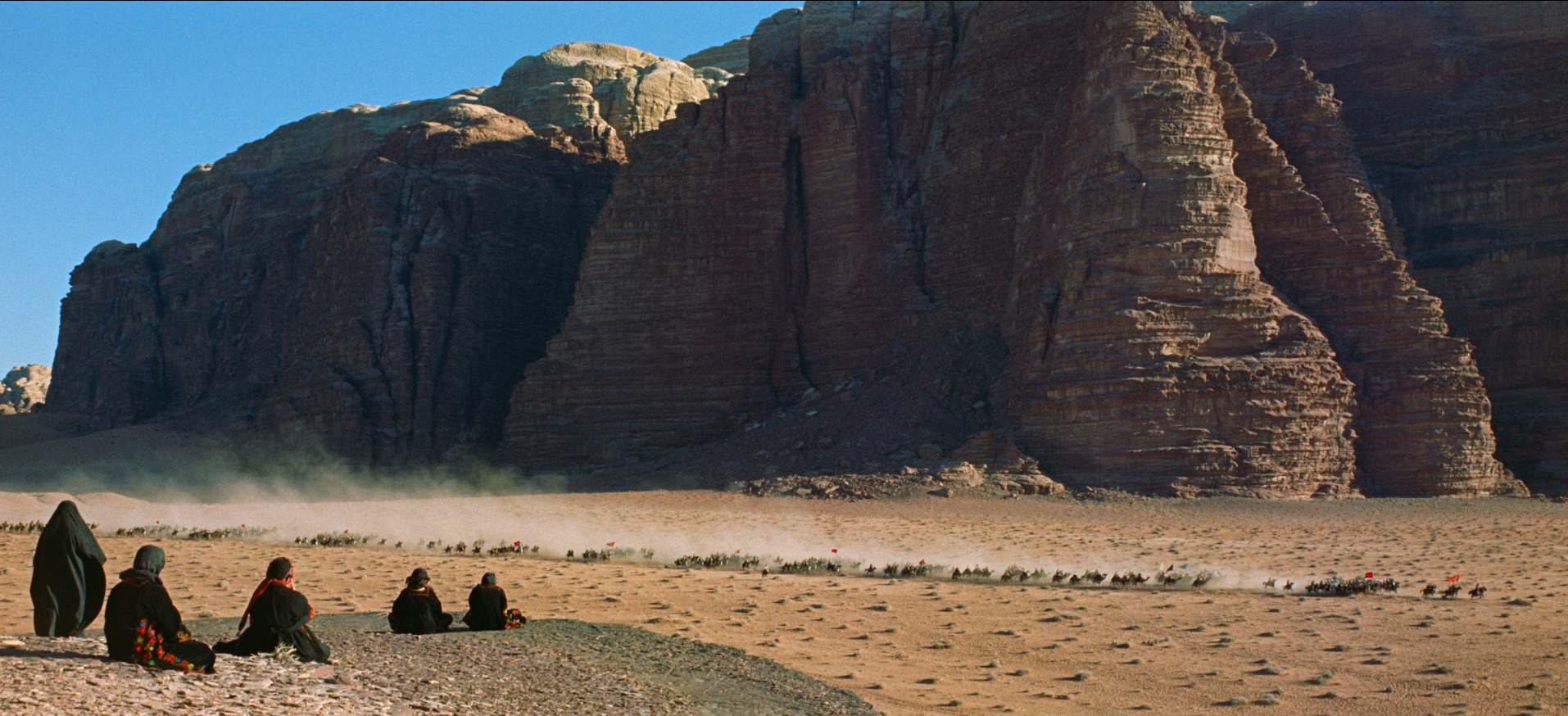
    David Lean’s film Lawrence of Arabia was first released in 1962. Until a few days ago, I had never seen it, but last week I bought the Bluray version of the restored and remastered 50th Anniversary Edition. I watched it on Saturday evening, and it was a revelation. Made in the days long before CGI, the spectacles created by Lean and his crew are simply breathtaking.

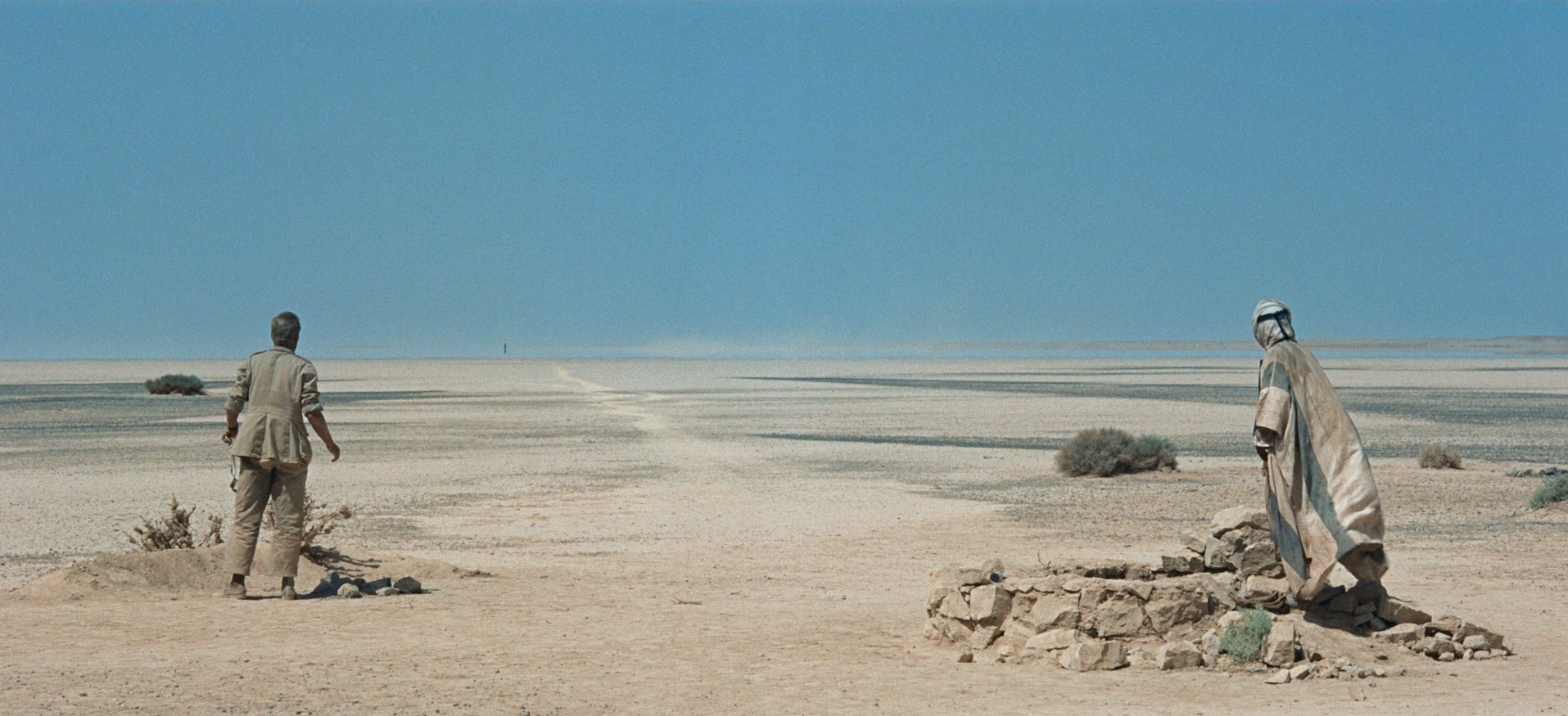
    The first entrance of Sherif Ali, riding out of a mirage on his camel, is stunningly done; while the subsequent brief exchange between him and Lawrence encapsulates the vast cultural difference between the Arab and the Englishman.

    LoA 01

    The actors, without exception, are excellent, and Peter O’Toole creates a believable portrait of T. E. Lawrence. How accurate it is, I cannot say, but his character is fully realised.

    The film, of course, totally fails the Bechdel Test. Indeed, there is not a single speaking role for a woman in the whole film, which runs to 216 minutes. The only women we ever glimpse are veiled (or dead).

    LoA 04

    It clearly is a story about the deeds of men, in politics and war, and it’s not a pretty story, despite the stunning backdrops. It is, however, a very great film. I will be watching it again.

  • RIP, Tony

    Tony Benn has died. One of the few politicians, it seems to me, who combined honesty, integrity and compassion. I never met him, but news of his death has saddened me as much as the loss of a good friend. Of the many tributes gathered here, the one that stands out for me is from Shami Chakrabati, director of Liberty, in particular her final summation:

    In an age of spin, he was solid, a signpost and not a weather-vane.

  • Going Up In The World

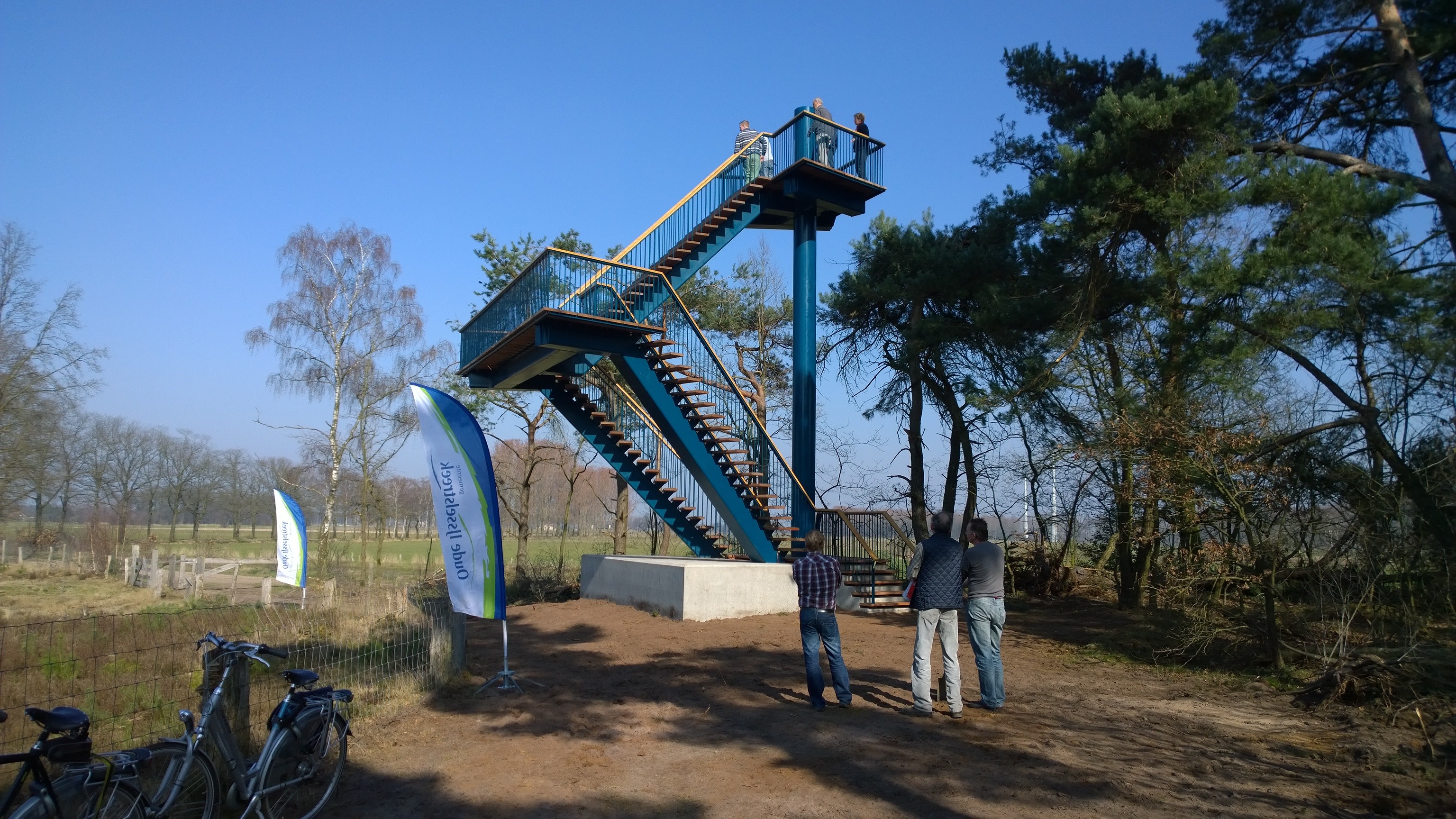
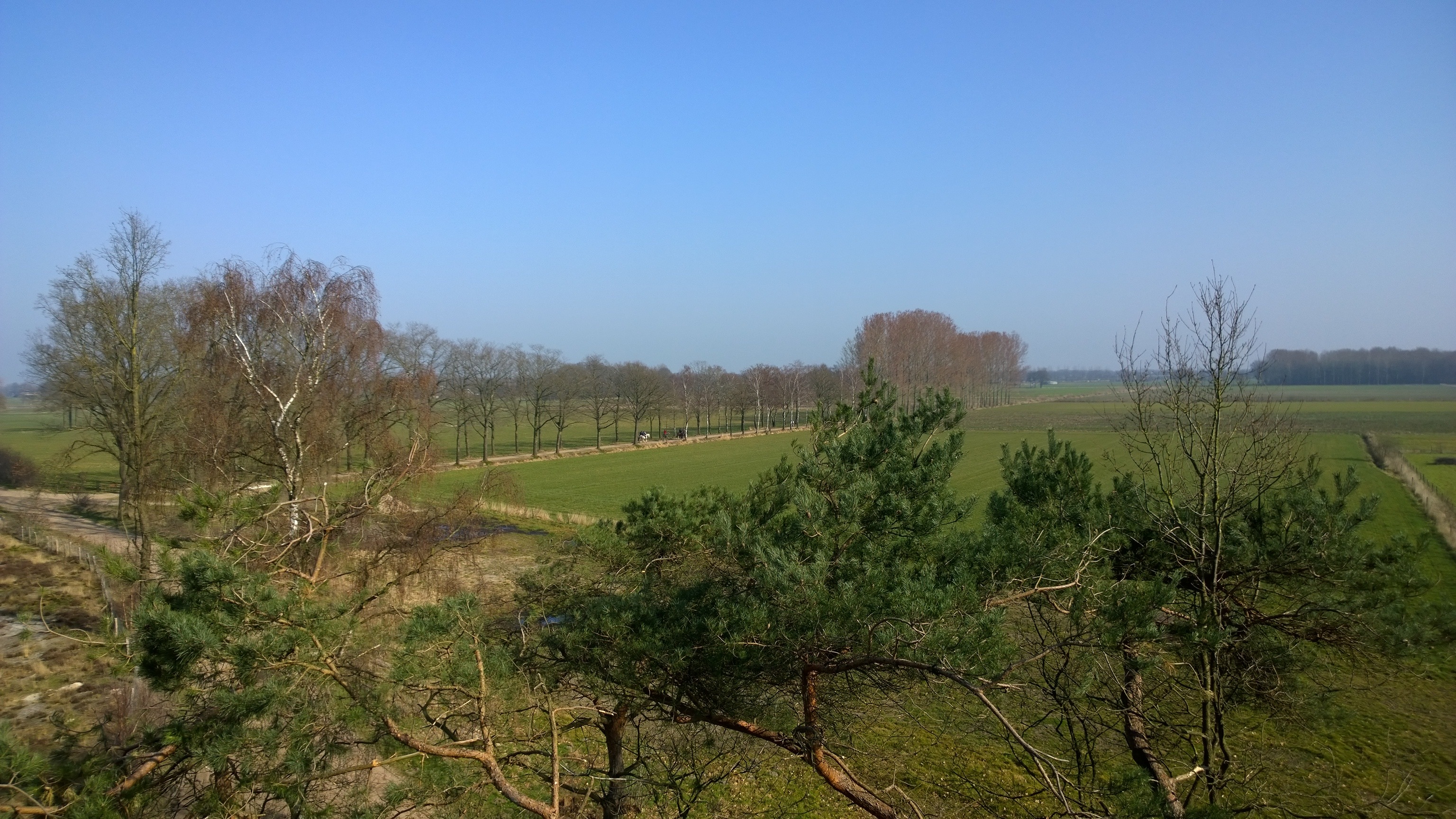
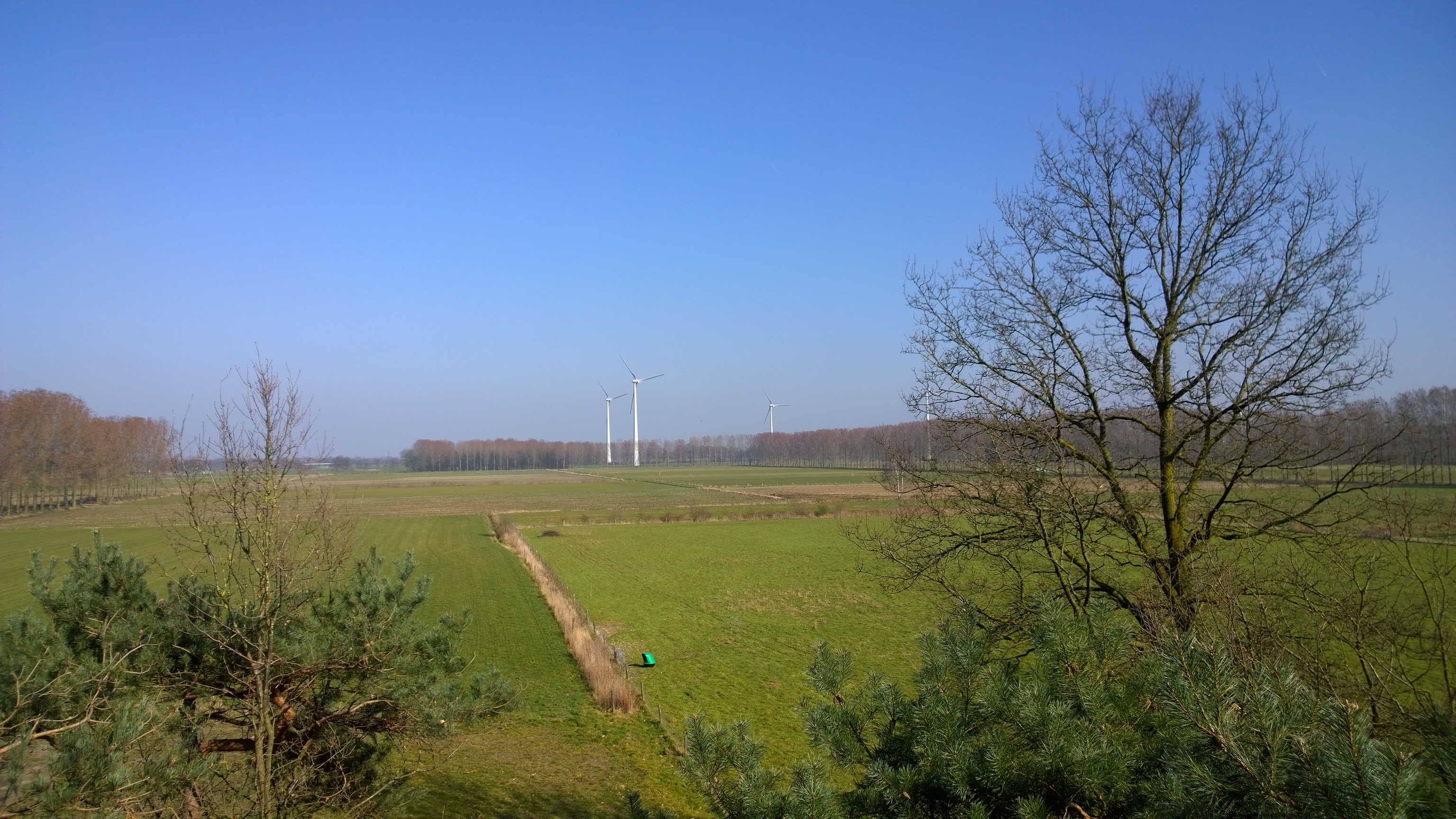
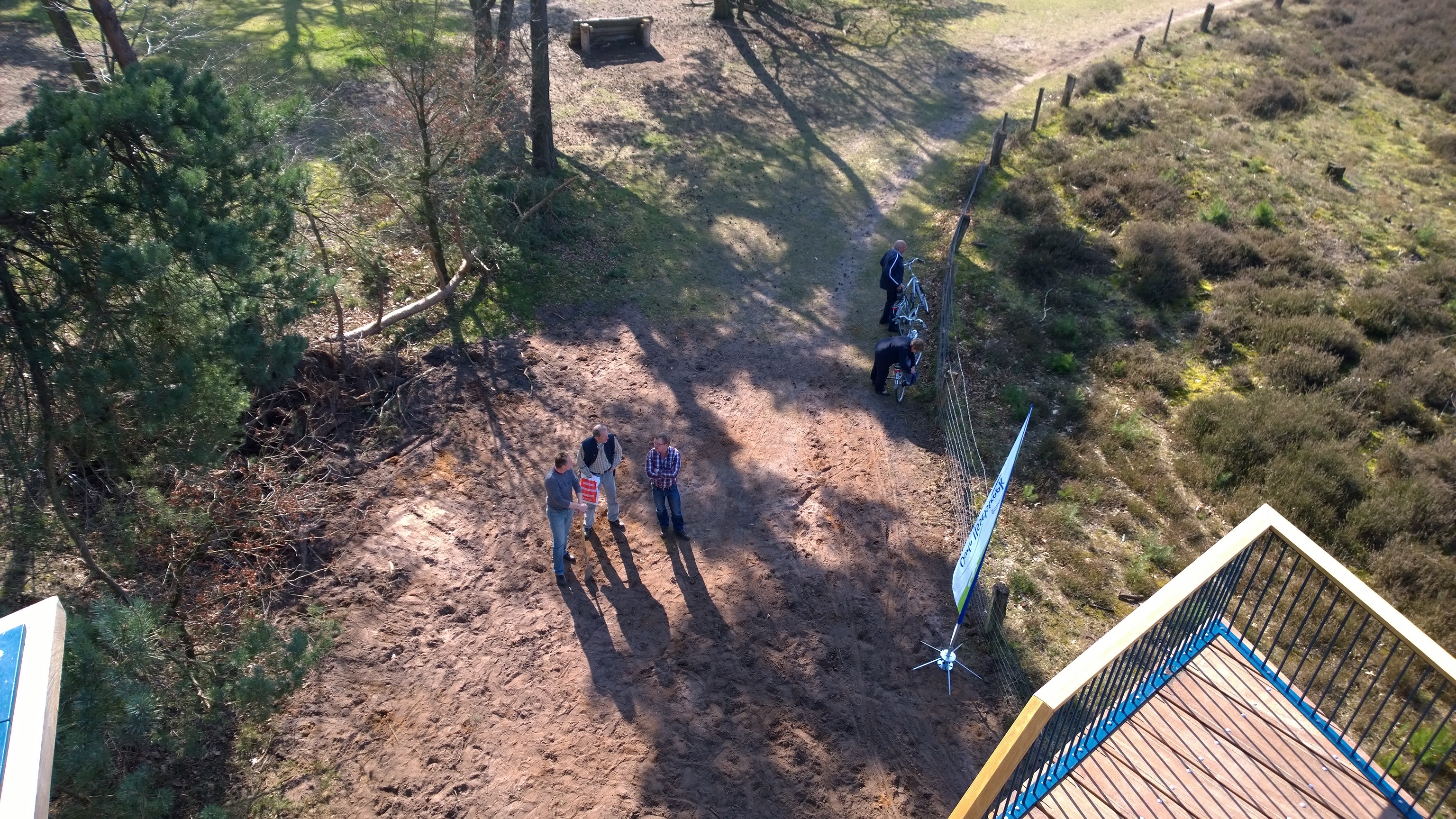
    Observation Towers have a long history. One has just been officially opened in a nature reserve nearby. It gives views over the Vennebulten woods and the Zwarte Veen fields. I went along yesterday to take a look. I willingly concede that it offers a new perspective on the surroundings, but a little bit of me thinks that it has the air of a modern day folly about it.

    20140101-1512-55

    And the views:

    20140101-1512-55

    20140101-1512-55

    20140101-1512-55

    20140101-1512-55