
I’ve been complaining for nearly four years now that Microsoft’s OneDrive does not support searching of photo metadata. In July 2013, I was told by a Microsoft project manager:
“this work just ranks lower on the priority list than some other things we are doing right now”
In May 2014, Microsoft trumpeted that they had made improvements to the OneDrive service, but proper support for Tags (in photo metadata) still wasn’t there. So searching for a Tag (for example: “Clouds”) in all the photos I have stored in OneDrive returned zero results:

And that’s where things stood right up to the last time I tried the experiment, which was earlier this month.
Today, I thought that I would try once again, and this time, to my surprise and delight, there was a result:
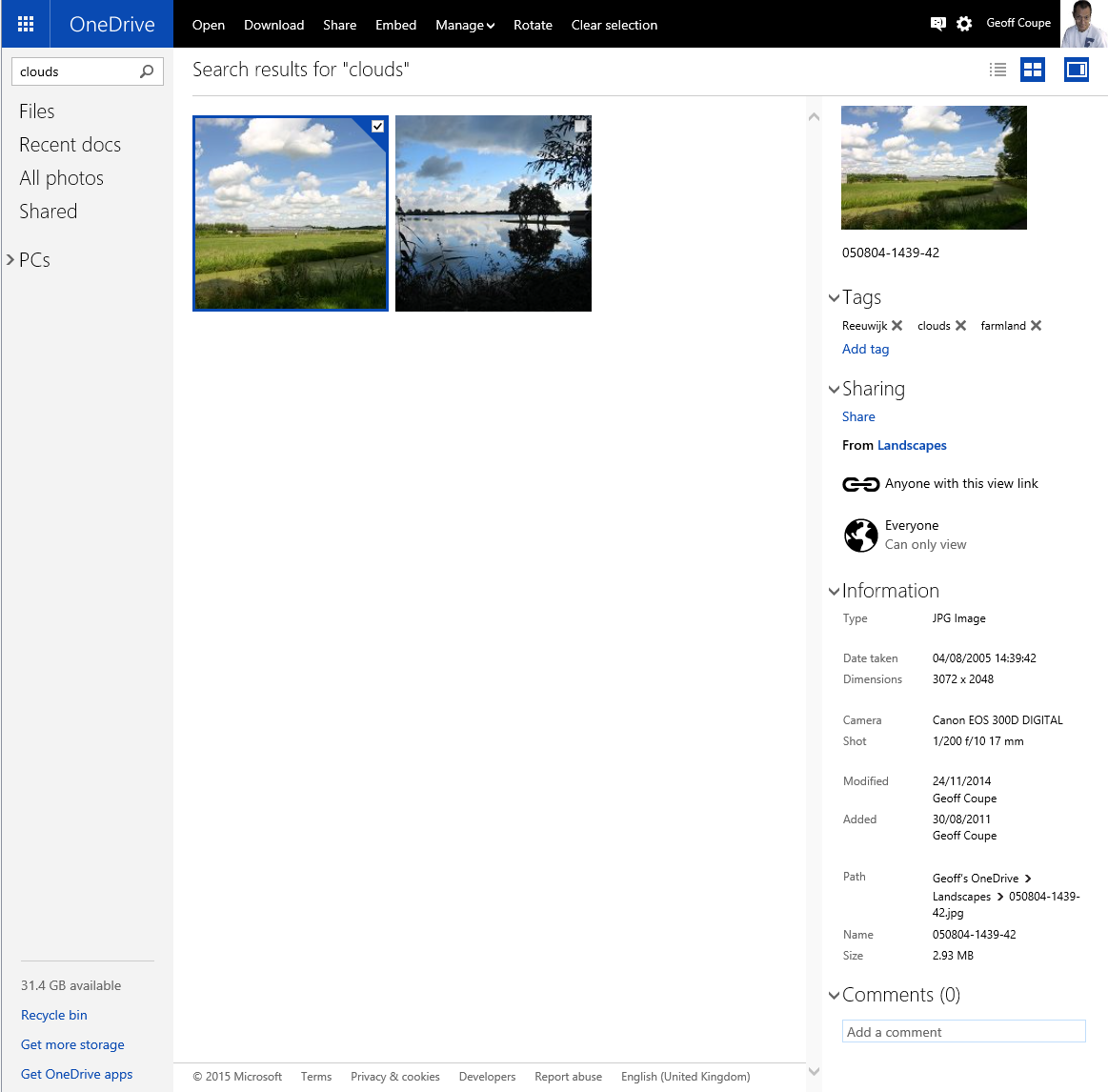
As you can see from the information pane on the right, the selected photo does indeed have the descriptive tag “clouds” included in the photo metadata.
There have been some other changes to the OneDrive service as well. If I look at a photo in OneDrive, instead of being able to open up an information pane to display all the photo metadata, there is now an information icon shown in the bottom right of the window:

Clicking/Touching that icon now displays the photo metadata in an overlay instead of in an adjacent pane:

I’m really pleased that this support for Tags, and being able to search on them is finally included in OneDrive. In one way, it really had to be, because Microsoft has gone back to the drawing board and will be removing the ability to search OneDrive files in the Windows Explorer in Windows 10, at least in the initial release of Windows 10.
What Microsoft giveth with one hand, it taketh away with the other…
Addendum 5th October 2024: And now Microsoft has silently removed this feature – OneDrive will no longer search tags in photos. Damn them.


 Geoff Coupe's Blog
Leave a comment