Reflections on life at “De Witte Wand”…

Year: 2015

  • Lenovo ThinkPad 10 vs Yoga 3 Pro

    I’ll kick this post off with a disclaimer: YMMV – Your Mileage May Vary. That’s to say that what follows is entirely my subjective impression based upon my usage requirements for portable computing. Your requirements may well be entirely different, and so would your conclusions be in the following comparison.

    With that disclaimer out of the way, let me remind you that last September, I received a ThinkPad 10 tablet on long-term loan from Lenovo. I blogged about my first impressions of it in a post that compared it to my ThinkPad Tablet 2, which I had purchased myself back in January 2013.

    I must admit that in the ensuing months, I quickly began to like the ThinkPad 10 (TP10); so much so that I sold my ThinkPad Tablet 2. The TP10, in combination with the Lenovo Quickshot Cover, fits my requirements for portable computing very well indeed. In particular I like:

    • the size and weight (not too big, clumsy or heavy),
    • the 16:10 screen aspect ratio (better for reading books than 16:9 aspect ratio devices)
    • the pen – I prefer scribbling notes and diagrams in OneNote during meetings to typing
    • the performance – not a speed demon, but more than adequate for what I use (OneNote, Mail, browsing with IE, Word, Excel, Powerpoint)
    • the UI experience of Windows 8.1 in a tablet.

    And there things stood until a couple of weeks ago, when Lenovo asked me if I would like to try a Yoga Pro 3 (Y3P). I replied that I was interested in trying out the Consumer Technical Preview of Windows 10, so if I could use the Y3P for that, then yes, please. A package containing a rather smart box (see below) was delivered a few days later, a couple of days before Microsoft unveiled the next stage of Windows 10. The box itself is a slick piece of paper engineering – after taking off the lid, you fold back the two flaps covering the top, and as you do so, the Y3P rises out of the box to greet you. A nice touch.
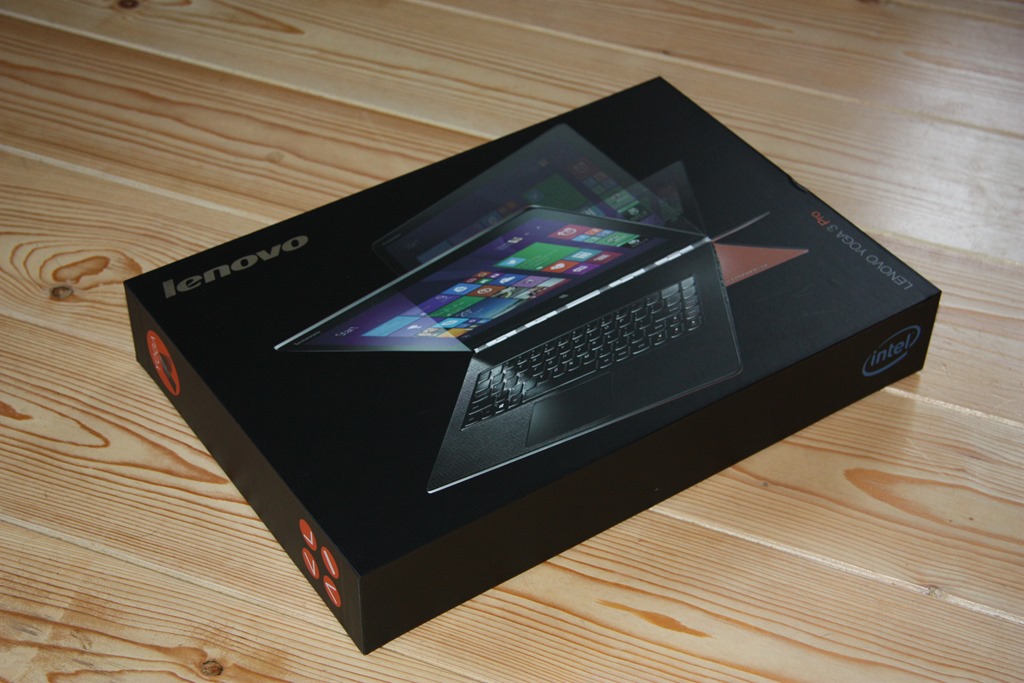
    20150203-1214-56

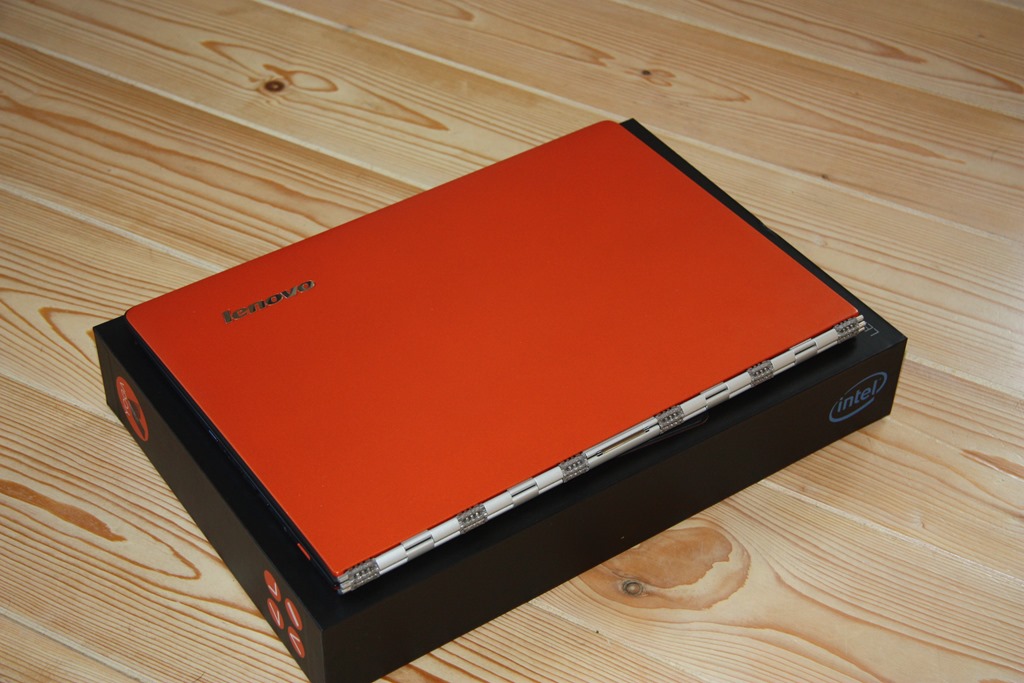
    I have the orange version of the Y3P, which is pleasingly different to the usual black or silver Ultrabooks:
    20150203-1216-06

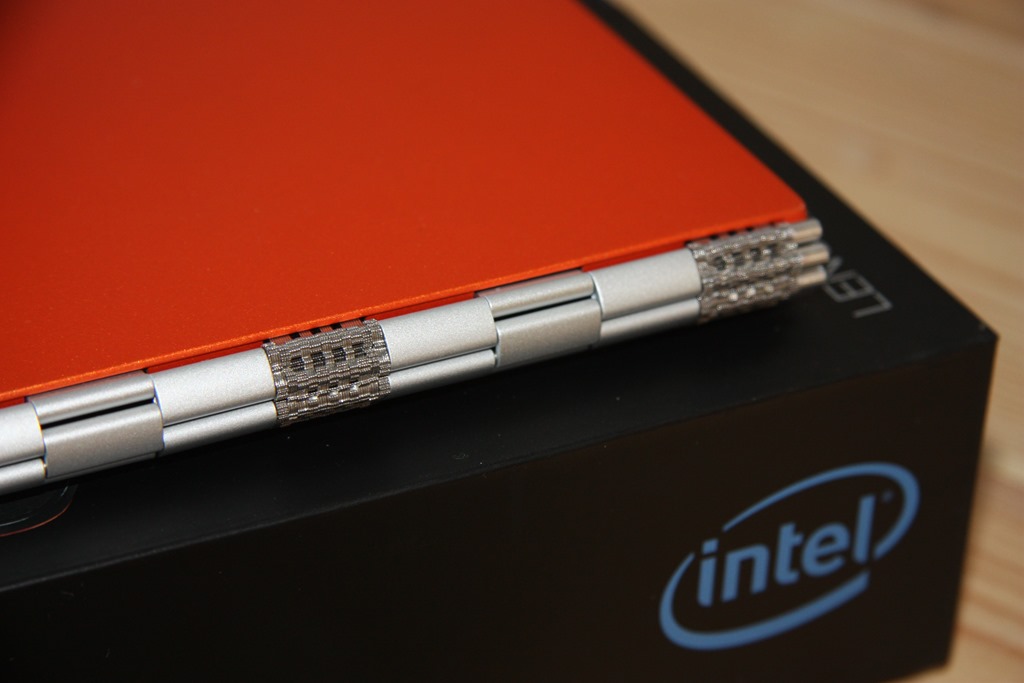
    The most striking thing, of course, is that “ watchband” hinge. It’s unique in the portable computer world. I rather like it, I have to say.
    20150203-1216-19

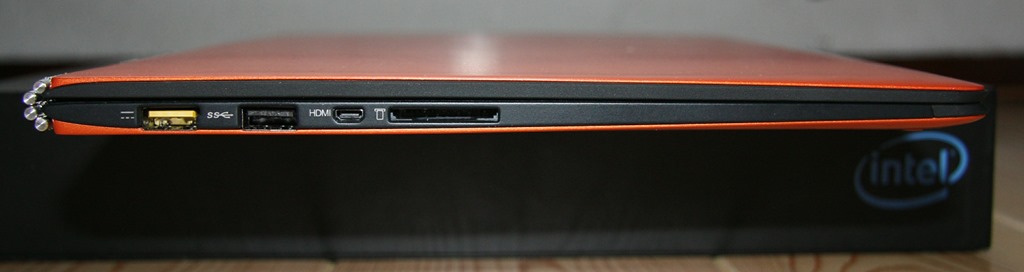
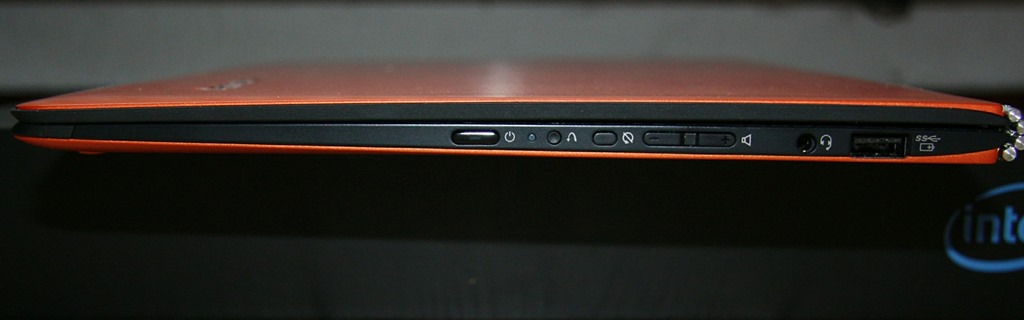
    Being an Ultrabook, the Y3P has more ports than the TP10. The left side has Lenovo’s battery charger port (which also doubles as a USB 2.0 port), a USB 3.0 port, a Micro-HDMI port, and a full-size 4-in-1 (MMC, SD, SDXC and SDHC) Memory Card slot. The right side has another USB 3.0 port (which can also be used to charge Smartphones), a headphone socket, Volume controls, Auto screen rotation lock, a recessed Reset button and a Power button.
    20150203-1339-29

    20150203-1339-52

    I do prefer the buttons on the Y3P, they are slightly proud of the case, and far easier to use than those on the TP10, which continue to be a slight source of irritation if ever I need to use them. Fortunately I rarely need to, as the TP10’s Quickshot cover acts as a power (sleep) button, and I tend to use the onscreen Volume controls in place of the physical buttons.

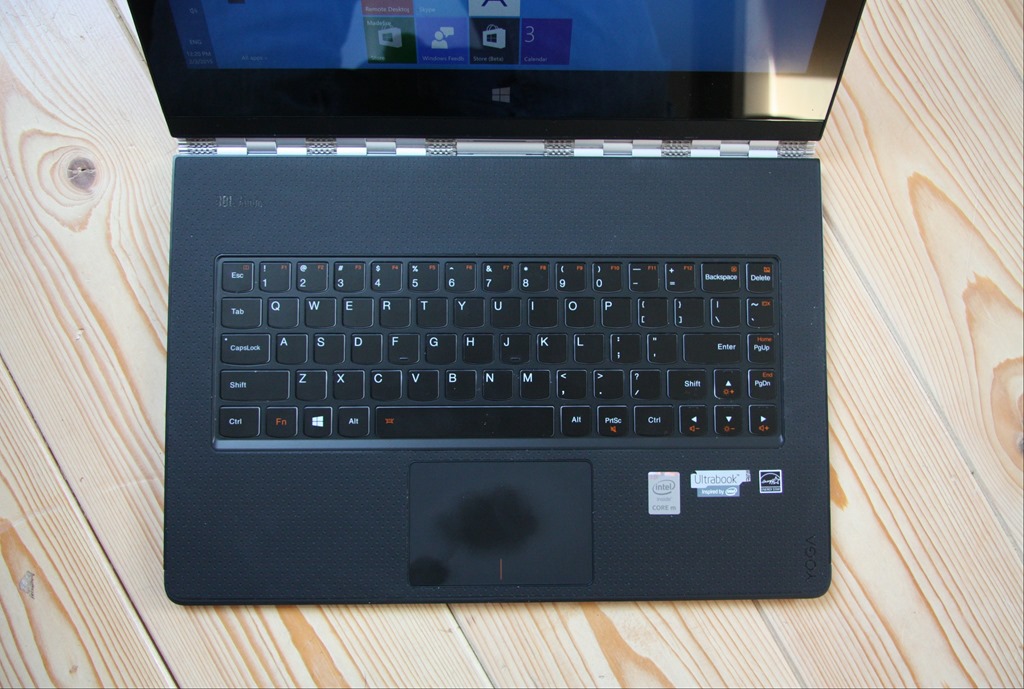
    Opening up the Y3P is a bit of a palaver, in comparison to simply flipping open the Quickshot Cover on the TP10. The watchband hinge is stiff (as it needs to be), and my fingers find it difficult to get a purchase at the front of the Y3P to begin prising it open. Once open, a fairly standard keyboard and trackpad are revealed (you’ll notice that the matt finish of the trackpad shows up finger oil very well).
    20150203-1219-53

    I’m sure some long-term Lenovo users will be complaining that there is no TrackPoint device, but it’s been so long since I used one that I don’t miss it. This Y3P is the first device I’ve used that has a backlit keyboard, and I must admit that is one innovation that I have really begun to appreciate. Tapping away of an evening, seated in front of the TV, is so much easier with a backlit keyboard. With my tablet, most of the time I’m either writing, or using the on-screen keyboard (which of course is easily visible), but on the occasions when I do use a physical keyboard, it’s been one without a backlight, and now I realise the advantage of having a backlit keyboard.

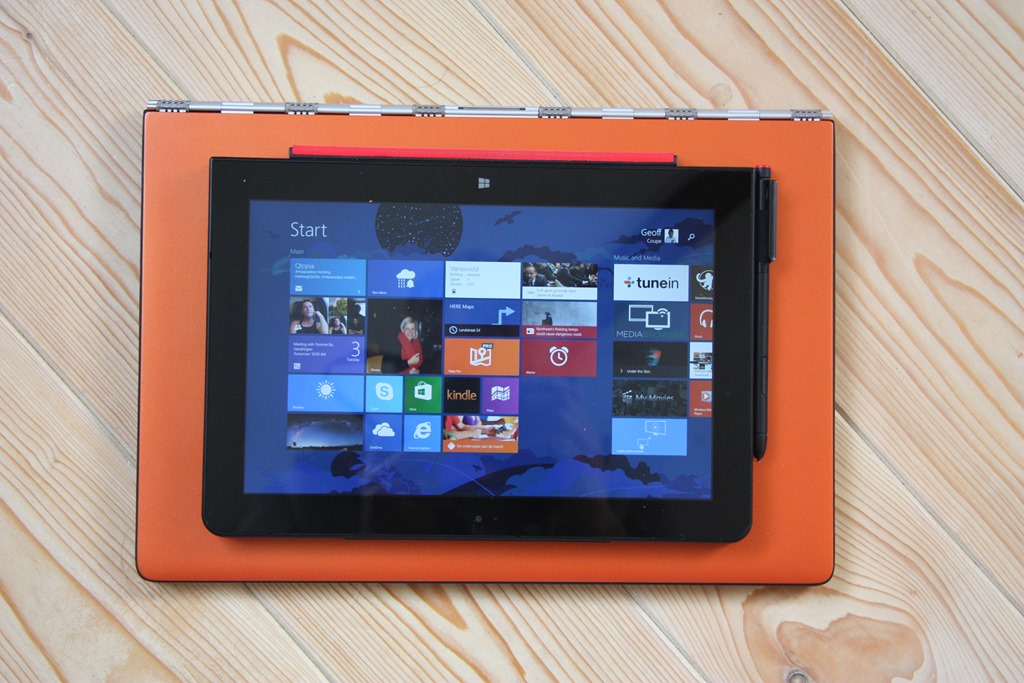
    The Y3P is of course much bigger than the TP10. That means both more weight (1.9 Kg versus 0.6 Kg), and a bigger screen.  Here’s the TP10 laid on top of the Y3P to give you an idea of the difference:
    20150203-1225-51

    The screen of the Y3P is not only physically bigger (13.3” diagonal versus 10.1”), but it has a higher resolution (3200 x 1800 versus 1920 x 1200) than the TP10. It also has a higher pixel density (276.05 dpi versus  224.17 dpi), but note that it is yet another 16:9 aspect ratio device.

    Like the TP10, it has a touchscreen capable of registering 10-point gestures. However, unlike the TP10, there is no pen or active digitiser.

    A couple of other things that are lacking in the Y3P in comparison to the TP10:

    • There is no rear camera, so capturing documents will have to be done with your Smartphone.
    • There’s no GNSS chip, so you’ll have to rely on your WiFi location being known accurately if you are using a map application. However, I doubt that this will work if you are using your laptop with the train’s WiFi during your daily commute.
    • There’s no WWAN option available (my loan TP10 doesn’t have WWAN either, but this is available as an option).

    The Y3P is equipped with an Intel Core M processor. The model I have has the 5Y70 chip, which is a 2 core/4 thread chip running at 1.1GHz or 2.6 GHz in Turbo boost. It has 8 GB of memory, and a 256 GB SSD fitted for storage. Although in theory the Core M processors are suitable for fanless designs, the Y3P is fitted with a fan. I can occasionally just hear it – a faint hiss coming from the right hand end of the watchband.

    Performance-wise, then, it far outstrips the Intel Atom processor with its 4 GB memory in the TP10. Yet, most of the time, I simply don’t notice it in the software I use.

    The Y3P came with even more Bloatware pre-installed by Lenovo than the TP10. As you can tell, I am not a fan of the extra software that OEM manufacturers throw into their machines. I spent an afternoon getting rid of most of them (and one of Lenovo’s applications – Harmony – refused to uninstall itself, until I took extreme measures). There must have been well over twenty different packages, practically all of them of questionable utility as far as I’m concerned.

    I have installed Build 9926 of the Windows 10 Technical Preview on to the Y3P, but I’ll keep my comments on that for another post.

    To sum up my thoughts on the comparison between the Y3P and the TP10 thus far, I think it’s safe to say that I still much prefer the TP10 over the Y3P.

    The Yoga 3 Pro is a nice machine; well engineered, but I think it has helped confirm my suspicion that my preferred portable computing device is a tablet equipped with a pen. I look forward to continuing to test out Windows 10 on it, but I’ll continue to take my trusty TP10 with me to meetings, and for kicking back on the sofa of an evening. But as I said at the outset, your requirements, and your conclusions may be completely different to mine…
  • OneDrive Now Searches Tags!

    I’ve been complaining for nearly four years now that Microsoft’s OneDrive does not support searching of photo metadata. In July 2013, I was told by a Microsoft project manager:

    “this work just ranks lower on the priority list than some other things we are doing right now”

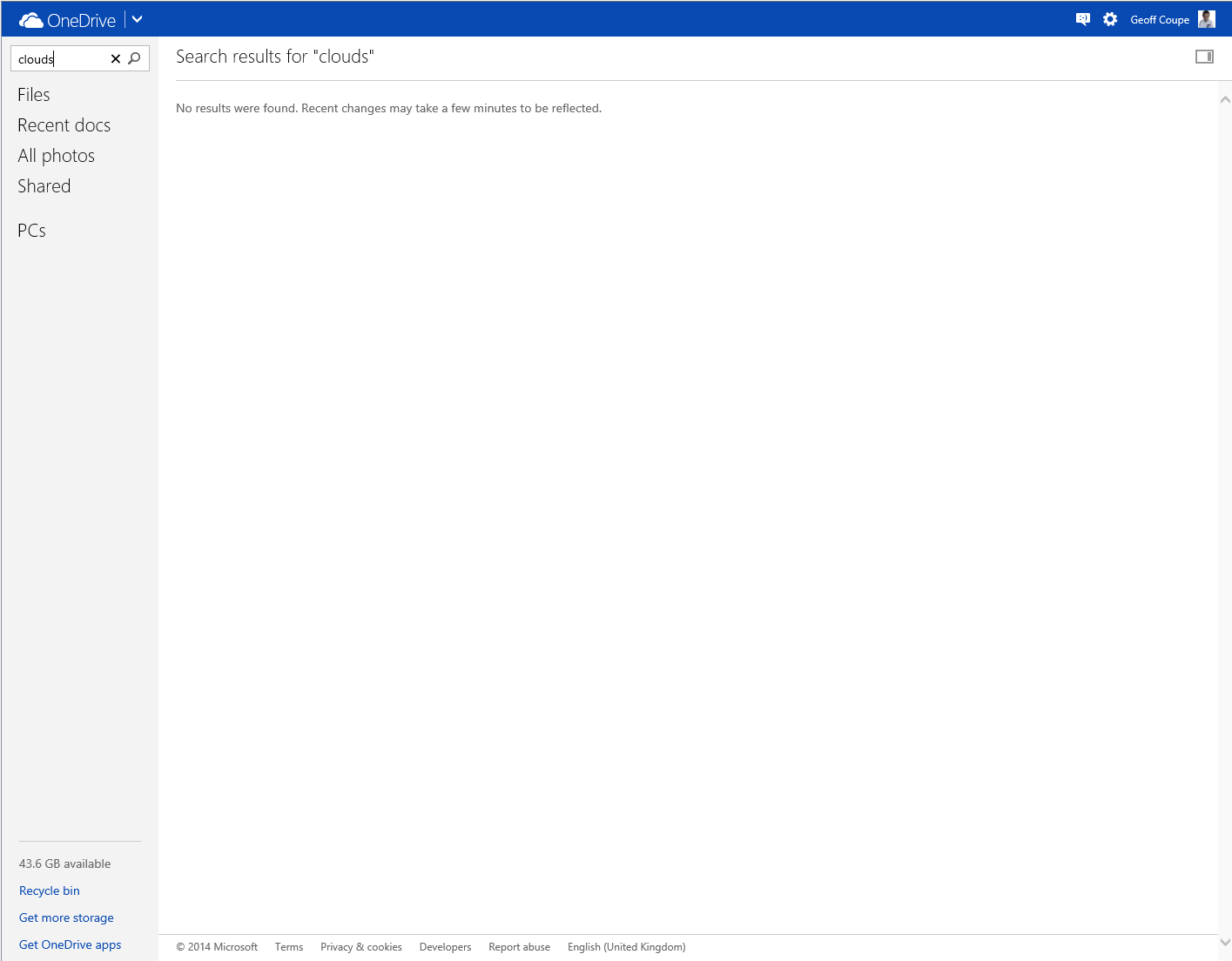
    In May 2014, Microsoft trumpeted that they had made improvements to the OneDrive service, but proper support for Tags (in photo metadata) still wasn’t there. So searching for a Tag (for example: “Clouds”) in all the photos I have stored in OneDrive returned zero results:

    Onedrive 04

    And that’s where things stood right up to the last time I tried the experiment, which was earlier this month.

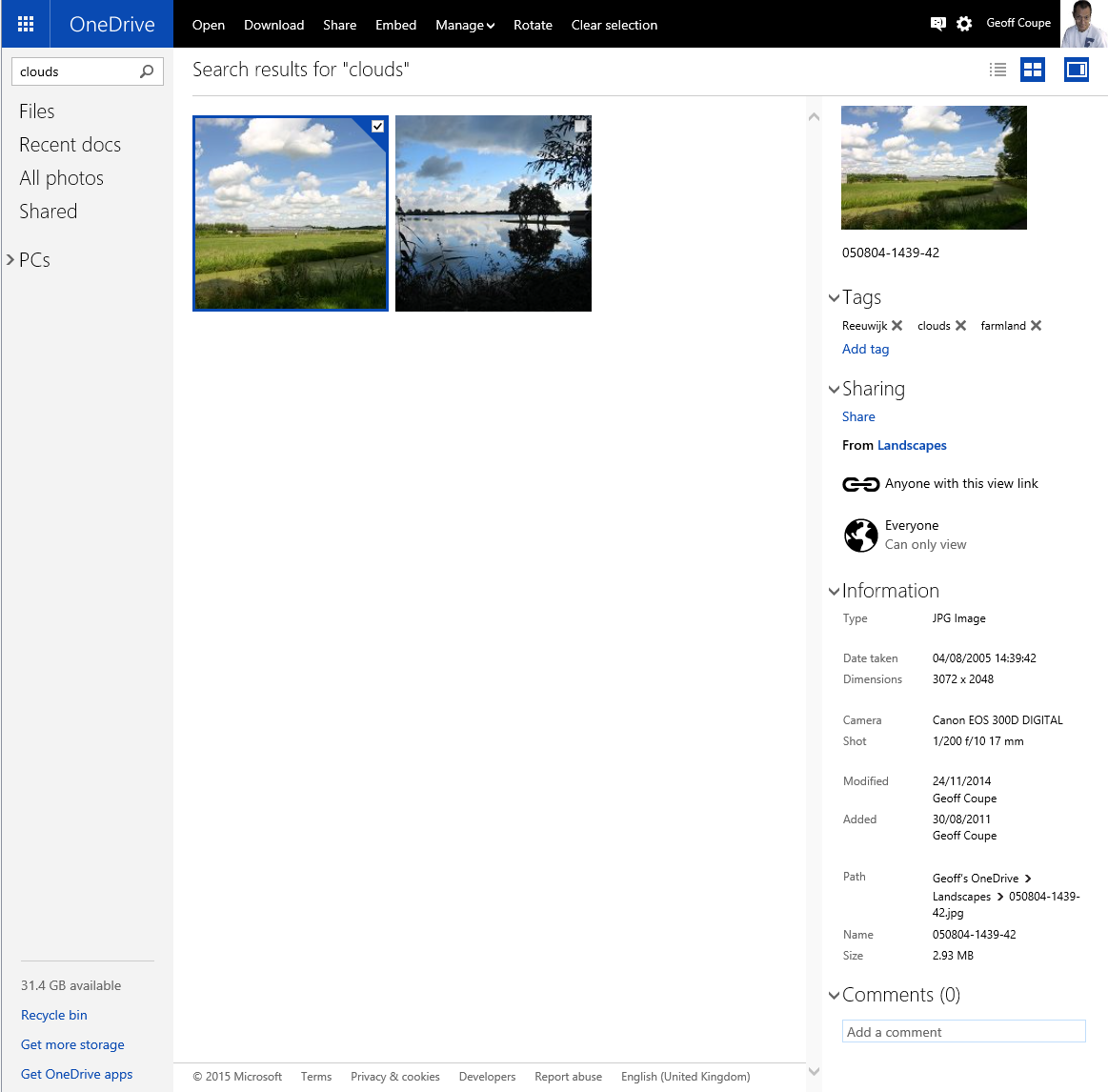
    Today, I thought that I would try once again, and this time, to my surprise and delight, there was a result:

    OneDrive 10

    As you can see from the information pane on the right, the selected photo does indeed have the descriptive tag “clouds” included in the photo metadata.

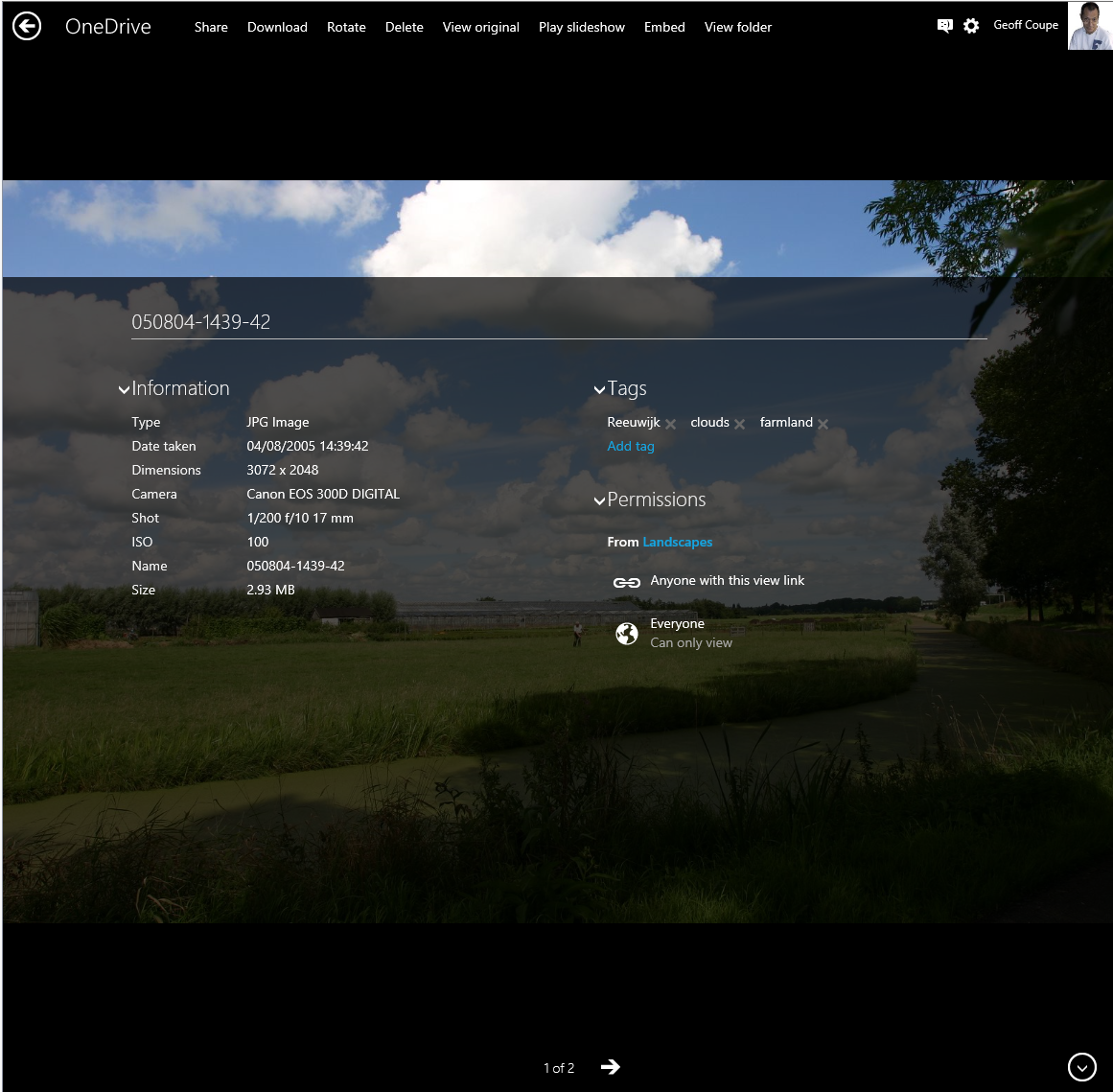
    There have been some other changes to the OneDrive service as well. If I look at a photo in OneDrive, instead of being able to open up an information pane to display all the photo metadata, there is now an information icon shown in the bottom right of the window:

    OneDrive 12

    Clicking/Touching that icon now displays the photo metadata in an overlay instead of in an adjacent pane:

    OneDrive 11

    I’m really pleased that this support for Tags, and being able to search on them is finally included in OneDrive. In one way, it really had to be, because Microsoft has gone back to the drawing board and will be removing the ability to search OneDrive files in the Windows Explorer in Windows 10, at least in the initial release of Windows 10.

    What Microsoft giveth with one hand, it taketh away with the other…

    Addendum 5th October 2024: And now Microsoft has silently removed this feature – OneDrive will no longer search tags in photos. Damn them.

  • Home Automation: A Modern Tower of Babel

    A little while back, I blogged about the fact that broadband internet in our neck of the Netherlands is like a piece of wet string. In trying to drum up local support for improving the situation, I’ve been looking into scenarios where real broadband internet (that is, speeds of at least 10 Mbps, and preferably 20+ Mbps) are going to be required.

    From a purely selfish perspective, I’m uncomfortably aware that given my age, there’s going to come a time when I may need to depend on healthcare services delivered through broadband internet direct to our home. One of the aspects of such services is support for home automation (or Domotica, as it’s often called here in the Netherlands). While HA is usually thought about in terms of ease, security and energy efficiency, there’s also a healthcare aspect to it as well. For example, remote monitoring can allow patients with dementia to continue to live at home in the environment that they are comfortable with.

    So I thought that I should start exploring the possibilities of HA for our home. I’d start simple, for example, have certain lights come on at around sunset, and turn off at midnight, or install a motion sensor in our driveway to get early warning when we have visitors; and at night the sensor could also turn on lights for the driveway. That would in turn be a convenience for visitors and a deterrent for intruders.

    Of course, these simple scenarios could be realised with a few timers and lights controlled by motion sensors, but the real advantages start to come when individual items are linked together into a system. An individual neuron doesn’t do much – intelligence is the emergent property that arises out of the interconnection between billions of them. While I’m not looking to build a brain, a flexible method of controlling the environment and security of our house would be nice.

    However, when I started researching the technologies available for Home Automation, I soon realised that there’s a dog’s breakfast of competing products and standards out there. Some have been around for years. The X10 standard for example was developed in 1975, and while popular and used by an installed base of millions of devices, is beginning to show its age and limitations. Other newer products, while technically impressive, rely on proprietary technology unique to the vendor. Examples are the Insteon or the Loxone systems. Navigating through the shoals of reefs and whirlpools of Home Automation was not going to be an easy matter. As the Automated Home site says:

    There are a multitude of Home Automation systems available, from budget plugin modules that are easily retro-fitted into existing properties, to professionally designed bespoke installations that require a CI (customer installer or integrator) and structured wiring at time of build.

    I think I can forget about the professionally designed bespoke installations with their structured wiring – I’m going to be looking at something that can be retro-fitted easily into our farmhouse. That means that I’ll be looking at wireless systems as much as possible. I’d also prefer to go for products that share a modern de facto standard, rather than rely on a single vendor. As a result, I’ve decided that devices that implement the Z-Wave wireless communications protocol are probably my best bet, given that Z-Wave is supported by over 250 manufacturers worldwide.

    I’ve started small, and invested in one switchable power plug (the Fibaro Wall Plug) and a motion sensor (the Everspring SP103) – both Z-Wave devices.

    The next step is to make a choice about the controller for the HA system. Once again, there is a wide range of possibilities here. I could buy an off-the-shelf unit such as the Fibaro Home Center 2, the Zipato ZipaBox, a VeraEdge controller, or a HomeSeer controller. Or I could buy just the controller software, such as HomeSeer, and install it on a PC or a Rasberry Pi box. There are also open source projects for Home Automation software, such as HomeGenie and Domoticz.

    I’m still exploring the possibilities here. I’ve come across a few issues so far. For example, while the Fibaro Home Center 2 looks good on paper, judging from the user support forum, Fibaro are struggling to deliver a stable version of the controller software. The ZipaBox relies on a Cloud service to provide much of the controller functionality, and that’s a design choice that I personally would be less comfortable with. The HomeSeer software has been around for a while, and is now in its third generation. That does mean that it is very comprehensive; it can control a wide range of Home Automation hardware – far more than I would ever need or use. It also has a wide range of third-party plugins. However, its user interface can best be described as old-school utilitarian. There is an additional software product that can be used to design custom user interfaces for smartphones and tablets. And the HomeSeer software strikes me as being pricey: $249.95 for the basic version of the controller software and $199.95 for the UI designer software. If I were to go with HomeSeer, it would probably make more sense for me to buy the basic (linux-based) HomeTroller Zee controller at $199.95.

    So I’ll probably spend the next month or two trying out some of the controller software that’s available for Z-Wave networks, and hanging out in the user support forums to read about the experiences of others who are using controllers, both packaged and software-only solutions. Watch this space.

  • The Talos Principle

    I’m not an avid player of computer games. I really do not like the shoot-em-up type of game at all, and avoid them at all costs. However, I am partial to Adventure games, particularly if there’s a good story behind it.

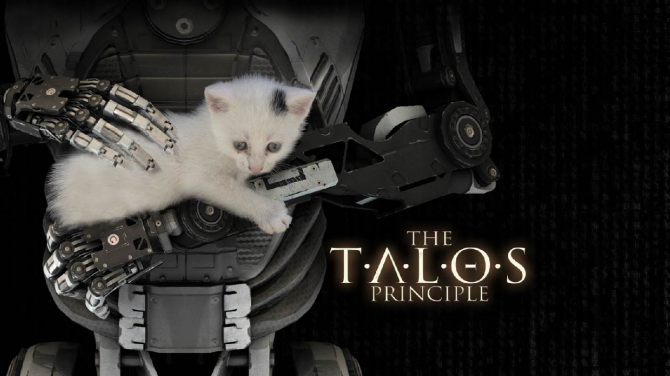
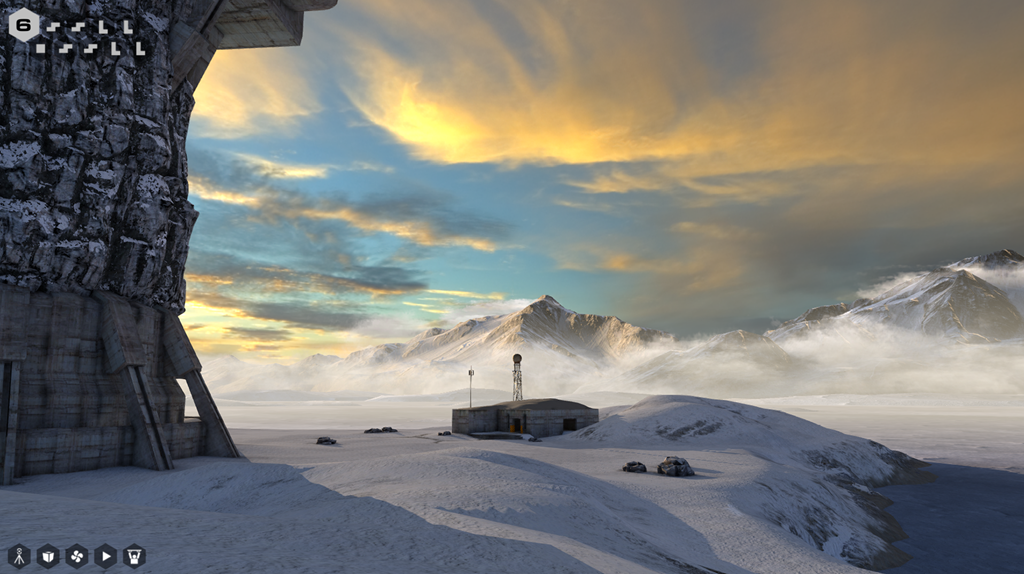
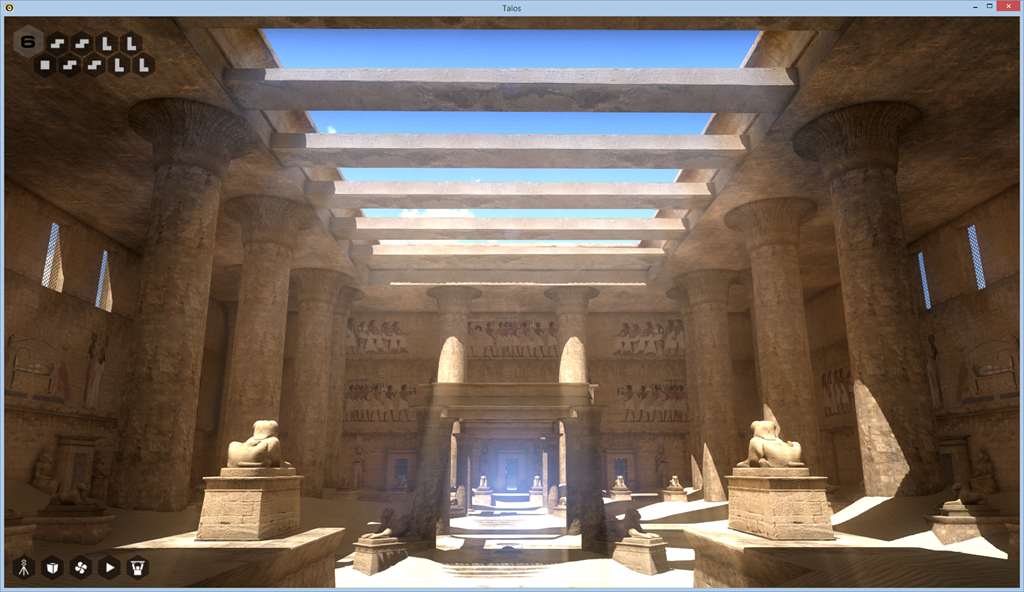
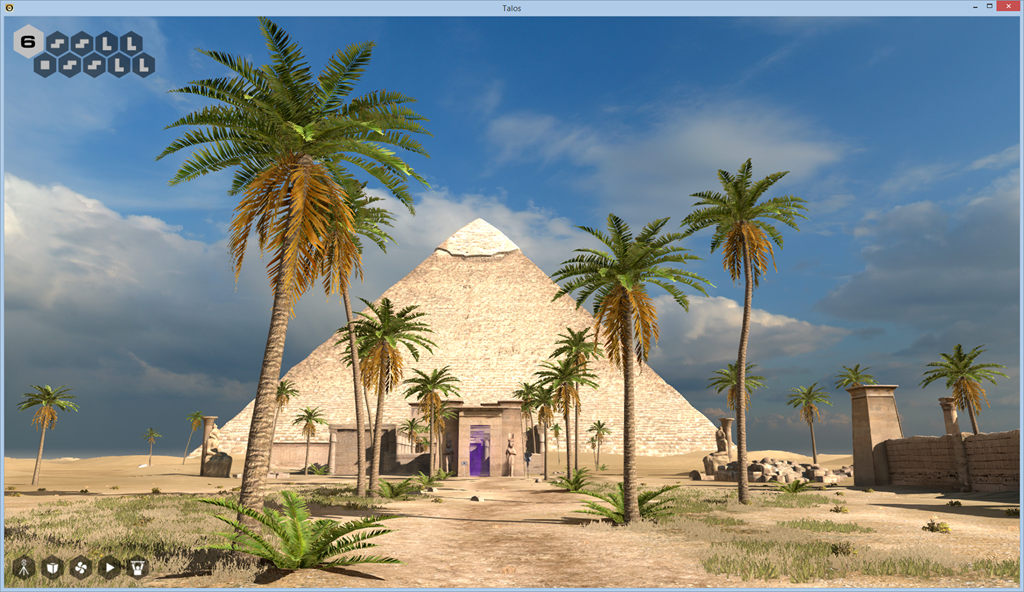
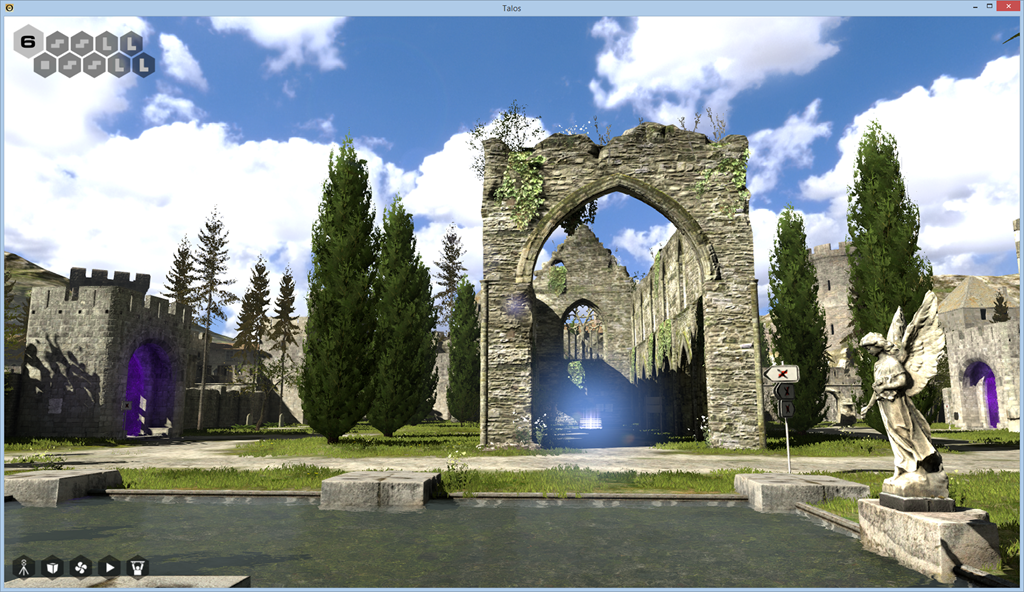
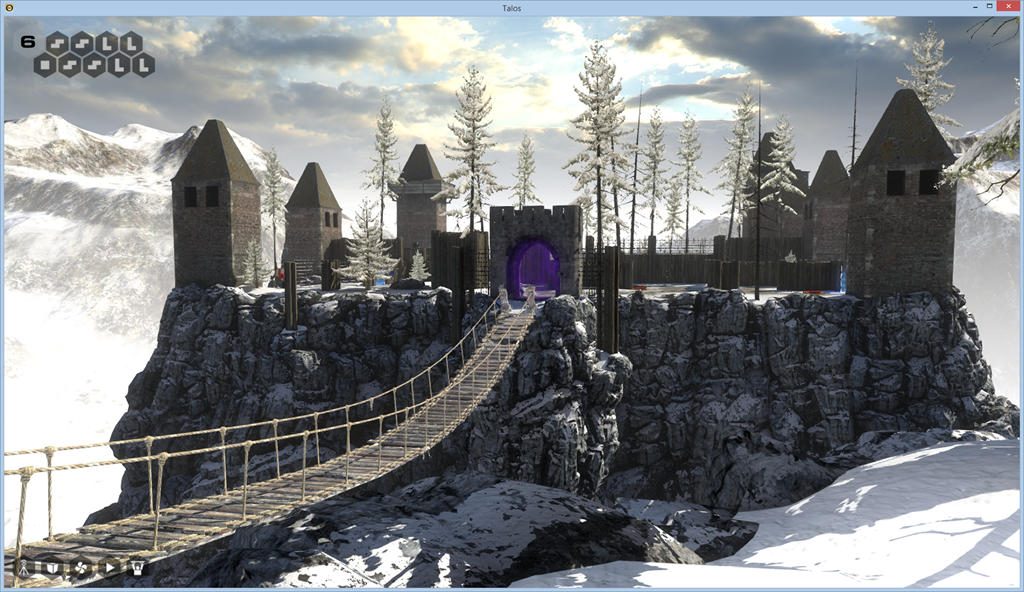
    I’ve just finished playing The Talos Principle, which is a sort of cross between puzzle-solving, rather reminiscent of the testing chambers of Portal 2, and an exploration of philosophical questions on what it means to be human.

    1_The-Talos-Principle-670x376

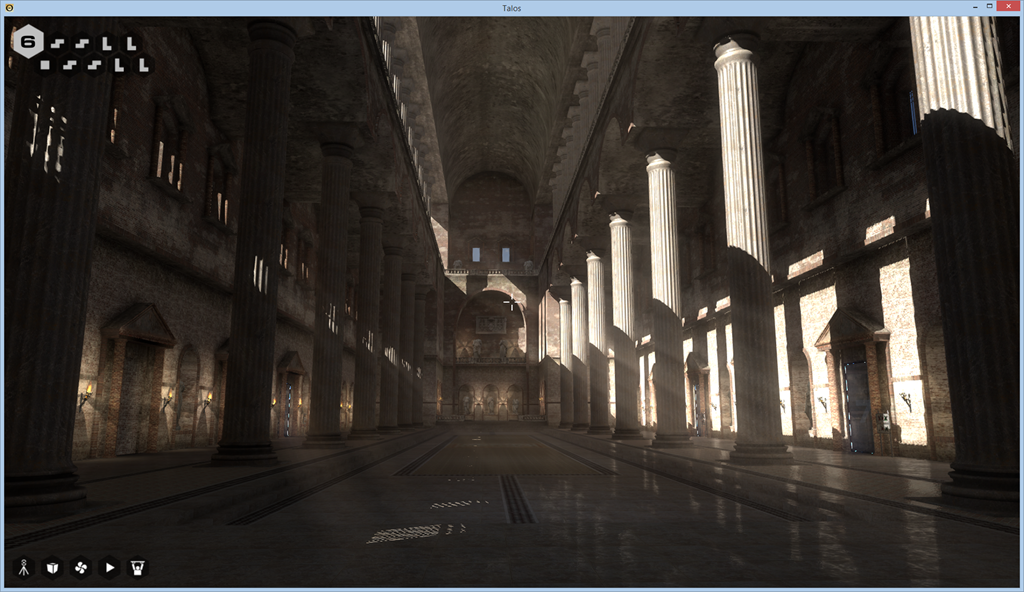
    Some people apparently haven’t liked the mixing of the puzzles with the philosophy, but I think it adds to the depth of the game. Over the course of exploring a variety of environments (Roman, Eygptian, Mediaeval, future industrial), you get the chance to interact with computer terminals scattered throughout them, and gradually learn the backstory of what’s going on.

    Talos 02

    Talos 03

    Talos 04

    Talos 05

    Talos 06

    Talos 07

    The worlds are beautifully rendered, with evocative soundscapes. However, they are devoid of animal or insect life – with two exceptions: butterflies in one world, and a few roosting pigeons high up in a tower that holds the key to the worlds.

    On awakening in the game, you soon get to hear the voice of god – Elohim – who is clearly modelled on the god of the Old Testament, and who shares that fictional character’s tiresome arrogance. I soon found myself actively disobeying his commandments, partly out of spite, but also because it took me to places that I otherwise would not have seen.

    If you Liked Portal 2, I think you’ll like The Talos Principle.

  • Je Suis Charlie

    From the reporting of the Guardian on today’s barbaric act in Paris, the words of the former Charlie Hebdo publisher Phillipe Val, whose friends were assassinated today:

    “We cannot let silence set in, we need help. We all need to band together against this horror. Terror must not prevent joy, must not prevent our ability to live, freedom, expression – I’m going to use stupid words – democracy, after all this is what is at stake. It is this kind of fraternity that allows us to live. We cannot allow this, this is an act of war. It might be good if tomorrow, all newspapers were called Charlie Hebdo. If we titled them all Charlie Hebdo. If all of France was Charlie Hebdo. It would show that we are not okay with this. That we will never let stop laughing. We will never let liberty be extinguished.”

    (translated from French by @rayajalabi)

    Read the full interview in French here.

    Addendum: During a restless night, while trying to sleep, I got to thinking about why I had blogged about this event, and not about other examples of violent religious extremism, for example the kidnapping of 276 female students from the Government Secondary School in the town of Chibok in Borno State, Nigeria by by Boko Haram, or the murder of 140 people, mostly schoolchildren, in a Taliban attack on a school in Pakistan. I suppose that a banal reason is simply that the Paris attack seems closer to home. It doesn’t seem a particularly strong or good reason, but there it is. The schoolchildren and their teachers have grieving families also.

    Salman Rushdie, as usual, has a few wise words on the situation:

    Religion, a mediaeval form of unreason, when combined with modern weaponry becomes a real threat to our freedoms. This religious totalitarianism has caused a deadly mutation in the heart of Islam and we see the tragic consequences in Paris today. I stand with Charlie Hebdo, as we all must, to defend the art of satire, which has always been a force for liberty and against tyranny, dishonesty and stupidity. ‘Respect for religion’ has become a code phrase meaning ‘fear of religion.’ Religions, like all other ideas, deserve criticism, satire, and, yes, our fearless disrespect.

    Addendum 2: Juan Cole gives a very good analysis here in Sharpening Contradictions. A sample:

    Most of France will also remain committed to French values of the Rights of Man, which they invented. But an insular and hateful minority will take advantage of this deliberately polarizing atrocity to push their own agenda. Europe’s future depends on whether the Marine LePens are allowed to become mainstream. Extremism thrives on other people’s extremism, and is inexorably defeated by tolerance.

    Addendum 3: And, as only to be expected, Geert Wilders is stoking the fire to thrive on the situation:

    This is not the end of the trouble, but the beginning,’ he said. Accusing political leaders of cowardice, Wilders said very tough measures had to be introduced. The borders must be closed and ‘the army has to be brought in to protect our stations, our streets and our shopping centres’

    Idiot.