In view of the issues I’ve been having with WLPG 2011, I thought that it would be worthwhile to report that Microsoft are listening to those of us who are reporting tales of woe caused by using WLPG 2011. I’ve had a number of emails from the lead Project Manager of the WLPG team on the subject.
It seems to me that there are three major issues being reported at the moment:
- Unwanted, and often inaccurate, GPS coordinates being inserted by WLPG 2011 into the Exif of images that have IPTC location metadata present, but no GPS coordinates currently set.
- Corruption of Makernotes in the Exif section of JPEG image files by WLPG.
- Unwanted compression of the file, even if only metadata is being changed by WLPG 2011.
Microsoft have acknowledged issue (1), and are working on a fix. I’ve been told that they hope to roll out an update soon for WLPG 2011 that may resolve the issue going forward.
Microsoft also acknowledge issue (2), but currently treat this as a lower priority. I think that’s understandable, because unlike the case for RAW files, Makernotes are not vital for JPEG files.
Issue (3) is interesting, because not everybody, it seems, is being affected by this. Some people are reporting that no compression occurs, whereas others of us are plainly seeing it. Indeed, I had an email from Microsoft stating that this reported compression was of utmost concern to them, but expressing confusion that they also weren’t seeing compression in their tests.
After thinking about this, it seems to me that one possible hypothesis to account for the difference is that those of us who are seeing file compression are using third-party codecs.
Most professional photographers (and many keen amateurs) are probably taking their digital photos in a RAW format. Windows and WLPG will not display such images out of the box; they require a codec to be installed to do this. Codecs are available from either the camera manufacturers or other third parties.
Now, it just so happens that I have a number of photos held in RAW or DNG formats in my collection, so I need to have a codec installed to view these in Windows and WLPG. I’m using the FastPictureViewer codec to do this, because it handles a wide range of image formats, which Windows and WLPG cannot do by themselves.
I noticed a thread in the PC Talk forum on the Digital Photography Review site where the original poster reported that he was also seeing this compression of files with WLPG 2011. Interestingly, there’s a number of contributions to the thread by Axel Rietschin, the developer of the FastPictureViewer codec. He claims that the Windows Imaging Components (WIC) library and Microsoft’s own JPEG codec use private and undocumented interfaces that are not available to any third party codec:
The underlying problem is that lossless transcoding, where a file is reconstructed to make room for new metadata, is not possible with the normal Windows Imaging Components codec interfaces: there is nothing that would allow anyone to retrieve the packed data, only pixels. Microsoft implemented this feature in their own JPEG codec using an undocumented interface called IMILCJpegDecoderFrame that WIC uses internally, but no 3rd-party JPEG codec (or 3rd-party codec for any other lossy formats) is able to provide this functionality.
And in a later message on the same thread:
Just to clarify: Microsoft worked around the limitation of the(ir own) API by implementing a private interface in their JPEG codec that presumably let them read/write the pixel data without decompressing it, and as a result both Windows and WLPG are able to perform lossless metadata updates and rotations on JPEG files when using the stock codec.
The problem starts only when replacing the default codec with a 3rd-party one which cannot possibly implement the internal (and undocumented) interface they use privately.
I think that this is what must be happening. Because I need to have a third party codec installed to handle my RAW and DNG images, this is also being used by WIC for JPEG images, and hence I’m seeing the file compression. Those people who only use JPEG formatted images have no cause to install an additional codec, so they are not seeing the compression.
This compression will only occur when WLPG 2011 touches an image file to write back information into it.
To date, I’ve been pretty lucky – I use IDimager to do my cataloguing and metadata work, and this does not use WIC. So all the image data is left untouched in the file, even though the metadata may have been edited. This is as it should be. (Note: IDimager is no longer available. Its successor is Photo Supreme, which I am now using)
Previous versions of WLPG I’ve been using were (mostly) just reading these files to capture the metadata for their internal databases. I say “mostly”, because I’ve seen some earlier files that have had Microsoft-specific metadata written into them, and some of them have been compressed. Those that weren’t would have been written before the time that I got a digital camera capable of using RAW format – so the built-in Microsoft codec with its undocumented private interfaces would have been used. Those that are compressed will be examples done after I had installed the third-party codec to handle RAW formats on my PC. There aren’t many of them, because it was rare that I used WLPG directly to edit metadata.
However, with the advent of WLPG 2011, and its current habit of writing GPS and IPTC Extension metadata into files (issue 1 above), then I’ve had a deluge of files that have been compressed, because when WLPG writes out the metadata, the file gets compressed.
In one sense, of the three issues, only issue (1) can be laid squarely at the door of WLPG 2011. Issue (2) is probably down to the implementation of WIC itself, and is independent of any application such as WLPG calling it.
However, issue (3) is somewhat more messy. It would seem to be caused by the architecture of WIC, and the fact that there are private interfaces being used by Microsoft that are not available to third party codec developers. It also has the result of making WLPG 2011 lie to the user whenever third-party codecs are installed. If the user sets WLPG to have no compression, then WLPG assumes that WIC will follow suit, but it doesn’t, and file compression will still result.
This leads me to a concern about the possible solution Microsoft are working on for issue (1). Originally, I had suggested that a simple solution would be to offer the user a way of turning off the writing of GPS coordinates into the Exif of a file. But now I realise that that is not sufficient. If WLPG 2011 goes ahead and constructs a geotag because it finds IPTC Location metadata in a file, then it will also use WIC to write out new IPTC Extension “LocationCreated” metadata into the file as part of its geotagging/geocoding function. And if a third-party codec is installed, the file will be compressed.
So really, the only immediate solution is to be able to turn off geotagging/geocoding entirely, otherwise metadata gets written, and the file gets compressed.
It’s the same with the face recognition features of WLPG 2011. I can’t use them, otherwise when the metadata gets written, WIC will compress the file. As far as I can see, the bottom line is that whenever WLPG writes out metadata into the file, it uses WIC, and if there’s a third party codec installed, the file will be compressed.
The only real solution, it seems to me, is for Microsoft to document the currently private interfaces of WIC, so that they can be used by third-party codec developers. In the meantime, it looks as though my only option is to install the Windows XP version of Windows Live Essentials. That way I’ll get a version of WLPG which will only ever read my image files and never be used to write to them.
Update 24 November 2010
I’ve just been using my laptop as a test system to see if I can reproduce the conditions under which issue (3) (the file compression) will occur. I think I can convincingly show that it is, as I suspected, the combination of WIC and the third-party codec.
First, on the laptop, I uninstalled the third-party codec (FastPictureViewer) that I had on there, and also, for the sake of completeness, Picasa 3.8.
The system was then Windows 7 Home Premium, with WLPG 2011 (build 15.4.3502.922), together with the built-in codecs of windows.
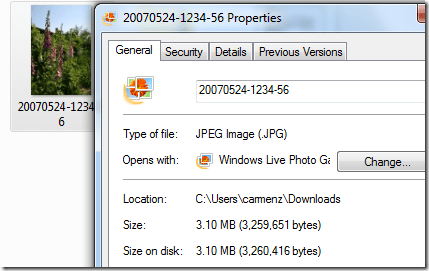
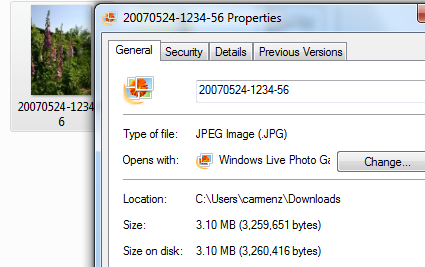
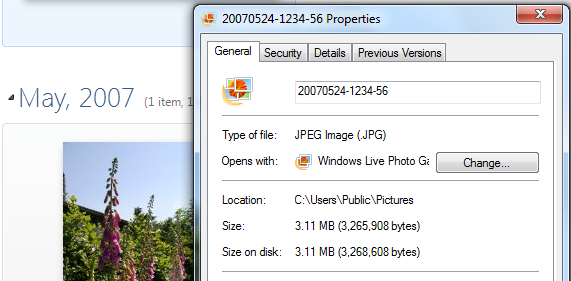
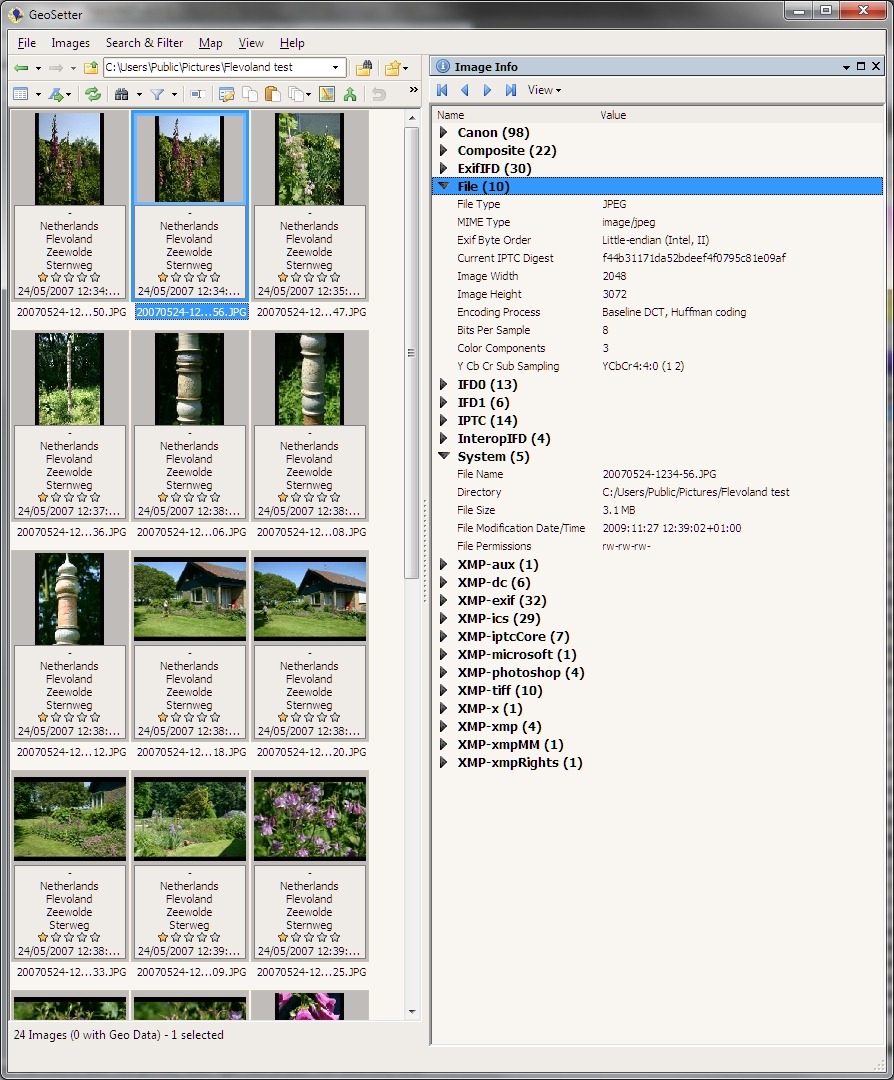
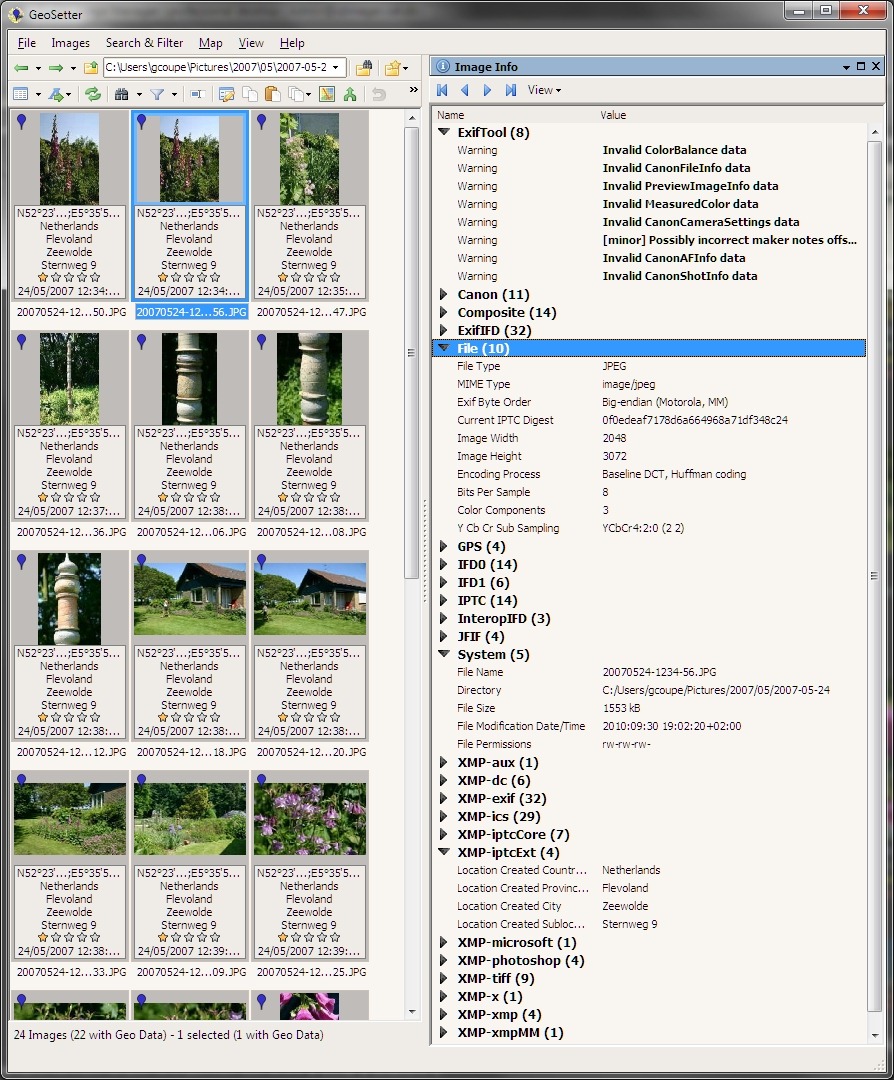
I then copied a folder of photos taken in May 2007 across from my Windows Home Server into the My Pictures folder of the laptop. These are the photos that are showing in the screenshots of the “24 Hours Later” section of this post. I also chose these photos to test, because one of them I had included in a batch sent to Microsoft to test. When Microsoft checked the size before and after the images had been geotagged, they found little or no difference in size:
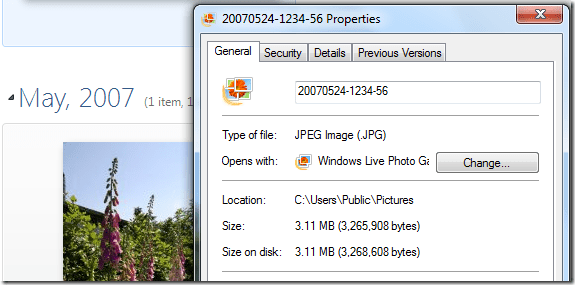
Yet when I had done the same thing on my PC, I got a reduction in size of about 50%.
So I repeated the test on the laptop (which remember now has no third-party codecs installed).
I first used Geosetter to examine the metadata and size of the files. The files had IPTC Location metadata and the particular file illustrated above (20070524-1234-56) was 3.10MB in size.
Then I opened WLPG 2011, and let it discover the new folder of files. I waited a few minutes, and then went back to Geosetter to examine the files, and the above file in particular.
As expected, all the files now had GPS metadata added to them (this is issue (1) in action), but the interesting thing was that, just as Microsoft had found, the file sizes were very little different than they had been. This seems to suggest that, with the built-in codecs, no compression will occur.
Now I deleted the test folder, waited for this to be registered in WLPG and then installed the FastPictureViewer codecs. I then got a fresh copy of the folder from my Windows Home Server and repeated the test. This time, once WLPG 2011 had added the GPS coordinates, I found that the files had been shrunk by about 50%.
So it definitely seems to be a combination of the third party codec and WIC that triggers the file size reduction. One further interesting thing: since all the pictures are JPEGs before and after, then really only the built-in Windows JPEG codec should be used. There is a FastPictureViewer codec that handles JPEG rotation, but I wasn’t doing this, just adding metadata. So why is there a file size reduction?
Update 2 December 2010
There’s an update to WLPG 2011 that addresses the geotagging issue. See here for more information.






 Geoff Coupe's Blog