Reflections on life at “De Witte Wand”…

Tag: Windows 8

  • Microsoft’s SkyDrive – Room for Improvement

    OneDrive (previously SkyDrive, Windows Live SkyDrive and Windows Live Folders) is the online storage service offered by Microsoft. It’s been around since 2007, and has been through a number of iterations. It really started to come into its own with the introduction of Windows 8, where it started to assume a much more prominent role. Now with the imminent introduction of Windows 8.1, it is becoming more tightly integrated with the Windows operating system than ever, and the distinction between local and online (cloud) storage is becoming even more blurred.

    I’ve changed all references to SkyDrive to OneDrive in this post since it was first written, to reflect the change of name given to the service by Microsoft. Some screenshots and external references still refer to the old SkyDrive name…

    There’s a good post (Inside SkyDrive) over at the Windows blog that describes some of this integration. However, it seems to me that there is still room for further improvement.

    For example, the author of the post (Mona Akmal, Group Program Manager, SkyDrive apps) writes:

    Many people use search to quickly access their files. So we’ve made search work just as you’d expect – SkyDrive files show up in search results just like your local files.

    Er, no, that’s not true. The way that the search function works is to index the information held in the small placeholder files held locally on your PC. These placeholder files represent the real files held up on the OneDrive service itself. At the moment, it seems that very little metadata is held in the placeholder files; only things such as the filename, and image thumbnails. So if I search for Descriptive Tags (aka Keywords) that are held in photo metadata, I get no results.

    Let me illustrate this. In Windows 8, it is possible to have a local copy of your SkyDrive folders and files. Here’s a screenshot showing some of the OneDrive folders that are held locally on my Desktop PC:
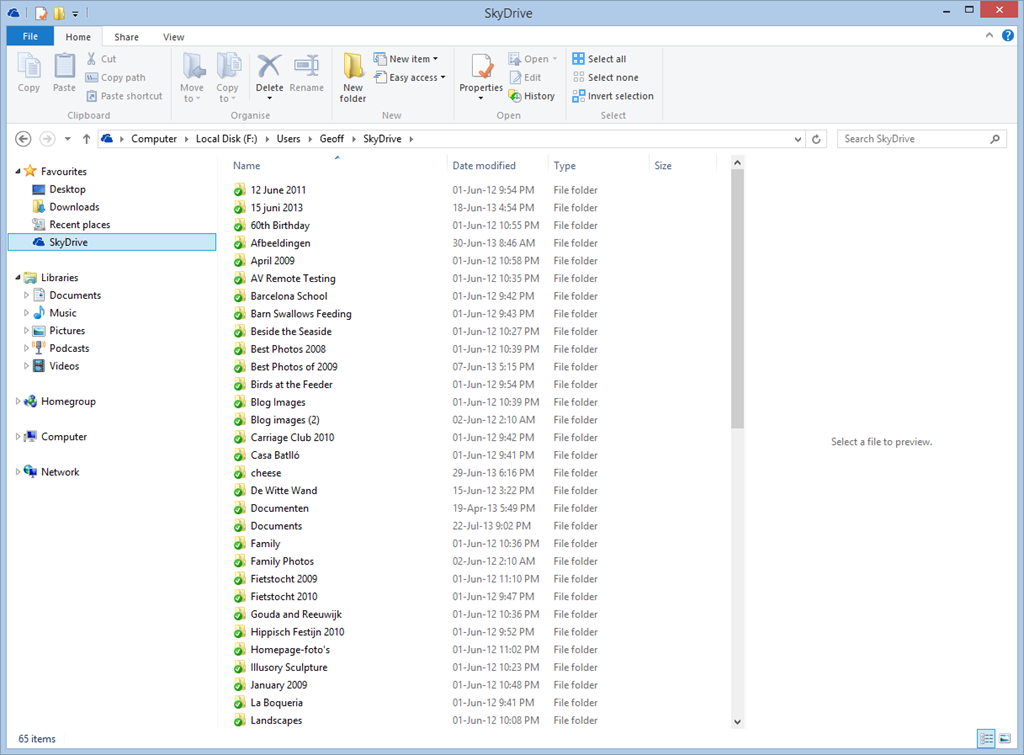
    SkyDrive 01

    These folders and the files within them are full local copies of the contents of my OneDrive storage. They are also included in the scope of the Windows Search engine running on the PC, and because they contain all the metadata, they are also searchable. So, for example, If I search for pictures of our dog, Kai, I get 16 hits of OneDrive photos that contain the Descriptive Tag: Kai:

    SkyDrive 02

    My ThinkPad Tablet, on the other hand, is running the Windows 8.1 Preview. In Windows 8.1, the contents of my OneDrive storage is represented by placeholder files:
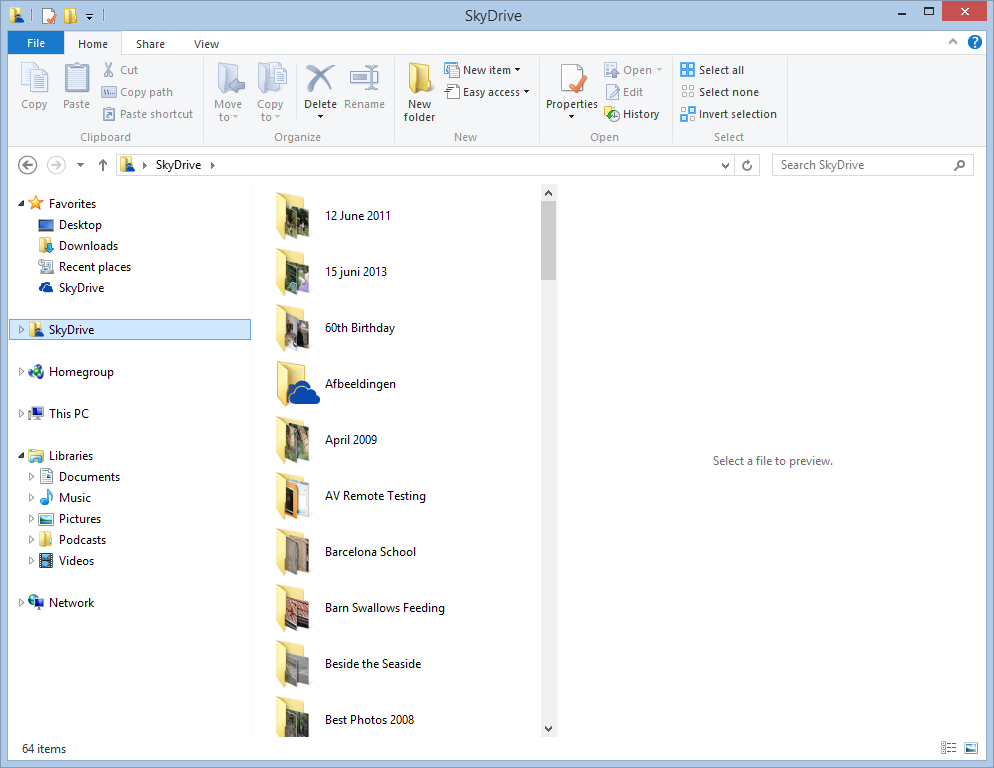
    SkyDrive 03

    To all intents and purposes, they look like the original Folders and Files held in my OneDrive , but they are not; merely placeholders. A full local copy of a file is not present on the Tablet, unless I have edited the file. So now, if I search for photos of Kai, I get a sad little “No items match your search” message:
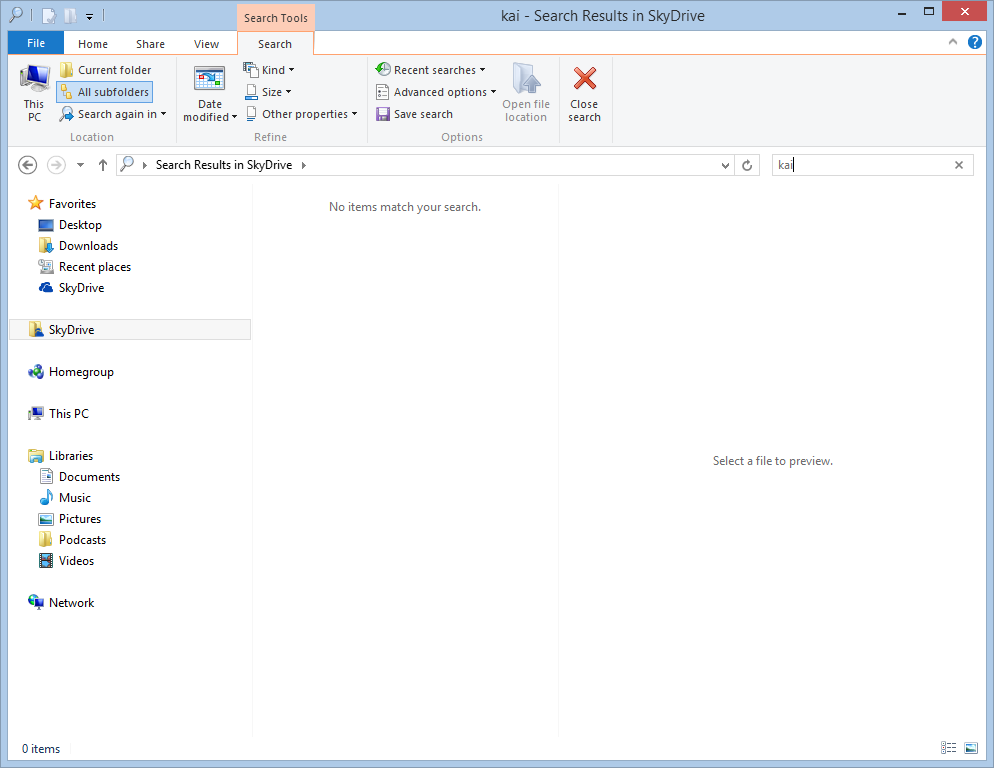
    Skydrive 04

    That’s because the placeholder files do not contain any photo metadata. This seems to me like a real limitation, particularly since there is no way of searching Descriptive Tags in photos in OneDrive itself – even though the files themselves have the metadata.

    Here, for example, is the OneDrive App in Windows 8.1. Note how the Search Charm is not able to search OneDrive , but only the web or local files:
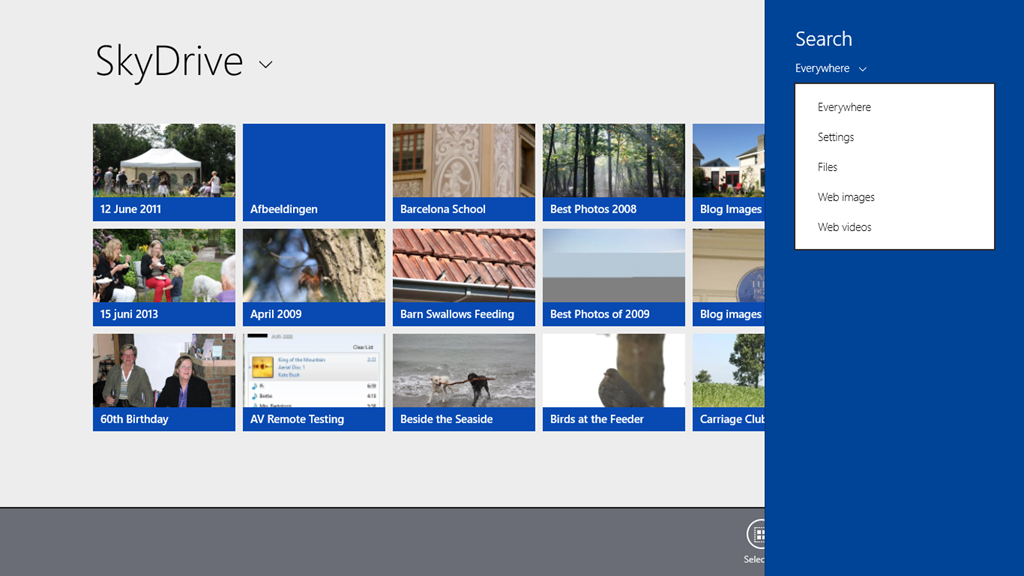
    SkyDrive 05

    Searching for “Kai” produces only the results from my local libraries, not from OneDrive :
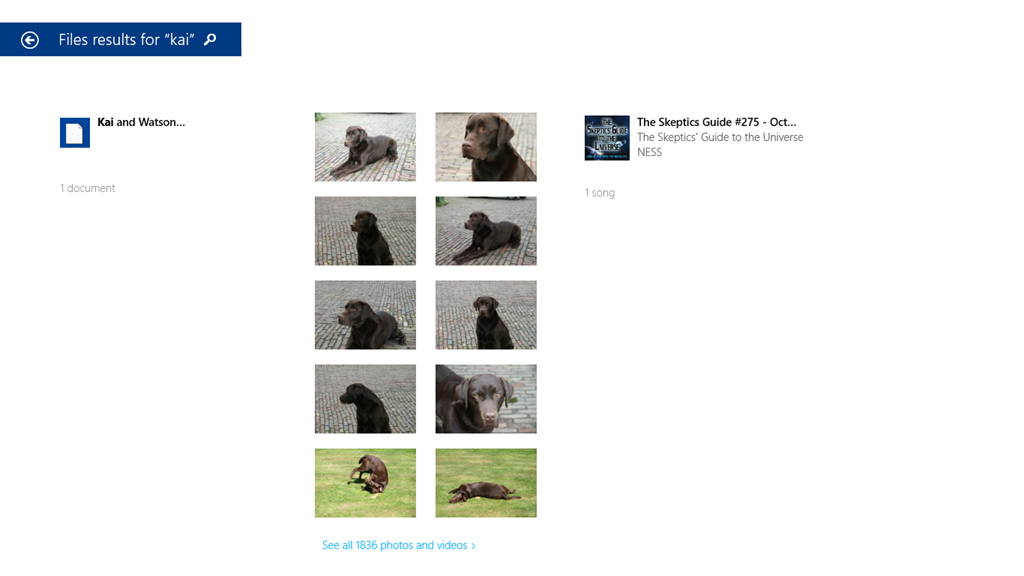
    SkyDrive 06

    If I use Internet Explorer to browse OneDrive directly, then I still can’t search on Descriptive Tags. Here’s the initial view of my OneDrive :
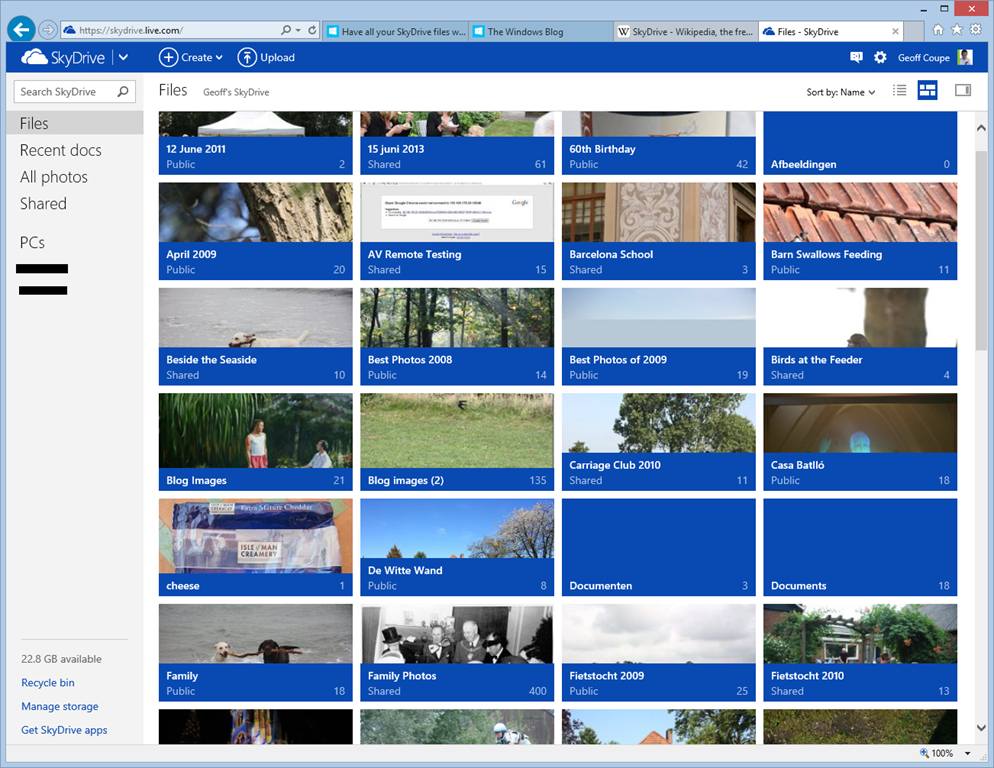
    SkyDrive 07

    If I use the “Search OneDrive” function at the top left, and search for “Kai”, then nothing is found:

    SkyDrive 08

    So the SkyDrive service is not indexing metadata such as the Descriptive Tags. This, by the way, is a long standing issue with the SkyDrive service. I’ve raised it on a number of occasions with the OneDrive team, and nothing has changed.

    In addition, the Windows 8.1 integration of OneDrive is also not indexing metadata, so perhaps the Microsoft statement should be rewritten as:

    Many people use search to quickly access their files. So we’ve made search work just not as you’d expect – SkyDrive files won’t always show up in search results unlike your local files.

    Sigh.

    Update 4 October 2013: If you read the comments below this post, you’ll see that members of the OneDrive team have replied. The good news is that they are working to address the shortcomings of the current search experience – photo metadata is now being included in the placeholder files. That’s good to hear.

    Update 7 May 2014: I’ve just done a test of uploading some files, containing IPTC Core keywords (tags) in their metadata, to OneDrive. You still can’t search for the tags using the browser accessing the online service – they don’t show up in the search results.

    However, it does appear as though the tags are now being included in the metadata contained in the placeholder files. So a search of the OneDrive folders on your local PC will find the tags. So, one step forward.

    Update 10 May 2014: The support for tags in the OneDrive service itself is still pretty much broken. Microsoft seem to have forgotten their one-time goal that “the truth is in the file“.
  • Photo Editor Apps

    My needs are fairly simple when it comes to a tool to edit digital photos. I don’t need all the bells and whistles of an Adobe Photoshop, just something that I can use to crop, resize, or adjust the contrast or colour balance of an image. Very occasionally, I need to to be able to make a cut-out mask of part of an image and paste it into another. For example, in this blog’s header image (which changes with the seasons), you can see our two dogs sitting in front of the house. They are always there, whatever the season, and that’s because their image has been pasted in to each of the seasons’ images.
    The features of Microsoft’s Windows Photo Gallery are the sort of thing that I have in mind (although it doesn’t handle masks), but I found out a long time ago that it corrupts image metadata. In particular, it destroys Canon’s Makernotes, which are stored in the Exif metadata of images made using my Canon cameras. Despite reporting this to Microsoft over two years ago, and Microsoft acknowledging that there is a bug, this still hasn’t been fixed. In fact, the same bug is present in Microsoft’s Photos App, built for Windows 8.

    For this reason, I only use Windows Photo Gallery to stitch together panoramas – it is very good at that – and don’t use any other of its editing tools. I also don’t use it to modify image metadata, because whenever Photo Gallery writes back metadata into the image file, it will corrupt the Makernotes. For editing and metadata work, I use Photo Supreme. It is excellent for metadata, and the image editor is good enough for my simple tasks. When I need to use masking, then I fire up the ancient, and long since withdrawn, Microsoft Digital Image Pro 10. As an aside, I often wonder why on earth Microsoft dropped this product. It certainly outshines any of their current digital imaging products…

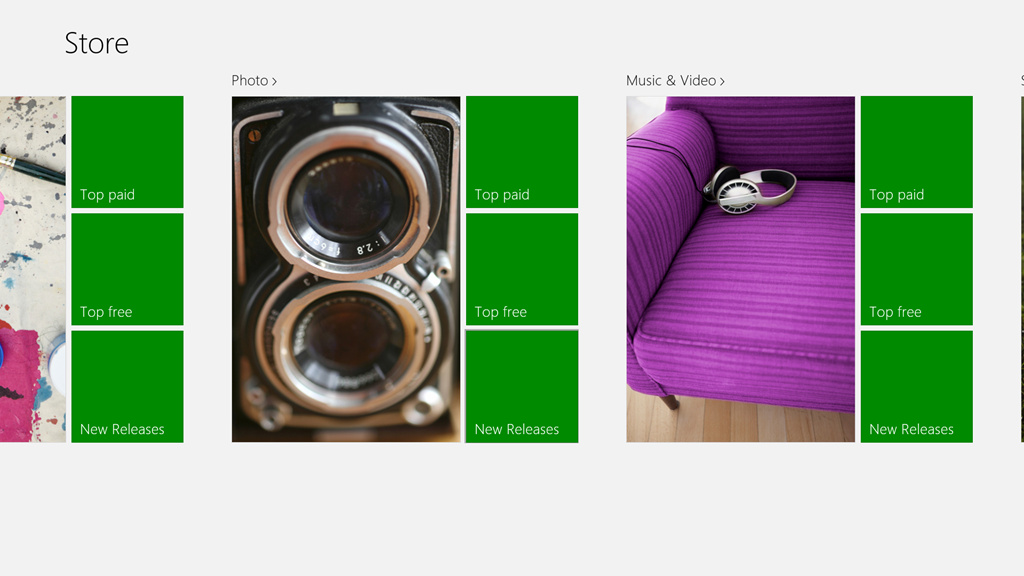
    Anyway, I was curious to see whether there was an easy to use photo editor available for the Windows 8 environment. At the moment, there are over 700 Apps listed in the Windows Store under the Photo category.

    Photo Apps 02

    Admittedly, some of those listed are Desktop Apps, designed to run in the Windows 7 Desktop environment, but the vast majority are built as Modern UI Apps for Windows 8.

    Last month, there was a post on Microsoft’s Windows Experience Blog that listed, and recommended, four Modern UI photo editor Apps. These were:

    I took a quick look at three of the suggestions (Fotor, Fhotoroom and Perfect365), and they all seem to strip out all metadata from a saved image, Exif and XMP. This is not useful, and completely contrary to the guidance from the Metadata Working Group, of which Microsoft is one of the founding members. As far as I’m concerned, that rules out any of these applications for me.

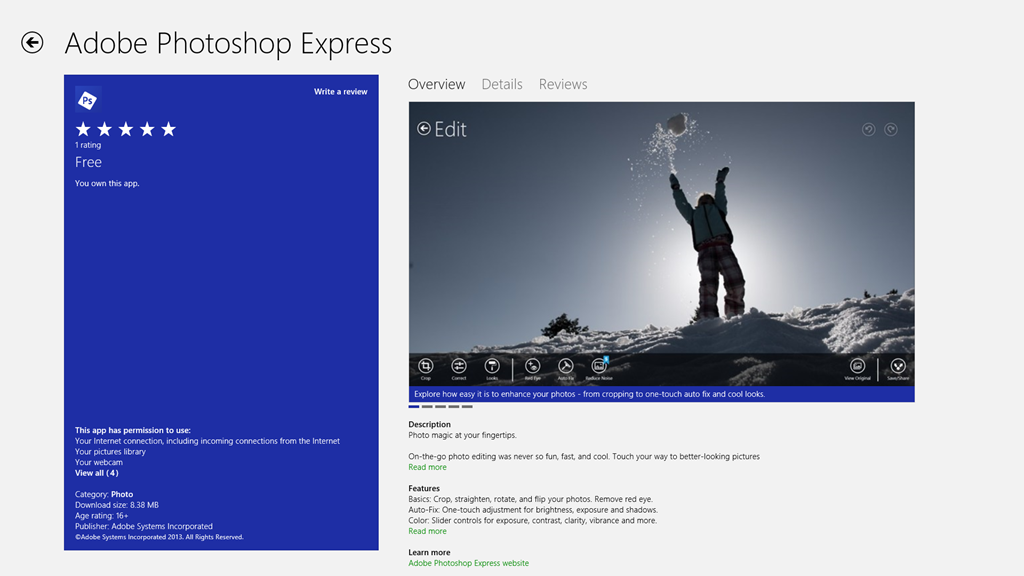
    Today, I saw that Adobe has made their Photoshop Express available as a Modern UI App for Windows 8, so I’ve taken a quick look.

    Photo Apps 01

    Well, on the positive side, it preserves metadata, and doesn’t corrupt it, so that’s a step forward from Microsoft’s efforts. However, it is still very limited in what it can do, and it has at least one irritating quirk all of its own. In this list of capabilities, unless otherwise stated, you can take it that Windows Photo Gallery (WPG) and Photo Supreme (PSU) can match the features listed.

    • It can crop and resize the image, with or without ratio guides.
    • It can rotate the image in fixed 90 degree increments (PSU can also handle free rotation, with or without cropping).
    • It can flip the image (WPG cannot).
    • It cannot resize the image resolution (WPG and PSU both can).
    • It can adjust (both manually and auto-fix) contrast, exposure and white balance, and apply preset filters.
    • It can remove Red Eye (PSU cannot).
    • It can heal images (WPG cannot).
    • It cannot handle masks and image layers (neither can WPG or PSU).
    • It cannot handle RAW images (PSU can, while WPG can only display them)

    Interestingly, it looks as though the App is extensible. You can add paid-for filters. So it’s possible that some of the limitations may be overcome in the future.

    And what of the irritation?

    Well, I don’t know whether the App is saving images at full quality, or whether it is applying compression. As a test, I took an original JPEG image that was 6.82 MB in size, and used the App to save a copy (no changes were made). The resulting copy was 4.08 MB in size. I suspect that some compression has been applied, but I have no way of telling how much, or more importantly, be able to save with no compression. That I do not like in an application.

    I also get slightly irritated by the fact that I can only save to one online Cloud storage service: Adobe’s own Revel. Fine, but I want to use my existing (and free) SkyDrive storage, rather than have yet another service to deal with.

    So in summary, all I can say is that Adobe’s Photoshop Express has promise, but it is not yet at a stage where I will drop my other digital image editor tools in its favour. Ask me again in a year.

    Addendum: I asked on an Adobe forum whether I could stop Photoshop Express from compressing my images. The answer is no, and that’s apparently by design.

    Also, I raised the issue of metadata being stripped out by Fotor with their support people. I had a response in which their programmer confirmed that Fotor does not save all of the Exif metadata in edited images. Unfortunately, he also seemed to be completely unaware that there are other types of image metadata besides Exif – and these are equally important to photographers.

    This link http://www.photometadata.org/META-101-metadata-types has an easy to understand introduction to image metadata.

    As it stands, Fotor is not a suitable tool for any photographer who cares about preservation of image metadata. The same seems to be true for many of the photo Apps currently available.

  • "Windows 8 sucks because Windows 8 apps suck"

    Not my words, but the words of Michael Cherry, an analyst with Directions on Microsoft, quoted in Computerworld. To be honest, I think he has a point. I’ve long bemoaned the fact that, far from using the opportunity to showcase the capabilities of Windows 8, the quality of most of the Apps supplied by Microsoft is abysmal.

    I still find myself using traditional Desktop applications for the majority of the time, and that’s simply because their Modern UI equivalents just don’t cut the mustard. They are still toys by comparison.

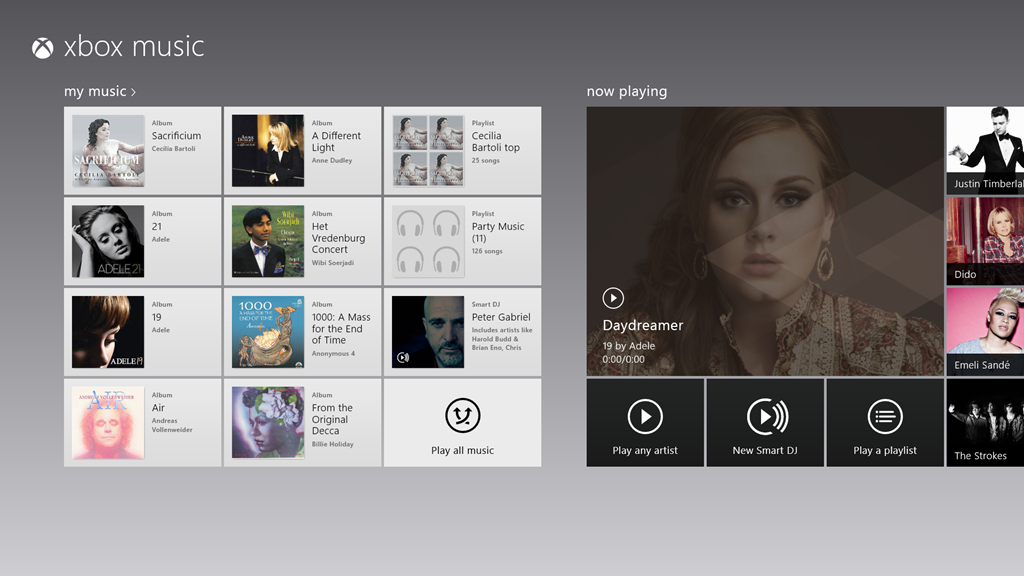
    I’ve found that Microsoft’s Mail, Calendar and People Apps are still far inferior to Windows Live Mail. The Xbox Music App is still lagging traditional music library applications, and the less said about the Photos and Video Apps the better.

    Microsoft is certainly not doing itself any favours with the current state of its Apps.

  • The Xbox Music App – Still Disaster-Prone

    Well, I thought at first that the new release of the Xbox Music App for Windows 8 was promising. That is, until my recent bad experience, and now something else has crept out of the woodwork.

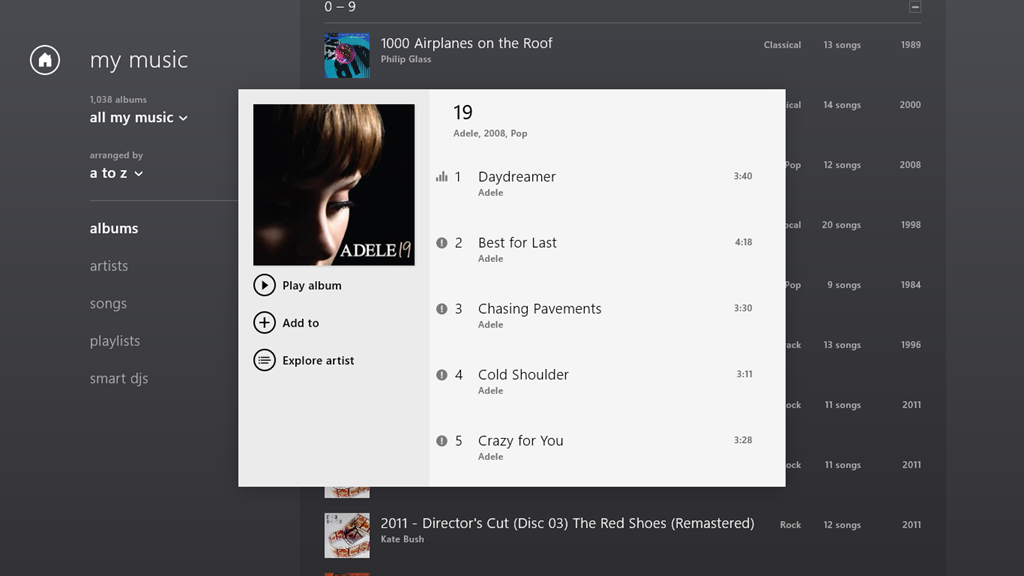
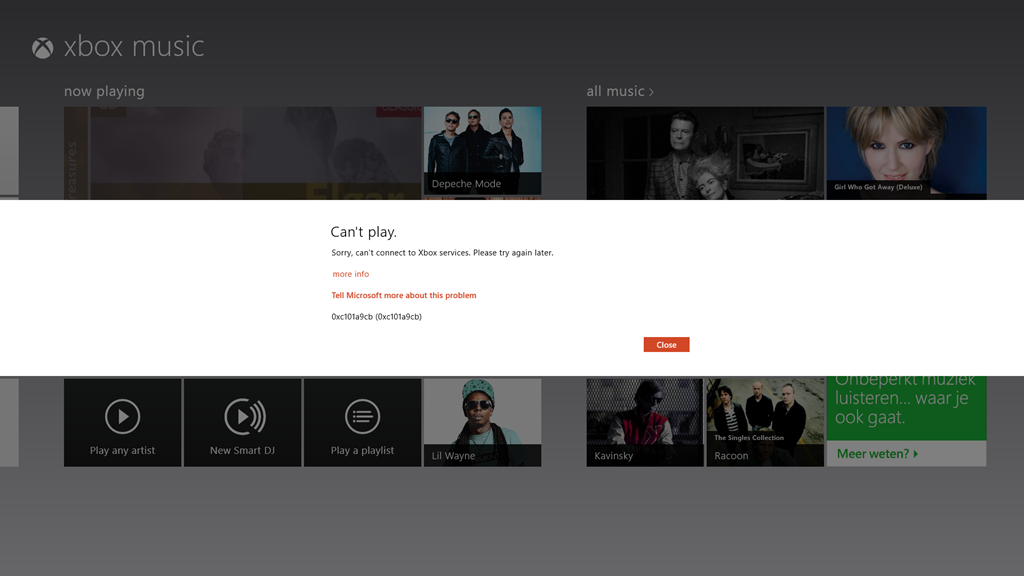
    The App is working as expected on my Desktop PC, but on my Lenovo ThinkPad Tablet 2, when I start playing an album, the first track will play, but all the rest start showing an error symbol (an exclamation mark) by them:

    xbox issue 04

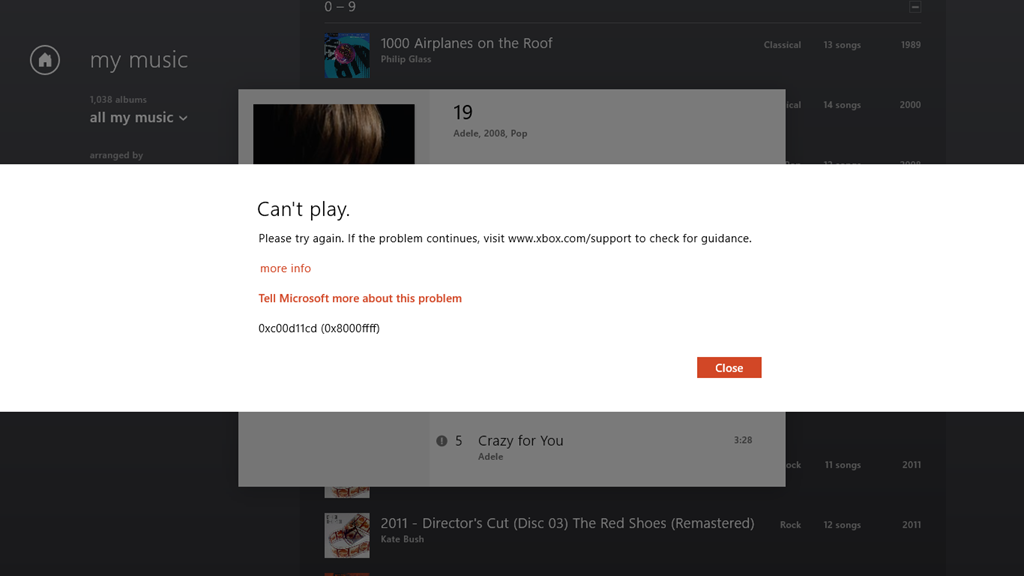
    If I click on the symbol, then I get this:

    xbox issue 05

    It says:

    Can’t play.

    Please try again. If the problem continues, visit www.xbox.com/support to check for guidance.

    more info

    Tell Microsoft more about this problem

    0xc00d11cd (0x8000ffff)

    Once again, of course, the links provided in the error message don’t provide any guidance whatsoever.

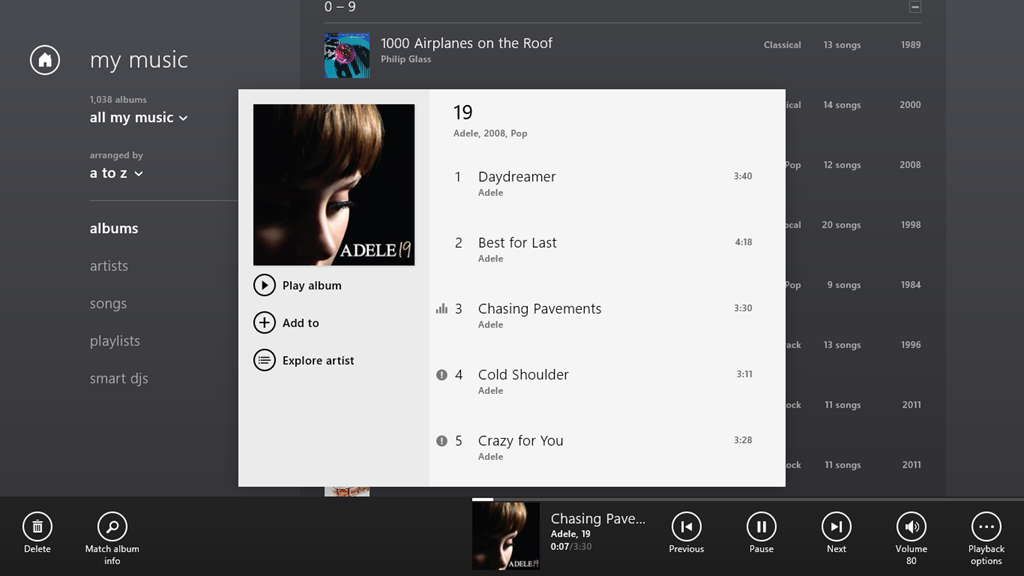
    If I let the playback continue, it will stop at the end of the currently playing track, because all the rest of the tracks are showing errors. However, I can manually advance to the next track, and it will start playing (with all the following tracks continuing to show errors):

    xbox issue 06

    Interestingly, I’m not the only one with this issue. And what I seem to have in common with the others is that we are using tablets built with the Intel Clover Trail chipset. This issue may well have been there for some time; it’s only with the latest release of the Xbox Music App (1.2.150.0) last week that I’ve really been using the App – it was so absymal before. It appears that it’s still dreadful.

    All my music (which is DRM-free) is stored on my Windows Home Server 2011 system. As I say, the Xbox Music App works fine on my Desktop PC, which, like my Tablet, is also running Windows 8 Pro. Other music applications, both traditional Desktop Apps (e.g. Windows Media Player, Zune and Media Monkey), and Modern UI Apps (e.g. Media Monkey for Windows 8) work fine on both the Desktop PC and my Tablet.

    But the Xbox Music App on the Tablet continues to be absolutely abysmal.

  • Windows 8 “Play to” Restrictions – And Overcoming Them

    I’ve written about Microsoft Windows and its “Play to” feature before. Back in the days of Windows 7, it caused a number of headaches, but the problems got resolved over time. Then with the introduction of Windows 8, it seemed that we all took a step back, and a new issue appeared.

    In Windows 8, it is not enough to have a piece of equipment (e.g. an amplifier or a TV) that is DLNA-certified for “Play to”, oh no; it also has to be Microsoft-certified before you can use it with a Modern UI (Metro) App in Windows 8. That means that although I can use the desktop Windows Media Player to “Play to” my trusty Denon AVR-3808 receiver (as I could under Windows 7), the new Xbox Music App in Windows 8 doesn’t even recognise the Denon as a “Play to” device.

    In a post on the Building Windows 8 blog, Microsoft states:

    Metro style apps work only with Windows certified Play To receivers [my emphasis]. These devices are validated to support modern media formats, are DLNA standards-compliant, and have great performance (including the updated Xbox 360 available later this year). The desktop experience first introduced in Windows 7 has been added to the Explorer Ribbon and will continue to support all DLNA DMR devices.

    Windows 8 bleats that my Denon is not Microsoft-certified, so it can’t be used by any Modern UI App. Gabe Frost, a Microsoft employee, gives these reasons for introducing this Microsoft certification:

    Since Windows 7, we have been certifying Play To devices (DMRs) for Windows. This certification program doesn’t invent any new standards or use any Microsoft proprietary technologies. Here is what our certification program does:

    1. DLNA guidelines have a bunch of optional requirements. An example is for a device to support volume control. These things that are optional in the guidelines have an impact on the user interface both within new Store apps and in Windows UI (such as providing a user the ability to control device volume using the app volume slider, or seek into a video, or update the state of transport control buttons (play/pause/etc.) in the app UI when a user uses the TV remote control). We think this stuff is important, so Windows certification makes mandatory a specific few requirements that are optional in DLNA.

    2. DLNA guidelines have mandatory requirements that they themselves don’t test. I won’t get into the details here, but the absence of a test for mandatory guidelines means that some devices implement things wrong, or don’t implement them at all, which causes weird behaviors that are hard to work around. No doubt, this isn’t on purpose (the device manufacturers always fix the issues when we bring them to their attention). Because the user experience can break because of this, we think it’s important and Windows certification actually tests the few specific requirements that are also mandatory in DLNA.

    3. Expanding on #1, DLNA makes optional certain media formats that are very popular today and expected by users. The primary example is MP4 video (M4V) and audio (M4A), or more specifically  H.264 (AVC) and AAC respectively. Windows 8 has a strong focus on HTML5 for sites and apps, which depends on MP4. If DMRs don’t support MP4, we wouldn’t be able to deliver on the promise of streaming HTML5-based audio and video from apps and sites to your TV or speakers. You might think transcoding to MPEG-2 is the answer, but Surface and other Windows RT tablets don’t have MPEG-2 encoder hardware in them (and even if we did decide to do this in software, the experience would be terrible and drain your battery).

    4.  Playback latency. To be competitive and to deliver a great user experience, we think a TV should start playing a video within 6 seconds and audio within 3 seconds when connected via wired Ethernet. I’d be surprised if anyone thought this was controversial.

    That’s it. UPnP/DLNA is our foundation technology. Remember though, DLNA means lots of things. A TV that only implements a media player (DMP) and a TV that implements a media renderer (DMR) both have the same DLNA logo, but only one of them is even capable of working with Play To (the DMR).

    While new apps from the Store won’t work with un-certified devices for reliability, performance, and other reasons, all your devices continue to work the same way they did in Windows 7. From File Explorer or Windows Media Player, these certified and un-certified devices will be shown in the context menu. We also added a button to the Ribbon to make it more friendly on touch screens. Try it on Surface or other Windows RT devices for example.

    However, despite all these fine words attempting to justify this new hurdle that Microsoft has placed in our way, it all boils down to:

    …new apps from the Store won’t work with un-certified devices…

    And if your device has not been put through the certification process, then, tough. My Denon receiver is positively ancient – five years old – and now discontinued, so absolutely no chance of getting it certified.

    However, help is at hand. Barb Bowman has been doing some detective work in the innards of the Windows Registry. She has discovered where the keys are stored that specify whether a DLNA device is Microsoft-certified. Better than that, she describes how to define your own key to “certify” your DLNA device so that it can work with Modern UI Apps.

    As she points out, there are precious few vendors (only five) currently certifying their devices, and Denon isn’t one of them.

    However, I followed her directions, and have now successfully created a key that enables my Denon receiver to work as a Microsoft-certified device with Modern UI Apps.

    My thanks to Barb and her detective work. No thanks to Microsoft for what I feel was an unnecessary hurdle.

    Update 16 July 2013: Barb has a new post up on her blog. Microsoft’s Gabe Frost has revealed that there is a simpler way of getting non-certified devices to work with Apps. Barb gives the details in her post.

    Update 21 October 2013: Well, now that the final release of Windows 8.1 is available, the Play to experience seems to be broken again. I applied the registry fix given by Barb Bowman (and which came originally from Microsoft’s Gabe Frost), and that no longer seems to work for me. One step forward, two steps back yet again. Thank you Microsoft.

    Update 24 October 2013: I posted the Windows 8.1 issue in a Microsoft forum, and got some useful feedback from Gabe Frost. The issue is not resolved, but at least we now know what’s going on. See https://gcoupe.wordpress.com/2013/10/23/play-to-and-windows-8-1/

    Update 8 April 2014: As of today, Microsoft has released an Update to Windows 8.1 that makes it unnecessary to perform any registry edits to enable a DLNA Digital Media Renderer (DMR) to work with Modern Apps on the Start Screen. Devices will no longer appear as “uncertified” when Play is selected within an individual app (but if not certified will appear as such in the PC and Devices menu).

  • Bad Experience: Xbox Music App

    As I wrote here, Microsoft has recently updated the Xbox Music App for Windows 8. The update improved the navigation of the music library to the extent where I thought I could start using the App (it was absymal on first release).

    So I’ve been using the Music App to play music stored in my Library, and I’ve got good news and bad news.

    The good news is that navigation is much improved (although more improvement would be welcome). You can also use the Music App to purchase additional Albums. For example, as an experiment, I used the App to purchase a Cecilia Bartoli album: Sacrificium. I was pleased to see that on completion of the purchase, the Music App automatically downloaded the album tracks to a folder that it created in my Music Library, held on my Windows Home Server 2011 system. So the tracks were located in \\DEGAS\Music\Xbox Music\Purchases\Cecilia Bartoli\Sacrificium (DEGAS is the name of my WHS 2011 server). Even better, the tracks were DRM-free MP3 files recorded at 320 kbps, and contained metadata (track title, album title, artist, album art, etc.).

    So far, so good. Buoyed up by that, I bought another album, this time Andreas Vollenweider’s Book of Roses. Same thing, on completion of the purchase, the Music App automatically created a folder in my Music Library (\\DEGAS\Music\Xbox Music\Purchases\Andreas Vollenweider\Book Of Roses) and downloaded the MP3 tracks to it.

    Flushed with success, I bought a second Andreas Vollenweider album: Air – and that’s when things went horribly wrong.

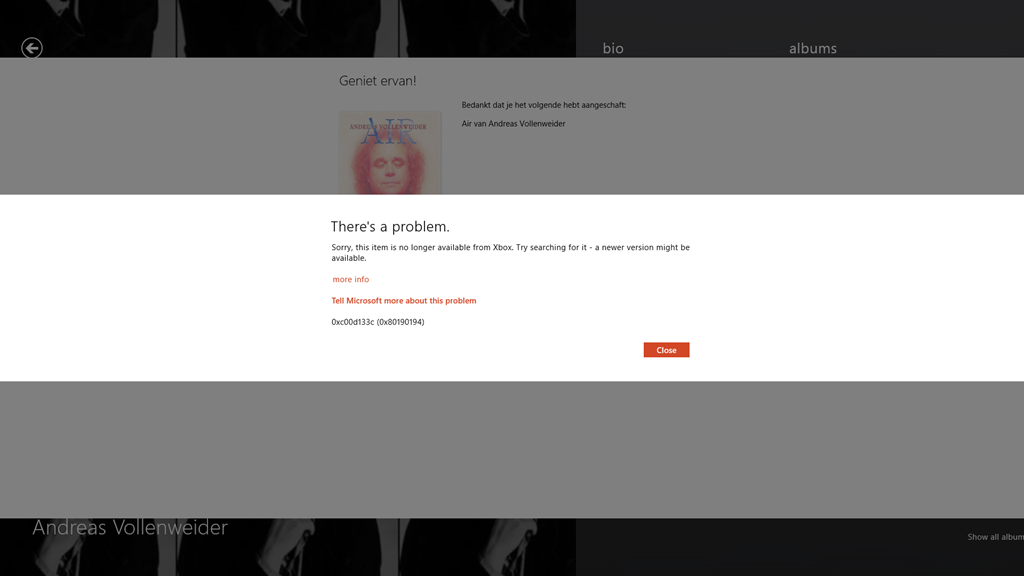
    The Music App allowed me to buy the album, but as soon as the purchase was completed, up popped this unwelcome message over the purchase confirmed screen:

    Xbox Music issue 01

    It says:

    There’s a problem.

    Sorry, this item is no longer available from Xbox. Try searching for it – a newer version might be available.

    more info

    Tell Microsoft more about this problem

    0xc00d133c (0×80190194)

    Lovely, so Microsoft has taken my money, but failed to deliver the goods. Trying to follow the links to get more information failed miserably to resolve it. I took a gamble that this might have been a one-off glitch, and tried again. Same result, so I have now paid twice for an album that Microsoft will happily sell to me, but without ever providing the goods:

    Xbox Music issue 02

    Sigh. Fortunately, these purchases were made using PayPal, so I’ve opened two dispute cases, and these have now been escalated to claims. So with luck, I’ll get my money back.

    As a result of this experience, I’m somewhat leery of trying to purchase music via the Music App. I think I’ll stick to purchasing CDs.

    Update: 2nd April 2013

    It’s now three days later since I tried, unsuccessfully, to purchase Air. Today, I noticed that the Xbox Music App’s Home page was still listing the album as being in my collection:

    Xbox Music issue 03

    So I clicked it. The album details page then showed up, with the “streaming” symbol showing by the individual tracks. The last time I was at this point, trying to play a track resulted in an error message, but I thought, what the hell… and clicked the first track.

    To my surprise, it started playing, and then to my even greater surprise, the “download track” symbol started appearing by the tracks. I clicked on one, and got a message that all 13 tracks were being downloaded. So it would appear that Microsoft has fixed the purchasing issue. Now I’ve just got to persuade PayPal to authorise just one of the two payments…

    Update 10th April 2013

    Sigh. Today I received a couple of messages from PayPal that said:

    Dear Geoff Coupe,
    We’ve completed our investigation for the following claim:
    Case ID:  PP-002-273-252-851
    Transaction Date:  29 Mar 2013
    Transaction Amount:  -7,99 EUR
    Seller’s Email:  MicrosoftBilling_donotreply.eu@microsoft.com
    Seller’s Name:  Microsoft Luxembourg S.a.r.l
    These items are not covered by PayPal Seller Protection. Only physical
    items that have been sent and can be traced online can be covered.
    We advise you to contact the seller directly and to solve the problem. You
    can find the contact details of the seller on the page ‘Transaction
    details’.
    Sincerely,
    PayPal team

    So. not our problem, please look elsewhere. I love that “only physical items can be covered” spiel. As we advance further into the 21st century, bits are becoming ever more financially important than atoms. It’s a pity that more services aren’t aware of this fact, or are they just in denial?

    Update 11th April 2013

    Sigh. I really don’t learn, do I? I thought I’d have another go at buying an album. This time, it was the Simon Rattle version of Elgar’s “The Dream of Gerontius” coupled with the “Enigma Variations”.

    And this time, I thought that I’d check that I could first stream a couple of the tracks – just to make sure that the album was in fact available before I purchased it. And, yes, the tracks were available, and streaming. So I went and shelled out 8.99 Euros for the album.

    Bang – Microsoft took my money. And Bang! – Microsoft refused to give me my album.

    Xbox Music issue 04

    I’m sorry, but this is getting beyond a joke.

    Update 13th April 2013

    Well, I’m still getting the “can’t connect” error, but I seemed to have found a way to force the Xbox Music service to give me the album that I have bought. I located it online once more, and this time, I clicked the “Add to” button, and discovered that I could add it to my music library. Once I did that, the “Buy Album” button disappeared, and then the album showed up in my Library, with the “streaming” symbol beside it. More importantly, I then discovered that I could manually download the album to my server. So now I’ve got the album downloaded. It all seems quite a palaver…

  • Small Steps

    Microsoft released new versions of some of their Windows 8 Apps today. The ones that I’ve seen so far are the Mail, Calendar, People and Messaging Apps, together with a new version of the Xbox Music App.

    I’ve updated my post on the Xbox Music App here. In summary, whilst navigation has taken a step forward, there are many issues with this App that have not been addressed.

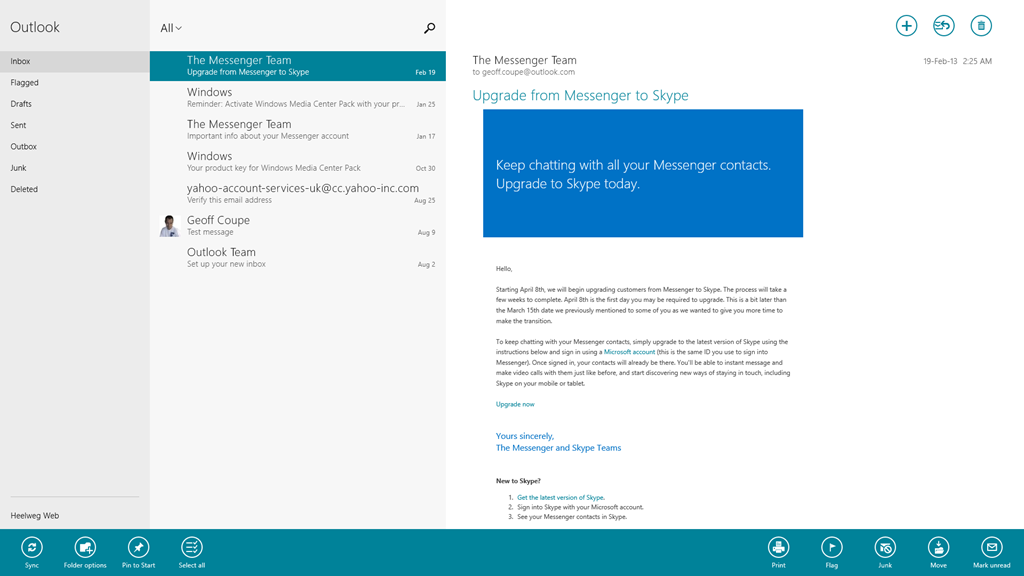
    The Mail App has got some improvements. I like the fact that I can at last create my own Folders and view them in the Mail App, and also that I can search both locally and in my online IMAP folders automatically. I see that the Mail App still cannot handle POP accounts. Yes, it’s legacy, but it is still in widespread use by many service providers who don’t yet support IMAP.

    Mail App 01

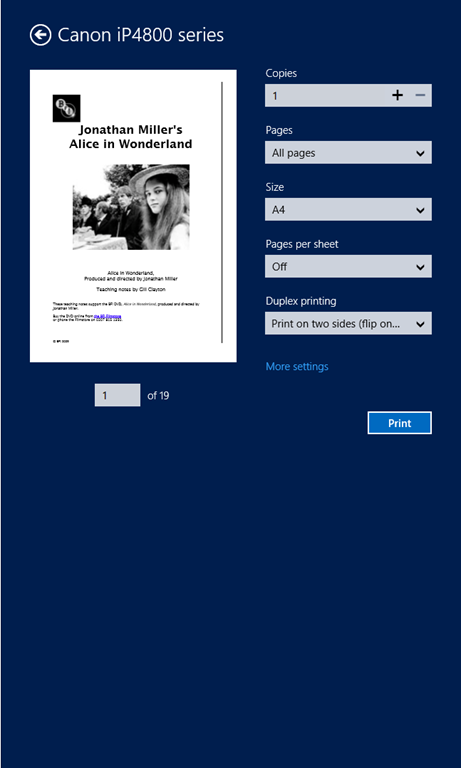
    In addition, the Mail App still hasn’t got a clue when it comes to printing out a message. It is still not possible to print just a range of pages – you can only print out every page in a message. It’s the same with the Modern UI version of Internet Explorer 10; it’s all or nothing. Clearly the Mail and IE 10 teams don’t understand how to use the new print subsystem of Windows 8 properly. They really should talk to their colleagues in the Microsoft Reader App team. Here’s an example of the print controls using the Reader App.

    W8 Print 03

    Note that you’ve got a “Pages” setting, where you can select to print “All pages”, “Current page” or a “Custom” selection of pages from the document.

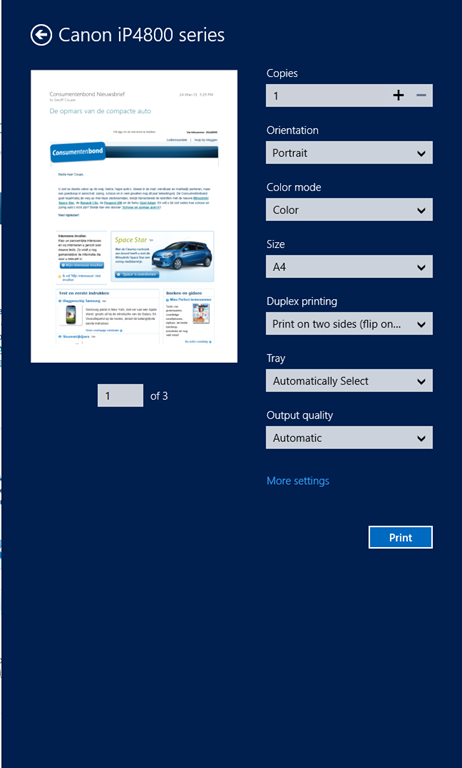
    Now here’s what you see (using the same printer device) when you want to print out a mail message from the Mail App (you’ll also see the same settings when you print out a web site in the IE10 App):

    W8 Print 01

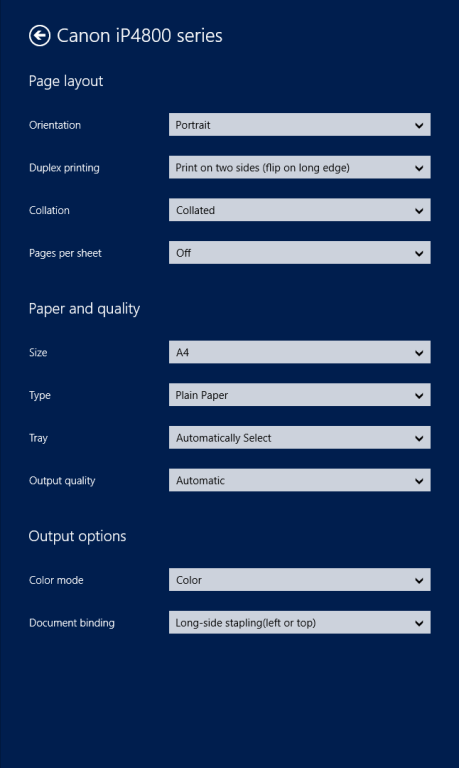
    Whoops, no “Pages” option to print out a range of pages. And it’s not lurking under the “More settings” link, either:

    W8 Print 02

    I find it ironic that the Windows 8 Engineering Team posted an entry last year on the Building Windows 8 blog entitled: Simplifying Printing In Windows 8. It seems to me that when Microsoft’s own teams come up with inconsistent and poor user experiences for the task of printing out documents, then something is wrong somewhere. And talking of simplifying printing, I notice that the Mail App now sports a “Print” icon on the pop-up task bar at the bottom of the App. I suspect that many people are finding it confusing to print by going to the Charms bar, and choosing the “Devices” Charm…

    The new version of the Calendar App offers a few extra views, but personally, I don’t find it a great leap forward.

    Calendar App 01

    Clearly, Microsoft expect all their customers to have Smartphones or Tablets – there’s no way to print out anything from the Calendar App. Some of us do still occasionally like to have bits of paper handy…

    The People App remains very plain for me; most entries have simply the generic person icon. That’s because, by choice, I am not a Facebook or Twitter user. I communicate mostly by email.

    People App 01

    For the same reason, I’ve never had occasion to use the Messaging App, so I have no opinion on whether it’s any better in the new version.

    To sum up, despite these new versions of the Mail, Calendar and People Apps, I don’t see myself using them as my primary communication applications. I still find that job is better done using Windows Live Mail, which combines all these functions into one application that I prefer to use. Having said that, I do find myself occasionally using the Mail App on my ThinkPad Tablet to check email when I’m not at my Desktop PC. So it may grow on me, but I think further improvements will be needed first.

  • Windows 8 Media Apps and Media Services

    I’ve written before about the issues I’ve had with the “Play to” function in Windows 8. Paul Thurrott wrote an article yesterday: The Sad Tale of Play To and Windows 8, with much the same conclusions. It is worth reading the comment by John Galt after the Thurrott article. He lists a number of shortcomings in the media “features” that Microsoft have implemented in Windows 8, any one of which has me tearing my hair out.

    For example, the Music App

    1. has a tendency to play advertisements even when you’re playing your own music.
    2. has no support for open audio codecs such as FLAC, and no apparent way to add such support
    3. constantly forgets the contents of my music library, and has to rebuild the index from scratch practically every time I fire it up.
    4. has no support for accessing media stored on NAS devices
    5. has no support for Microsoft’s own eHome remote control standard (used by Windows Media Center since 2001)
    6. has no support for acting as a “Play to” target, i.e. as a Digital Media Renderer.

    Issues 4, 5, and 6 are also common to the other Microsoft-supplied Media Apps, i.e. the Video App and the Photos App.

    One wonders how Microsoft can be so dismal in delivering products that should delight, and not disappoint in so many ways.

    Addendum: here’s a secondary rant about the Music App, triggered by a comment below.

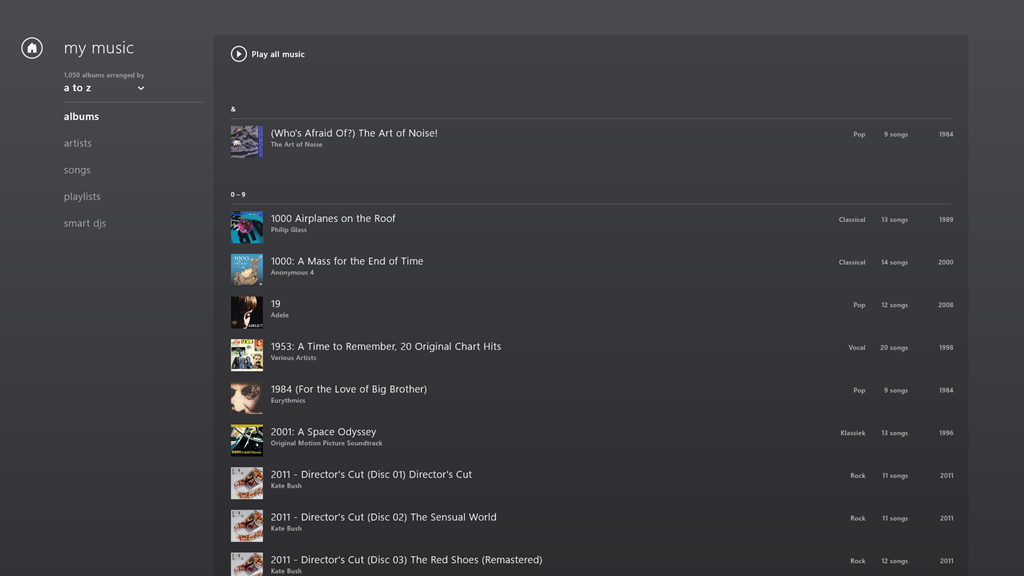
    Navigation in the Music App is really badly thought out.

    Take the Album view, for example. Choose it, and you’ll see a list of your albums.

    W8 Music 10

    The question is, how do you rapidly navigate through the list? The answer is: you can’t. You have to manually scroll up and down, using either your mouse or your finger. Since I have over 1,000 albums in my library, this gets very tiresome, very quickly.

    The answer that Windows Media Center came up with in 2001 is that pressing a character on your keyboard will cause the display to jump to that position in the list. So pressing “m” for example, will immediately skip the display to the start of the list of albums beginning with “m”.

    But the keyboard is dead in the Music App’s list displays… You can only scroll up or down.

    What I find really irritating is that the developers of this App have also learned nothing from Apps built for Windows Phone. Here, there is support in the operating system itself for viewing lists at two levels of zoom. You can see a view at the level of the alphabet (a,b,c, etc.), and by touching a letter, you instantly zoom into the detailed list at that level.

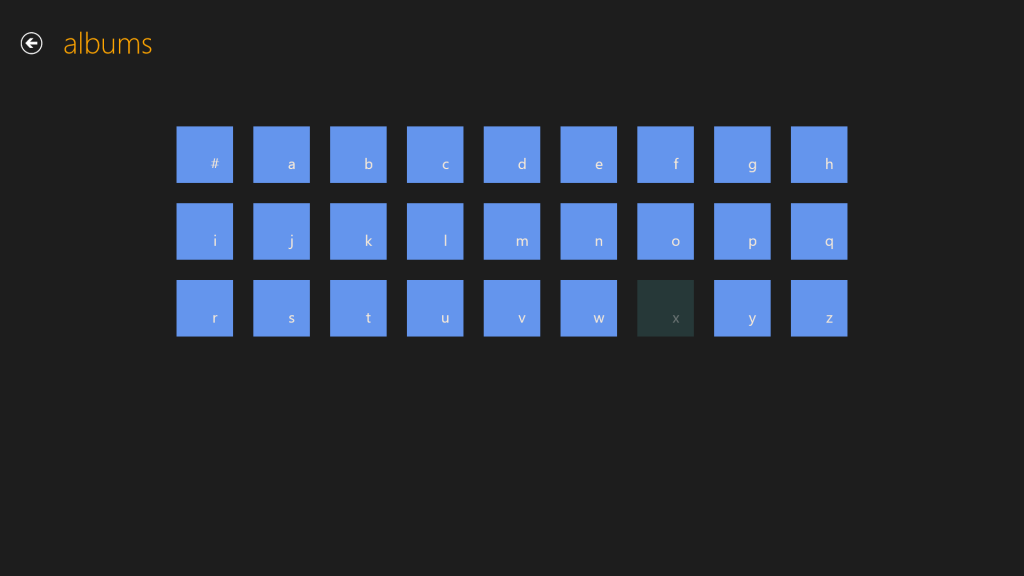
    This can be done for Windows 8 applications as well. Here for example, is the Media Center Remote app built by Brad Mauk, and available for both Windows Phone and Windows 8. These are screenshots taken from the Windows 8 App. On entering the Albums view, you are presented with the zoomed-out view of your library:

    W8 Music 08

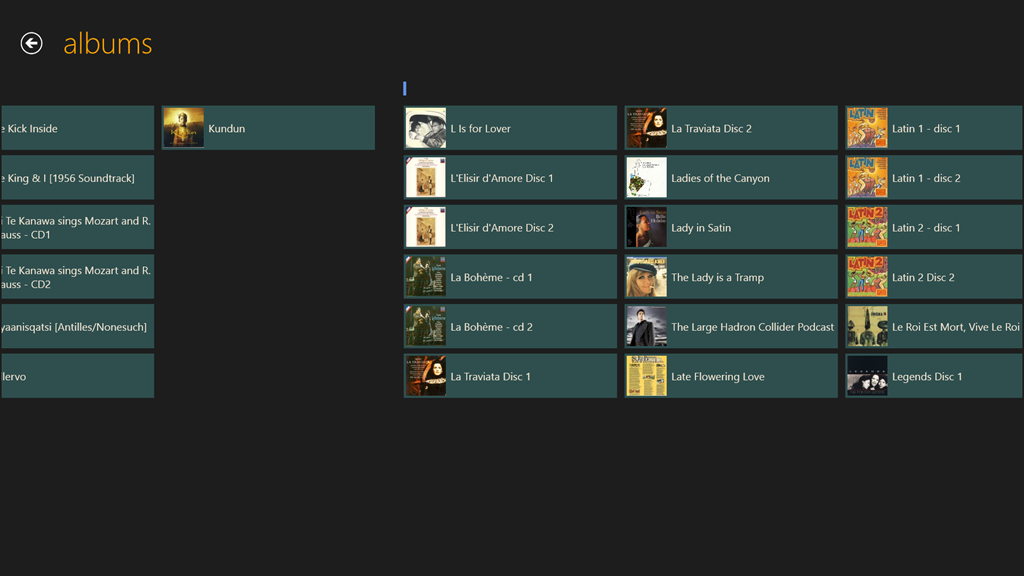
    Notice that “x” is dimmed – this immediately tells me that I have no albums with titles beginning with “X” in my library. Now, it is true that in this App, in this view, the keyboard is also not active. So I can’t type a character on my keyboard and jump to that part of my library. However, and crucially, I can use either my mouse or Touch to choose one of the characters on this screen to jump into my library. Let’s click (or Touch) “l”:

    W8 Music 09

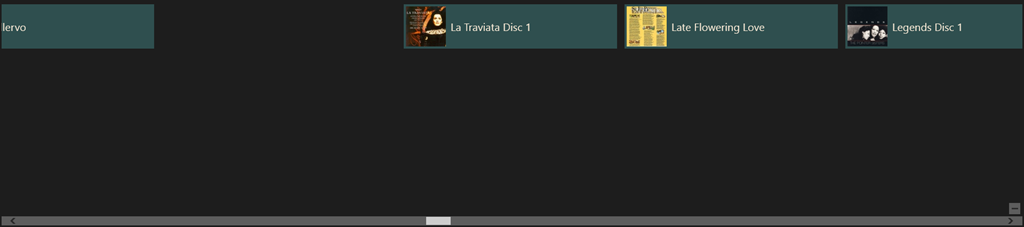
    Instantly, I’m there. If I want to return to the high-level view, I can either click the “-“ icon that appears with the horizontal scrollbar when I mouse down:

    W8 Music 11

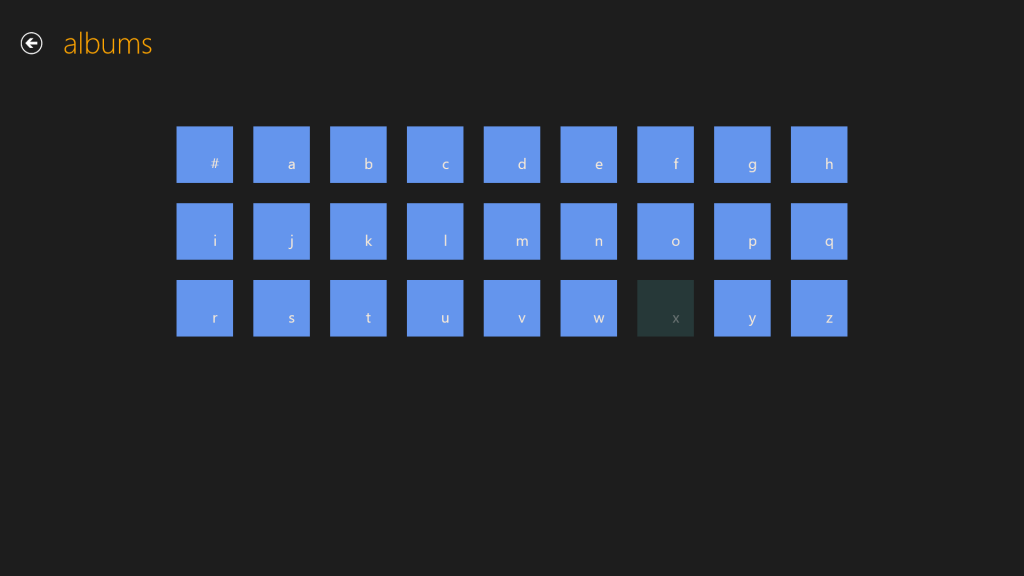
    …or, if I’m using Touch, I simply use the “pinch” gesture on the screen to return to the alphabetic list of the high-level view:

    W8 Music 08

    Navigation within my library is easy with this App, and I happily use it to control my Windows Media Center.

    The developers of Microsoft’s Music App should take note. What they have produced thus far is abysmal.

    Update 26th March 2013

    Today, the Music App has received an update. I’m very pleased to see that Microsoft has at last incorporated a “zoom” function to make navigation in a large library more practical. It’s implemented slightly differently from the “Windows Phone” approach taken by the Media Center Remote App described above.

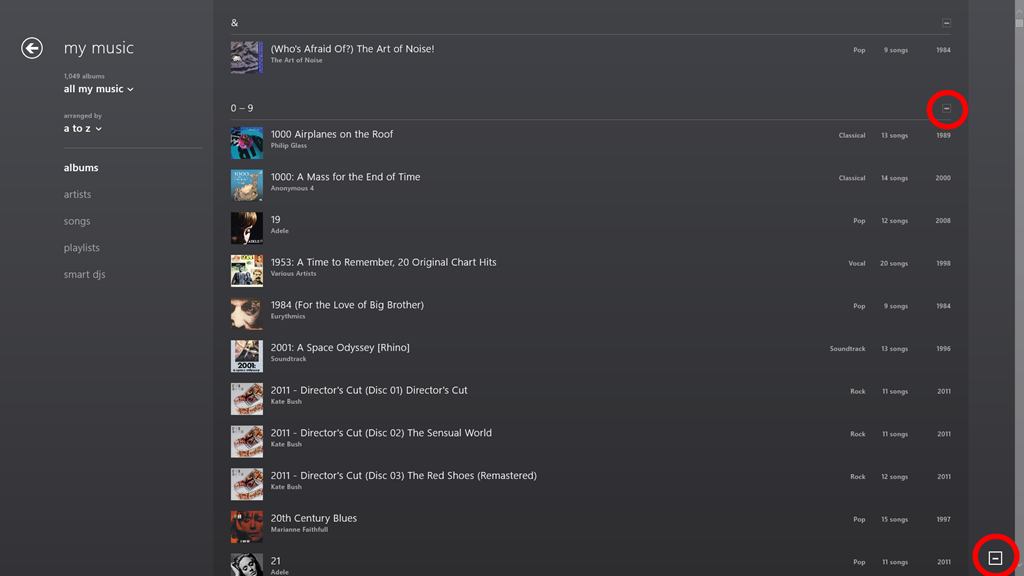
    In the new version of Music App, the contents of the various views (Albums, Artists, Songs, Playlists etc.) are separated alphabet headings, when listed in alphabetical order. Here you can see the start of the list of my albums:

    Music App 02

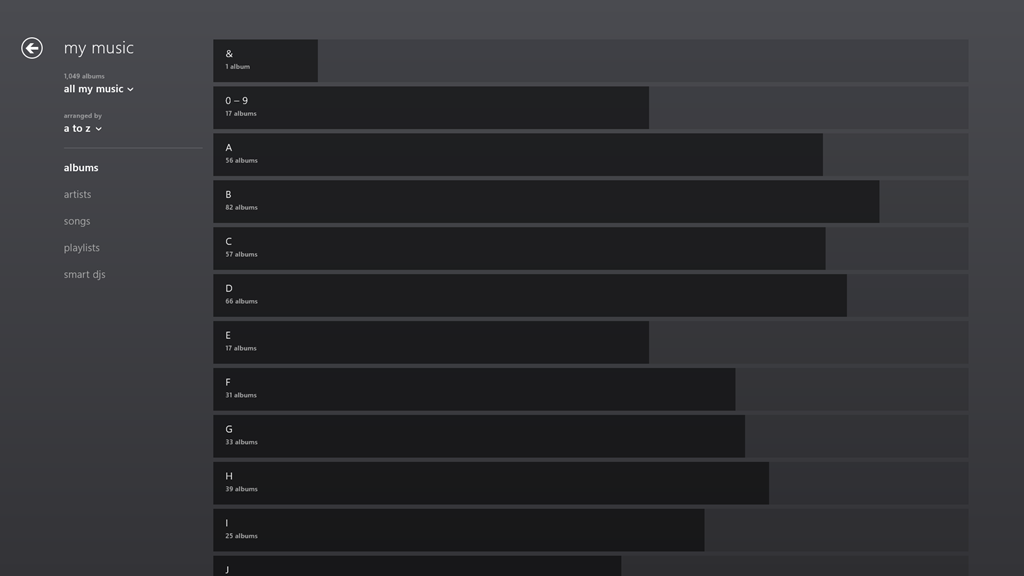
    Note the icons that I’ve circled in red. When clicked (or touched), the view zooms out to the alphabetic sections only:

    Music App 03

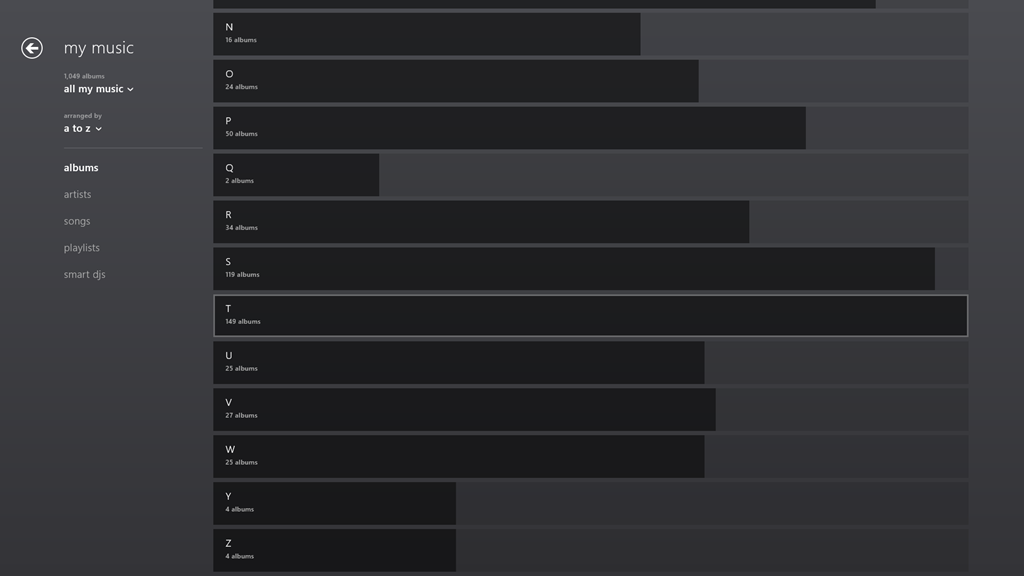
    One rather nice touch is that the length of the bars represents the number of albums in that section as a proportion of the highest section total. If there are no albums in a particular section, then – unlike the Windows Phone convention, where the section is dimmed – here it is dropped altogether. For example, there is no entry for “X”, since I have no albums that begin with “X”:

    Music App 04

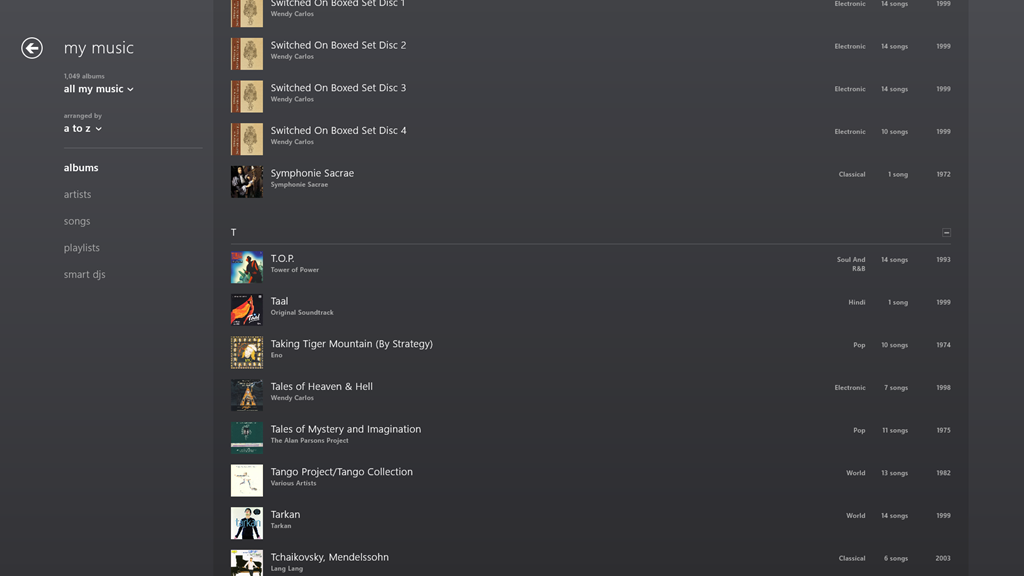
    Clicking, or touching, anywhere along the dark/light grey bar of a section will zoom back into the library to the point represented by the section heading. In the screenshot above, I have moved my mouse over the “T” section, which is why it has become highlighted (the touch interface does not use this highlighting prompt). Left-clicking (or touching) jumps me back into the list of individual albums, starting with those beginning with “T”:

    Music App 05

    You’ll notice that the “T” section contains the highest total number of albums. That’s because the Music App – unlike Windows Media Center – has not the intelligence to ignore words like “The” or “A” in an album title. It’s a small point, but it’s evidence that teams in Microsoft often don’t appear to build on what went before, but start with a blank sheet of paper. One step forward, two steps back…

    In summary, while it’s nice to see that this new version of the Music App has addressed the navigation issue, it still has a long way to go. Of the six issues that I give at the top of this post, only issue 3 seems to have been resolved, the other five issues have yet to be addressed – if indeed they ever will be.

    Update 30 March 2013

    I’ve been using the Music App to play music stored in my Library, and I’ve got good news and bad news.

    See here for more information.

  • Thoughts on the Lenovo ThinkPad 2 – Part IV

    Welcome back to the next episode in what seems to be turning out to be a series of posts on my experience of using my first Windows 8 tablet – a Lenovo ThinkPad 2.

    The last post took a look at some of the software applications that Lenovo has provided for their tablet, and I’ll continue that look in this post. I ended that post somewhat abruptly when I discovered how awful Lenovo’s tutorial on Windows 8 was. Not only was it shockingly poor, but it is also built for the Desktop version of Internet Explorer. One might expect that a Windows 8 tutorial would take advantage of the Modern UI of Windows 8. Clearly Lenovo don’t think so.

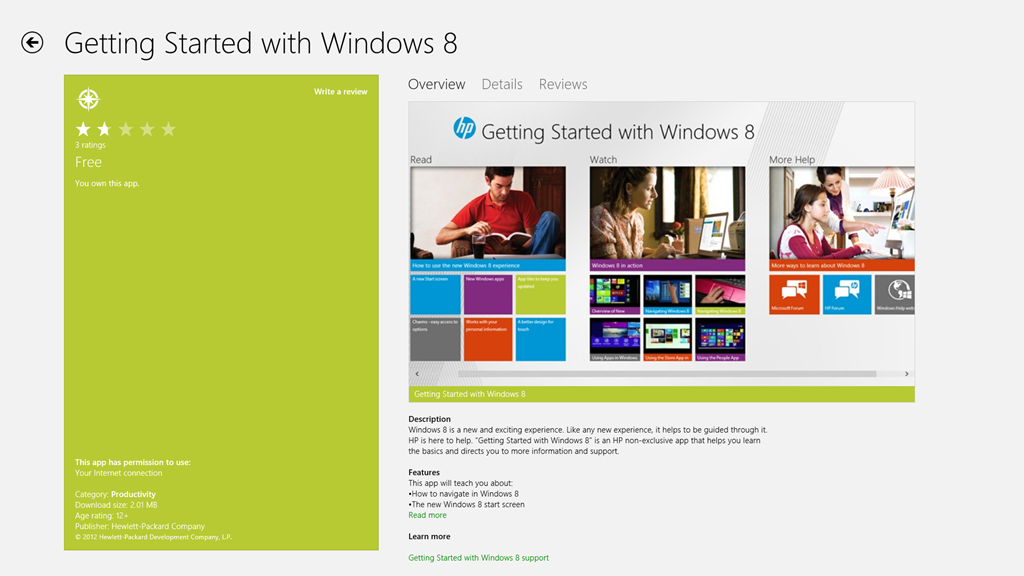
    To see how it should be done, I think it’s instructive to take a look at HP’s tutorial for Windows 8. It is fully a Modern UI App – no forcing the hapless user to open the Desktop web browser here. This tutorial, while it was originally designed by HP for use on their Windows 8 systems, is now freely available in the Windows Store for download and installation onto any Windows 8 system:

    TPT2 28

    If you’re new to Windows 8, it’s worth taking a look at this tutorial.

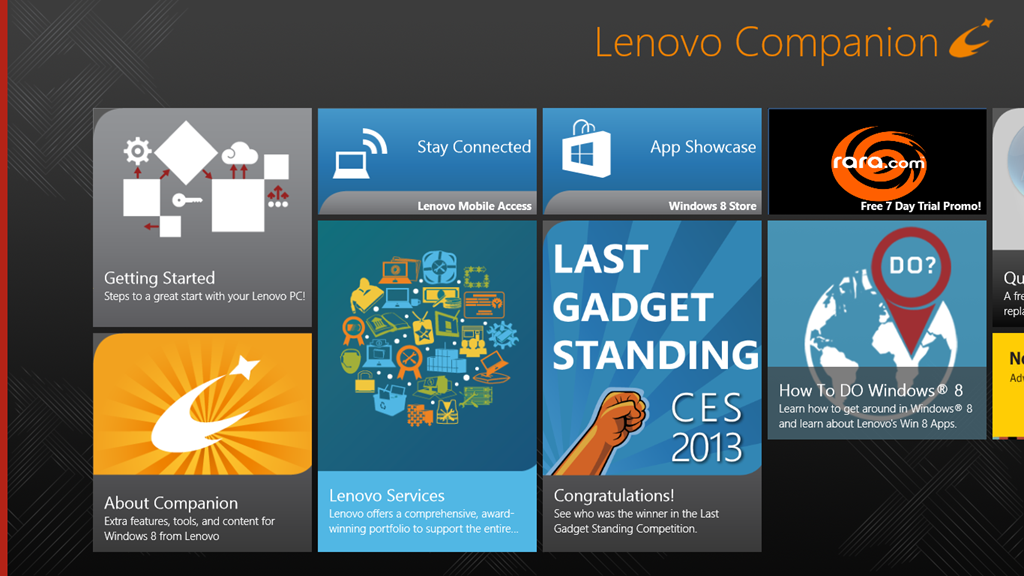
    OK, now onwards with the contents of Lenovo’s Companion App:

    TPT2 29

    Ah, QuickLaunch turns out to be yet another Start Button replacement tool. I really don’t understand the attraction of these. I want to learn how to ride my bike, not go through life with training wheels clamped to it.

    Next up is the trial version of Norton Internet Security that Lenovo installed on my ThinkPad. One of the first things I did was to uninstall it, and to revert to Microsoft’s Windows Defender, which is built into Windows 8. It’s sufficient protection, in my opinion.

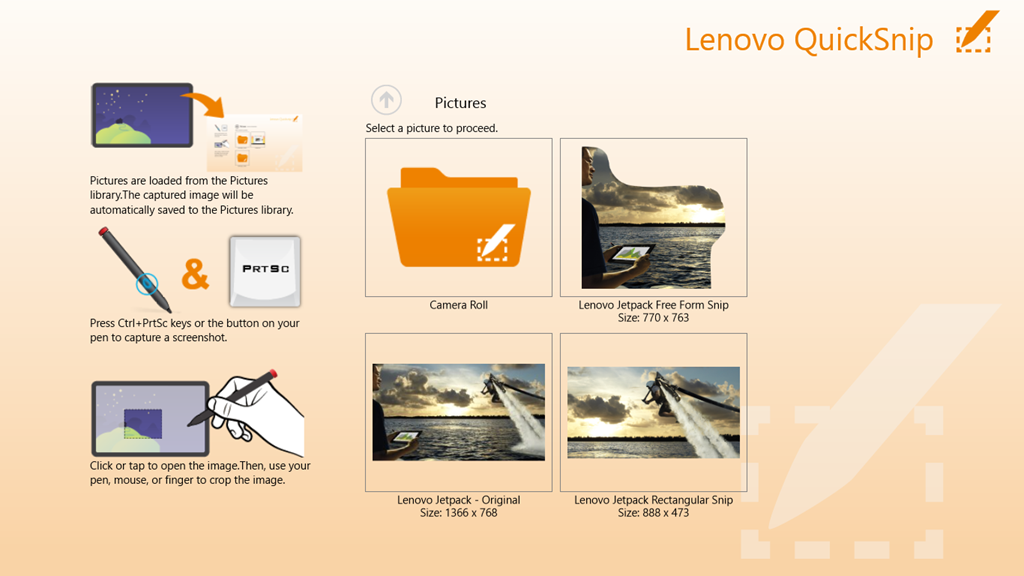
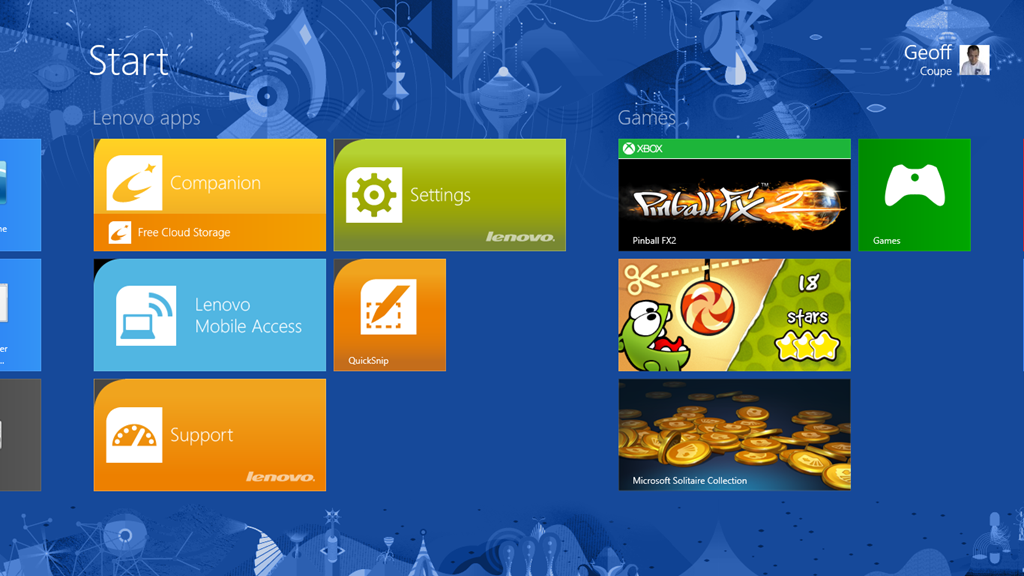
    Then we have a couple of adverts for two of Lenovo’s own utilities: Settings and QuickSnip. I’ll deal with them later.

    Lenovo Blogs opens a scrolling view of links to Lenovo’s corporate blogs. Clicking on a link will open the blog post inside the Companion App, rather than switching to the web browser, which is a nice touch. E.g. the “8 Cool Things About The ThinkPad Tablet 2” post shown here:

    TPT2 31

    Needless to say, the blogs are primarily a marketing tool, and present a rosy picture. I couldn’t help but comment on the above blog post to correct some of the rosiness.

    The links to the Lenovo channels on YouTube and Twitter are further examples of marketing. Once again, these channels are displayed within the Companion App itself, rather than shelling out to a separate instance of the web browser. I suspect the same thing is supposed to happen for the Accessories tile, but all I got was a blank page and a plaintive message that there was “No matched content for this system”. There is in fact an online Lenovo shop in the Netherlands, so I suspect that once again the developers of the Companion App assume that we all live in the US of A.

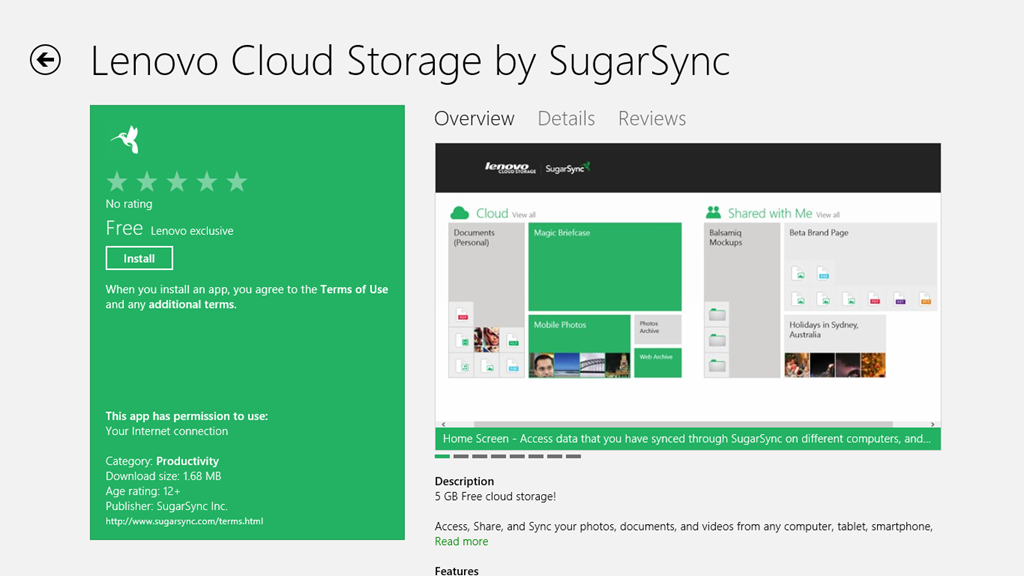
    And as I said in my last post, I have no interest in signing up for Lenovo’s Cloud Storage – I am already a satisfied SkyDrive user.

    To summarise, the Companion App strikes me as primarily a Marketing tool from Lenovo. I think it can be uninstalled without any second thoughts. Right, that about wraps it up for the Companion App, now let’s take a look at the Settings App.

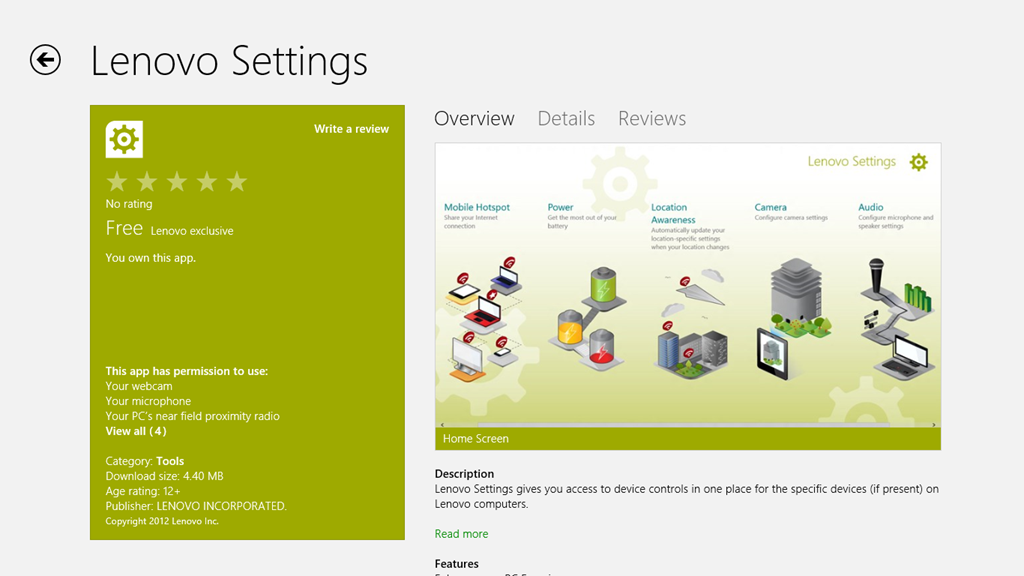
    The Settings App is a bit strange on my system. I’m not sure whether it’s working as it is supposed to. If I look at the Settings App in the Windows Store, I see this:

    TPT2 32

    It shows a screenshot of the Settings App that contains five major sections:

    • Mobile Hotspots (for internet sharing)
    • Power
    • Location Awareness
    • Camera
    • Audio

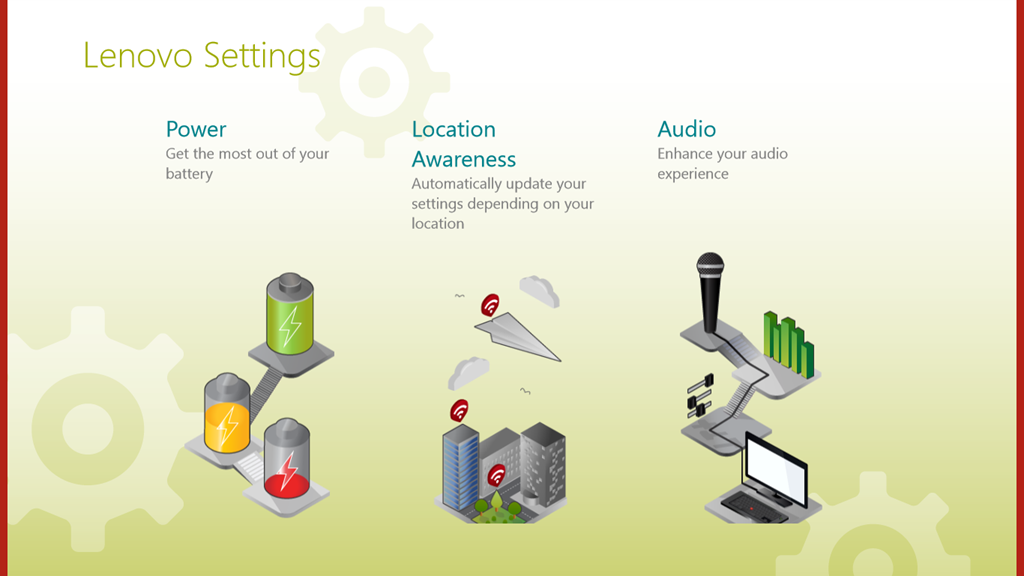
    Yet, when I open up the Settings App on my ThinkPad, this is what I see:

    TPT2 33

    That is, just three:

    • Power
    • Location Awareness
    • Audio

    Yet, I have two cameras in the ThinkPad. Why aren’t the settings for these shown here? ‘Tis a puzzlement.

    (Update 26 February 2013: Lenovo has just released a new version of the Settings App, and there is now an entry for the Camera Settings. They’ve also said that they are working on the Mobile Settings entry for the ThinkPad Tablet 2, so this should arrive at some point)

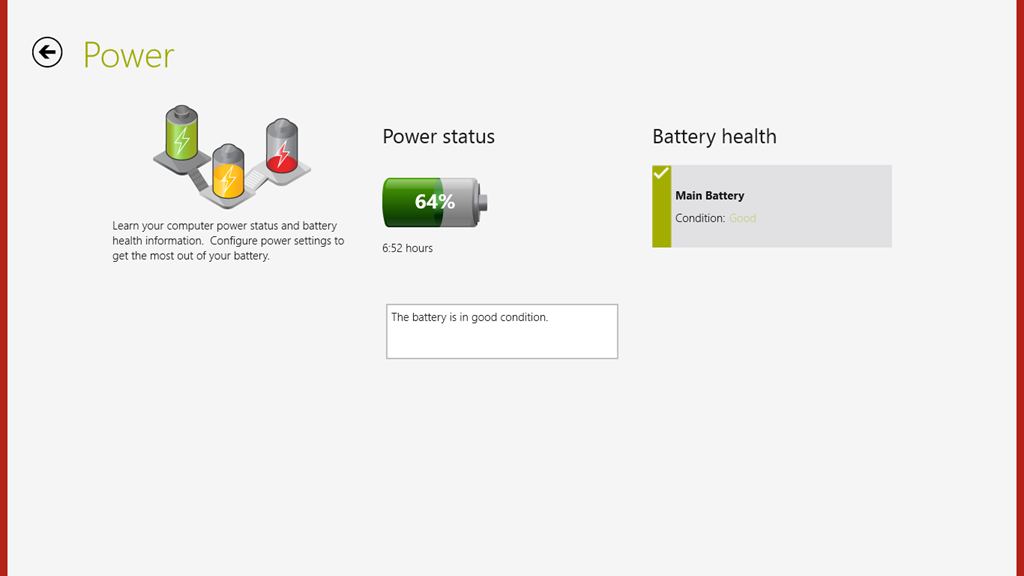
    I suppose this App is OK, as far as it goes, but I think I would have liked to have seen the Power setting (in particular, the battery charge remaining) broken out into a separate tile that could be pinned to the Start Screen, or displayed in the Settings App tile itself. That would have been useful. Having to start up the Settings App, and then select the Power section – not so much.

    TPT2 41

    There’s not much more to say about this App – it’s pretty ho-hum as it stands.

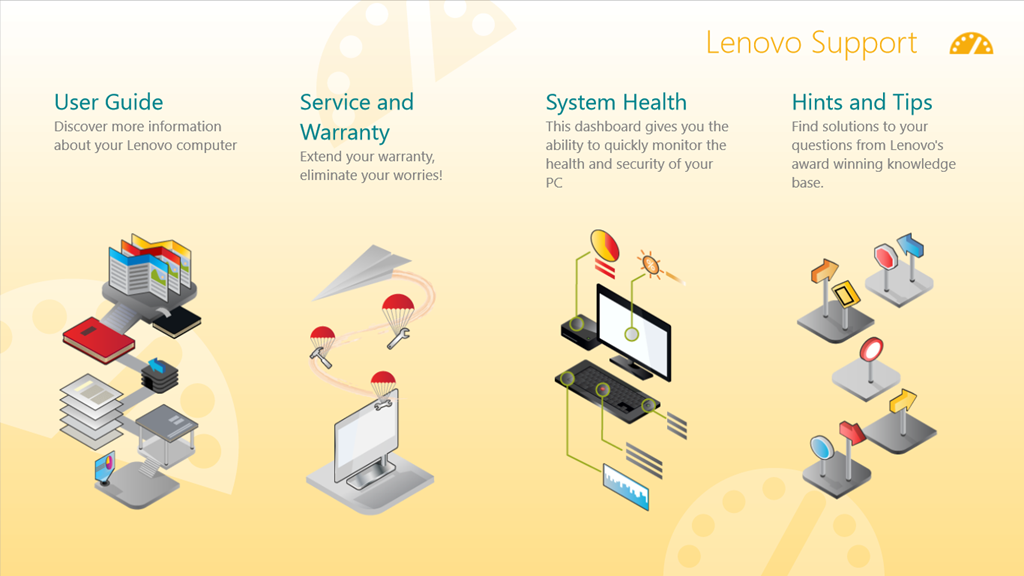
    The Support App opens with a horizontally scrollable window showing six sections:

    • User Guide
    • Services and Warranty
    • System Health
    • Hints and Tips
    • Knowledge Base
    • Discussion Forum

    TPT2 36

    TPT2 37

    The User Guide section launches the PDF file of the user guide in the Microsoft Reader App. While it may be thought to be a little more clumsy to launch the Reader, rather than display the user guide directly within the Support App, this does have one advantage. The Reader App is able to use the Devices in the Charms bar to print out pages from the user guide. The Support App (just like all the other Lenovo Apps) does not support Devices. What is more, the Reader App, unlike Microsoft’s Modern UI Internet Explorer and Mail Apps, can print out a subset of pages from the guide.

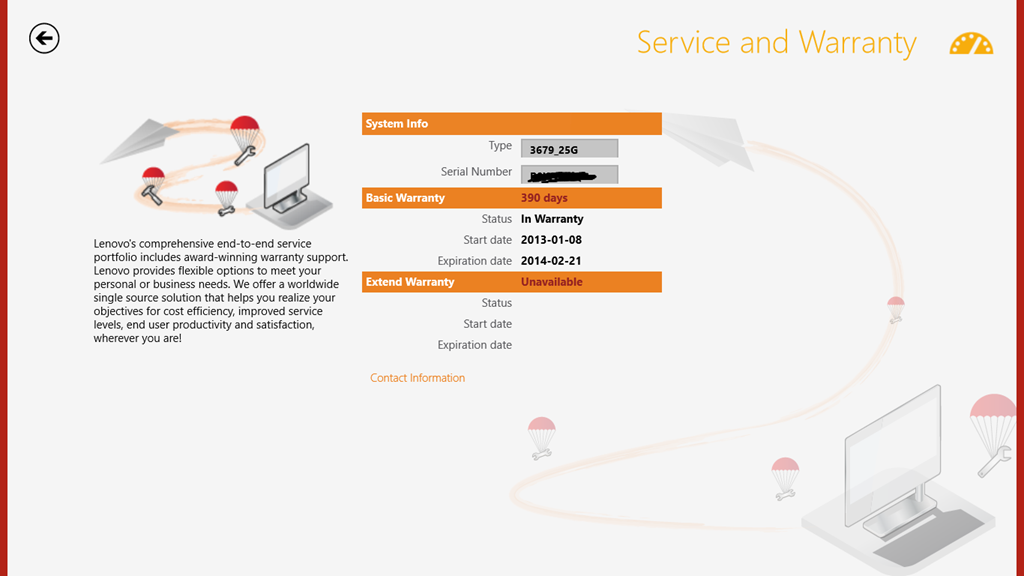
    I do like the fact that the Service and Warranty section displays the exact state of the warranty on my ThinkPad. It tells me how many days I have left before something will inevitably break – just after the warranty runs out, or am I being overly cynical here?

    TPT2 38

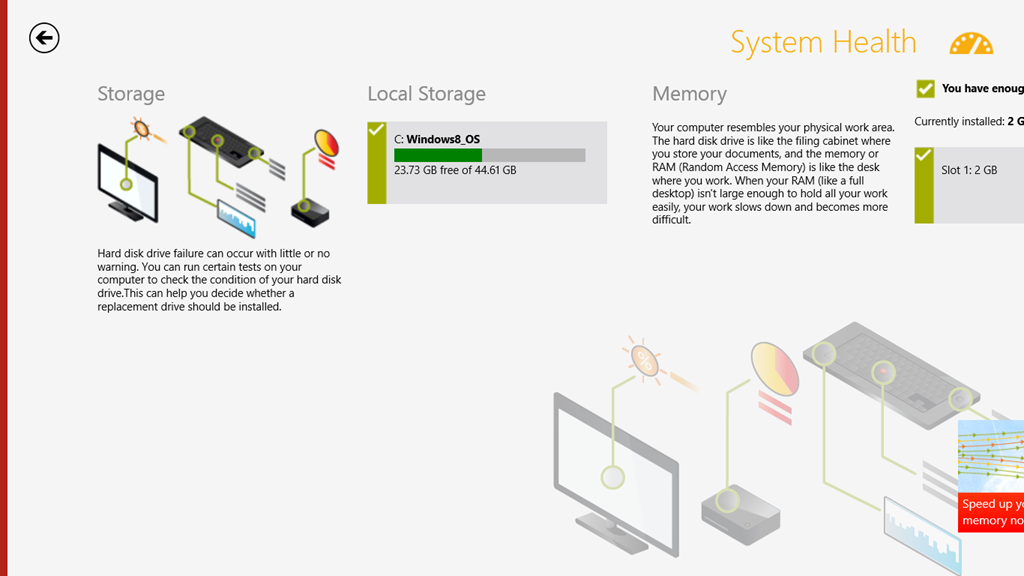
    The System Health section is a little useful. It does indicate the amount of free storage and the amount of installed memory. However, while it tantalisingly states that “You can run certain tests on your computer to check the condition of your hard disk drive”, it doesn’t actually tell you what these tests actually are and where to find them.

    TPT2 39

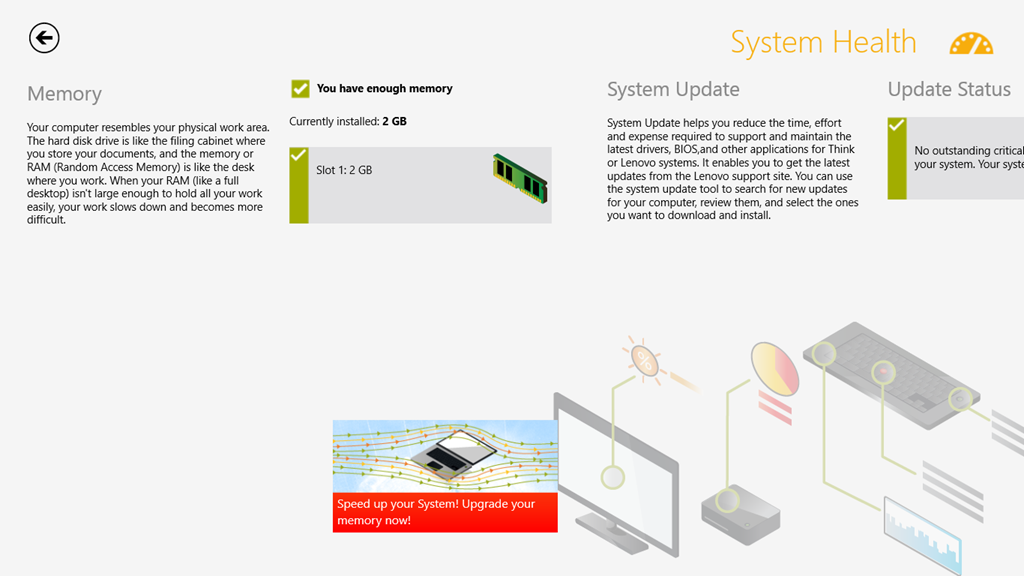
    I’m also slightly disappointed that under the memory section, there is a clickable link that takes you to the online Lenovo shop where you can buy additional memory. Er, the ThinkPad 2 uses the Intel Clover Trail Atom chip – this only supports a maximum of 2GB memory, and more cannot be fitted. That link should never appear if this App is running on the ThinkPad 2.

    TPT2 40

    Attention to detail is important, I think. It makes the difference between an acceptable user experience, and a great user experience. It also turns your users into active supporters of your products.

    The rest of the sections (“Hints and Tips”, “Knowledge Base”, “Discussion Forum”) show information scraped from the various Lenovo resources and forums on the web. Like the Companion App, these are shown directly within the Support App itself, rather than shelling out to the web browser. For a quick overview, this is probably OK, but frankly, if I want to read the Lenovo ThinkPad forums, it is far easier to read them directly in a web browser. I can also interact, by replying to threads or making new ones. I cannot do this from within the Support App.

    In summary, I find the App OK. It is good-looking, but without much depth. However, it can stay on my system.

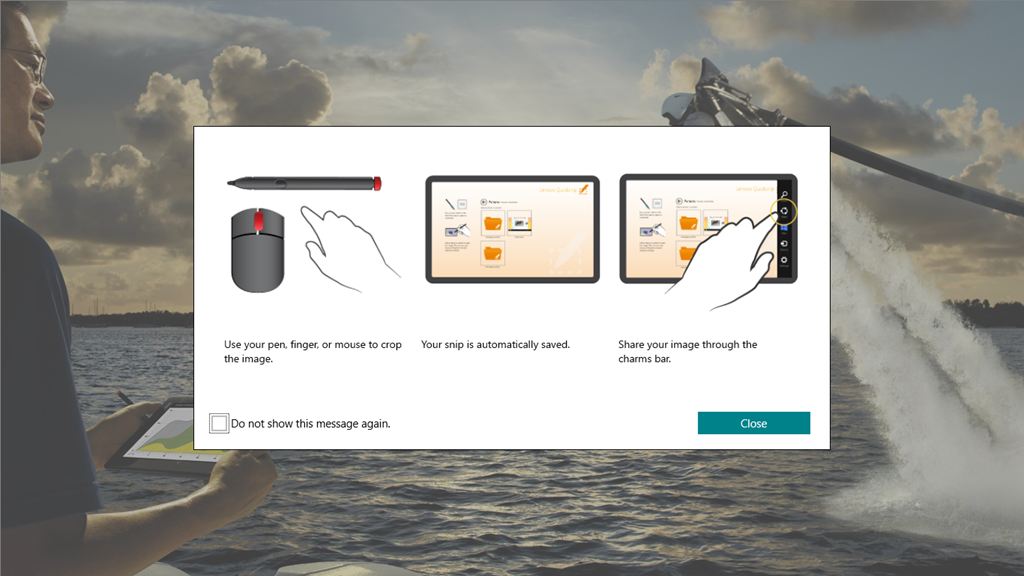
    The QuickSnip App is a simple image cropping tool, which uses the Share function in the Charms bar to pass on cropped images:

    TPT2 34

    TPT2 35

    This App from Lenovo is like the majority of the current crop of Modern UI Apps provided by Microsoft: almost entirely useless.

    I’ve just uninstalled it from my system.

    Overall, I cannot say that the Lenovo Apps have provided a great experience. I still think that the ThinkPad 2 hardware is basically a solid product, and I’m still very happy with my purchase. But I don’t think I’m head over heels in love with it. Perhaps I’m just too rational – I doubt whether I could ever be an Apple fanboi either.

  • Thoughts on the Lenovo Thinkpad 2 -Part III

    Following on from the last post, here’s some further thoughts on the software experience of the ThinkPad tablet.

    One criticism that I’ve often read of PC OEMs is that they stuff their machines with bloat-ware. While I don’t think that Lenovo is quite as bad as some, it still comes with some software of questionable utility.

    TPT2 18

    Here we see five utilities, I’ve already removed a couple; the inevitable anti-virus trial, and an application to access Lenovo’s cloud storage

    TPT2 17

    Since I already use Skydrive (with luckily 25 GB free storage), I don’t need the hassle of managing more cloud storage.

    Let’s take a look at the remaining five applications. First up, the Companion App.

    TPT2 19

    Oh dear, this doesn’t look good. Basically lots of (questionable) style, and little (apparent) substance. OK, let’s take a look at the “Getting Started” section.

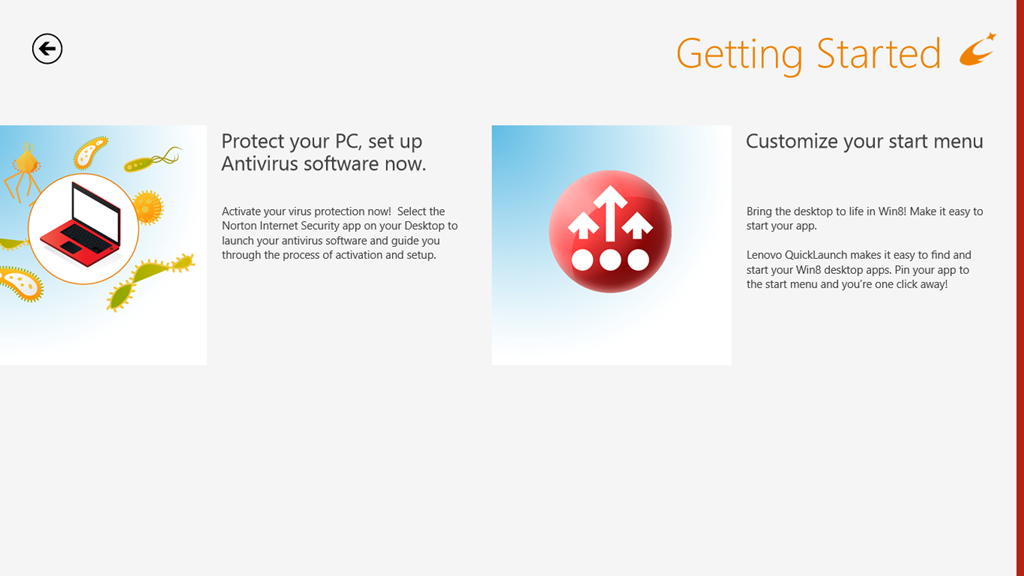
    TPT2 20

    Oh gawd, another invitation to install Norton Internet Security. Look, people, Windows 8 comes with a perfectly good anti-virus and anti-malware software out of the box. A Pox on your suggested alternatives. I’ve been there, I’ve done that. I’ve paid the money, had the bloated software experience, and frankly – no more…

    OK. What’s this “Customize your start menu” stuff?  Well, frankly, I haven’t a clue, because there’s nothing on that screen that is a link to take me to anything resembling a “Lenovo Quicklaunch”.  It’s dead. Fail number two.

    So then I made the mistake of clicking on the “About Companion”  tile.

    Welcome to the land of Exclamation Points!!!

    TPT21

    Discover! Change is Good! Your Companion!

    Er, basically – fuck off.

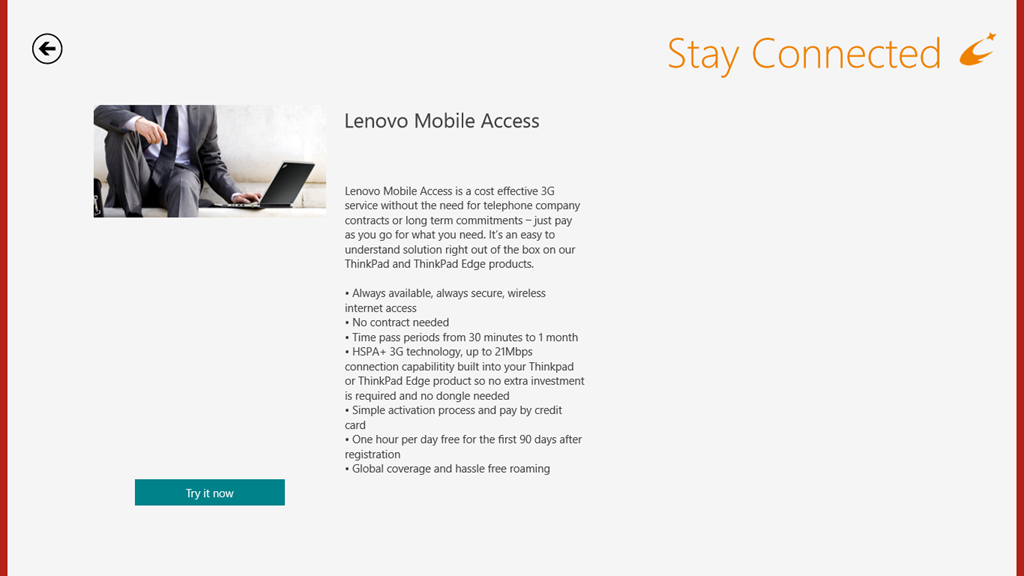
    OK – onwards to the next point in our journey: the “Stay Connected” tile. This is, as expected an advert for the Lenovo Mobile Access service.

    TPT2 21

    Well, this is all very well; but unfortunately, it doesn’t work for me, as I’ve documented here. I still haven’t had my connectivity issues resolved by Macheen’s Support service, so I’m continuing to use Vodafone’s service, thank you very much.

    Update 25 February 2013: I’ve now heard back from Lenovo/Macheen Support, and they have indeed fixed my problems with Lenovo Mobile Access, so I can now choose to use their pay-as-you-go mobile access service. Excellent.

    Update 30 December 2013: Ah, not so excellent. Lenovo/Macheen have deactivated my SIM card because I hadn’t used it for six months, and expect me to buy a new one to continue using their service. Sorry, guys, you’ve just lost a customer, and I’m certainly not recommending you to all my friends.

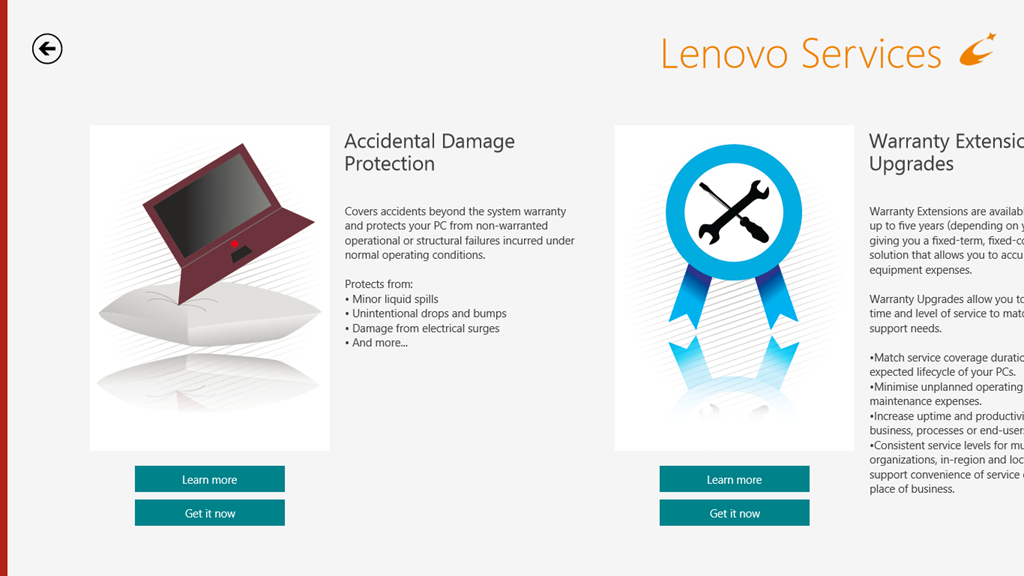
    Onwards to the Lenovo Services, with its very busy graphic. This turns out to be an invitation to shell out money to enjoy extra warranty protection or premium support services.

    TPT2 22

    While I have no objection in principle to this, I do wish that the developers of these web pages would realise that not everyone lives in the US of A and direct us to the local country services.

    On to the “App Showcase”tile. Personally, I’m underwhelmed, but maybe that’s just me.

    TPT2 23

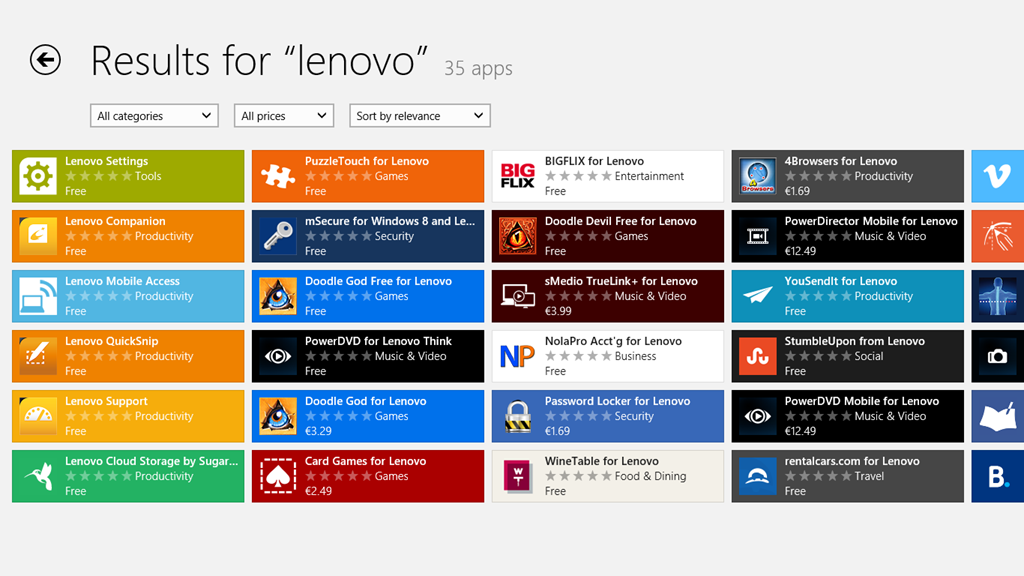
    After all, I could just search for “Lenovo” in the Windows Store and see many more possibilities to choose from. Or not, as the case may be:

    TPT2 24

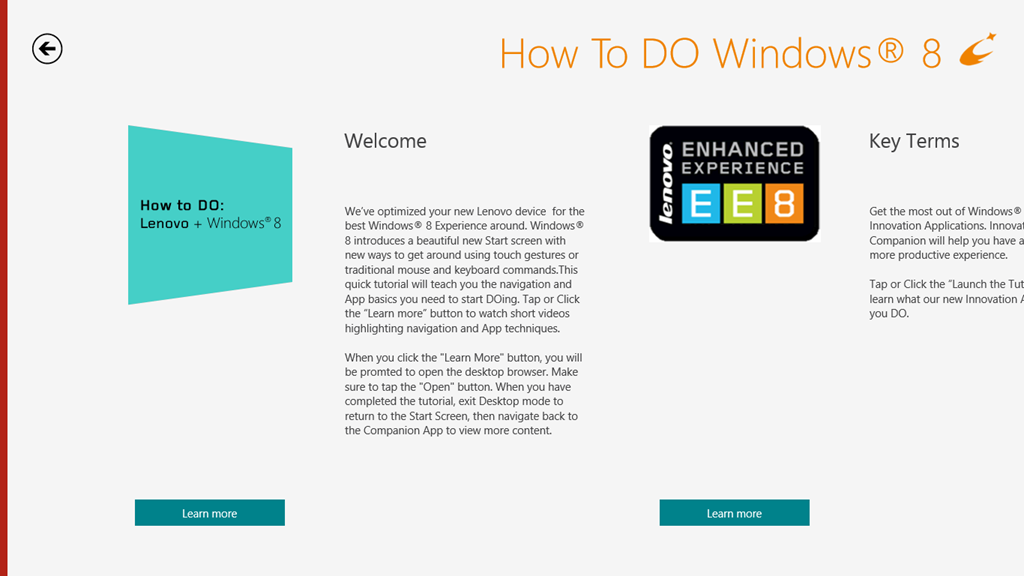
    I’ll skip over the “Last Gadget Standing” tile, which is a transient advert for an event in the past, and the “rara.com” tile, which is an invite to download yet another music service and move swiftly on to the “How to DO Windows® 8” tile. Really, the title alone is enough to make me want to lose the will to live. Still, let’s steel ourselves and press on.

    TPT2 25

    There are some ominous signs in the welcome message that this is not going to be a smooth experience. For example: “When you click the ‘Learn more’ button, you will be prompted to open the Desktop browser”. Oh dearie me; this does not bode well.

    And sure enough:

    TPT2 26

    Oh, dear god – is this really the best you could do?

    I’m sorry. I really need to pause and take a deep breath at this point. I’ll carry on with exploring the Lenovo experience later on, when I’ve had a chance to recover.

    I should just say that I do rather like the Lenovo ThinkPad 2 tablet. It’s just that the software that’s been tossed onto it rather sours the overall experience.

  • Thoughts on the Lenovo Thinkpad 2 -Part II

    This is a followup to my last post , which concentrated on the hardware of my recently acquired Lenovo ThinkPad 2, This time I’m looking at the software experience.

    Well, of course, the software experience is all about the use of Windows 8. As I’ve said many times before, people seem to either love or hate Windows 8. Personally speaking, I love it. True, there are many areas in which it could be improved , but overall I am well satisfied.

    Let’s take the area of handwriting recognition.

    This entire post has been created by using a pen. No keys have been pressed in the making of this post. Well, apart from the Prtscn key on a wireless keyboard to take screenshots.

    It is true that there are changes between the handwriting recognition input panels of Windows 7 and Windows 8. For example:

    In Windows 7, there are three ways in which the tablet input panel can be invoked on the Desktop. In Windows 8, there is just one way on the Desktop to invoke the panel – tapping the icon in the taskbar.

    Secondly, the Windows 7 tablet input panel had three modes that the user could switch between by means of explicit buttons on the input panel. In Windows 8 , although the three modes are still present, they are accessed differently. Now, the tablet input panel is larger and takes up half the screen.

    TPT2 11

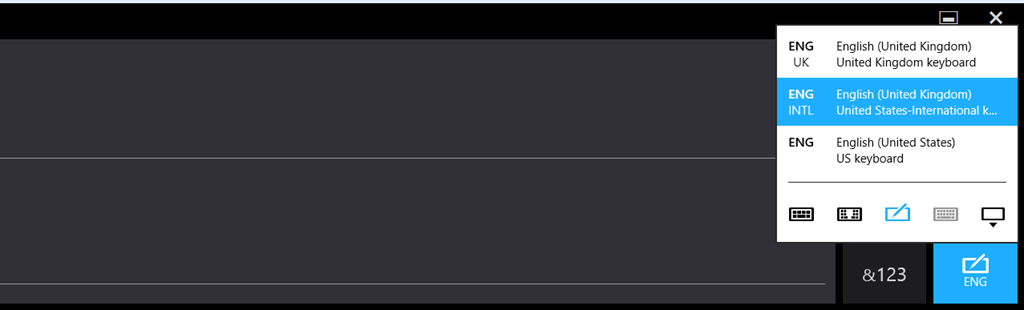
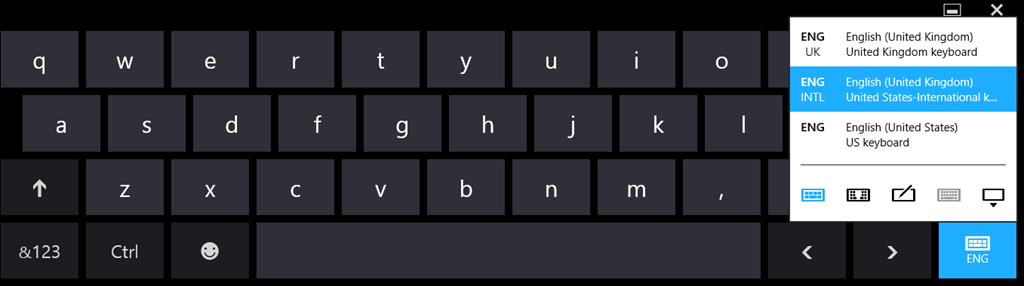
    The icon at the bottom right is used to switch between the handwriting and keyboard modes:

    TPT2 12

    TPT2 13

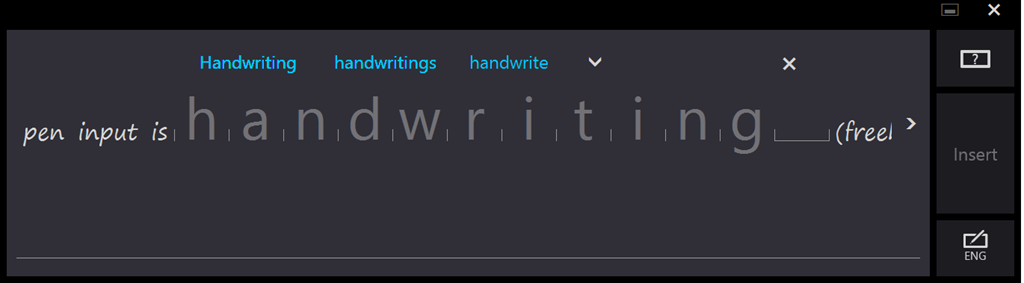
    The default mode for the pen input is handwriting (freehand)

    TPR2 14

    Tapping on a word switches the panel into its third mode. This is the character mode where individual characters may be edited, and where the dictionary kicks in and shows alternatives:

    TPT2 15

    To my mind, the tablet input panel has been improved in Windows 8 over that in Windows 7. However , not everyone feels that way. Some people are finding it difficult to adjust to the new design.

    I’ll carry on with thoughts on the software experience in a later post.

  • Test Post

    This is a test post made on my new Lenovo ThinkPad 2 using the handwriting recognition of Windows 8. I must admit that it’s pretty scarily good at recognising my scrawl.

  • I’m Sorry, I Haven’t a Clue

    You know, I think it is preferable for someone to acknowledge that they don’t know the answer, rather than to either studiously ignore the question, or make something up on the spot.

    This has been brought to mind during my hunt for a suitable Windows 8 Tablet.

    You may recall that I haven’t been too impressed with the current state of the Windows 8 Tablet market. Well, it’s now six weeks further on, so I’ve been gathering more data points in my search for a suitable tablet to invest in.

    My shortlist of tablets came down in the end to

    The Lenovo and the Dell are pure tablets, while the Asus and HP are hybrid convertibles – they can be used as notebooks, but their keyboards completely detach when required. All four supposedly had active digitizers with proper pen support, which was one of my requirements.

    I also had an outside candidate, the Microsoft Surface Pro. Outside, because although it uses the more powerful Intel Core i5 CPU, in place of the Intel Atom Z2760 CPU used in the above tablets, this in turn means that it has a shorter battery life, and requires a cooling fan. There’s also a question mark over whether it will be available in the Dutch market.

    In the end, I dropped both the HP and the Asus from consideration. The HP, while it supposedly had an active digitizer, the pen was optional, and at the moment is completely unobtainable. In fact, it’s like the mythical unicorn – some people claim to have seen it, but in practice, it’s missing in action. The Asus looks good, and seems to have a decent build quality, but what finally knocked it out of consideration for me is the fact that Asus support is lagging badly. Unlike the other vendors, Asus still do not yet have updated software drivers available for their product, or the Intel Atom chipset. That’s not a good sign in my book.

    It was then down to a choice between the Lenovo or the Dell. I liked the fact that the Dell had a replaceable battery, but on the other hand, the prices for the accessories were always higher than for the Lenovo range. So my choice came down to the Lenovo Thinkpad 2.

    The problem was, that there was not just the one model in the Thinkpad 2 range, there was a veritable army of them, and it was far from clear as to what precisely the differences might be, or what what be available in the Dutch market.

    Lenovo publish documents that detail the models that are available in Western Europe. The first time I looked, last December, there were only a few to choose from. Then, in January, more became available. There seemed to be two series of products: the 3679 series and the 3682 series. From the published information (as of January 2013), that detailed the models as follows:

    Type-model Storage

    Tablet
    Pen

    WWAN NFC O.S.
    3679-23G 64GB No None None Win8 32
    3679-24G 64GB Pen Yes None Win8 Pro32
    3679-25G 64GB Pen Yes NFC Win8 Pro32
    3679-2PG 32GB No None None Win8 32
    3679-4HG 64GB No Yes None Win8 32
    Type-model Storage

    Tablet
    Pen

    WWAN NFC O.S.
    3682-28G 64GB Pen None None Win8 Pro32
    3682-29G 64GB Pen None NFC Win8 Pro32
    3682-25G 32GB No None None Win8 32
    3682-42G 64GB No Yes None Win8 Pro32
    3682-4FG 64GB Pen Yes NFC Win8 Pro32

    However, when I looked at the sites of the Dutch retailers, I was seeing a completely different series of numbers:

    N3S23MH – 64GB, Win 8 (not clear whether it has the pen or NFC)
    N3S25MH – 64GB, Win 8 Pro (not clear whether it has the pen or NFC)
    N3S4HMH – 64GB, Win 8 (not clear whether it has the pen or NFC)
    N3S2PMH – 32GB, Win 8 (not clear whether it has the pen or NFC)

    Looking at all the sets of numbers, and the prices, then I was fairly sure that the mapping would be:

    3679-23G – N3S23MH
    3679-24G – ?
    3679-25G  – N3S25MH
    3679-2PG – N3S2PMH
    3679-4HG – N3S4HMH

    However, I had no clue as to what the difference was between the 3679 and the 3682 series.

    I documented all this in the Lenovo Thinkpad forum, and hoped that someone from Lenovo would pop along to clear up the confusion.

    No such luck.

    And there it stood until a few days ago when I saw that one of the Dutch retailers (only the one so far) had the N3S25MH model arriving in stock. So, I emailed the retailer to ask whether this model shipped with the digitizer and the pen.

    No response.

    Yesterday, the model was showing as in stock, so I asked again. I also took a chance and ordered it.

    Of course, as soon as my order was accepted, I had a reply from the retailer that (1) this model did not come with a pen, but that (2) I could order a pen part number FRU39T0803. Naturally, this pen was NOT the Thinkpad 2 pen, but something else entirely. 

    Clearly, either this salesperson did not have a clue, or my assumption that the N3S25MH model was the 3679-25G model was completely wrong. I might add that a few weeks back, I was reliably informed by another Dutch reseller that the N3S23MH model came with a digitizer and pen (it doesn’t).

    Well, the Thinkpad 2 arrived today, and I’m relieved to report that the N3S25MH is exactly the same as the 3679-25G model – it even says this on the box. So it came with the pen, with WWAN and NFC.

    It also came with a large sticky label plastered on the back saying NON-ENCRYPTION. I suspect that this is the difference between the 3679 series and the 3682 series. The latter has the TPM hardware fitted and enabled, while the former does not.

    It is a bit frustrating that we have to figure all this out by ourselves. Lenovo don’t make it clear, and their resellers, judging from my experience of the Dutch resellers, don’t have a clue.

  • A Small Demonstration

    I admit that I am getting fed up with two things.

    • The constant drip-drip of people complaining about Windows 8, and how it is a disaster of epic proportions.
    • Microsoft’s seeming inability to market Windows 8 as something that really is a step change for the better.

    So it gives me some pleasure to be able to claim that someone, somewhere in Microsoft knows how to do proper marketing. Enter the (small) demonstrator.

    I really like the punchline at the end. It punctures prejudices on a number of levels.

  • Microsoft’s Marmite – Part 2

    Back in March, I wrote a post called “Microsoft’s Marmite”, which likened the reactions of people to Marmite to their reactions to Windows 8 – they either love it or hate it.

    Now that Windows 8 has been released, I continue to be amazed at the amount of vitriol being poured upon it. I really can’t see what all the fuss is about. Yes, there are some radical changes in the user interface, but I certainly don’t find them a problem at all.

    In that light, I was somewhat amused to read Jakob Nielsen’s condemnation of the design of Windows 8. After all, he’s the design guru who jointly set up the Nielsen Norman Group along with Don Norman, another design guru, who has written:

    Windows 8 is brilliant, and its principles have been extended to phones, tablets, laptops, and desktop machines (and larger — for example, Surface), whether operated by gesture, mouse and keyboard, or stylus, but with appropriately changed interaction styles for the different sizes of devices and different input devices.

    (note: the Surface device that Norman refers to is Microsoft’s table top device, now renamed as Microsoft PixelSense – he wrote this piece before Microsoft announced their Surface tablets)

    As well as being amused, I confess to also being more than a little irritated by Nielsen’s review, because it seemed to me that he was often deliberately misrepresenting what Windows 8 is, and how it behaves in practice.

    For example, he writes:

    “Windows” no longer supports multiple windows on the screen. Win8 does have an option to temporarily show a second area in a small part of the screen, but none of our test users were able to make this work. Also, the main UI restricts users to a single window, so the product ought to be renamed “Microsoft Window.”

    Er, sorry, the Windows desktop is just as it always has been, supporting multiple overlapping windows. The Modern UI view, designed for tablets and similar devices, does indeed show only two Modern UI apps simultaneously, but the traditional desktop hasn’t gone away, it’s still there. I find it hilarious that Nielsen states that “none of our test users were able to make this [the Modern UI view] work”, when he has just proudly stated

    we invited 12 experienced PC users to test Windows 8 on both regular computers and Microsoft’s new Surface RT tablets

    “Experienced”? They don’t seem particularly savvy to me. I cottoned on to this facility very early on, and use it to share my Desktop with Modern UI Apps.

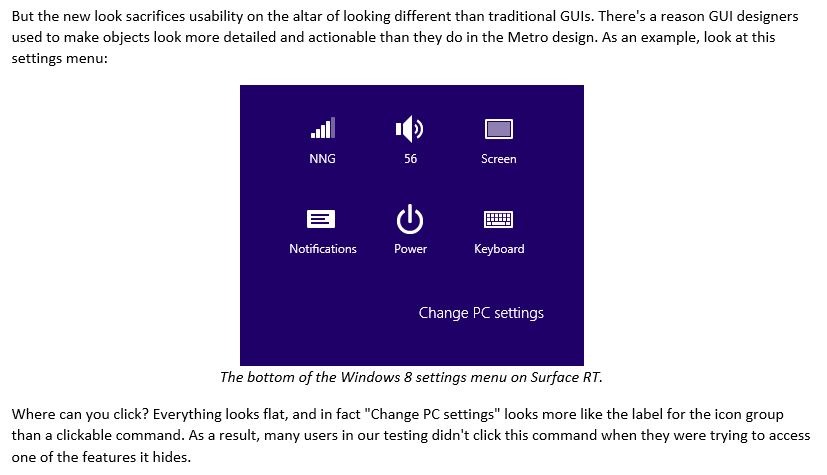
    The other example that I’ll give where it seems to me that Nielsen is not playing fair is the section where he claims that Windows 8’s “Flat style Reduces Discoverability”. He uses the example of the Settings Charm to illustrate this:

    W8 001

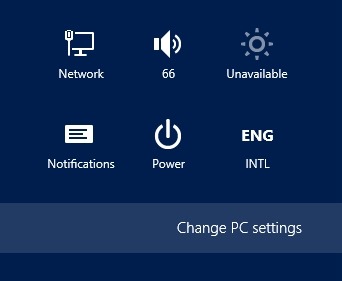
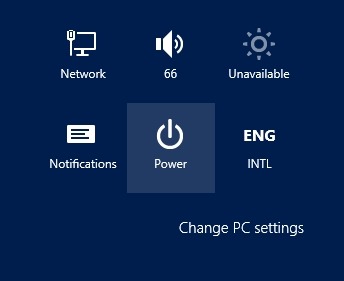
    I find it odd that none of his “experienced PC users” noticed that as they moused over the icons and text in this panel, they would be highlighted to indicate that they were buttons, e.g.:

    W8 002   or   W8 003

    Frankly, I think Mr. Nielsen has not done a very good job in reviewing Windows 8 here. Scott Barnes also thinks that, and goes into far more detail. His critique of the Nielsen review is worth reading.

  • Scratching the Surface

    It’s now a little over two weeks since Microsoft’s Windows 8 operating system and the Surface tablet running Windows RT were released and I’ve been following the many reactions to the products that have been published in blogs, articles, and forums around the web.

    I’ll write about Windows 8 in another post; here I want to consider some of the reactions to the Surface with Windows RT (I’m just going to refer to it as the “Surface RT” from now on…). I should say at the outset that I don’t own one, and for reasons that I hope will become clear, I doubt whether I would want to.

    It seems as though most reviewers give high marks to the hardware design, fit and finish of the Surface RT. There are some niggles, e.g. the magnetic power connector doesn’t always make proper contact for charging, and as time goes on, other issues may start arising, which will require some corrective action by Microsoft in the design. For example, reports are emerging that may point to a weakness in the keyboard/cover design – however, it appears that only two people have experienced this issue so far. In general, the Surface RT and its keyboard/cover get high marks.

    The hardware, of course, is only half the story. It’s the combination of the hardware and the Windows RT operating system that form the experience that the user has with the device. And it’s there that my doubts start to creep in. My starting point is that I have no interest in getting an Apple iPad – it’s too limited a device for me. Microsoft’s marketing positions the Surface RT as a device that can do more (“See more, share more, and do more with Surface”). For some people, that is undoubtedly true, but that is not the case for everyone. For example, Peter Bright, whose reviews of Microsoft products I trust, has discovered, I think to his dismay, that the Surface RT falls far short of what he is looking for in a tablet device. Mind you, he sets the bar pretty high, and it’s clear that an iPad also wouldn’t meet it. The deal breaker, for him, was that he relies on Outlook. While the Surface comes with some stripped-down components of Microsoft’s Office suite, it does not include Outlook. He summarised his opinion of the Surface thus:

    Surface is meant to be something more than a plain iPad-like tablet. For me, it failed to be enough more, leaving it in limbo; it’s not good enough to take on laptops, and it’s not good enough to take on iPad. It falls short of both goals.

    It seems to me that the Achilles heel of the Surface RT is the Windows RT operating system. It may look like Windows 8, but under the covers, it runs on completely different hardware. Simply put, that means that it can’t run the millions of Windows applications that are available. At this point, it can only run the 10,000+ applications that have been written for the Modern UI environment of Windows 8.

    Here’s a few practical examples of why I won’t be buying a Surface RT:

    • It doesn’t have GPS built-in. Now, I can add GPS capability to any Windows Notebook or a Tablet that has Bluetooth using my Qstarz GPS logger. However, even though the Surface has Bluetooth, I won’t be able to add the software driver for the GPS logger to the Surface, so no GPS for me.
    • It doesn’t have an active stylus (unlike the Surface Pro), only a capacitive stylus. I write, as I always have done, by resting my wrist, or lower arm, on the writing surface. With an active stylus, the tablet is able to distinguish between the tip of the stylus, and my wrist that is resting on the tablet’s screen. I don’t think the Surface RT can do this very effectively, so I would have to write in what to me is an unnatural fashion (or wear a glove!). Handwriting recognition is built-into Windows RT as it is in Windows 8, but I suspect that it won’t be as fast on the RT platform as it is on the Surface Pro.
    • There may be 10,000+ applications available for the Surface RT, but the quality of the majority is abysmal. I am still finding that I am working in the Desktop mode of Windows 8, with desktop applications, for most of the time. This blog post itself is being written using Microsoft’s own Windows Live Writer, which doesn’t run on Surface RT.

    When Microsoft releases the second model in their Surface range, the Surface Pro, the situation may change. The Surface Pro will run all my Windows applications, and it uses Intel hardware. However, as I’ve written before, it uses an older generation of Intel hardware, which means that the Surface Pro requires a cooling fan. I suspect I’ll end up waiting for the new generation of Intel processors to start appearing – then fanless tablets will be available.

    Update: Here’s another review of the Surface RT, this one being very positive. I can fully understand why, the Surface RT delivers on the requirements of this particular user. Unfortunately, it seems to me that my requirements exceed the current capabilities of the Surface RT.

  • Blogging on the Surface

    Pardon the pun in the title, but I was reading a blog post by Barb Bowman, and I wanted to comment on it. Since her blog is closed for comments, I thought I’d make them here.

    You see, Barb has just purchased a Surface RT tablet, and she’s hoping that it will be easier to make posts to her blog, using the Surface RT and Word 2013, than from her iPad. According to her, using her iPad and the Blogsy App is “inelegant”.

    I have the feeling that trying to use Word 2013 to do blogging is equally inelegant. It may be a fine Word Processor, but an elegant tool for writing blog posts, it is not.

    Microsoft already has a very fine tool for blogging: Windows Live Writer – and it’s free. It works with a wide range of blogging platforms (WordPress, Blogger, TypePad and others) and works with your blog’s layout and themes. I use it for my blog.

    Word 2013, by comparison, is like trying to use a rock to paint the Mona Lisa.

    The trouble is, the Surface RT won’t run Windows Live Writer – it’s a traditional Windows application and these don’t work on the Windows RT operating system. Oops.

    Microsoft does provide a version of Word 2013 that runs on the Surface RT, but quite frankly, I think Barb would be better off using the WordPress App that she can get for free from the Windows 8 Store.

  • Microsoft’s Surface RT Reviewed

    Reviews of Microsoft’s Surface RT tablet are now springing up like mushrooms in the tech and mainstream media. As was the case for reviews of the Windows 8 operating system, most of them can be quickly dismissed.

    However, two are worth reading in full. Once again, Peter Bright turns in a considered review, and the other is from Anand Lai Shimpi.

    For me, the interesting point was that Anand compared the performance of the Surface RT (which uses ARM hardware) with that of a Windows 8 tablet running the next generation of Intel’s Atom (codenamed Clovertrail), which is aiming to be as low power as the ARM hardware. The money quote:

    On the user experience side alone, the Clovertrail tablet is noticeably quicker than Surface. Surface isn’t slow by any means, but had it used Atom hardware it would’ve been even more responsive.

    The other clear advantage of a Windows 8 tablet powered by the Atom is of course the fact that it can run all your traditional Windows desktop applications and software drivers. The Surface RT can’t.

    I still find it strange that Microsoft’s Surface Pro has elected to use the older, more power-hungry, Intel Core i5 processor. As a result, the Surface Pro needs to have fan cooling. I really would have been interested in a Surface that used the new Atom processor. Perhaps that will arrive in 2013.

  • Microsoft’s Surface Drops a Veil

    With just over a week to go to the launch of Windows 8, Microsoft has revealed the pricing on the first in its range of tablets, the Surface RT.

    The price starts at $499 for a bare-bones Surface RT tablet with 32GB of storage and 2GB memory, but without a touch keyboard/cover. That puts it on a par with Apple’s iPad, or to put it another way: not cheap, but premium-priced.

    The Surface RT is now available for pre-order in eight countries. Inevitably, this does not include the Netherlands, and there’s no word on whether availability here will come later, or, indeed, ever.

    The announcement also revealed a little more detail about the specifications of the Surface RT and the Surface Pro models. There’s also a comparison chart.

    While both models have sensors (ambient light, accelerometer, gyroscope and compass) built in, neither model has a GPS sensor. This strikes me as a rather surprising omission, particularly since some iPad models have GPS. Using Bing maps on the Surface would seem to be a very limited experience if the Surface has no means of discovering your location. I suppose that, with the Surface Pro, I could always use my GPS Logger connected via Bluetooth. I could install the Windows driver for the logger onto a Surface Pro; something that I don’t think can be done with the Surface RT. Still, on further reflection, this lack of GPS capability may not be a showstopper. I rather think that 3G and GPS capabilities go together in the chipsets, and since neither of the Surface models come with 3G built-in, then GPS is also missing. And as for the Bing maps experience, perhaps the Surfaces can do Wi-Fi positioning to provide location coordinates. We shall see.

    One other thing I notice in the specs for the Surface Pro (which will be available “soon”) is that it lists the CPU as “3rd generation Intel Core i5 Processor with Intel HD Graphics 4000”. That also is a bit odd: using a Core i5 processor, rather than the next generation Intel Atom processor, the Z2760, codenamed Clover Trail. The selling point of the Atom Z2760 is that it is able to take advantage of the new “Connected Standby” capability in Windows 8, which allows longer usage time between battery charging. While the Surface RT, like all ARM-based devices will be able to exploit Connected Standby, Microsoft’s Intel-based tablet, the Surface Pro, will not, because it uses the Intel Core i5. Other manufacturers will have Atom Z2760-based tablets on the market as early as next week, e.g. Samsung, with its Series 5 Slate.

    I think I’ll wait and see how the tablet market develops. In the meantime, my desktop will get upgraded to Windows 8 next week.

    Update: it’s clear that many people are totally confused about the differences between the Windows 8 operating system (used on the Surface Pro), and the Windows RT operating system (used on the Surface RT). For example, I saw a question on a photography forum where someone asked if the Surface RT would be powerful enough to run Adobe Lightroom.

    Many people assume that Windows RT will run traditional Windows applications. Nope, it can’t; not unless the application developer recompiles the software code for the different hardware (ARM instead of Intel/AMD). In addition, this recompilation is not always possible, because the Windows programming environment for the ARM hardware is a subset of what is available for the Intel/AMD platform.

    We will see next week just what the limitations are in detail. For example, one question I have is whether the Surface RT will have the same level of handwriting recognition that Windows 8 has. I suspect that it won’t.

    Update 2: AnandTech has a comprehensive review of the Surface RT that is worth reading. I particularly like the fact that Anand compares the performance of the Surface RT with an unnamed (but shortly to be released) Windows 8 Tablet that uses the Atom Z2760. It’s interesting that the Atom out-performs the ARM-based Surface RT. Plus, of course, the Atom will run all the traditional Windows desktop application software and the Surface RT can’t.

  • “Windows 8 is Windows 7+1”

    I’ve mentioned before how much I’ve been surprised by the level of vitriol and hatred that has been unleashed against Microsoft’s forthcoming Windows 8 operating system. Everywhere I turn, on tech blogs and forums, there are articles, posts and threads complaining about the “disaster” that is Windows 8. Opinions galore, often complete with falsehoods stated as facts.

    I find it all a bit bemusing. To be sure, Windows 8 is not without blemishes, but it’s hardly a disaster. I actually like it. I’ll be upgrading my release preview of Windows 8 to the full Windows 8 Pro when it is released on October 26. I certainly will not be returning to Windows 7.

    So it’s something of a relief to find a kindred spirit in the form of Scott Hanselman, who describes Windows 8 as Windows 7+1:

    Maybe I’m too relaxed but after a few days and some hotkeys I’ve found Windows 8 to be Windows 7+1. Works fine, no crashes, lots of improvements. I spend most of my desktop time in Windows apps, all of which work. I keep News apps or Video apps in full screen on other monitors and I do move the Start Screen around but generally the whole thing has been a non-issue.

    And he actually shows why he has reached this conclusion in a detailed post. It’s worth reading.