
Last month I wrote about the geotagging disaster that the current beta of Windows Live Photo Gallery is causing. At the moment, I daren’t have it running on my PC because it wantonly writes garbage GPS coordinates into my photos.
While I’m waiting to see what Microsoft will do in the next beta of WLPG, I thought that I’d take a look at its closest rival, Google’s Picasa, to see how that’s shaping up.
While I found on past experience that there’s lots to like about Picasa, I’d ruled it out up until now because it did not support XMP-based metadata. That meant as I use metadata following the IPTC Core standard, which itself uses XMP, then Picasa just didn’t cut it.
However, things change, and the current version of Picasa, version 3.8 released last month, is being trumpeted by Google as now supporting XMP.
So I downloaded and installed this new version of Picasa. And while it certainly seems to display XMP-based metadata (see below), it doesn’t seem to support writing out all of this metadata into image files. I also came across a major bug in how Picasa handles Geotags.
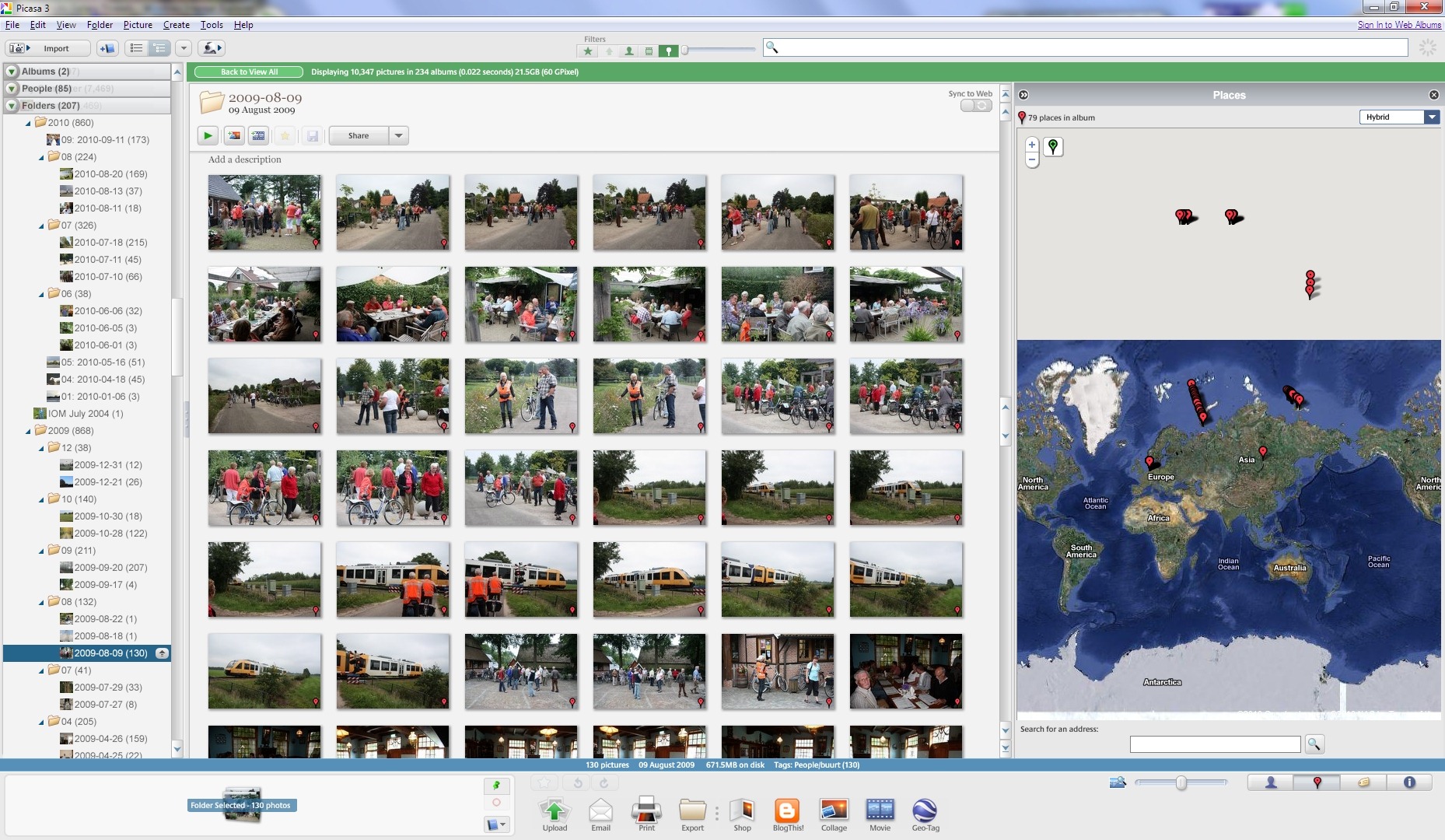
It won’t display the correct GPS coordinates of many of my files on its map. Here’s an example, the contents of a folder containing images shot in the local area here in The Netherlands (click on the image to see it full-size in a new window).
Here’s a close-up of the map. As you can see, Picasa claims that many of the images have GPS coordinates corresponding to places outside of The Netherlands, in fact many of the images are literally out of this world, according to Picasa.
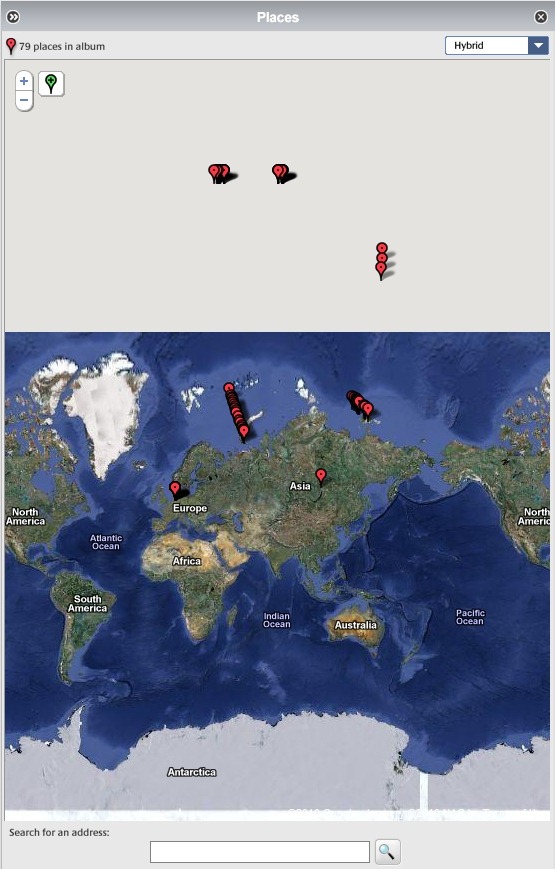
These files have all had GPS coordinates added to them using IDimager. (Note: IDimager is no longer available. Its successor is Photo Supreme, which I am now using) All these files will display correctly in IDimager itself, and also in the map interfaces of Microsoft’s Pro Photo tools and Geosetter. Here are the files being displayed correctly in the map interface of Geosetter:
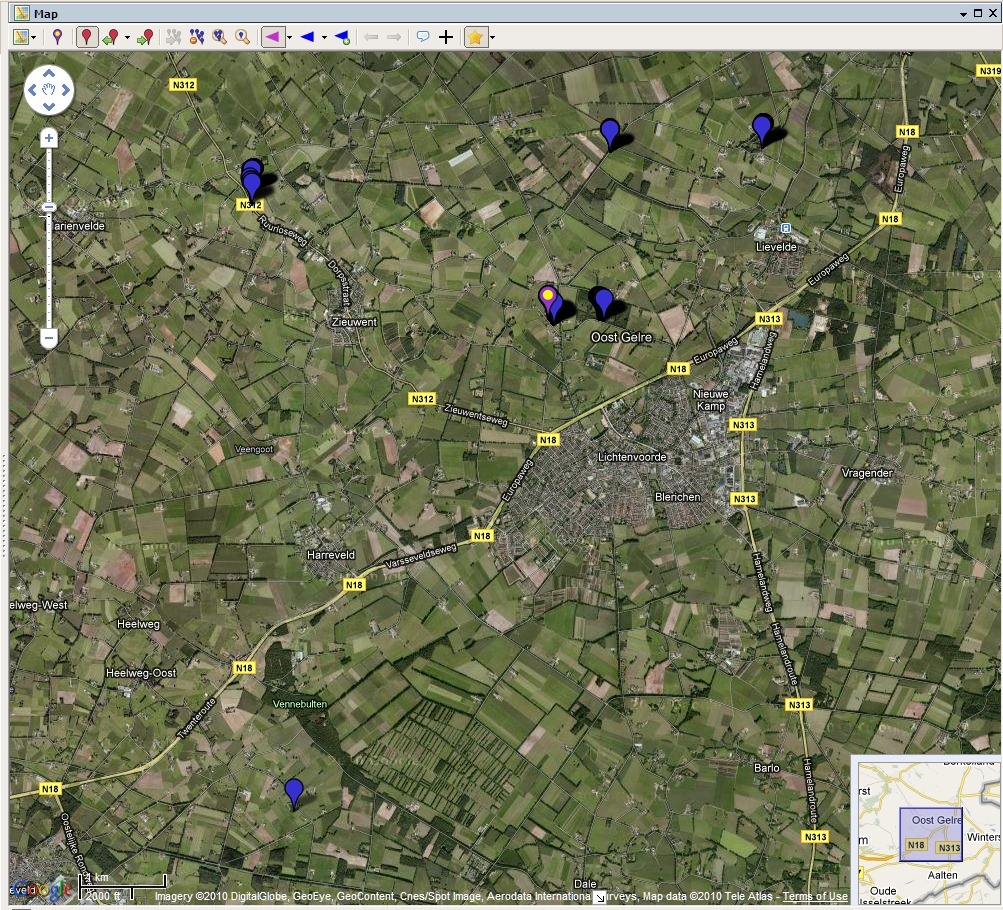
Clearly, this is a bug in the current version (3.8) of Picasa. Fortunately, Google have acknowledged that there is a problem, and it should get fixed at some point in the future.
As to the XMP metadata support, it looks as though the following IPTC Core elements are at least read by Picasa for JPEG files:
Description
Description Writer
Headline
Keywords
Title/ObjectName
Job ID
Instructions
City
Location
State
Country
Creator
Creator’s Job Title
Provider
Source
Copyright Notice
In this version of Picasa, there doesn’t seem to be a way of writing data into all of these fields, but only a subset, so Picasa isn’t yet suitable for maintaining IPTC Core metadata. Picasa also doesn’t read and display these metadata fields at all from RAW files (at least for my Canon CR2 format). It only appears to display the Exif metadata from these RAW files. So, once again Picasa is getting closer, but it’s not good enough for what I’m looking for.


 Geoff Coupe's Blog
Leave a reply to Picasa versus Windows Live Photo Gallery | Geoff Coupe's Blog Cancel reply