
As promised yesterday, here’s the follow-up post describing my experience (thus far) with the Media Library in Windows Home Server 2011.
On installation, Windows Home Server 2011 will create a number of Folders by default for music, pictures, documents, recorded TV, and videos. These can be accessed either via Windows networking, or via the web using the Remote Web Access facilities of WHS 2011.
On my home network, I’m using Windows networking for access by my Home Theatre PC (HTPC) and other computers to the digital media files held on my WHS 2011 system. This seems to be working as expected. I can play my music, or watch DVDs and Blu-rays streamed from the server to my PCs without issue.
I did, however, find a couple of wrinkles when trying to access the same digital media files via the Remote Web Access facility of WHS 2011.
Wrinkle 1
When I first set up my WHS 2011 system, I had installed my music library on drive D:. And, I could access my music in the Music library displayed via the Remote Web Access. However, after a few days, I thought that I should move my picture and video libraries to different drives. I used the “Move the folder” Wizard in the Dashboard to accomplish these tasks.
I then found that instead of being able to see in excess of 45,000 pictures in the Media Library, I was presented with the grand total of one picture:
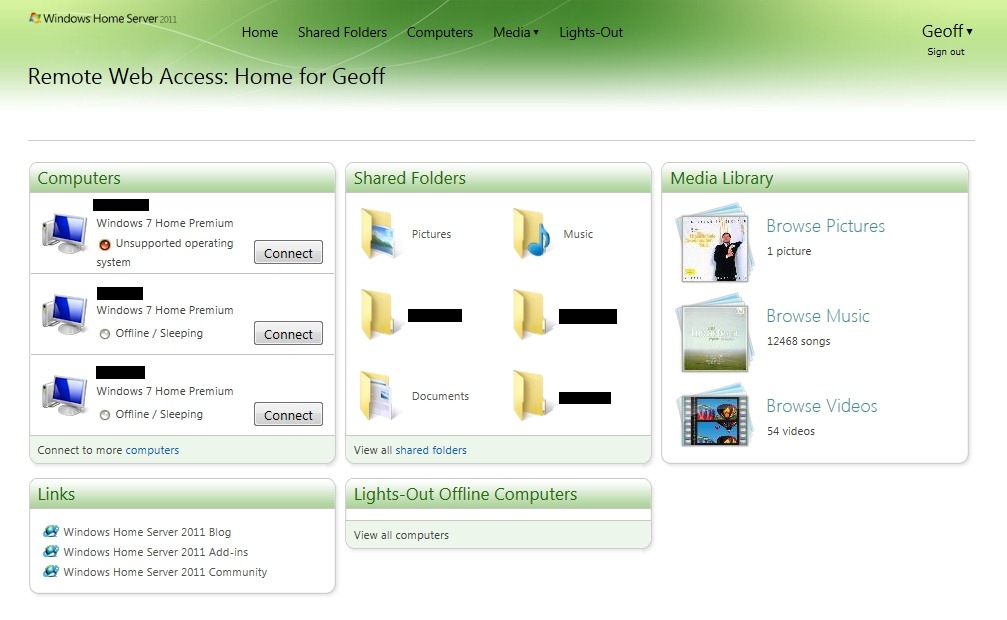
I also saw that I had a total of 54 videos, but when I tried to play any of them, the web-based player would start, but then fail with an error message complaining that the file-type may not be supported.
Using Remote Web Access to browse the shared folders would show all the pictures, and would play the videos without problems.
I thought at first that it was simply a case of the index service needing time to register the new locations of my picture and video files, so I waited, and I waited… I waited a couple of days, and nothing changed.
At this point, I decided to reboot my server, and lo and behold, the picture and video files were found:

You will notice that there are now 45,058 pictures and 92 videos found, and that the thumbnails show a real photo and video thumbnail.
So I infer from this that using the “move folders” wizard is not sufficient to keep the WHS 2011 system running smoothly – it is also necessary to reboot the server in order for the indexing service to discover the new location of files. This, despite the fact that accessing the files via Windows networking appears to be able to account for the changes.
For the case of web access, the server’s left hand does not know what the right hand has done…
Wrinkle 2
I noticed, from the forums, that some people were complaining that their Album Art (CD covers) in their Music Library was showing up in their Pictures Library. Clearly, this is wrong, and should not be happening.
Then I realised that when the Pictures Library of WHS 2011 was showing just one picture, it was in fact a CD cover stored in my Music Library. Well, (a ) this should not be displayed in my Picture Library, but (b ) why was it just one? After all, my Music Library has 990 albums:
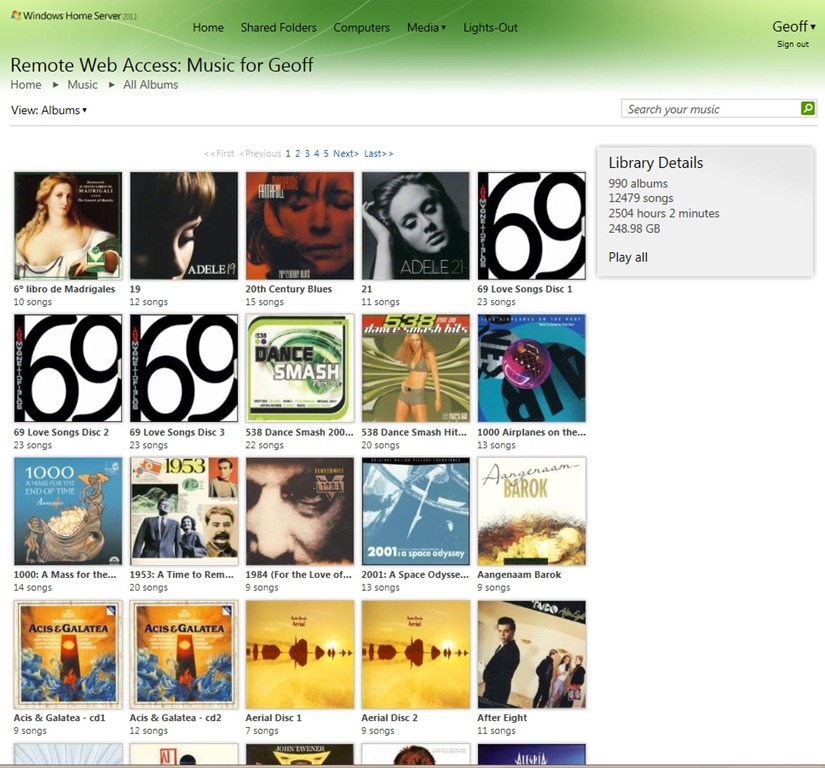
– why was it just displaying one album cover, and not 990 in the Picture Library?
It turns out that WHS 2011 will ignore certain filenames when it is searching for items for inclusion in the Picture Library.
WHS 2011 will ignore filenames in the Music Library folders when they have the form:
- AlbumArt_{alphanumeric}_Large,
- AlbumArt_{alphanumeric}_Small, AlbumArtSmall, and
- Folder.jpg files
However, if you have Album Art files that do not follow this convention, then WHS 2011 will count them in as part of the Picture Library.
And that’s what was happening. I had an Album Art cover file with this name:
Cover- Wiener Philharmoniker _Orchestra_- Strauss, R. Eine Alpensinfonie; Rosenkavalier-Suite.jpg
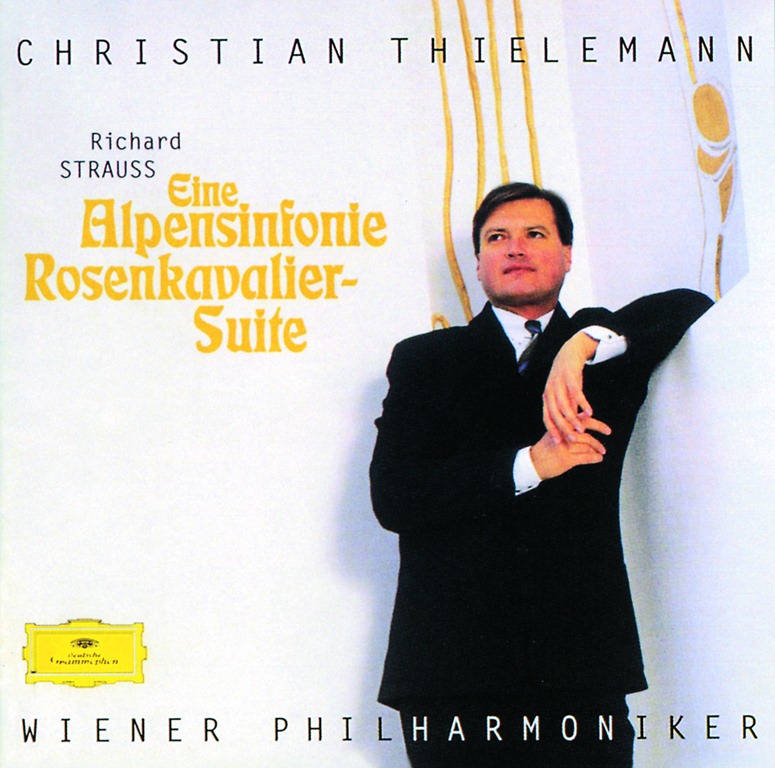
and so WHS 2011 included it into the Picture Library…
Sometimes I feel as though I’m an archaeologist, trying to second-guess what has been left by extinct civilisations…
Update: I have discovered more issues with the Media Library. See this post.


 Geoff Coupe's Blog
Leave a reply to Geoff Coupe Cancel reply