
I see that the Windows Live team has done another blog post on their efforts to redesign SkyDrive. While I appreciate their posts for documenting some of their approaches to design, I sometimes feel that their (often bland) statements can border on the disingenuous.
Here, for example, is the very first bullet point from that post:
In June we overhauled our website and used the latest browser standards to simplify our photos and documents experience, while also making it much faster.
It sounds good, until I found out that what they meant by the verb “to simplify” is that they:
- Removed the slideshow function. Now if you want to display the contents of a photo album on SkyDrive, you have to click through every damn photo manually.
- Removed the display of Tag metadata. Previously, photos containing Tag metadata that were uploaded to SkyDrive would automatically have the Tags transferred and displayed in SkyDrive, now they don’t. Worse, you are invited by SkyDrive to “Add a Tag”, so that means that if you do, you now have two independent sets of Tags to maintain.
- Removed the URLs to individual images; now you have to jump through hoops if you want to provide a link to an original photo or image in blog or forum entries.
Let’s just look at these points in turn.
Removal of the Slideshow Function
According to Microsoft (in a comment from Omar Shahine on this blog post):
In doing our research we found that users preferred controlling playback themselves, and the value of hitting play and sitting back to watch wasn’t all that important relative to other features.
Sigh – this sounds to me like the pitfall of cherry-picking your data to fulfil your own agenda. Some of my online photo albums have over a thousand photos in them; there’s no way I’m going to sit there and click on the mouse a thousand times when I could have clicked once to start a slideshow. These albums will remain on Flickr, which sensibly has a slideshow function built in.
Removal of the Display of Metadata
Let me illustrate this. Here’s a screenshot of the thumbnails of some pictures being displayed in Microsoft’s Windows Live Photo Gallery, an application that is running on my PC. One thumbnail has been selected, and you can see the metadata embedded in the photo being displayed in the information panel on the right hand side of Windows Live Photo Gallery (click on the image to see the full-size screenshot).
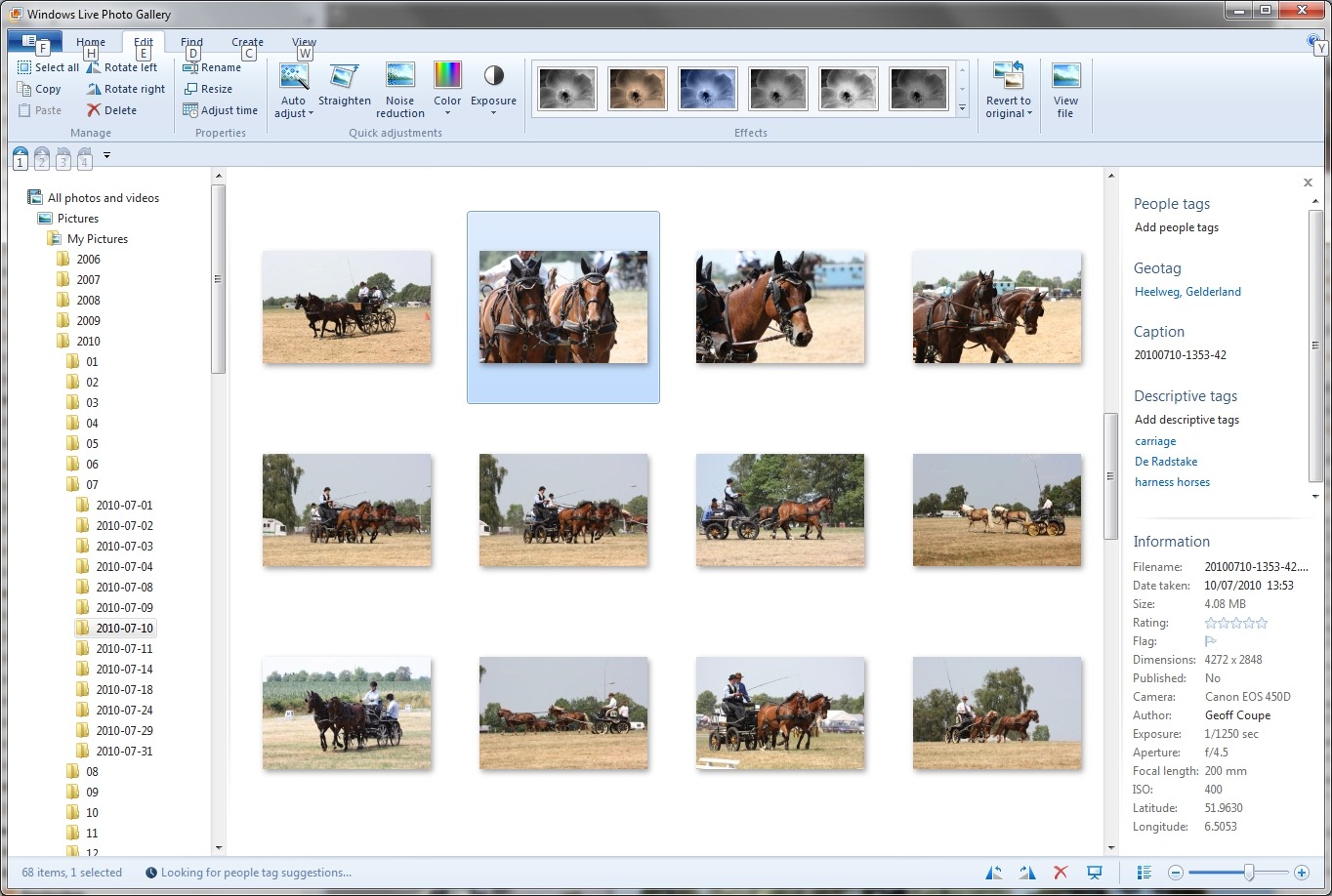
You can see that the metadata contains both descriptive tags (e.g. carriage and harness horses) as well as technical and copyright information (e.g. date taken, location, camera details, etc.).
This picture was uploaded to a SkyDrive photo album here. When I look at the picture in SkyDrive, while I see some (but not all) of the technical information, none of the descriptive tags have been transferred. Indeed, I’m invited to add the tags again!

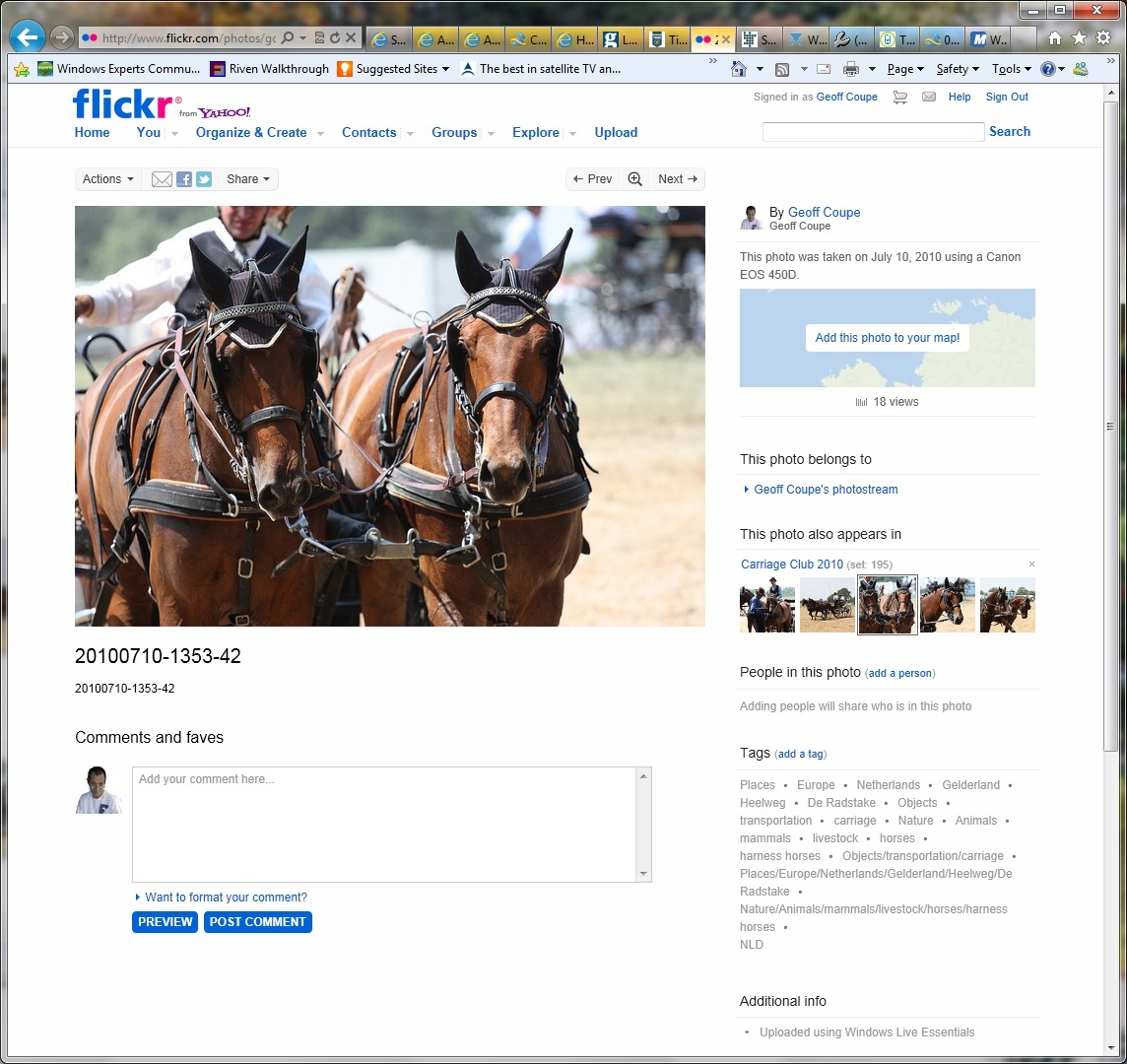
Naturally, all the metadata is transferred and displayed if I upload my photo into Flickr:
Removal of URLs to Individual Images
There was a time when a simple right-click on an image in SkyDrive allowed you to copy the URL for that image, which could then be pasted into a blog or forum entry in order to embed the image in the entry. Alas, this is no longer possible. If you want to do that now, you have to download the image back to your PC once more, then persuade the Download Manager of IE9 to tell you the URL of where it came from. This strikes me, and others, as completely ridiculous.
As you will have guessed by now, Flickr continues to provide a simple URL for images that can be used in blog and forum entries (together with URLs for other sizes of the same images)…
And the Rest…
The rest of that blog post from Microsoft goes on at length about the different groups of users that Microsoft needs to design for, and the challenges that this entails. All true enough, but it seems to me that in the current design of SkyDrive, Microsoft has actually made photographers take a step back rather than a step forward. And that is in contrast to the design of Flickr, which has certainly given me the impression that functionality has kept pace with my needs.
Perhaps this is just a temporary hiccup. The authors of the blog post, Omar Shahine and Mike Torres, promise that they are working on improvements, without actually sharing any specifics. And that brings me to one last thought. I’ve been following the series of blog posts on Building Windows 8 with great interest. Each of those posts goes into detail, and at length, on the design choices and why particular ones are made. It’s a fascinating insight into the kitchen of the Windows 8 team. It’s a great pity that the Windows Live team have not taken a leaf out of the Windows 8 team’s book and given us more insight into what they are planning and doing. Issuing bland posts stating that there are challenges, whilst simultaneously delivering less functionality than previous versions of the SkyDrive service does not fill me with confidence.
Update 30 November 3 December 2011
Since writing the original post, there have been some changes to the SkyDrive service. Most have been in the area of being able to work with multiple files at once. However, one nice thing: the Slideshow function has been reintroduced.
The other two issues I raised in the original post (no Descriptive Tags and a simple method for obtaining the URL for an image) are still there. Perhaps they will be removed in a future upgrade… Update: As Ludwig points out in a comment below, there is in fact now a method of obtaining the URL of an image. Just browse to the image required, click on “View original” and then you will be able to copy the URL from the Address bar.
So, two down, one to go…


 Geoff Coupe's Blog

Leave a reply to Geoff Coupe Cancel reply