
Important Update 27th October 2012: The bug I describe below was fixed in the final release of Windows 8. I can now use the “Play to” feature with my Denon AVR-3808 receiver.
Hoorah!
Update 24 October 2013: With the release of Windows 8.1, I was getting problems with “Play to” again. I posted the Windows 8.1 issue in a Microsoft forum, and got some useful feedback from Microsoft’s Gabe Frost. The issue is not resolved, but at least we now know what’s going on. See https://gcoupe.wordpress.com/2013/10/23/play-to-and-windows-8-1/
Original Post
Sigh. I’m having another facepalm moment with Microsoft again. I’ve downloaded and installed the Windows 8 Release Preview, and am currently kicking the tyres. I’ve already found some nasty things in Microsoft’s Metro Apps; this post is about something else.
Microsoft introduced the “Play to” feature in Windows 7. It’s a very useful feature that allows Windows Media Player to stream music to other devices (e.g. my Hi-Fi amplifier) on the network. I found that this feature was broken when I tried it in the Windows 8 Consumer Preview. Now that I have the Release Preview installed, I had hoped that Microsoft would have fixed it.
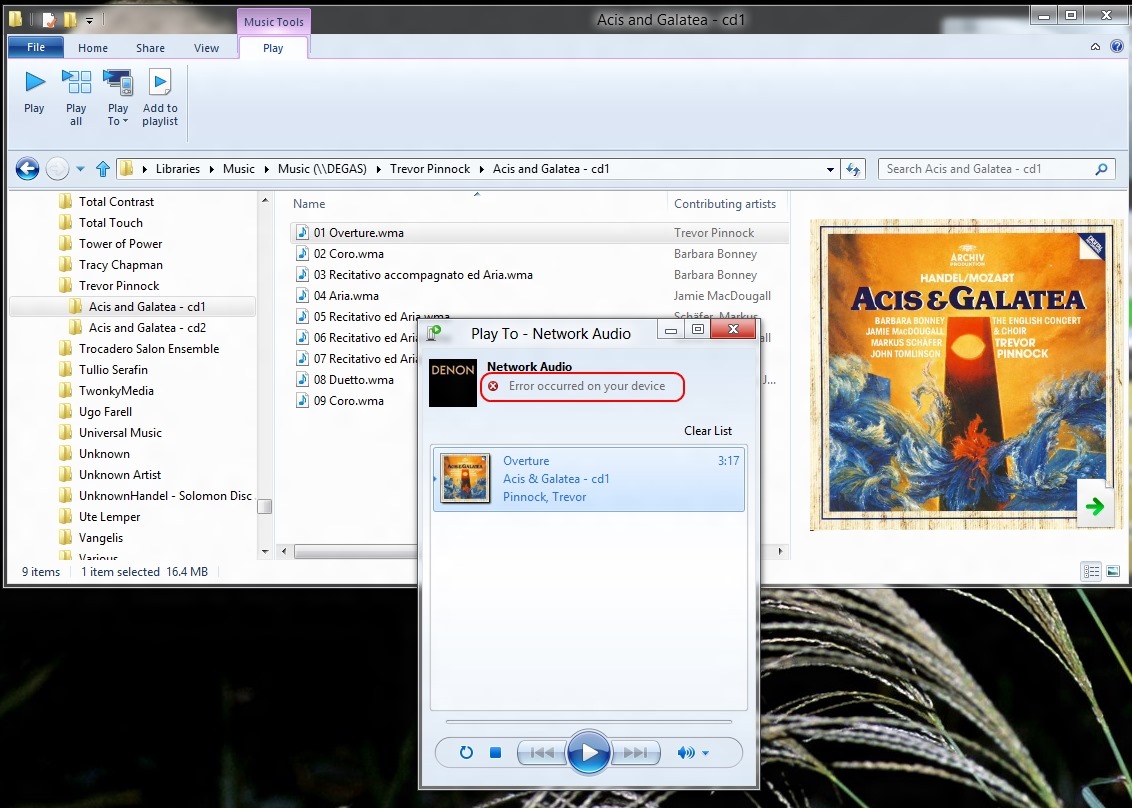
Alas, no, it still doesn’t work, and there’s been a rather worrying development… Here’s what I saw when I tried it in the Consumer Preview:
Now take a look at the error message I get when I try using the “Play to” feature in the Release Preview:
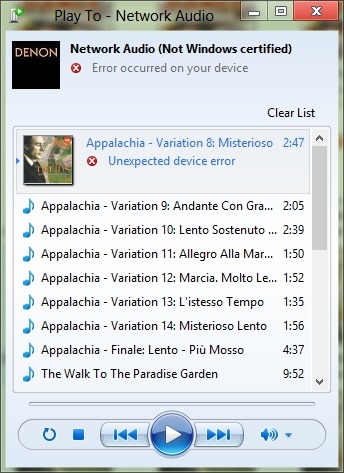
Er, what’s that “Not Windows certified” message? I thought the whole point of having DLNA-certified devices (which I have) was that they would plug and play. It worked in Windows 7. Now it seems as though Microsoft are introducing something else for Windows 8 – and breaking the whole concept that DLNA is trying to address.
I would have thought that Microsoft would have learned from the failure of their “Plays for Sure” branding, but no, they’re at it again. In a final irony, my Hi-Fi amplifier, a Denon 3808 AVR, proudly bears a Microsoft “Plays for Sure” sticker. Well, it doesn’t “play for sure” any more, thanks to Microsoft and Windows 8.

 Geoff Coupe's Blog
Leave a reply to Windows 8 “Play to” Revisited | Geoff Coupe's Blog Cancel reply