
Despite some quirks and shortcomings, my Windows Home Server system has been quietly backing itself up onto a pair of hard drives that I rotate to an off-site location.
But four days ago, the server backups started failing. The error being reported was “There is not enough space on the disk”. This was being reported for both the G: and the D: drives on my system.
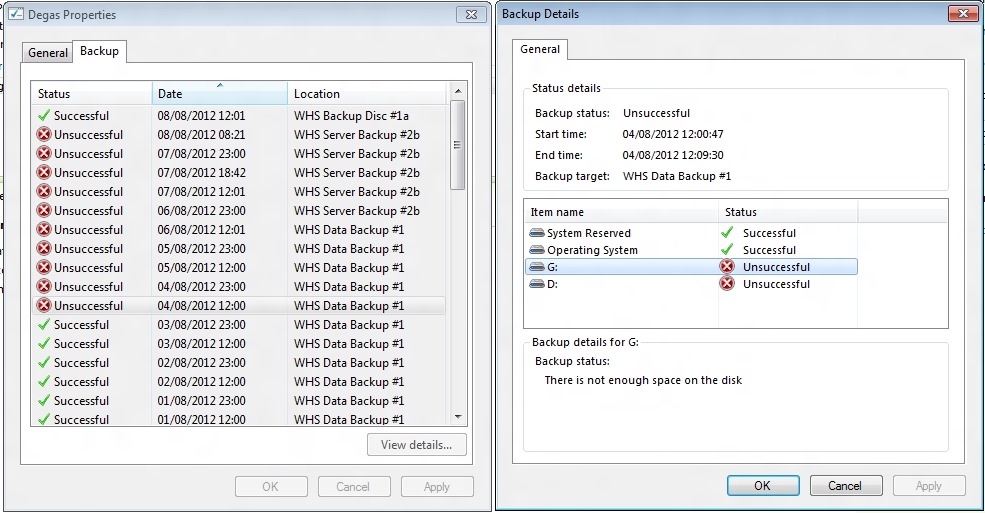
Well, I could understand that being the case for the G: drive, since that had filled up with data leaving only 60 GB free on a 1 TB drive. However, the D: drive had nearly 385 GB free on a 405 GB drive.
I wondered whether in fact the disk being referred to was not the data disk, but the backup disk, WHS Data Backup #1, which only had a few GB free. WHS 2011 is supposed to purge old backups from the backup drives when they get full, but there seems to be no way to predict when it will do this – I’ve had backup drives bob along for months with only a few GB free.
I tried a few more server backups, but as you can see from the screenshot, they were all unsuccessful. I also swapped the backup drive for a second drive (WHS Server Backup #2b), but as you can see, server backups still weren’t working.
I began to wonder whether it was data drive G: being almost full that was triggering the failure, so I moved one of the Shared Folders from the G: drive to the J: drive. Unlike WHS v1, WHS 2011 does not have drive pooling, so you have to manage the storage as a bunch of separate drives.
Once I’d moved the Folder across to the J: drive (using the “Move the Folder” task in the WHS 2011 Dashboard), the G: drive now had 248 GB of free space, while the J: drive now had 714 GB of free space.
I tried another server backup. This was also unsuccessful, with an “Element not found” error (whatever that means) being reported on the J: drive.
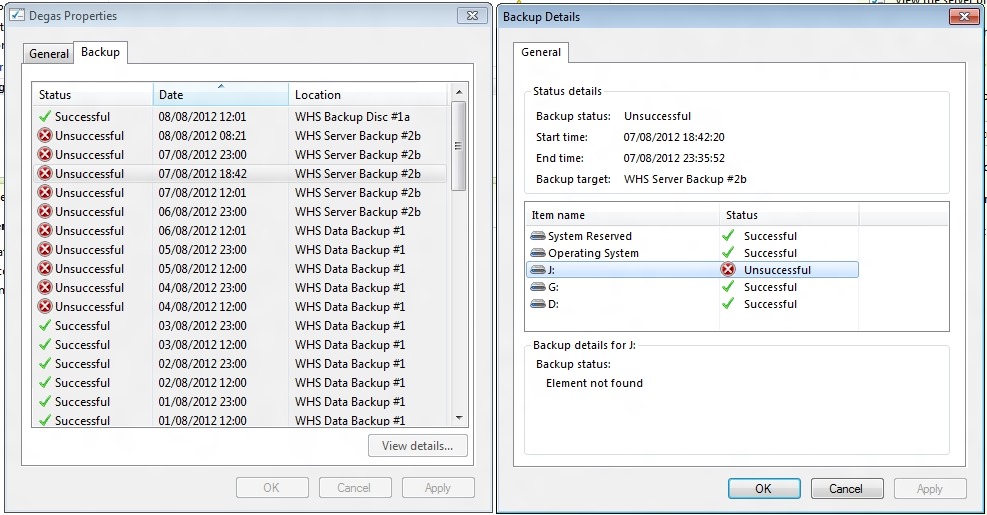
I left the system running and waited to see whether the next scheduled backup (at 23:00) would work. That was also reported as unsuccessful, with all drives reporting a “The operation failed because another operation was in progress. Retry the operation” error.
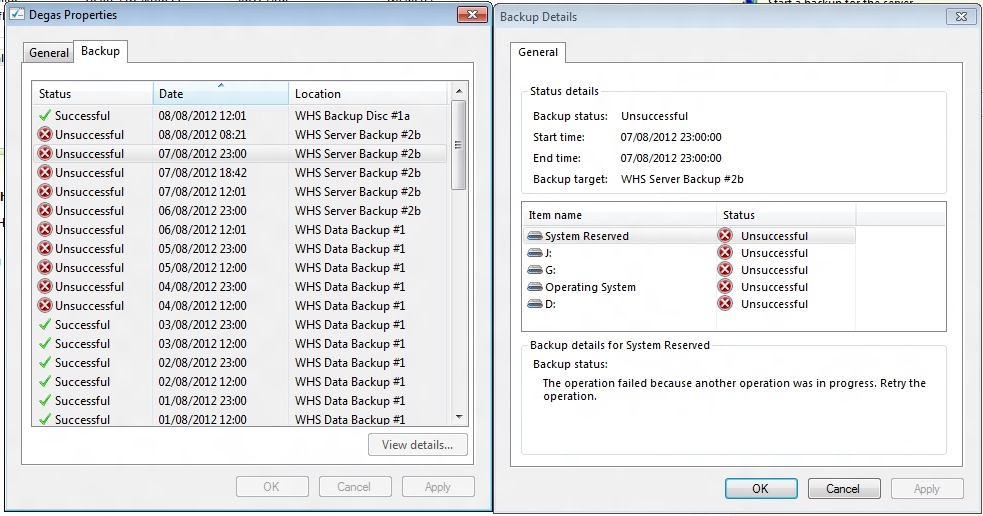
Trying not to panic, I rebooted the system and tried one more time. Now I got a “The handle is invalid” error on all drives. Another mysterious and opaque message.
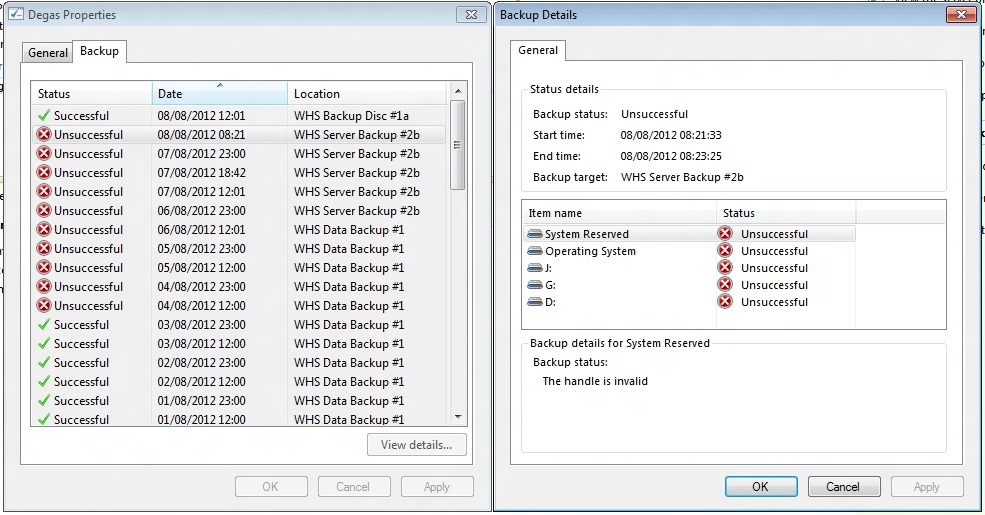
Finally, in desperation, I told WHS 2011 to remove the WHS Data Backup #1 drive from the server backup definition, and added it back as though it was a totally new backup drive. WHS 2011 formatted it, and I gave it the name of WHS Backup Disc #1a.
The next time server backup ran, the backup was successful. Phew!

I suspect I’m going to have to reformat the second backup drive, and add it back into the server backup task as a new drive.
I think things are back to normal again, but I have to confess that this little episode has shaken my confidence in WHS 2011 a bit.


 Geoff Coupe's Blog
Leave a reply to Greg Mickel Cancel reply