
I received my Lenovo ThinkPad 2 tablet last Friday. Since then, I’ve been playing around with it to get a feel for the good points and bad points of both the tablet itself, and how the experience of using Windows 8 on a proper tablet might be.
First the hardware.
As I wrote last week, I chose the Lenovo tablet from a shortlist of four. Well, five if you include the outside candidate: the Microsoft Surface Pro tablet. There were a number of reasons as to why I picked out the Lenovo tablet.
- The build quality looked promising.
- The dimensions were compact, so that the tablet was not unwieldy. It could be comfortably held in one hand.
- The pen could be stored in a silo in the tablet itself’. The three other tablets on my shortlist came with loose pens.
- The particular model of the ThinkPad range that I chose (the 3679-25G) came with a full set of sensors and capabilities: GPS , WiFi, Bluetooth, WWAN and NFC.
- It was a pure “slate” tablet.
A couple of the other models on my shortlist were hybrid convertibles. That is, they looked like notebooks, but the “screen” could be completely detached, and then they acted as a slate tablet. Such hybrids have their advantages – for example, some carry an extra battery in the keyboard section for extra life between charges. But in the end I decided that the form factor was not what I was looking for. I already had a wireless keyboard (a Microsoft Arc) that I could use directly with the tablet when required.
So how is the hardware shaping up? Well, so far, I think it’s shaping up pretty well. The build quality does seem to be very good and the form factor is just right for me. There are trade-offs though. Because of the small form factor, the pen is smaller than I would like. It is a bit fiddly to use for long passages. In fact, while this whole post has been created using a pen, from this point on I’ve changed to using a full-size pen (an ancient Wacom pen that I’ve had for at least 10 years). The supplied pen will still be fine for quick notes, and for on the road use; but for extended writing, the full-size pen is much more comfortable.
One thing, like all the tablets currently available, it has a smooth glossy screen. This is all very well, but it does mean that the feel of the pen writing on the glass is very slippery – like writing on glass, in fact. I might look out for a screen protector that turns the experience into something that approximates closer into writing on paper.
The display is bright and clear enough for me and with a wide viewing angle. I admit that I haven’t tried to use it outside in the garden in bright sunlight, but that’s partly because we have overcast skies, 20 cms. snow, and -8 degrees Celsius at the moment. There is only so much that I’m prepared to suffer in my testing. The sound quality is also good enough for me. It’s a tablet, for heaven’s sake, not a piece of Hi-Fi equipment.
Battery life is perfectly acceptable. I’m getting a day’s use out of it, and that seems to be improving as the battery beds in.
The cameras front and back seem OK. I have not done any extensive testing on them. I’ve had a couple of Skype sessions with the front camera, and everything seemed perfectly satisfactory to both parties.
Looking at the Lenovo forum devoted to the ThinkPad slates, there are two hardware issues that are being reported. These are:
- The USB port does not seem to be able to power some devices.
- The WiFi sensitivity is reported by some people as being unacceptably poor.
I have not tried a range of USB devices, so I cannot confirm this issue. However, even if my tablet suffers from this issue, I would not consider this a showstopper because of my patterns of usage. But I can well understand that for some people it would be – for example, those who need true portability on the road with no power point in sight and who need to plug in external hard drives into their tablet.
I have not seen any evidence of unacceptable lack of sensitivity in the WiFi of my tablet. It seems perfectly normal to me.
Update: it’s possible that this poor sensitivity is being caused by an assembly issue. A recent posting in that thread suggests that the cable connector of the WiFi antenna is not seating correctly on the WiFi board in the models showing poor sensitivity.
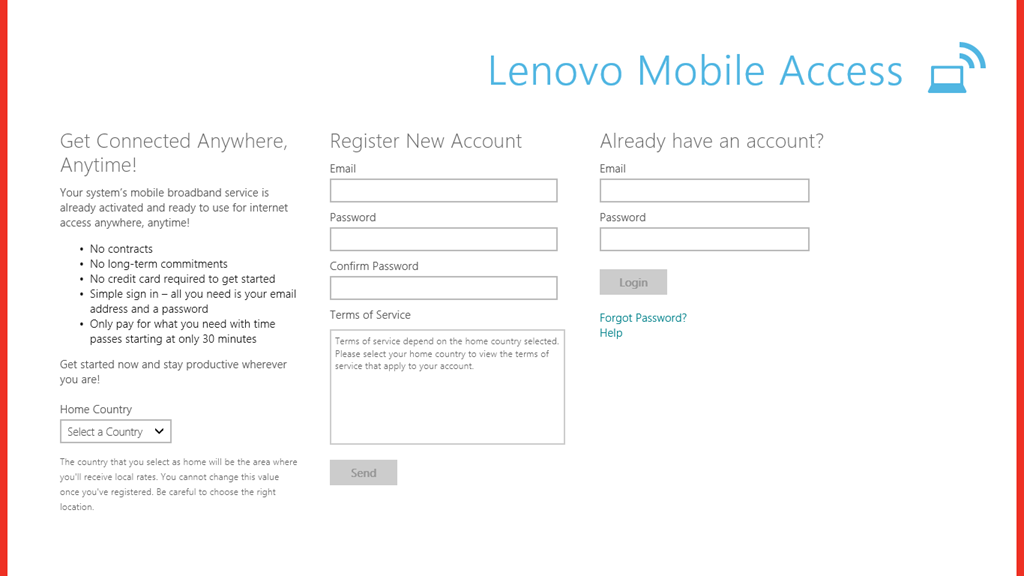
I do have an issue with my WWAN connectivity at the moment. This model has a WWAN modem, and came with a Lenovo SIM card installed. When I start up the Lenovo Mobile Access App, I see the start screen, then briefly a screen with fields for my user details, but immediately this is overlaid with an error screen that claims that I am missing either the WWAN modem or my SIM card.
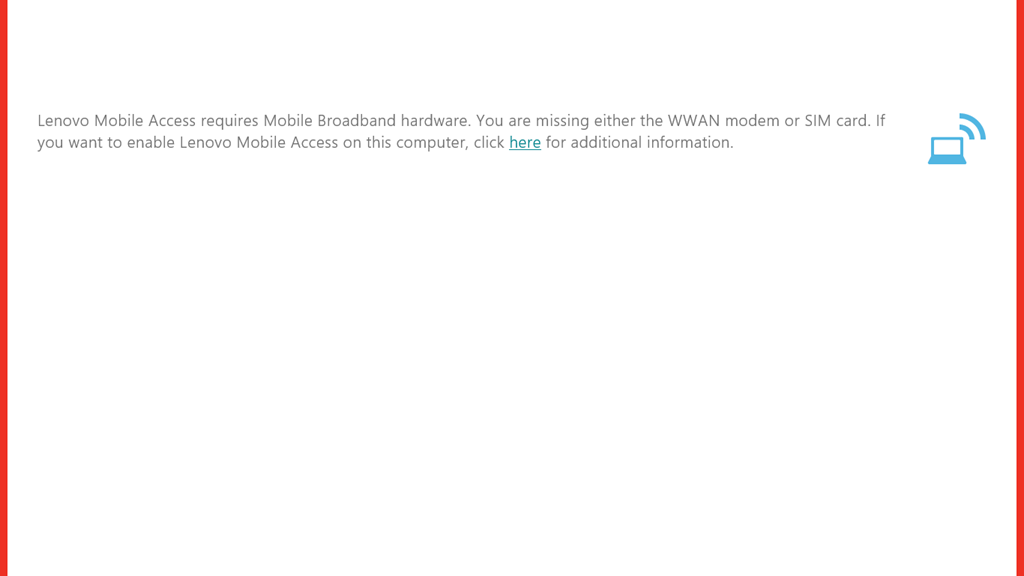
However, both the WWAN and SIM card are present. In the Windows 8 Network settings there is a Mobile Broadband network shown, with NL KPN showing as the network service provider.
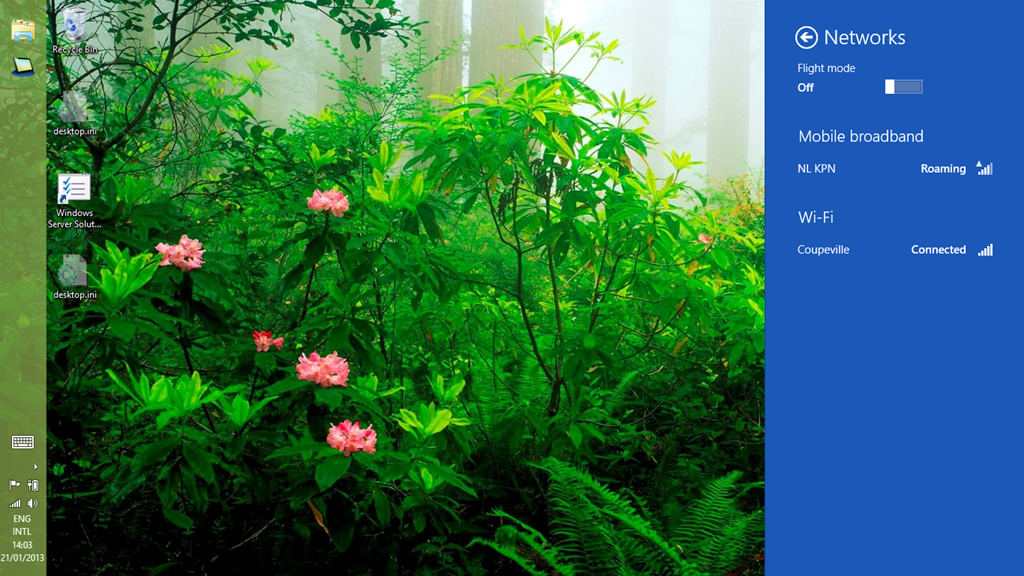
Unfortunately, the fields for the APN, username and password are all blank. I can hear network activity is present, by the interference on the speakers of my desktop PC nearby, so I assume that the WWAN and SIM card are working. The device manager is also claiming that the WWAN modem is working properly.

I rang the helpdesk and unlike many of my experiences, the person I spoke to was very helpful. I sent through the logs of the application via email at his request and a support ticket has been opened.
Today, I noticed a change. The APN and other fields now had values in them.
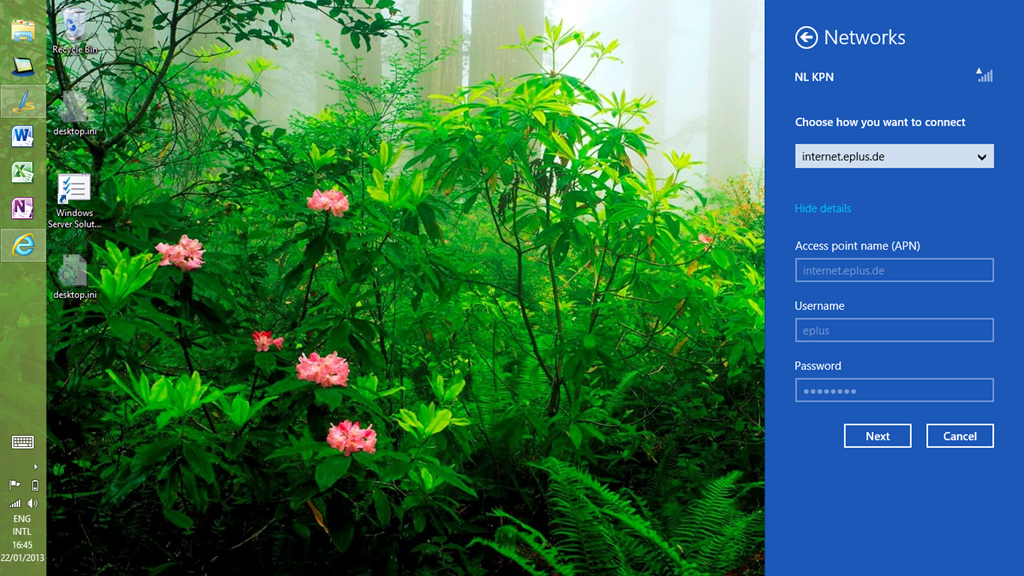
I assume that they have been put there by a Macheen engineer (the company that provides the mobile access services for Lenovo). However, I still can’t connect. This is probably because the engineer has put in the details for an APN in Germany, while I, and KPN, reside in The Netherlands. I’ve sent another email to the support service, so we’ll see what will happen.
Update: I had an email reply back from Support, which contained another set of APN details. I tried this, and definitely got connected to their mobile access service, but alas, the Lenovo Mobile Services App is still complaining that either the WWAN modem or the SIM card is missing. It’s lying, and I’ve told Support this. We’ll see what they come up with next…
Update 2: While I’m waiting for Lenovo/Macheen Support to get back to me, I thought I’d try a Vodafone pre-paid SIM card in my tablet. Vodafone NL are offering these pre-paid SIM cards for Tablets for free at the moment, so it didn’t cost me anything to try it.
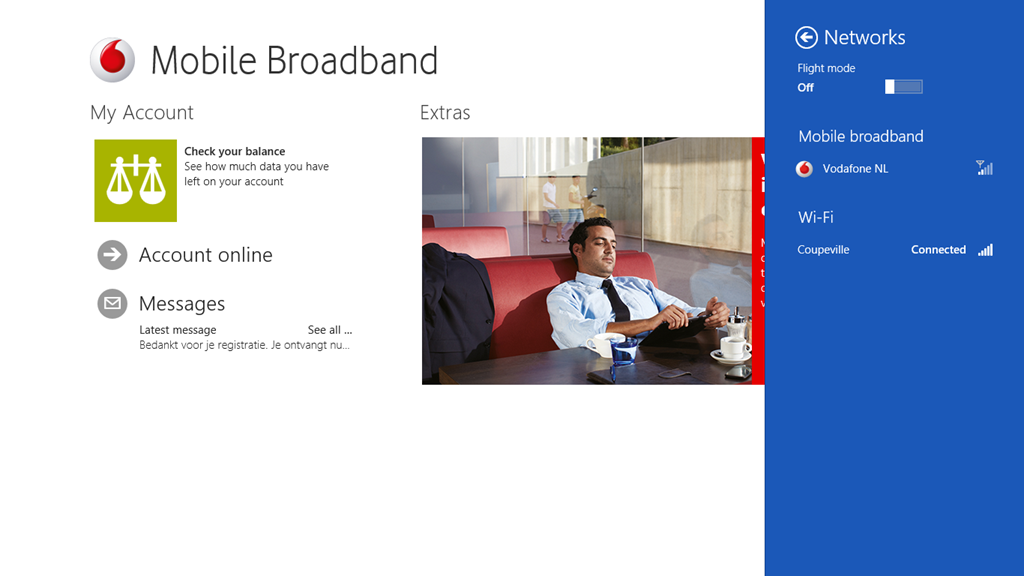
The experience was pretty straightforward. I plugged in the SIM, looked at the Network settings, and it showed a “Locked” indication. Touching that brought up the field to enter the SIM code, which I did, and then it showed a Vodafone NL service connection. Interestingly, it also showed a link to download the Vodafone Windows 8 Mobile Access application. Touching that took me to the application’s entry in the Windows Store, so I installed it.
Now I have a working Broadband connection which I can use while I’m travelling. The Vodafone app is pretty good and straightforward to use. Here’s a screenshot showing the app, with the network settings screen overlaid on the right.
I may just stick with the Vodafone service.
That is all I can think of now. I’ll put my thoughts on the software into another post.
Update 3: Here are the other posts concerning my impressions of the ThinkPad’s software experience.
Thoughts on the Lenovo Thinkpad 2 -Part II
Thoughts on the Lenovo Thinkpad 2 -Part III
Thoughts on the Lenovo ThinkPad 2 – Part IV
Update 4: well, I’ve had my tablet for ten days now, and I thought I’d add a few comments on how the tablet has been behaving during that time.
When I first started it up, there were thirty-four Windows 8 updates that needed to be applied, and these all went without a hitch. Similarly for some Modern UI App updates. On the second day, I installed Office 2010 on the tablet, and that then installed twenty-seven Office 2010 updates. A day later, I had a further ten Windows 8 updates installed automatically. Since that initial flurry of activity, there has been the usual daily update of the Windows Defender signature file. All this has gone faultlessly.
During the ten days of operation, I have had just two occasions where the pen and touch input stopped working, and I needed to restart the tablet. I see that on the Lenovo forum, there are complaints that the tablet does not wake up after going to sleep. However, for me, there has only been one time when I couldn’t bring the tablet out of sleep, and I needed to physically reset the machine by pushing a bent paperclip into the reset hole. Other than that, the machine has behaved faultlessly. I am very pleased with it.
Update 5: 25 February 2013. I’ve just had an email back from Lenovo/Macheen support saying that they’ve fixed my problems with using Lenovo Mobile Access. And indeed they have – it’s now working satisfactorily. Now I just have to decide whether I continue with the Lenovo or the Vodafone service. Ah, decisions, decisions.
Update 6: 11 May 2013. Some people have been reporting issues with the speakers in the ThinkPad Tablet; one of the speakers, usually the one on the right hand side, will start distorting the sound, and playing back at a lower volume. It’s now started happening on my tablet. It’s a hardware issue, so to fix it means returning the tablet for repair under warranty.
Update 7: 26 May 2013. I raised an Electronic Service Call with Lenovo on the 14th. Two days later (Thursday), the tablet was picked up by courier for delivery to a repair centre in Frankfurt. A week later, the tablet was repaired under warranty and returned to me on the Friday. That was a turnaround of four working days (we had a holiday weekend), and within Lenovo’s target of six working days for repairs. I’m pleased with this.


 Geoff Coupe's Blog
Leave a reply to Geoff Coupe Cancel reply