
As I wrote here, Microsoft has recently updated the Xbox Music App for Windows 8. The update improved the navigation of the music library to the extent where I thought I could start using the App (it was absymal on first release).
So I’ve been using the Music App to play music stored in my Library, and I’ve got good news and bad news.
The good news is that navigation is much improved (although more improvement would be welcome). You can also use the Music App to purchase additional Albums. For example, as an experiment, I used the App to purchase a Cecilia Bartoli album: Sacrificium. I was pleased to see that on completion of the purchase, the Music App automatically downloaded the album tracks to a folder that it created in my Music Library, held on my Windows Home Server 2011 system. So the tracks were located in \\DEGAS\Music\Xbox Music\Purchases\Cecilia Bartoli\Sacrificium (DEGAS is the name of my WHS 2011 server). Even better, the tracks were DRM-free MP3 files recorded at 320 kbps, and contained metadata (track title, album title, artist, album art, etc.).
So far, so good. Buoyed up by that, I bought another album, this time Andreas Vollenweider’s Book of Roses. Same thing, on completion of the purchase, the Music App automatically created a folder in my Music Library (\\DEGAS\Music\Xbox Music\Purchases\Andreas Vollenweider\Book Of Roses) and downloaded the MP3 tracks to it.
Flushed with success, I bought a second Andreas Vollenweider album: Air – and that’s when things went horribly wrong.
The Music App allowed me to buy the album, but as soon as the purchase was completed, up popped this unwelcome message over the purchase confirmed screen:
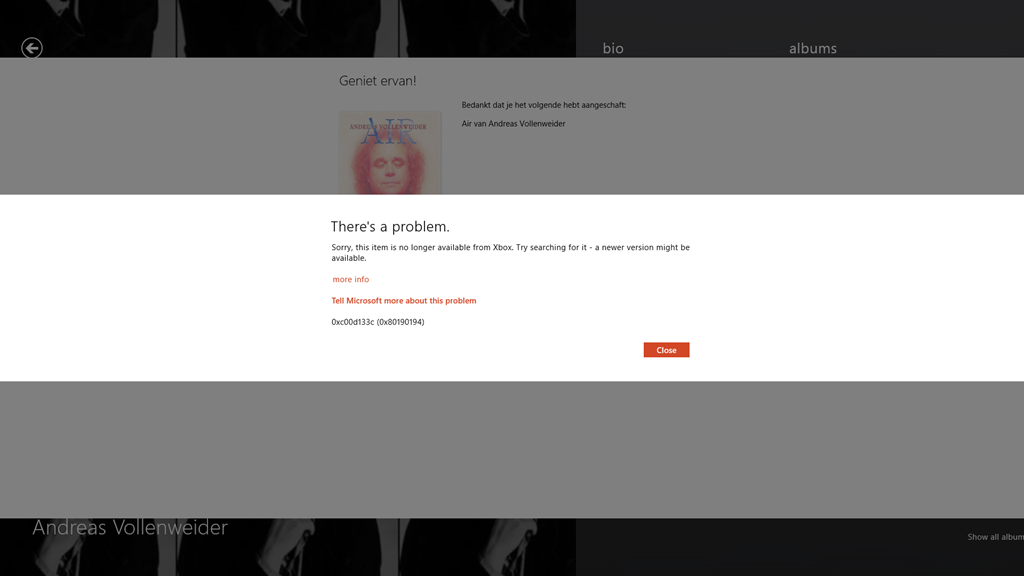
It says:
There’s a problem.
Sorry, this item is no longer available from Xbox. Try searching for it – a newer version might be available.
more info
Tell Microsoft more about this problem
0xc00d133c (0×80190194)
Lovely, so Microsoft has taken my money, but failed to deliver the goods. Trying to follow the links to get more information failed miserably to resolve it. I took a gamble that this might have been a one-off glitch, and tried again. Same result, so I have now paid twice for an album that Microsoft will happily sell to me, but without ever providing the goods:

Sigh. Fortunately, these purchases were made using PayPal, so I’ve opened two dispute cases, and these have now been escalated to claims. So with luck, I’ll get my money back.
As a result of this experience, I’m somewhat leery of trying to purchase music via the Music App. I think I’ll stick to purchasing CDs.
Update: 2nd April 2013
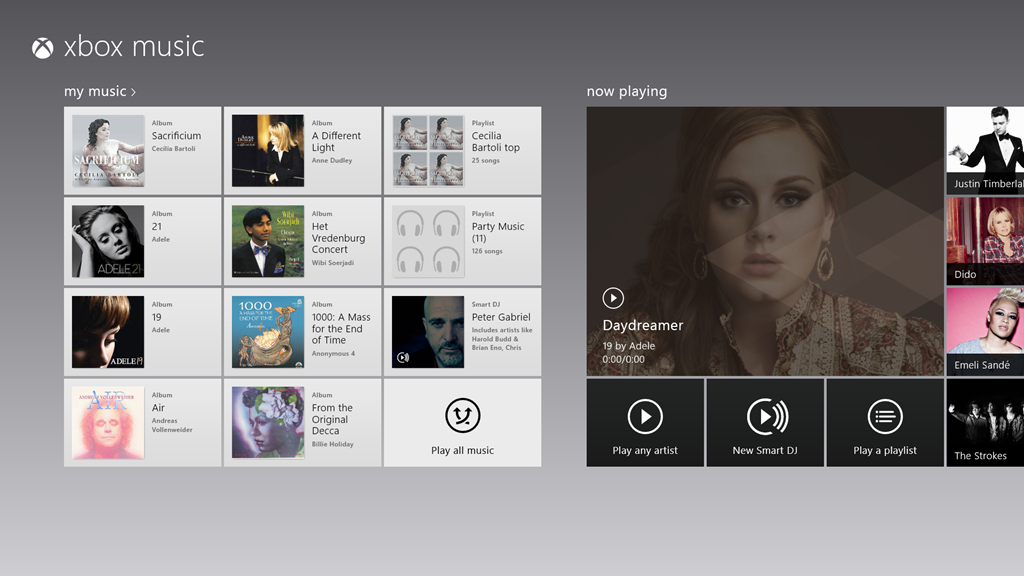
It’s now three days later since I tried, unsuccessfully, to purchase Air. Today, I noticed that the Xbox Music App’s Home page was still listing the album as being in my collection:
So I clicked it. The album details page then showed up, with the “streaming” symbol showing by the individual tracks. The last time I was at this point, trying to play a track resulted in an error message, but I thought, what the hell… and clicked the first track.
To my surprise, it started playing, and then to my even greater surprise, the “download track” symbol started appearing by the tracks. I clicked on one, and got a message that all 13 tracks were being downloaded. So it would appear that Microsoft has fixed the purchasing issue. Now I’ve just got to persuade PayPal to authorise just one of the two payments…
Update 10th April 2013
Sigh. Today I received a couple of messages from PayPal that said:
Dear Geoff Coupe,
We’ve completed our investigation for the following claim:
Case ID: PP-002-273-252-851
Transaction Date: 29 Mar 2013
Transaction Amount: -7,99 EUR
Seller’s Email: MicrosoftBilling_donotreply.eu@microsoft.com
Seller’s Name: Microsoft Luxembourg S.a.r.l
These items are not covered by PayPal Seller Protection. Only physical
items that have been sent and can be traced online can be covered.
We advise you to contact the seller directly and to solve the problem. You
can find the contact details of the seller on the page ‘Transaction
details’.
Sincerely,
PayPal team
So. not our problem, please look elsewhere. I love that “only physical items can be covered” spiel. As we advance further into the 21st century, bits are becoming ever more financially important than atoms. It’s a pity that more services aren’t aware of this fact, or are they just in denial?
Update 11th April 2013
Sigh. I really don’t learn, do I? I thought I’d have another go at buying an album. This time, it was the Simon Rattle version of Elgar’s “The Dream of Gerontius” coupled with the “Enigma Variations”.
And this time, I thought that I’d check that I could first stream a couple of the tracks – just to make sure that the album was in fact available before I purchased it. And, yes, the tracks were available, and streaming. So I went and shelled out 8.99 Euros for the album.
Bang – Microsoft took my money. And Bang! – Microsoft refused to give me my album.
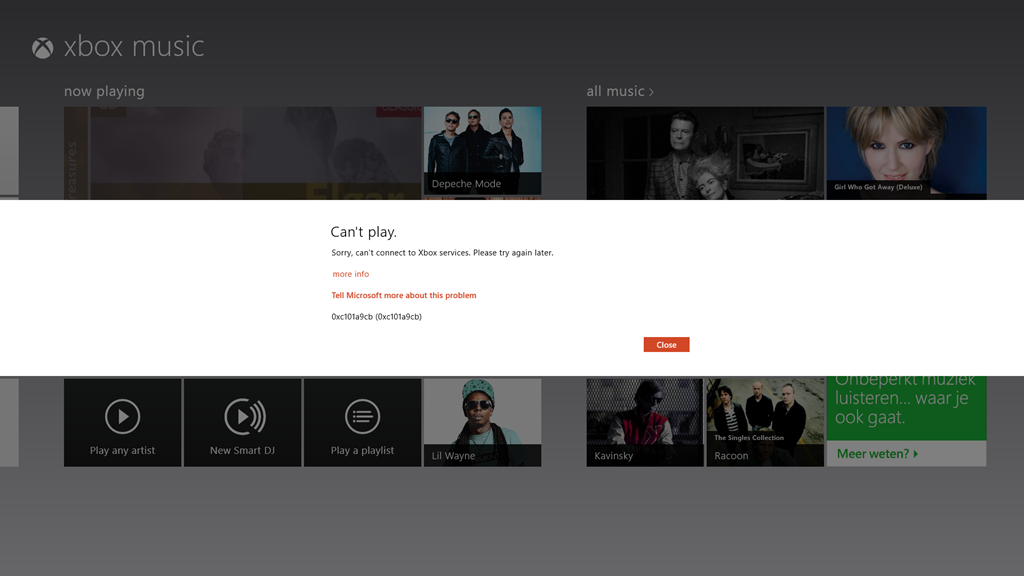
I’m sorry, but this is getting beyond a joke.
Update 13th April 2013
Well, I’m still getting the “can’t connect” error, but I seemed to have found a way to force the Xbox Music service to give me the album that I have bought. I located it online once more, and this time, I clicked the “Add to” button, and discovered that I could add it to my music library. Once I did that, the “Buy Album” button disappeared, and then the album showed up in my Library, with the “streaming” symbol beside it. More importantly, I then discovered that I could manually download the album to my server. So now I’ve got the album downloaded. It all seems quite a palaver…


 Geoff Coupe's Blog
Leave a reply to Geoff Coupe Cancel reply