
Well, I thought at first that the new release of the Xbox Music App for Windows 8 was promising. That is, until my recent bad experience, and now something else has crept out of the woodwork.
The App is working as expected on my Desktop PC, but on my Lenovo ThinkPad Tablet 2, when I start playing an album, the first track will play, but all the rest start showing an error symbol (an exclamation mark) by them:
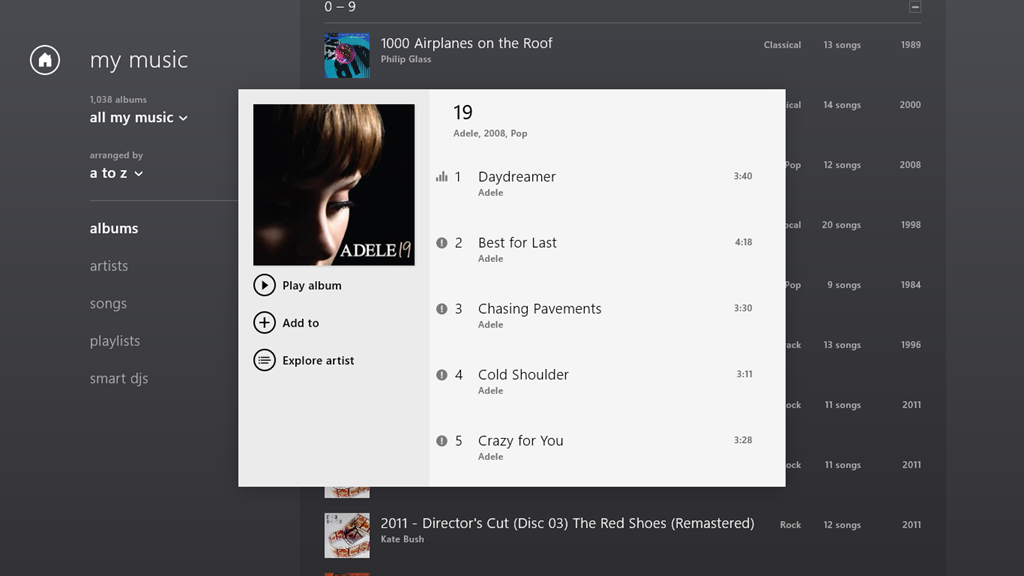
If I click on the symbol, then I get this:
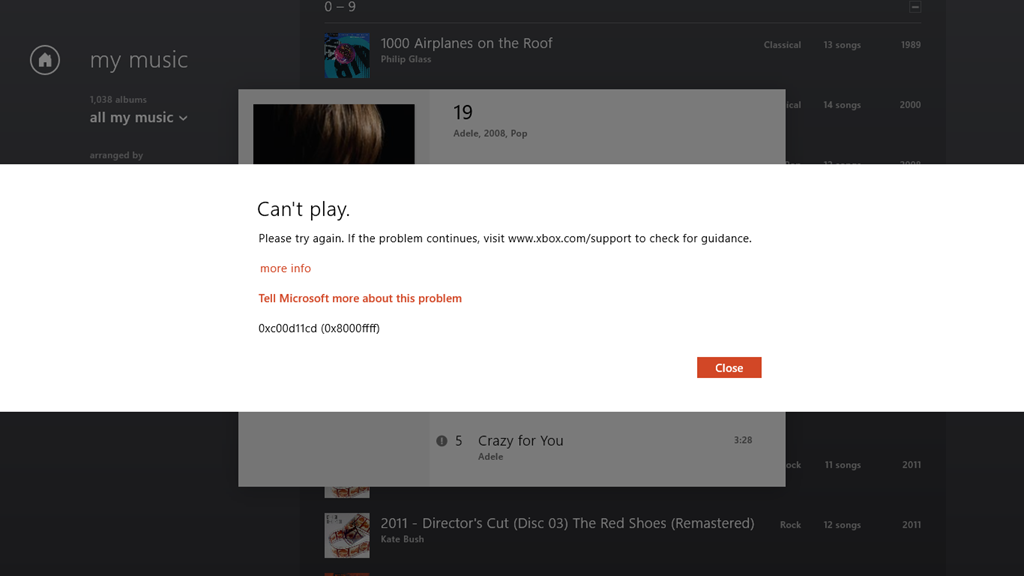
It says:
Can’t play.
Please try again. If the problem continues, visit www.xbox.com/support to check for guidance.
more info
Tell Microsoft more about this problem
0xc00d11cd (0x8000ffff)
Once again, of course, the links provided in the error message don’t provide any guidance whatsoever.
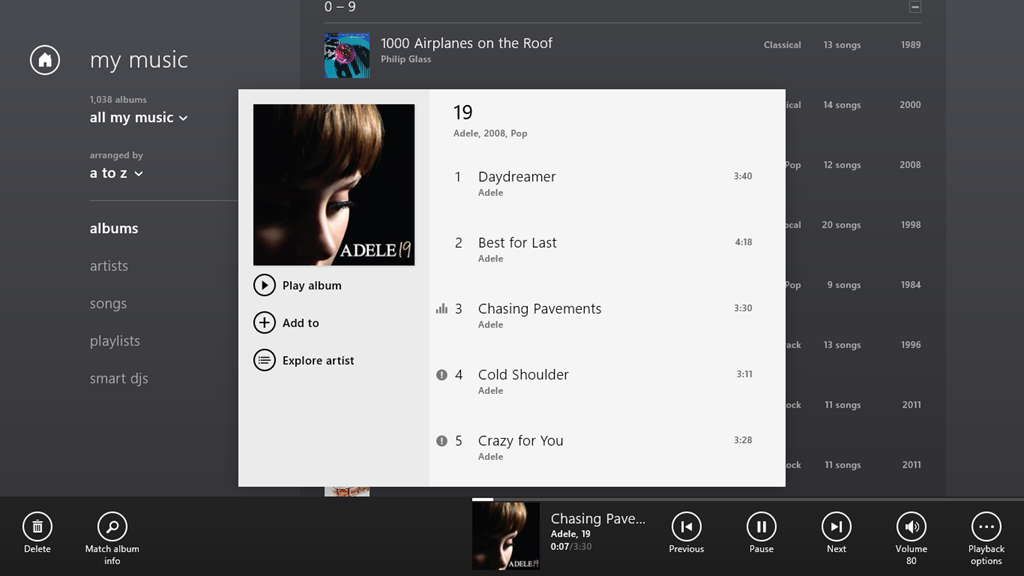
If I let the playback continue, it will stop at the end of the currently playing track, because all the rest of the tracks are showing errors. However, I can manually advance to the next track, and it will start playing (with all the following tracks continuing to show errors):
Interestingly, I’m not the only one with this issue. And what I seem to have in common with the others is that we are using tablets built with the Intel Clover Trail chipset. This issue may well have been there for some time; it’s only with the latest release of the Xbox Music App (1.2.150.0) last week that I’ve really been using the App – it was so absymal before. It appears that it’s still dreadful.
All my music (which is DRM-free) is stored on my Windows Home Server 2011 system. As I say, the Xbox Music App works fine on my Desktop PC, which, like my Tablet, is also running Windows 8 Pro. Other music applications, both traditional Desktop Apps (e.g. Windows Media Player, Zune and Media Monkey), and Modern UI Apps (e.g. Media Monkey for Windows 8) work fine on both the Desktop PC and my Tablet.
But the Xbox Music App on the Tablet continues to be absolutely abysmal.


 Geoff Coupe's Blog
Leave a reply to Dave A. Kowalski Cancel reply