
My needs are fairly simple when it comes to a tool to edit digital photos. I don’t need all the bells and whistles of an Adobe Photoshop, just something that I can use to crop, resize, or adjust the contrast or colour balance of an image. Very occasionally, I need to to be able to make a cut-out mask of part of an image and paste it into another. For example, in this blog’s header image (which changes with the seasons), you can see our two dogs sitting in front of the house. They are always there, whatever the season, and that’s because their image has been pasted in to each of the seasons’ images.
The features of Microsoft’s Windows Photo Gallery are the sort of thing that I have in mind (although it doesn’t handle masks), but I found out a long time ago that it corrupts image metadata. In particular, it destroys Canon’s Makernotes, which are stored in the Exif metadata of images made using my Canon cameras. Despite reporting this to Microsoft over two years ago, and Microsoft acknowledging that there is a bug, this still hasn’t been fixed. In fact, the same bug is present in Microsoft’s Photos App, built for Windows 8.
For this reason, I only use Windows Photo Gallery to stitch together panoramas – it is very good at that – and don’t use any other of its editing tools. I also don’t use it to modify image metadata, because whenever Photo Gallery writes back metadata into the image file, it will corrupt the Makernotes. For editing and metadata work, I use Photo Supreme. It is excellent for metadata, and the image editor is good enough for my simple tasks. When I need to use masking, then I fire up the ancient, and long since withdrawn, Microsoft Digital Image Pro 10. As an aside, I often wonder why on earth Microsoft dropped this product. It certainly outshines any of their current digital imaging products…
Anyway, I was curious to see whether there was an easy to use photo editor available for the Windows 8 environment. At the moment, there are over 700 Apps listed in the Windows Store under the Photo category.
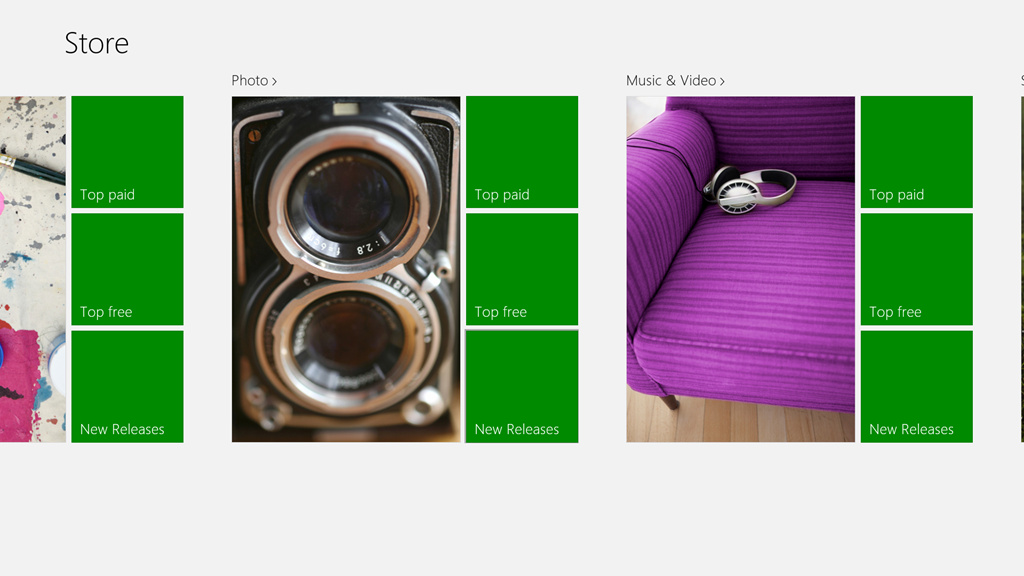
Admittedly, some of those listed are Desktop Apps, designed to run in the Windows 7 Desktop environment, but the vast majority are built as Modern UI Apps for Windows 8.
Last month, there was a post on Microsoft’s Windows Experience Blog that listed, and recommended, four Modern UI photo editor Apps. These were:
I took a quick look at three of the suggestions (Fotor, Fhotoroom and Perfect365), and they all seem to strip out all metadata from a saved image, Exif and XMP. This is not useful, and completely contrary to the guidance from the Metadata Working Group, of which Microsoft is one of the founding members. As far as I’m concerned, that rules out any of these applications for me.
Today, I saw that Adobe has made their Photoshop Express available as a Modern UI App for Windows 8, so I’ve taken a quick look.
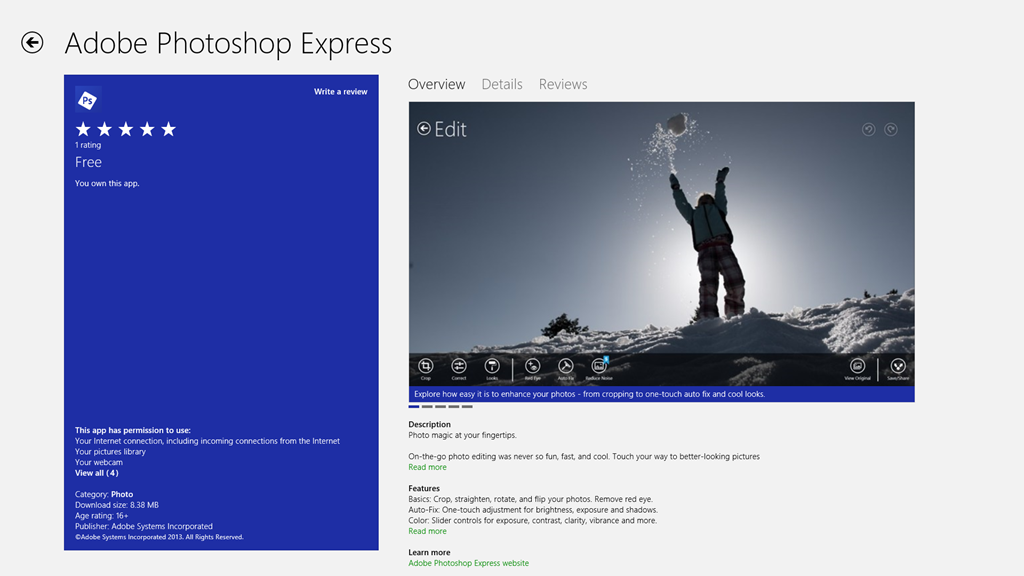
Well, on the positive side, it preserves metadata, and doesn’t corrupt it, so that’s a step forward from Microsoft’s efforts. However, it is still very limited in what it can do, and it has at least one irritating quirk all of its own. In this list of capabilities, unless otherwise stated, you can take it that Windows Photo Gallery (WPG) and Photo Supreme (PSU) can match the features listed.
- It can crop and resize the image, with or without ratio guides.
- It can rotate the image in fixed 90 degree increments (PSU can also handle free rotation, with or without cropping).
- It can flip the image (WPG cannot).
- It cannot resize the image resolution (WPG and PSU both can).
- It can adjust (both manually and auto-fix) contrast, exposure and white balance, and apply preset filters.
- It can remove Red Eye (PSU cannot).
- It can heal images (WPG cannot).
- It cannot handle masks and image layers (neither can WPG or PSU).
- It cannot handle RAW images (PSU can, while WPG can only display them)
Interestingly, it looks as though the App is extensible. You can add paid-for filters. So it’s possible that some of the limitations may be overcome in the future.
And what of the irritation?
Well, I don’t know whether the App is saving images at full quality, or whether it is applying compression. As a test, I took an original JPEG image that was 6.82 MB in size, and used the App to save a copy (no changes were made). The resulting copy was 4.08 MB in size. I suspect that some compression has been applied, but I have no way of telling how much, or more importantly, be able to save with no compression. That I do not like in an application.
I also get slightly irritated by the fact that I can only save to one online Cloud storage service: Adobe’s own Revel. Fine, but I want to use my existing (and free) SkyDrive storage, rather than have yet another service to deal with.
So in summary, all I can say is that Adobe’s Photoshop Express has promise, but it is not yet at a stage where I will drop my other digital image editor tools in its favour. Ask me again in a year.
Addendum: I asked on an Adobe forum whether I could stop Photoshop Express from compressing my images. The answer is no, and that’s apparently by design.
Also, I raised the issue of metadata being stripped out by Fotor with their support people. I had a response in which their programmer confirmed that Fotor does not save all of the Exif metadata in edited images. Unfortunately, he also seemed to be completely unaware that there are other types of image metadata besides Exif – and these are equally important to photographers.
This link http://www.photometadata.org/META-101-metadata-types has an easy to understand introduction to image metadata.
As it stands, Fotor is not a suitable tool for any photographer who cares about preservation of image metadata. The same seems to be true for many of the photo Apps currently available.


 Geoff Coupe's Blog
Leave a reply to Photo Metadata | Geoff Coupe's Blog Cancel reply