
I’ve now installed the Windows 8.1 Preview on my Desktop PC; I went with the safe and boring option 2.
With the caveat that this is not the final version of Windows 8.1, I’ve noticed some good things and bad things about the Preview.
The good things are the tidying up and the further evolution of the Modern UI. So, for example, more of the traditional Desktop’s Control Panel functions are now exposed via the Modern UI, and they are grouped more logically. The sops thrown by Microsoft to the “Bring back the Start Button and the Desktop” crowd may satisfy them, but are of no interest to me – I never missed the Start Button in the first place.
What does bother me are two things:
- The Mail development team still hasn’t got a clue on how to use the Windows 8 printing system.
- There are worrying signs that Microsoft may be deprecating the Libraries feature.
With regard to (1), that’s been there since the very start of Windows 8. You can’t just print the current page, or a selection of pages from the Mail App. Something that’s easily done with the traditional Windows Print dialog, but which is totally impossible with this App. It is also the same with the IE10 App in Windows 8 (but that has been fixed for IE11 in Windows 8.1). They drop the “Pages” setting from the Modern UI Print screen. This is with a newer build (17.3.9431.0) of Mail from the one in Windows 8 (build 17.0.1119.516). Could someone please, please tell the development team how to use the printing system, for heaven’s sake?
But the more worrying thing for me is that, starting with Windows 8.1, Microsoft seems to be deprecating the Libraries feature, which was first introduced in Windows 7.
Libraries are the way to aggregate collections of data (e.g. documents, photos, music and videos) from disparate data sources (e.g. on the local PC, out in the network, or even in the cloud). I use them to give seamless access to photos and music that reside both locally and on our Windows Home Server, which serves media to our PCs and to other connected devices that support the DLNA standards.
In Windows 8.1, the emphasis has been put on SkyDrive as the primary storage location. Take a look at the traditional Desktop Windows Explorer in Windows 8.1. Here’s what you see when you first open it up:
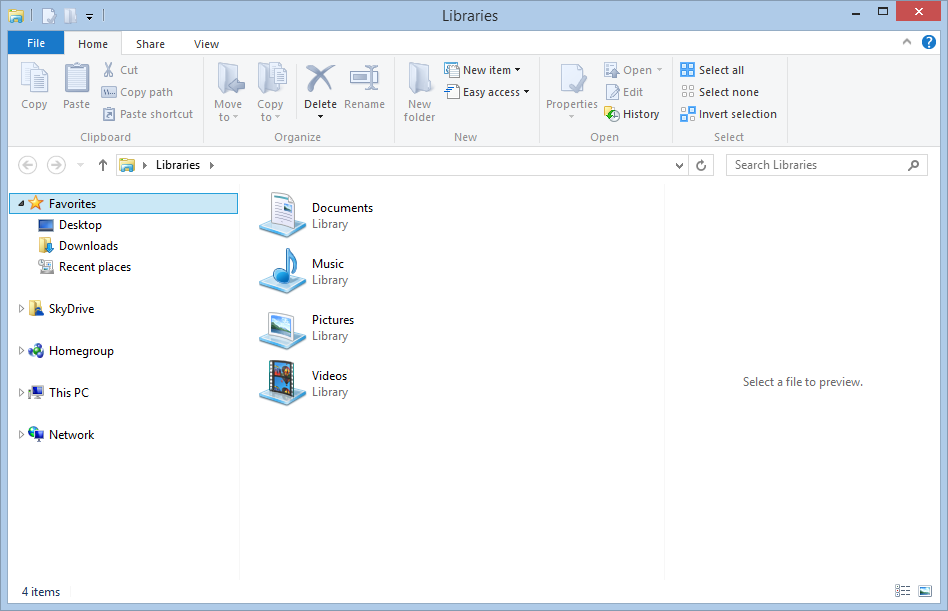
Look at the Navigation Pane on the left. Note the prominence of SkyDrive, and the fact that what was called “Computer” in Windows 7 and 8 is now called “This PC”. Notice anything else? Yup – there’s no entries for the Libraries in the Navigation Pane. There is an option in the Explorer to turn them on, but it is off by default. Here’s what I wanted to see:
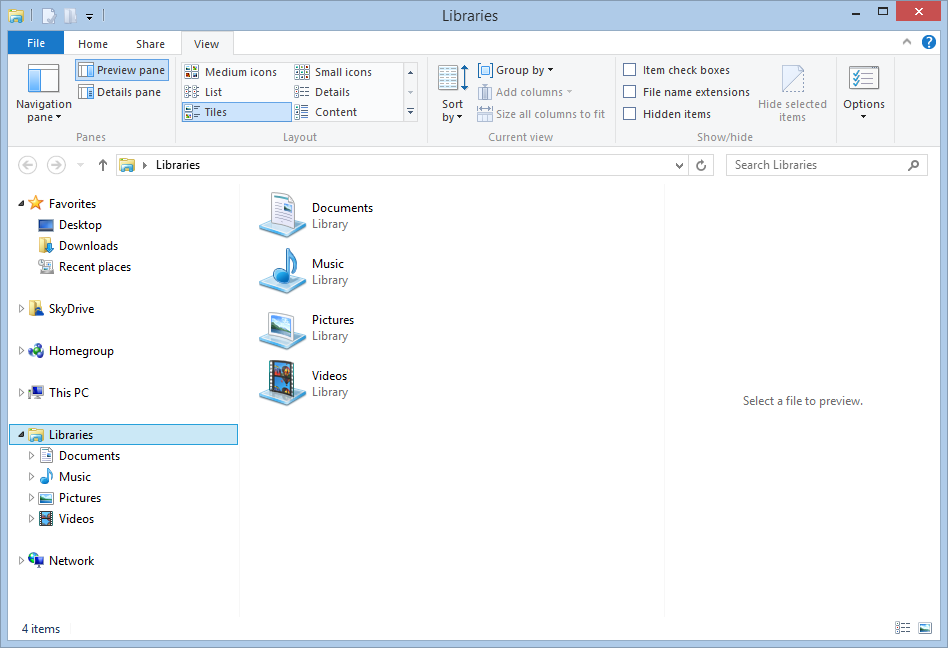
The Libraries feature is still there and working in Windows 8.1 – it’s just that not all Microsoft’s Modern UI Apps bother with it.
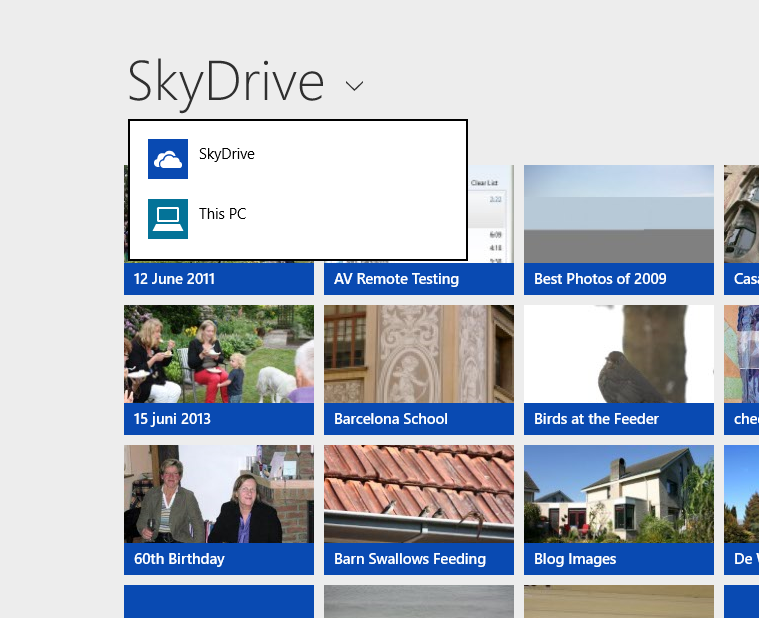
For example, the SkyDrive App is clearly the first iteration of what is likely to become the Modern UI equivalent of the Windows Explorer, and its top-level entry points for accessing storage are “SkyDrive” and “This PC”; there are no “Libraries”or “Network” entries here:
Choose “This PC”, and you are presented only with the local storage locations; again, no Libraries or Network entries.
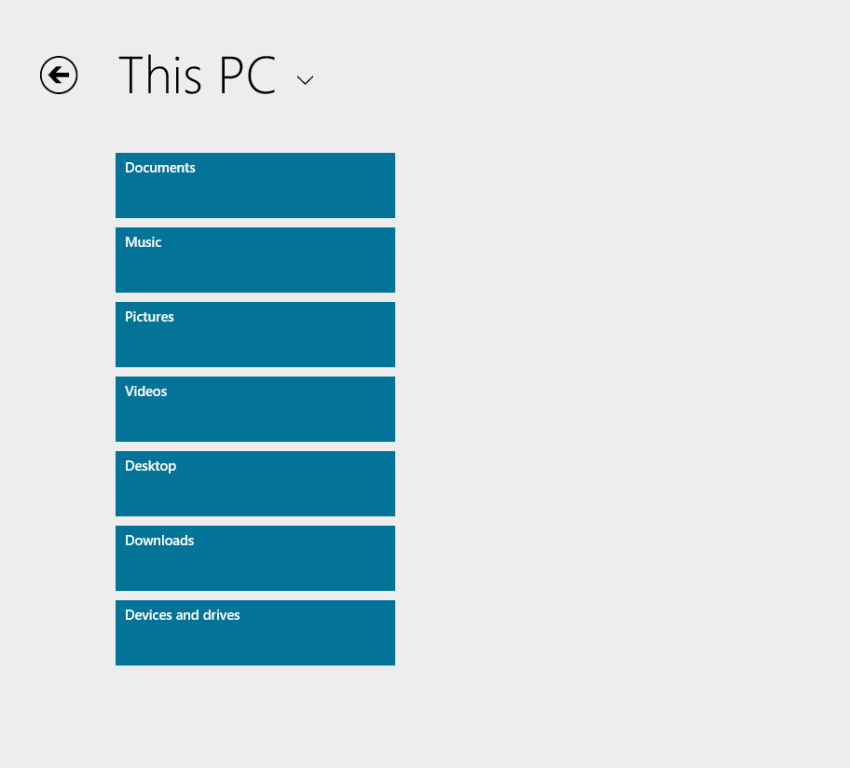
There is that “Devices and drives” item at the bottom of the list; click (or touch) that, and you see a list of the local drives on the PC, and the media servers present on the local network:
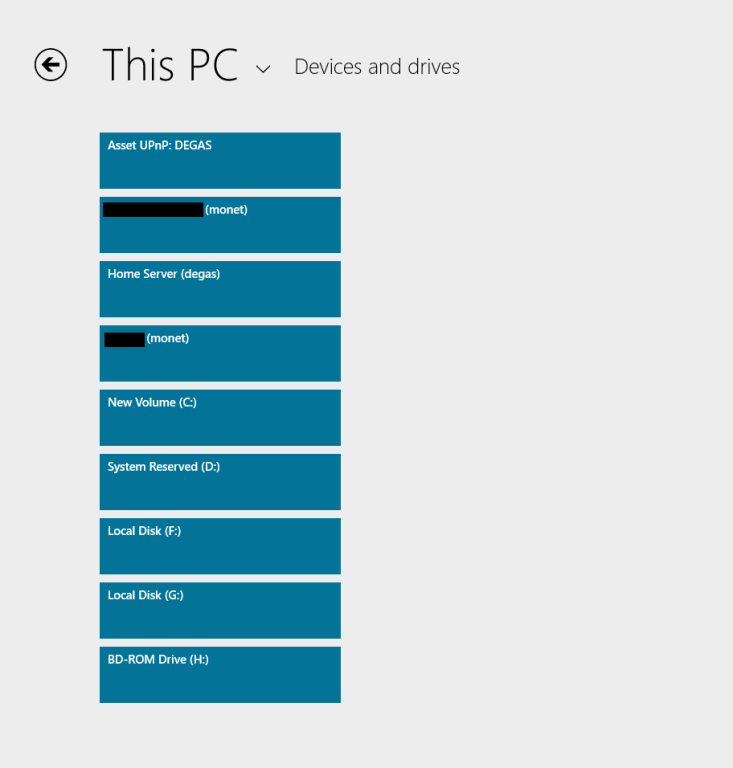
So, “Libraries” are not exposed at all via this Modern UI Explorer… And we are still not out of the woods, because if I click on the “Home Server (degas)” item, this is what I see:
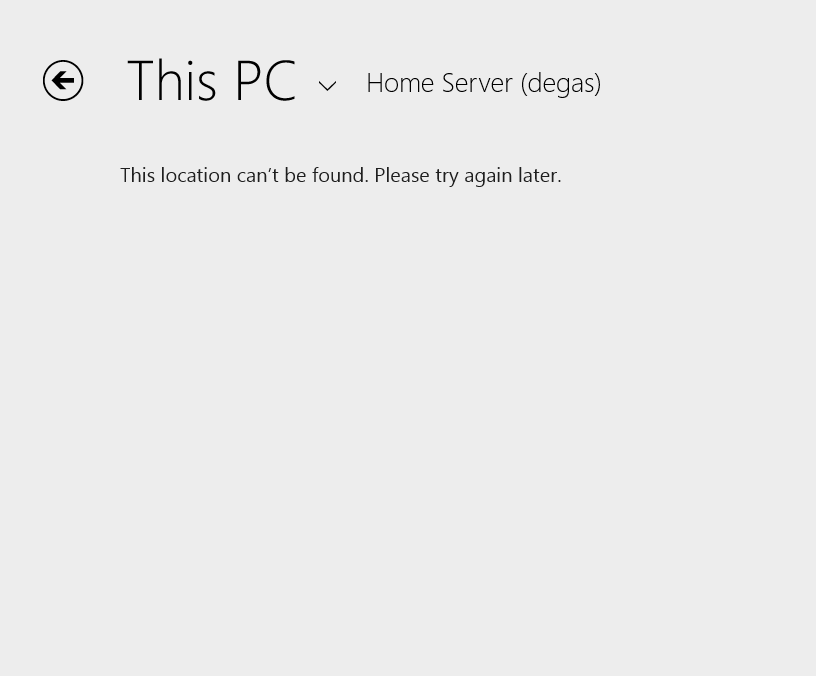
Sigh. And yes, I’ve tried later, and there’s still no result. The Modern UI Explorer only works with SkyDrive and local storage on your PC – it ignores Libraries and Network Attached Storage – including Microsoft’s own Windows Home Server.
It’s the same with the Photos App, except that it seems to be even more limited. It will only ever display photos held on the local PC in the C:\Users\Username\Pictures folder.
Whereas the current Windows 8 version of the Photos App will display photos held in Picture Libraries, SkyDrive, Flickr and Facebook, the 8.1 version of Photos App will only display photos and folders held in the C:\Users\Username\Pictures folder. Here, for example, is what I have in my Pictures Library in Windows 8.1:
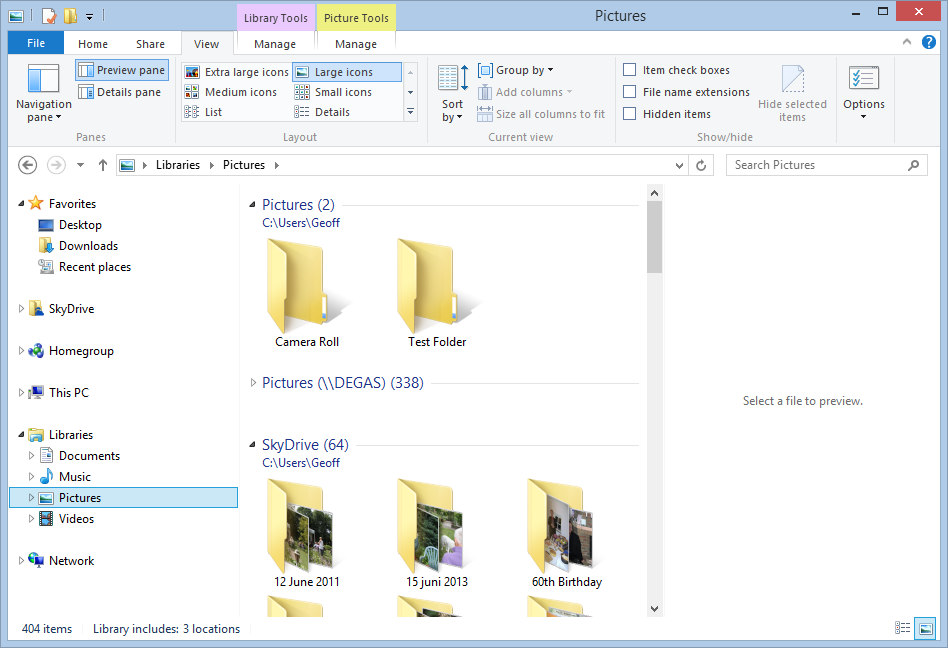
I have three locations defined for the Pictures Library:
- C:\Users\Geoff\Pictures (with two folders: Camera Roll and Test Folder)
- \\Degas\Pictures (with several hundred top-level folders and 50,000+ photos)
- C:\Users\Geoff\SkyDrive (with 64 folders)
If I open up the 8.1 Photos App, all I see are the two lonely folders in C:\Users\Geoff\Pictures:

So the Photos App is simply looking in the “This PC” hierarchy, and just picking up the local Pictures folder:
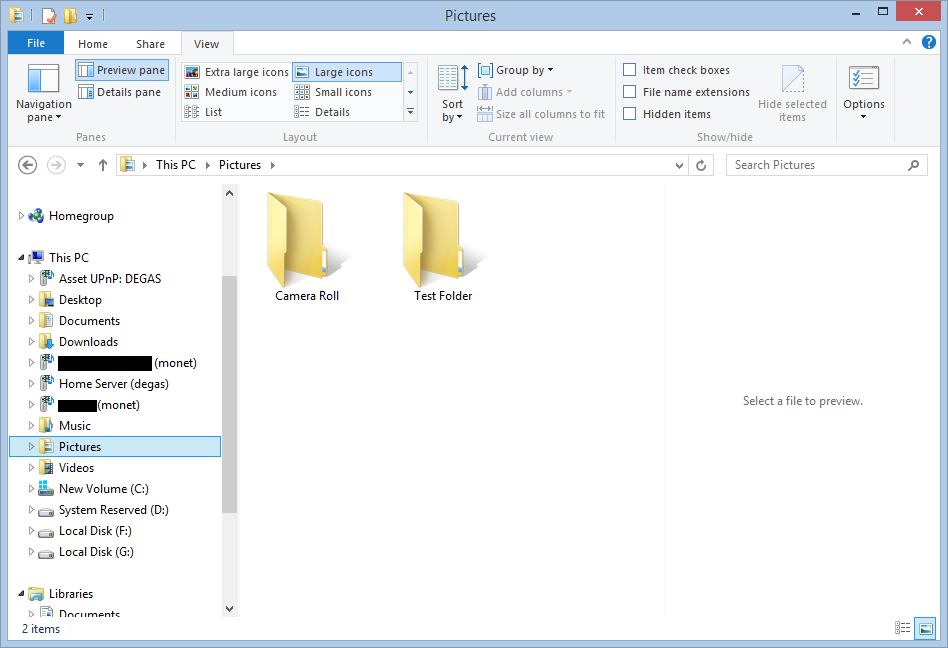
This is useless. What is bizarre is that the live Tile for the Photos App is showing random photos from the Pictures Library, whilst the Photos App itself cannot:
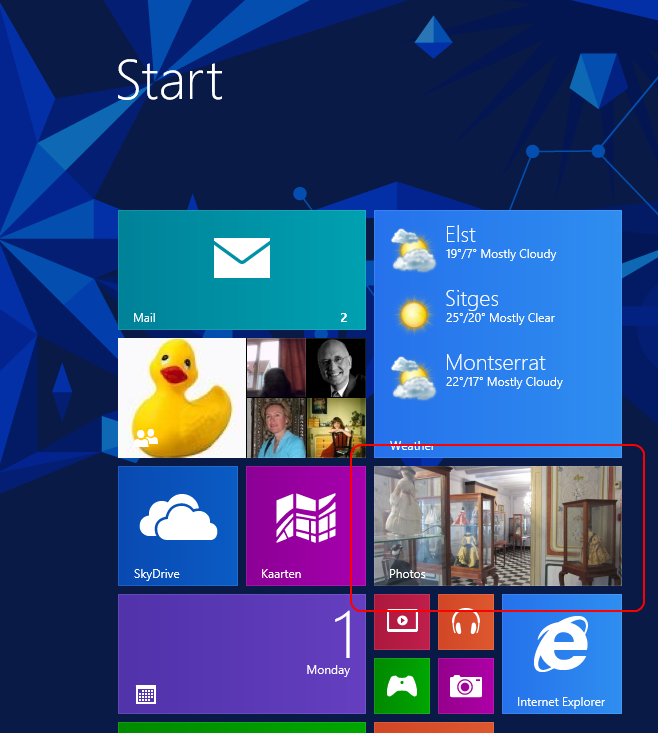
The limitations of the Photos App have been raised by Barb Bowman on the Windows 8.1 Preview forum. Quote:
The Photos App has changed:
1. No longer includes the ability to show images from Facebook, Flickr, SkyDrive
2. No longer allows images from other computers or the network – am guessing that because there is now support for SkyDrive on RT and MS is heavily emphasizing that as the preferred storage location (when you upgrade, one of the questions asked before you even get to the desktop is if you want to use SkyDrive as your default storage area – and that seems to be the default – and MS feels the network, NAS, Homegroup, and other computers are deprecated.
This got a response from Carmen Zlateff, a Principal Lead Program Manager on the Photos App team, who said in respect of point 1:
Thanks for the feedback, everybody. In Windows 8, we wanted to provide a way for folks to view their photos on other services knowing there would be few (if any) apps in the store at launch that would do so. Now there are many apps in the store that offer ways to view photos on other services and soon there will even be a Facebook app from Facebook. We’re confident Facebook will offer great ways to view and engage socially with photos on Facebook. We welcome Flickr to do the same. In addition, the People app still offers the ability to socially engage with your friends and even your own photos.
Needless to say, this reply was treated with the contempt it deserves. Whether it will result in any change on Microsoft’s part, we shall see. I’m not holding my breath. And I fear that Microsoft is going down the path that there is only Cloud storage (i.e. SkyDrive) or local storage (i.e. This PC).
To summarise:
- I hold all my media on a Windows Home Server, and expect to be able to access it from devices (including DLNA devices) on my home network.
- I have too much data for an affordable use of SkyDrive, and besides, internet access is like a piece of wet string in my location.
- This is a massive jump backwards.


 Geoff Coupe's Blog
Leave a reply to Andrew Macaulay Cancel reply