
Here’s another episode in my look at Microsoft’s Windows 8.1 Preview. This time I’m looking at the Xbox Music App. I’ve found an inconsistency with how the App handles Libraries.
I now have two systems on which I am running the Windows 8.1 Preview. The first is my main Desktop PC, where I have set up 8.1 in a dual boot with Windows 8. A few days ago Microsoft released drivers that enabled the 8.1 Preview to be set up on systems using the Clover Trail Atom chipset, such as my Lenovo ThinkPad Tablet 2. So that became the second of my systems. It’s probably of relevance to note that the 8.1 system on the Desktop was a clean install from a DVD, whilst on the tablet, it was an upgrade of the existing Windows 8 system to the 8.1 Preview, using the Installer in the Windows Store.
Both systems are set up to access music files held on my Windows Home Server 2011 system. The problem is, the Xbox Music Apps on the two systems do not see the same content, when by rights, they should.
Here’s a screenshot of the content of the music library as seen by the Xbox Music App on the Desktop PC:

You will notice that it shows that I have 1,059 Albums in my music collection. Now here’s what I see in the Xbox Music App running on the tablet. Remember, it’s looking at the same music Library on the server:
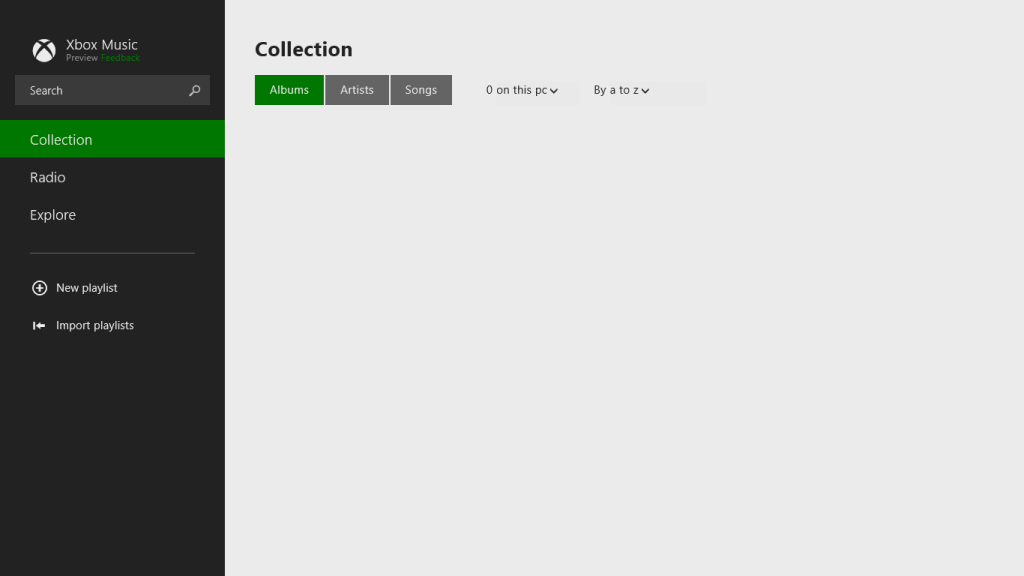
No albums at all…
Note that if I use the “open a file” function of the Xbox Music App, it will see the files and folders on the Windows Home Server:
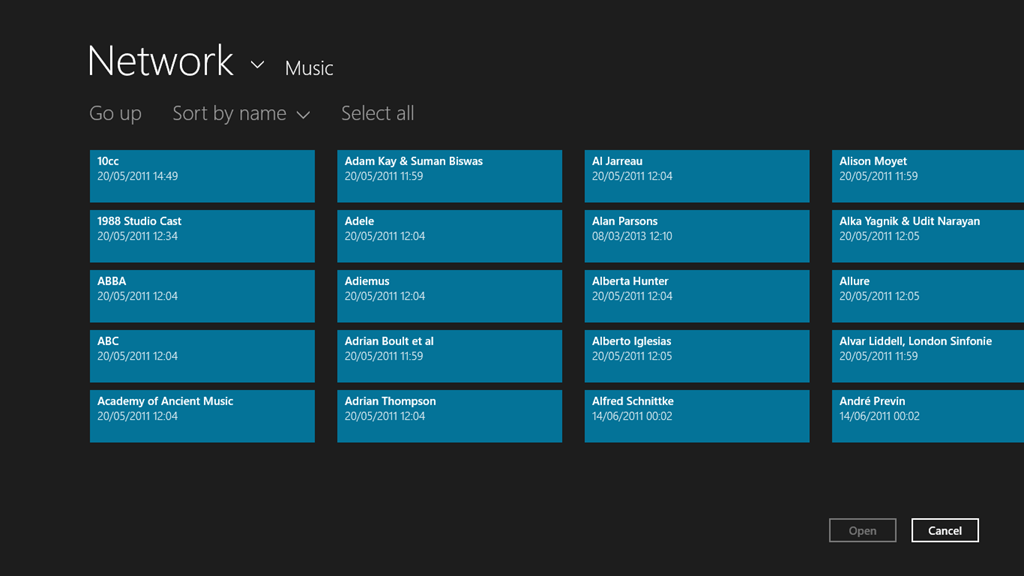
It just won’t add these files and folders into the music collection, despite them being linked to by an entry in the Music Library on the tablet.
If I search for an album that I know is in my music collection, then the Music App will only return results from the online music store. Here, for example is the result of a search for the album “Gaudi” by the Alan Parsons Project:
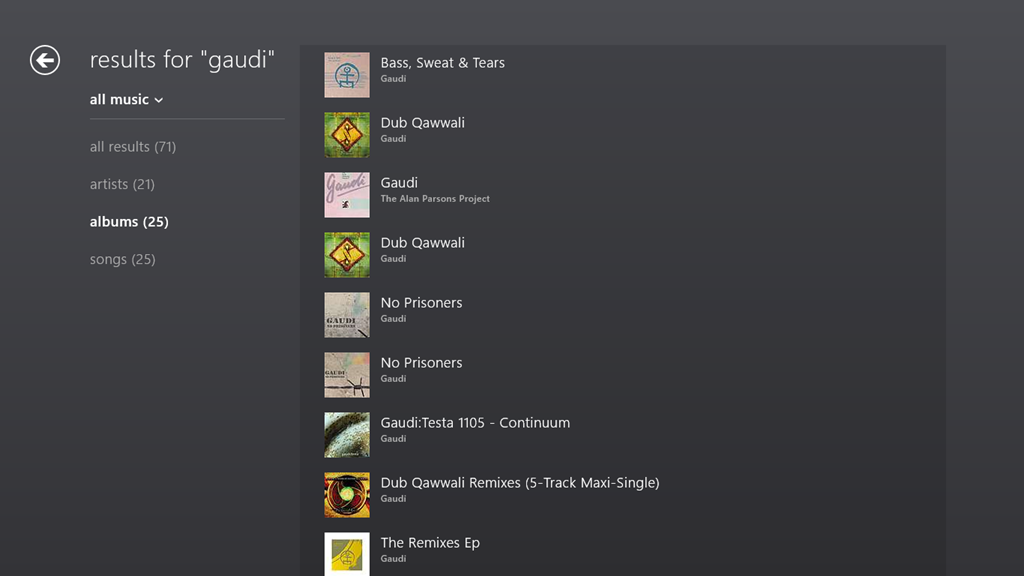
Notice that here, the album is shown third in the list. This list is entirely made up of results from the online music store.
If I do the same search using the Search function of Windows 8.1 itself, then I see this:

Here, you can see that Windows Search has found the tracks from the Gaudi album by searching through my music collection held of the Windows Home Server.
If I switch to the other Xbox Music App running on the Windows 8.1 on the Desktop PC, then searching within the App for Gaudi gives me this:
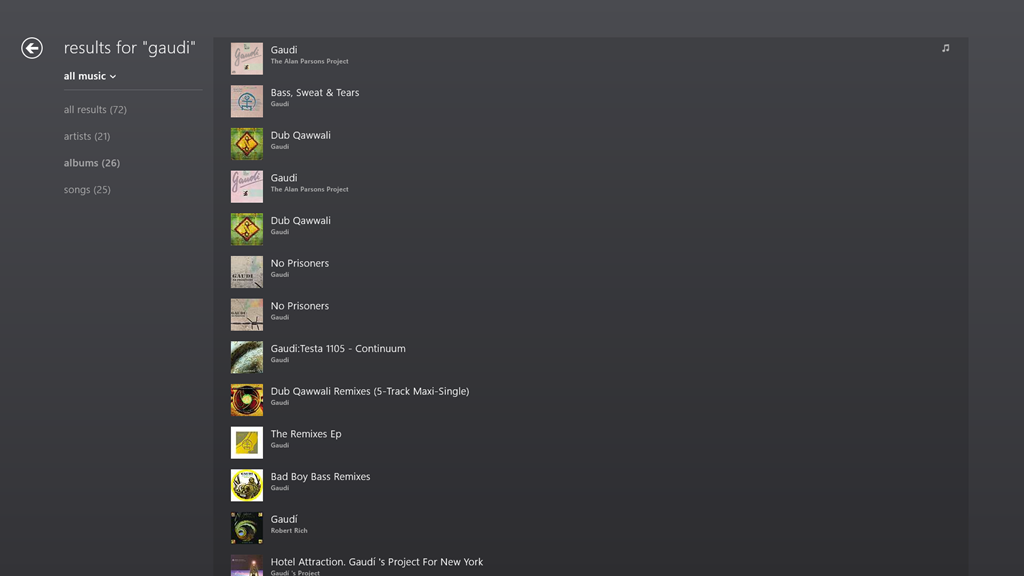
The Gaudi album is now at the top of the list, and is the album contained in my music collection (signified by the musical notes icon on the right of the entry).
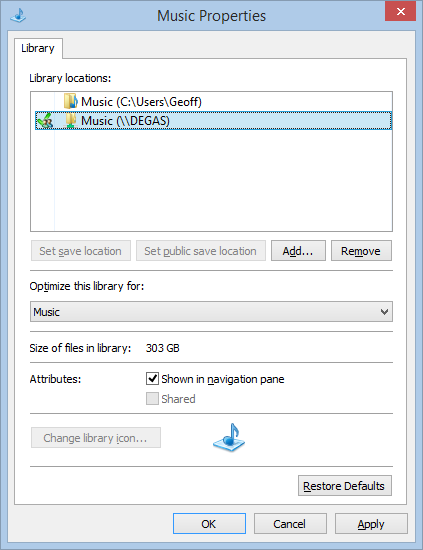
Here’s the entries of the Music Library on the Desktop PC:
And here’s the content of the Music Library on the tablet:
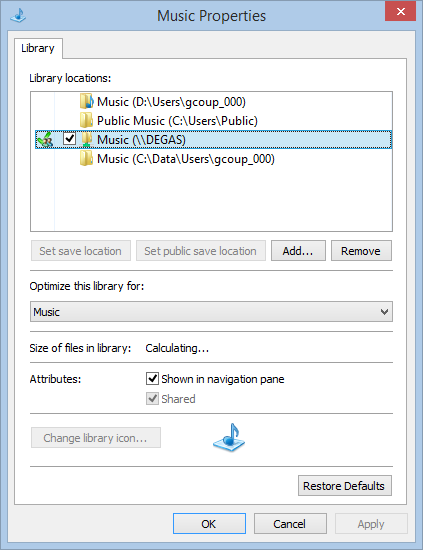
In both cases, there are entries in the respective music libraries pointing to the music files held in the entry point of Degas, the WHS2011 server.
The links defined for the Libraries on the tablet are the same as when it was running Windows 8. Then, the Windows 8 Music App happily accessed the music library on Degas. Now that the system has been upgraded to Windows 8.1 Preview, the 8.1 version of the Music App turns a blind eye. However, on the Desktop PC, the 8.1 version of the Music App sees the music library.
So why does one Music App see everything, and the other see nothing at all?
I have no idea; neither does Microsoft Support.
Addendum: Despite a couple of updates to the Xbox Music App, this issue is still present.


 Geoff Coupe's Blog
Leave a reply to The Xbox Music App Is Lying To Me | Geoff Coupe's Blog Cancel reply