
A couple of weeks ago, I blogged about the tools I use to manage my collection of photos and the metadata contained in them.
In it, I noted that interoperability issues between metadata editing tools was a problem. Never was a truer word spoken (or written).
One of the complaints I have had for a long while about Microsoft’s Windows Photo Gallery (WPG) is that, in my experience, it corrupts the Makernotes metadata in images produced by my Canon cameras. That led to an interesting discussion in the comments of that blog post with Mike Lee. He said that he wasn’t seeing the metadata corruption when he used WPG. We established that we were both using the same version of WPG (build 16.4.3508.205), so then we had a mystery: why was I seeing metadata corruption, and he wasn’t? A further surprise was when he said that a sample file that I had uploaded to SkyDrive to share with him contained metadata errors, whereas I was positive that it was error-free.
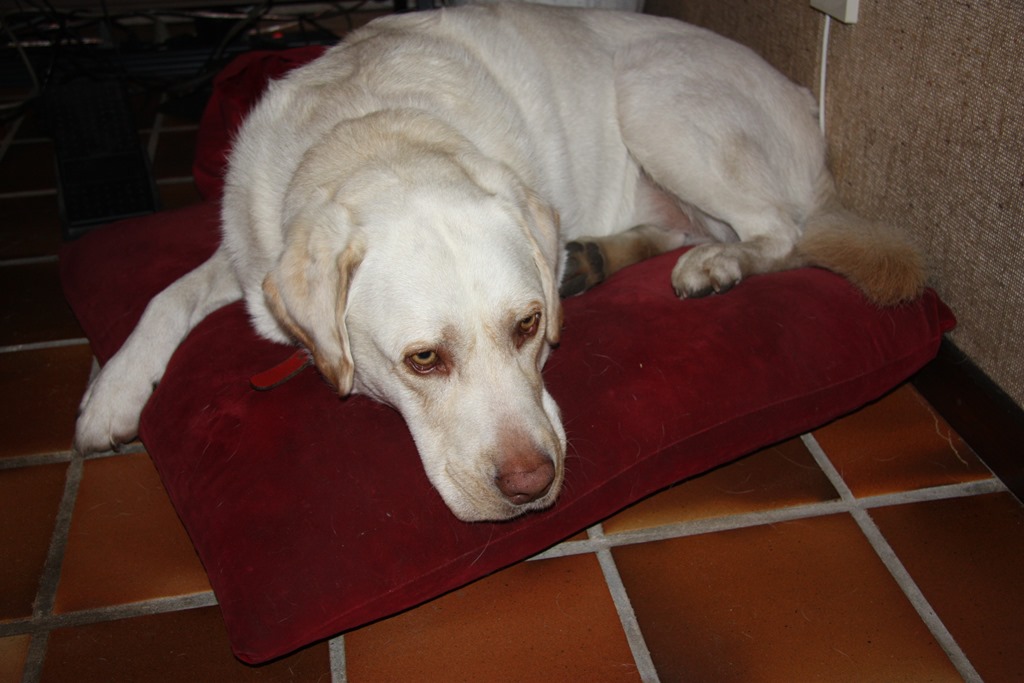
So I set out to investigate. I took a photo using my Canon EOS 450D camera, and copied it onto my Desktop PC. This original file has the name IMG_7383.jpg:
Using Mike’s MetadataMirror tool (which uses Phil Harvey’s most excellent ExifTool under the covers), I obtained a listing of all the metadata present in this original file. As expected, the only metadata present in the file (other than the Windows metadata) is the Exif data inserted by the camera itself. This is in three groups: standard Exif, Canon Makernotes and Canon Composite tags. Here’s a link to the file (IMG_7383.txt) containing the metadata listing:
The next step was to use Photo Supreme (PSU) on a copy of the image (IMG_7383 – PSU.jpg) to stamp in my usual boilerplate of metadata: e.g. my name and copyright information. The file (IMG_7383 – PSU.txt) listing the metadata resulting from using PSU on this image file is here:
PSU has preserved the original metadata, while adding some new items. This new metadata is both XMP-based and IPTC-IIM (for backwards compatibility). PSU also writes XMP equivalents for many of the original Exif items. So for example, if you look in the file, you will see items such as:
[EXIF] Make: Canon
[EXIF] Model: Canon EOS 450D
[EXIF] Orientation: Horizontal (normal)
[EXIF] XResolution: 72
[EXIF] YResolution: 72
[EXIF] ResolutionUnit: inches
[EXIF] ModifyDate: 2013:10:04 21:06:31
[EXIF] YCbCrPositioning: Co-sited
PSU creates XMP equivalents:
[XMP] Make: Canon
[XMP] Model: Canon EOS 450D
[XMP] Orientation: Horizontal (normal)
[XMP] XResolution: 72
[XMP] YResolution: 72
[XMP] ResolutionUnit: inches
[XMP] DateTime: 2013:10:04 21:06:31.300+02:00
[XMP] YCbCrPositioning: Co-sited
PSU also adds in the boilerplate that I use in XMP, e.g.:
[XMP] Title: IMG_7383 – PSU
[XMP] Rights: 2013 Geoff Coupe, Creative Commons
[XMP] Creator: Geoff Coupe
[XMP] CreatorWorkURL: https://gcoupe.wordpress.com
[XMP] UsageTerms: Creative Commons Attribution Non-commercial Share-alike
It also includes a notification that it has been used to edit the file, together with a timestamp. This is all as it should be, according to metadata standards.
[XMP] CreatorTool: IDimagerSU (1.9.5.170)
[XMP] MetadataDate: 2013:10:05 10:03:31.353+02:00
In summary, there is absolutely nothing untoward about the resulting image file, as far as I can see. The structure of the Exif metadata is preserved, and XMP-based metadata has been added correctly.
The next step was to take a copy of this file and add one item of metadata using WPG. This file is IMG_7383 – PSU+WPG.jpg and the corresponding file listing the metadata is IMG_7383 – PSU+WPG.txt:
Immediately, you can see there’s a problem – errors are being reported:
[ExifTool] Warning: [minor] Possibly incorrect maker notes offsets (fix by 4476?)
[ExifTool] Warning: Invalid CanonCameraSettings data
[ExifTool] Warning: Invalid CanonShotInfo data
[ExifTool] Warning: Invalid CanonFileInfo data
[ExifTool] Warning: [minor] Suspicious MakerNotes offset for DustRemovalData
[ExifTool] Warning: Invalid CustomFunctions2 data
[ExifTool] Warning: Invalid ProcessingInfo data
[ExifTool] Warning: Invalid MeasuredColor data
[ExifTool] Warning: Invalid SensorInfo data
And indeed, whole chunks of the Canon Makernotes are missing from the image file (left is the metadata in IMG-7383 – PSU.jpg and right is that in IMG_7383 – PSU+WPG.jpg):

There are also two other possibly significant things about this image file, captured in the metadata. The first is that when WPG writes back to the image file, it reverses the byte order of the Exif data structure. Originally, the Exif is in Little-endian order as shown in this line from both the original IMG_7383.txt and the IMG_7383 – PSU.txt files:
[File] ExifByteOrder: Little-endian (Intel, II)
However, once WPG has changed the file, the byte order is now Big-endian:
[File] ExifByteOrder: Big-endian (Motorola, MM)
Now, this may, or may not, be a problem, but it is definitely contrary to the advice given by the Metadata Working Group, which states that byte order should be preserved by tools that operate on image files.
Secondly, WPG introduces an offset in the Exif data structure when adding the changed metadata:
EXIF] Padding: (Binary data 2060 bytes, use -b option to extract)
[EXIF] OffsetSchema: 4476
[EXIF] XPAuthor: Geoff Coupe 2
[EXIF] Padding: (Binary data 2060 bytes, use -b option to extract)
So, at this point in the saga, I believe that I’ve established that for any given image that contains Canon Makernotes data, using PSU followed by WPG to edit metadata will result in the corruption of the Makernotes data. This is repeatable for all such image files that I’ve tested.
What happens if I use WPG followed by PSU to edit metadata? Let’s find out.
I used WPG to add myself as author to a copy of the original image: IMG_7383 WPG.jpg. The metadata listing (IMG_7383 WPG.txt) is here:
You’ll notice immediately that ExifTool gives a warning about the Makernotes structure:
[ExifTool] Warning: [minor] Adjusted MakerNotes base by 4176
Also, the byte order has been changed, and padding introduced:
[File] ExifByteOrder: Big-endian (Motorola, MM)
[EXIF] Padding: (Binary data 2060 bytes, use -b option to extract)
[EXIF] OffsetSchema: 4176
[EXIF] XPAuthor: Geoff Coupe
[EXIF] Padding: (Binary data 2060 bytes, use -b option to extract)
However, there is no Makernotes corruption.
Now let us use PSU to edit the metadata in this file (I changed the Title to read IMG_7383 – WPG+PSU). The resulting image file is IMG_7383 – WPG+PSU.jpg and the corresponding listing of the metadata is IMG_7383 – WPG+PSU.txt, and can be found here:
The interesting thing here is that the byte order has been switched back to Little-endian, and the padding removed:

Other than that, the metadata looks fine; no Makernotes are missing, and ExifTool reports no errors.
So far, so good, but now if I go back and use WPG once more, I get Makernotes corruption again. The image file is IMG_7383 – WPG+PSU+WPG.jpg and the metadata listing is IMG_7383 – WPG+PSU+WPG.txt:
The byte order has been switched again, padding introduced, and ExifTool reports:
[ExifTool] Warning: [minor] Possibly incorrect maker notes offsets (fix by 4428?)
[ExifTool] Warning: Invalid CanonCameraSettings data
[ExifTool] Warning: Invalid CanonShotInfo data
[ExifTool] Warning: Invalid CanonFileInfo data
[ExifTool] Warning: [minor] Suspicious MakerNotes offset for DustRemovalData
[ExifTool] Warning: Invalid CustomFunctions2 data
[ExifTool] Warning: Invalid ProcessingInfo data
[ExifTool] Warning: Invalid MeasuredColor data
[ExifTool] Warning: Invalid SensorInfo data
And once again, chunks of Makernotes have gone:
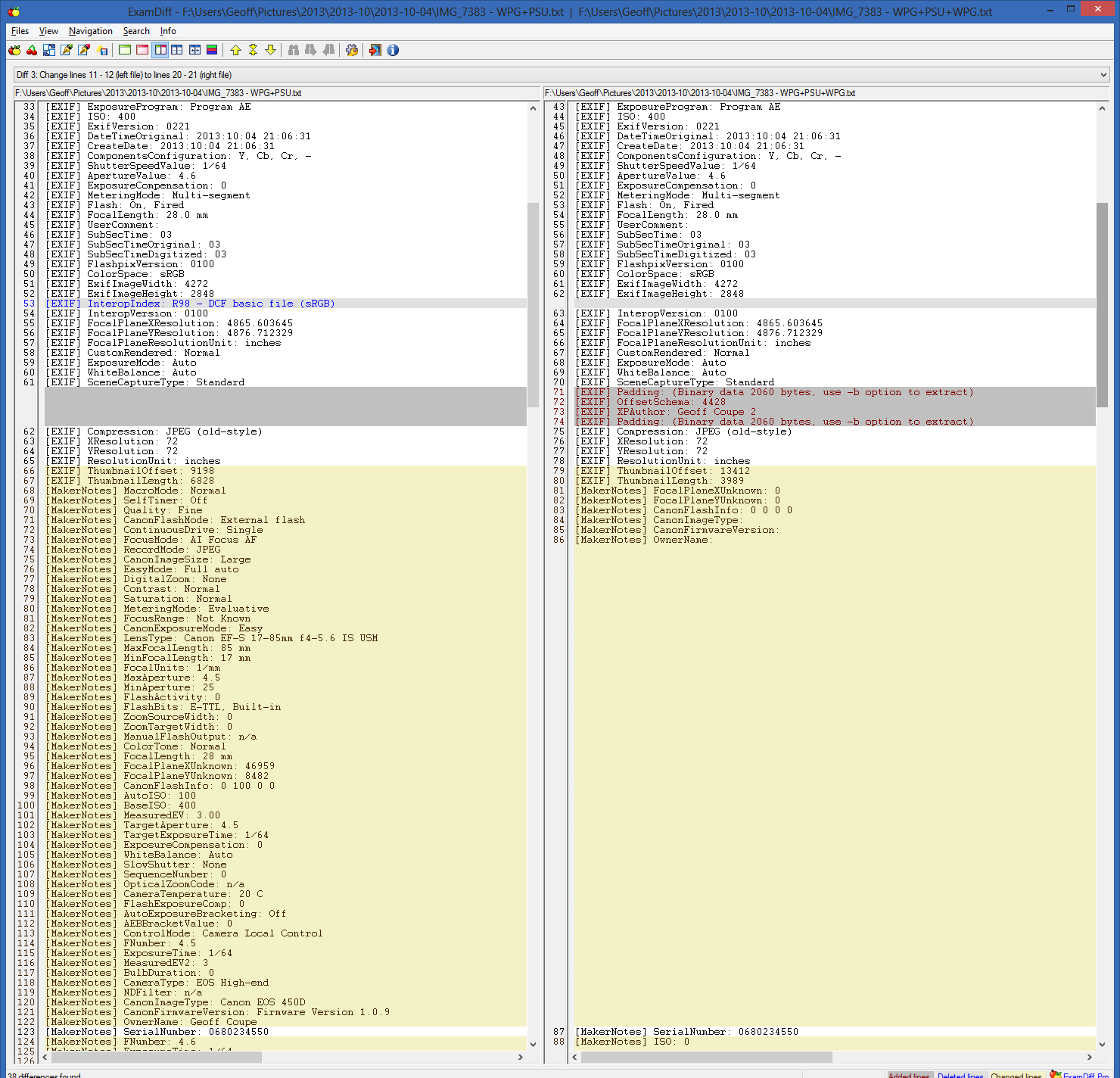
So it seems that using PSU first, followed by WPG, will trigger a corruption of Canon Makernotes; however, using WPG followed by PSU does not.
But there is one more twist to this saga.
Remember that Mike had said that a sample file that I had uploaded to SkyDrive to share with him contained metadata errors, whereas I was positive that it was error-free?
I know that the image files IMG_7383 – PSU.jpg and IMG_7383 – WPG+PSU.jpg do not contain errors. I have the metadata listings to prove it. And yet, if you download these files from SkyDrive, you will find that the Makernotes have also been corrupted. By comparison, if you download the same files from this set on Flickr, you’ll find that they are error-free.
What’s going on here? I can only surmise that SkyDrive is doing some metadata processing on the images stored on the service, and that a similar, or the same, code library has the processing fault that triggers the Makernotes corruption on images that have already been processed by PSU.
The SkyDrive folder containing these test images and their metadata files is here.
The Flickr set containing the same test images is here.
I like both PSU and WPG, but using them together can be dangerous.
Addendum 7 October 2013
I’ve been doing some further investigation and established the following
- WPG definitely doesn’t like something about the metadata structures that PSU creates
- None of my other metadata tools complain about PSU
- ExifTool shows nothing amiss with the metadata that PSU creates.
I can have an image file that has had metadata edited by a whole series of tools, but if at any point I have used PSU followed at some point further down the chain by WPG, then WPG will corrupt my Makernotes metadata.
For example, I created two examples of chained metadata operations on files. The first was the sequence: Geosetter, XnViewMP, Lightroom 5, and WPG. At each stage I added a keyword identifying which tool I was using. The final result is given in the metadata listing: IMG_7383 – G+X+LR+WPG.txt, and there’s no corruption; here’s the start of the listing (but note the final offset, and the reversed byte order):
[ExifTool] ExifToolVersion: 9.35
[ExifTool] Warning: [minor] Adjusted MakerNotes base by 4236
[File] FileName: IMG_7383 – G+X+LR+WPG.JPG
[File] Directory: F:/Users/Geoff/Pictures/2013/2013-10/2013-10-07
[File] FileSize: 3.9 MB
[File] FileModifyDate: 2013:10:07 18:10:04+02:00
[File] FileAccessDate: 2013:10:07 18:10:03+02:00
[File] FileCreateDate: 2013:10:07 18:09:27+02:00
[File] FilePermissions: rw-rw-rw-
[File] FileType: JPEG
[File] MIMEType: image/jpeg
[File] ExifByteOrder: Big-endian (Motorola, MM)
[File] CurrentIPTCDigest: f042c8560b6fafea9c47a1c0249baec1
[File] ImageWidth: 4272
The second was the sequence: PSU, Geosetter, XnViewMP, Lightroom 5, and WPG. Again, at each stage I added a keyword identifying which tool I was using. At each step, the metadata was as expected. Then in the last step, WPG is used to add another keyword, and bang – corruption occurs . The final result is given in the metadata listing: IMG_7383 – PSU+G+X+LR+WPG.txt. Here, WPG will corrupt the Makernotes metadata; here’s the start of the listing:
[ExifTool] ExifToolVersion: 9.35
[ExifTool] Warning: [minor] Possibly incorrect maker notes offsets (fix by 4526?)
[ExifTool] Warning: Invalid CanonCameraSettings data
[ExifTool] Warning: Invalid CanonShotInfo data
[ExifTool] Warning: Invalid CanonFileInfo data
[ExifTool] Warning: [minor] Suspicious MakerNotes offset for DustRemovalData
[ExifTool] Warning: Invalid CustomFunctions2 data
[ExifTool] Warning: Invalid ProcessingInfo data
[ExifTool] Warning: Invalid MeasuredColor data
[ExifTool] Warning: Invalid SensorInfo data
[File] FileName: IMG_7383 – PSU+G+X+LR+WPG.JPG
[File] Directory: F:/Users/Geoff/Pictures/2013/2013-10/2013-10-07
[File] FileSize: 3.9 MB
[File] FileModifyDate: 2013:10:07 18:25:07+02:00
[File] FileAccessDate: 2013:10:07 18:25:07+02:00
[File] FileCreateDate: 2013:10:07 18:24:37+02:00
[File] FilePermissions: rw-rw-rw-
[File] FileType: JPEG
[File] MIMEType: image/jpeg
[File] ExifByteOrder: Big-endian (Motorola, MM)
WPG is sniffing out something that PSU puts in a file, and throws a fit… I’ve asked the developer of PSU for help, but he can’t guess what WPG chokes on. Right now, without input from Microsoft, it’s all guesswork and that could take forever.
Microsoft were informed about this a couple of years ago, but since acknowledging that there was an issue, there’s been complete silence.


 Geoff Coupe's Blog
Leave a reply to Arunas Cancel reply