
Back in the days of Windows Phone 7, Microsoft’s Zune application was used to copy or synchronise media (music, photos, videos and podcasts) between your PC’s media libraries and your Windows Phone. When I had a Nokia Lumia 800 (which used Windows Phone 7.8), it was wonderfully easy to transfer music and podcasts from my libraries to my phone and to manage them on my phone with it.
Then I upgraded to a Nokia Lumia 1020, which uses Windows Phone 8, and found that I’d need to change the media management software, because Zune doesn’t work with Windows Phone 8. Microsoft has released a new generation of media management software for use with Windows Phone 8.
Microsoft make two versions of this media management software for Windows, a desktop application and a Modern UI App.
I have tried both of them, and I’m here to tell you that they are both absolutely abysmal. Microsoft should really be embarrassed at how bad they are.
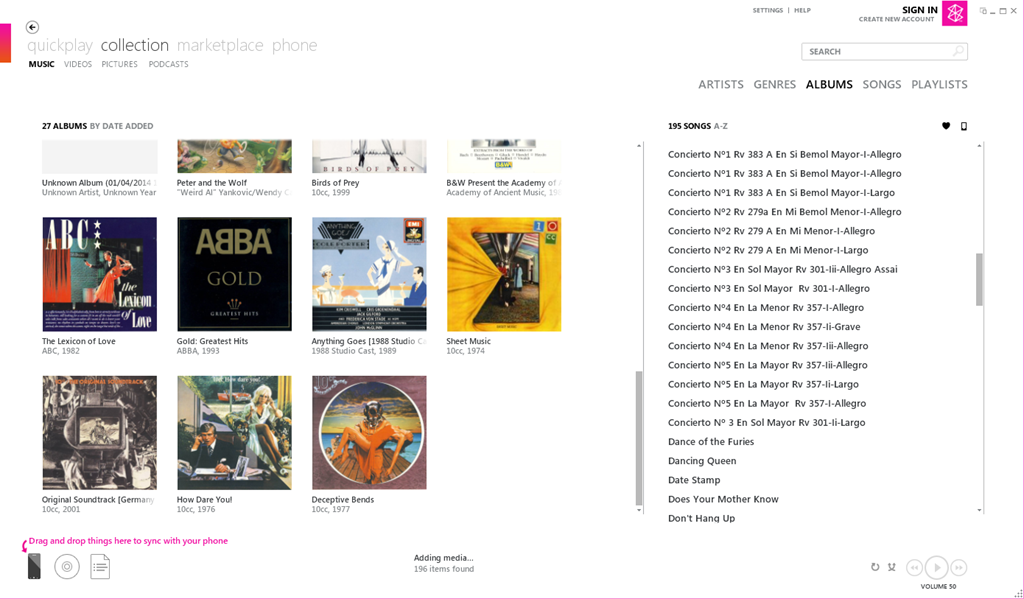
Here’s a screenshot of Zune displaying some of my music albums. To copy an album across to the phone, I simply drag and drop the albums onto the icon of the phone:
Here’s the equivalent screen of the new desktop application:
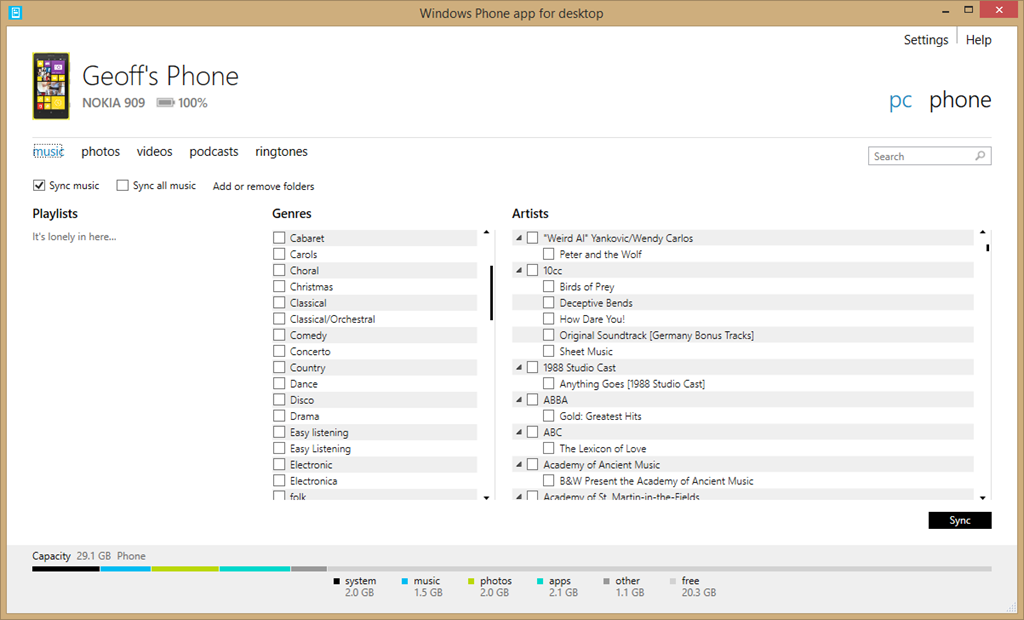
For a start, there’s no way of displaying albums; only a list of genres and artists. Secondly, there’s no display of Album Art, which I find gives me useful visual cues. Thirdly, if I select a genre, then the list displayed under Artists does not change to display only those items (songs) that are tagged with the relevant genre, so I have no way of knowing the specifics of what I am about to sync. Also, I have no way of knowing how much space will be required on my phone.
If you think this is bad, here’s the equivalent opening screenshot of the Modern UI App when adding music to your phone:

The problem is that Microsoft has focused on its subscription-based cloud service for music – Xbox Music – and forgotten about those of us who have our own music collections or have no interest in paying a monthly subscription fee. If you are a subscriber to the Xbox Music service, then you can download music from the service directly to your Windows Phone 8 device. But if you are not a subscriber, Microsoft will point you in the direction of one of their media management software applications to transfer music to your phone, and using them is a horribly painful process.
Fortunately, I have discovered that there is another alternative; and that is Microsoft’s good old Windows Media Player. It knows about Windows Phone 8 devices, and can sync to them with ease. I can display my music collection by Album, Artist, Genre, Rating, even by Composer (none of the other Microsoft applications can do this), and sync my selection to my phone with ease.
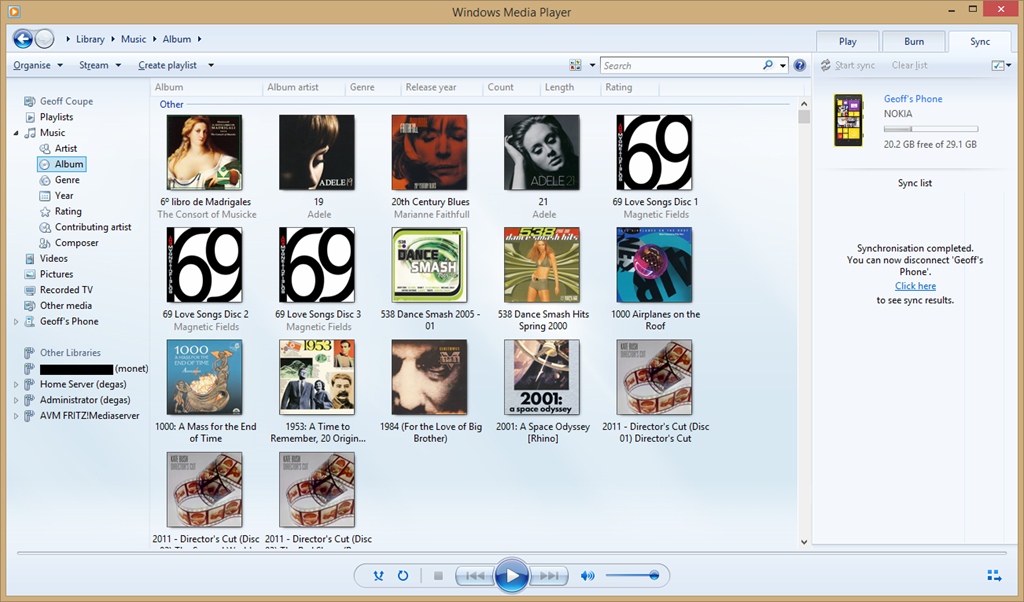
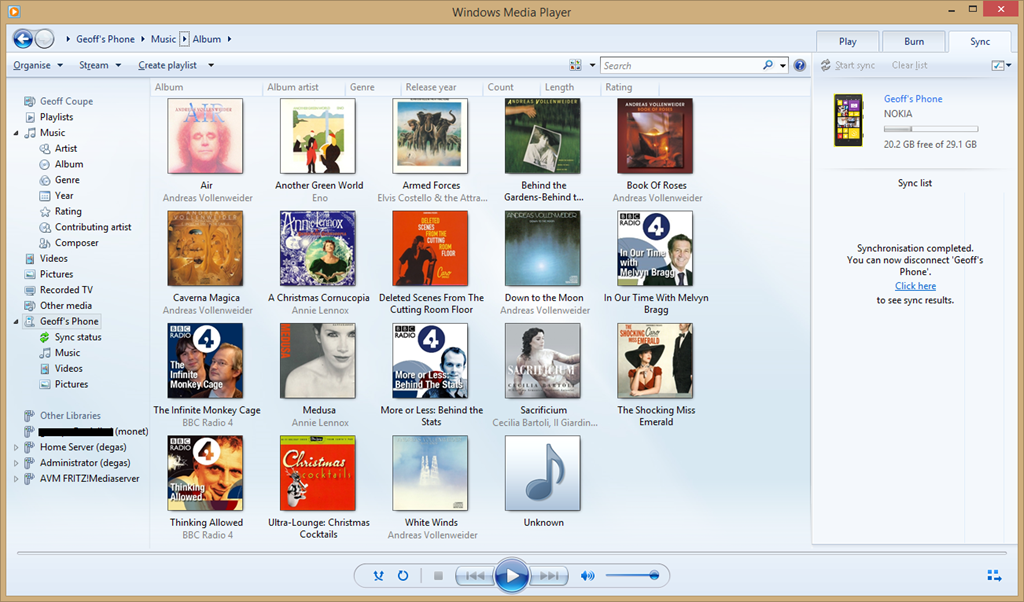
You can also use it to browse the content of your Windows Phone and manage your media on the phone if you so wish. Here’s the Album view:
And here’s the photos on my phone:

By way of contrast, here’s what you see when you use Microsoft’s brand spanking new desktop application for Windows Phone to browse your photos:
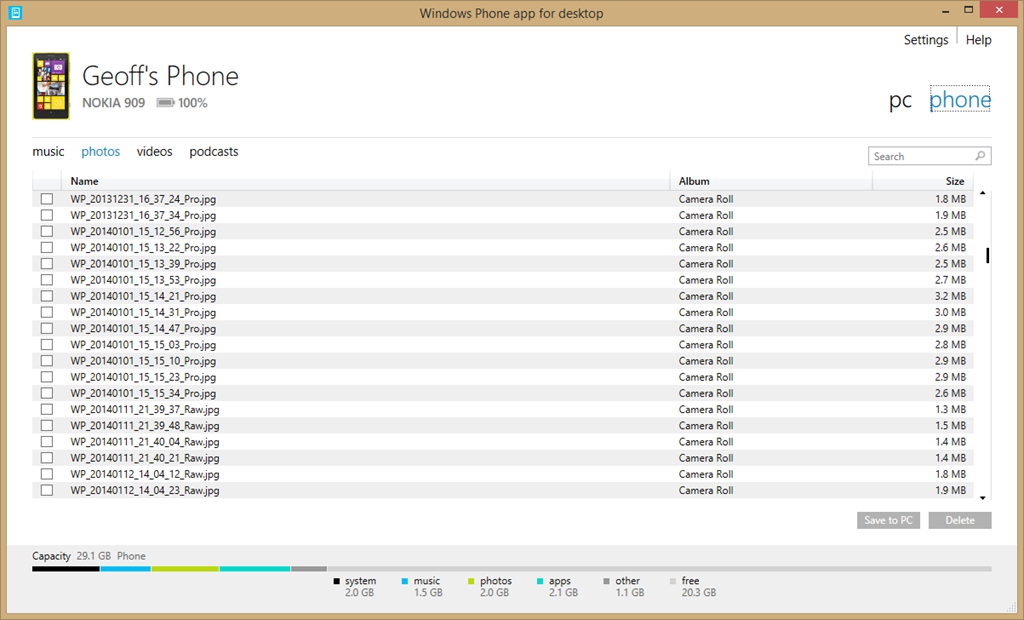
Yup, it can’t even display thumbnails of your photos… As I say, Microsoft should be thoroughly ashamed of this rubbish.
I’ll be sticking to Windows Media Player for managing the music media on my phone from now on.
There’s a sting in the tail I’m afraid for those of you who are using a Windows device running Windows RT, such as the Surface 2. Windows Media Player isn’t available for Windows RT. I’m afraid you are stuck with Microsoft’s abysmal Windows Phone App.


 Geoff Coupe's Blog
Leave a reply to gargamel Cancel reply