
Another day, another rant at Microsoft. And once again, my despair is directed towards the team developing the Photos app in Windows 10.
Ever since the Photos app had its debut in Windows 8, back in October 2013, it has been unable to search metadata in photos. This, despite the fact that its predecessors, Windows Photo Gallery (first introduced in Windows Vista back in 2007), Windows Live Photo Gallery (first introduced back in 2009) and Windows Photo Gallery 2012 were all able to do this. Microsoft, in its infinite wisdom, has now withdrawn all of these products from the market leaving only the miserably limited Photos app in place.
Over the past four years there have been features added to the Photos app, but for the most part they have been akin to rearranging the deckchairs on the Titanic. Fundamental features present in the withdrawn Windows Photo Gallery 2012 are still not there.
So it was with some interest that I read the other day that Search would at last be introduced to the Photos app. Since I’m a Windows Insider, it meant that I should get a preview of the app with the Search function in it. Well, it’s now arrived (version 2017.350631.13610.0 of the app) on one of my test laptops, and it turns out to be a huge disappointment.
The reason that I’m disappointed is that the Photos app still does not search photo metadata, instead it uses a Microsoft-built A.I. system that attempts to assign tags to your photos. I say “attempts” because currently it gets things more wrong than right. For example, here are my most recent photos that the Microsoft A.I. system thinks are photos of an umbrella:
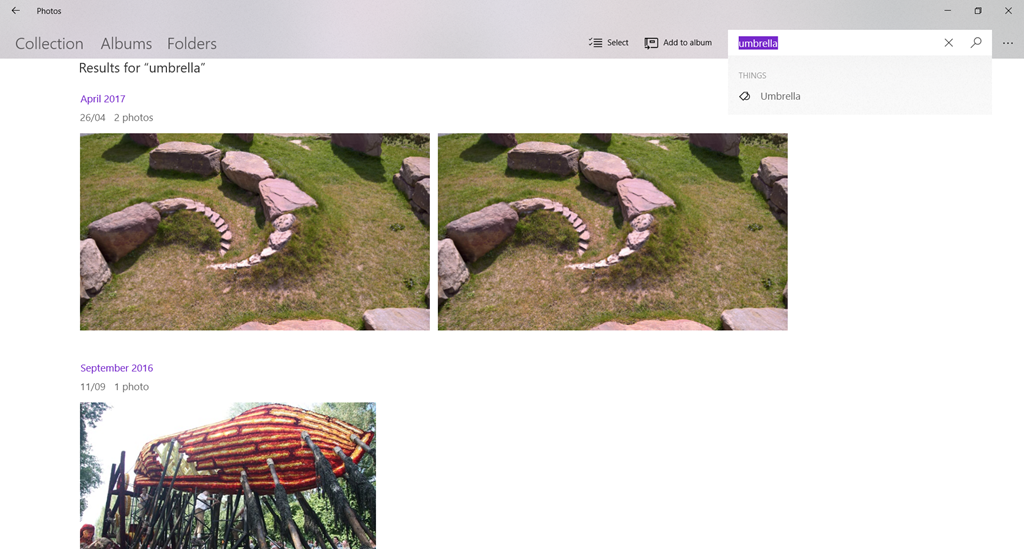
Note that “umbrella” is not a word that I have chosen, the term has been assigned by the A.I. system, and popped up as a suggested search term.
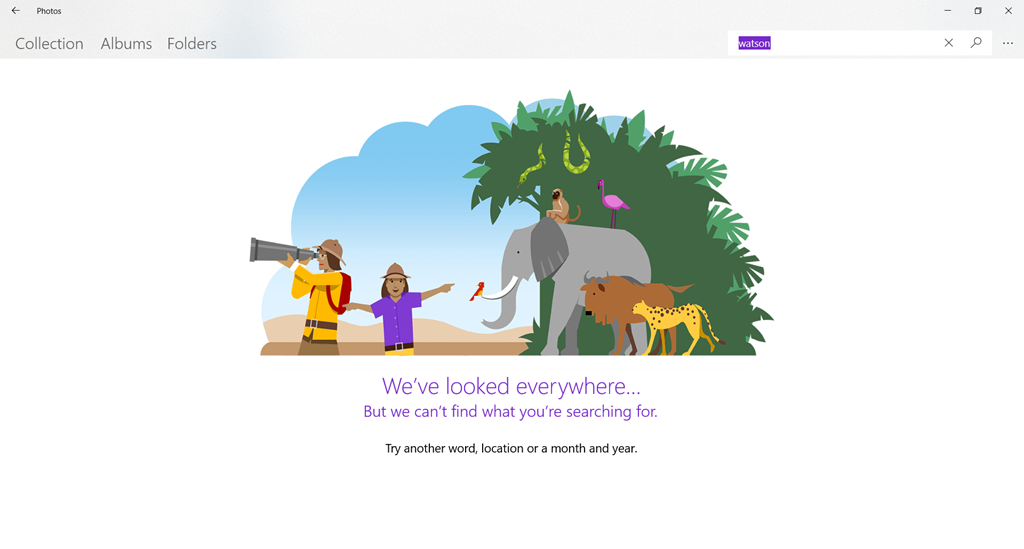
I can’t search using my own terms. For example, if I try searching for photos of our dog, Watson, there are zero results:
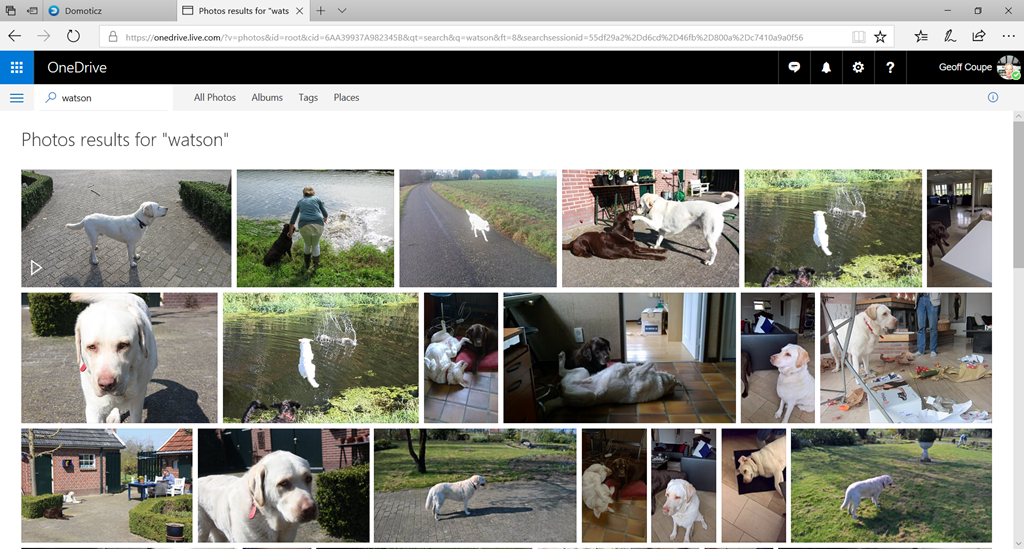
The OneDrive search engine is certainly indexing my photo metadata, because if I search for “Watson” on OneDrive, it finds all the photos to which I have assigned the tag “Watson”:
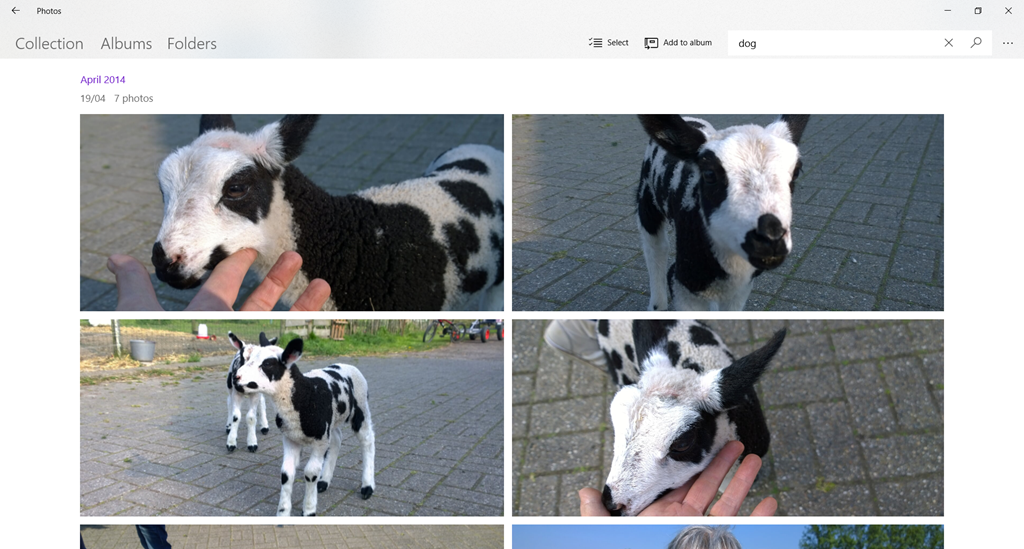
At least the A.I. system knows about dogs, because I can search using “dog”. However, while that does return at least some of my pictures of Watson, it also thinks a lamb is a dog:
The A.I. system does recognise the search term “cat”. Unfortunately, it’s even worse at recognising cats than dogs. It returned 45 photos that it claimed were of cats. It only correctly identified three photos of cats – the rest were of dogs (usually Watson), and one was a picture of a hand. Actually, I have 56 photos of cats in my collection.

There is currently no way to correct misidentified photos, so searching, it seems to me, is little better than a hit-and-miss affair at the moment. First, you’ve got to hit on a search term that the A.I. system uses, and then you’ve got to hope that it won’t return any misses in the results.
The A.I. system also indexes the faces of people in your photos. Once again, there is no way to either assign a name to a face, or merge what the system thinks are different people into the one person. Both of these features were available in Windows Photo Gallery 2012, which I remind you was available five years ago, but which Microsoft has now withdrawn.
I really wish that the Photos team would proceed in a more logical manner and provide features that put the Photos app on a par with what we had with Windows Photo Gallery before they introduce half-baked new features that do not advance the usability one jot.


 Geoff Coupe's Blog
Leave a reply to Microsoft – still asleep at the wheel | Geoff Coupe's Blog Cancel reply