
Our local village community organisation – Heelwegs Belang – is holding its annual New Year’s Reception today. I thought that I would make a slide presentation to run continuously during the reception and be displayed on a screen in the village hall.
I thought about what tool I would use to make the presentation; would it be PowerPoint, or something else? Initially, I thought I would try using Microsoft’s new presentation tool Sway. It seemed promising, but I quickly discovered that it requires a permanent connection to the internet to work. Since there is no WiFi in the village hall at the moment, that ruled out Sway from consideration.
Then I realised that the much-maligned (by me and others) Microsoft Photos app now has a so-called “video creation” mode, which can be used to assemble slide presentations, and even put music to them. So I fired up Photos and set about assembling my presentation.
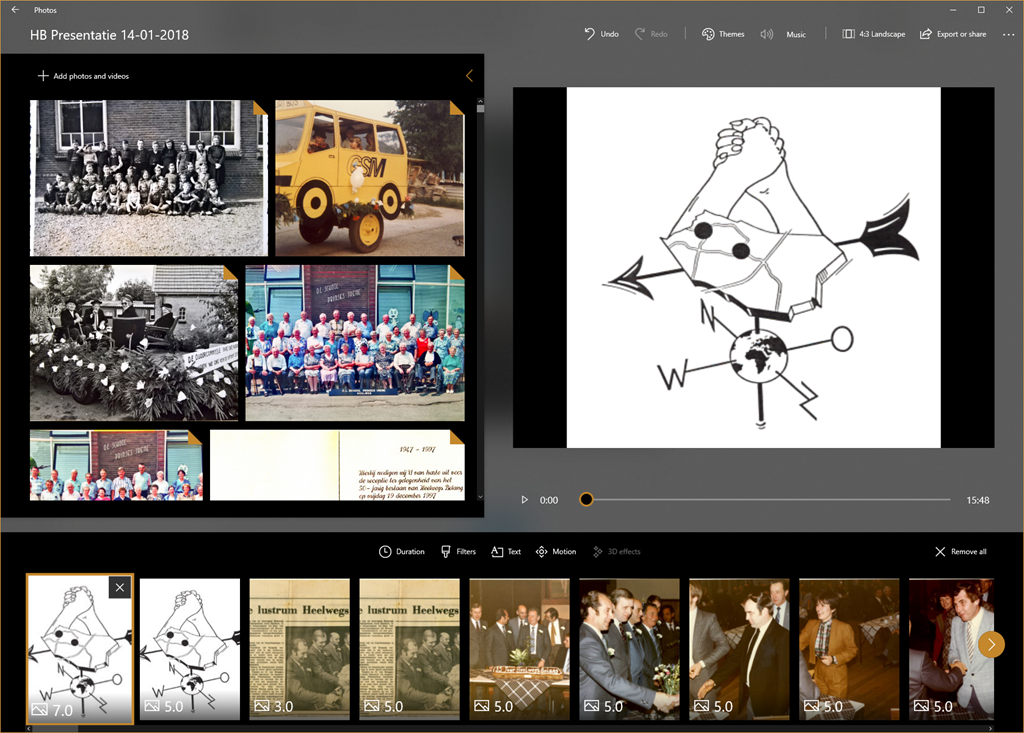
Dear lord, but what a painful experience that proved to be. The Photos app is slow as molasses in this mode, and crashes frequently. The workflow involved in assembling a presentation is primitive – for example, you must apply effects one at a time to each slide; you can’t select a group of slides and apply an effect or effects to the group. So if you want to change the default display time of 3 seconds to, say, 5 seconds – you have to plod through the presentation and change each slide timing individually. Given that “plodding” is the order of the day with the Photos app, I felt I was fighting the app every damn step of the way. Add to that the frequent crashes, and losing the last few minutes of work each time, I was ready to put my fist through the screen at several points.
Frankly, next time, it will be back to PowerPoint. It may be old-school, but at least it works, and does what it says on the tin.


 Geoff Coupe's Blog
Leave a reply to DaveL Cancel reply