
Sigh, once again Microsoft ruins a product – it is no longer possible to search tags in photos stored in OneDrive.
When it was first launched in 2007 (under the name Windows Live SkyDrive), it was not possible to search for tags stored in photos’ metadata. This was finally made possible in 2015.
The OneDrive Search function still claims that it is possible to search tags in photos:
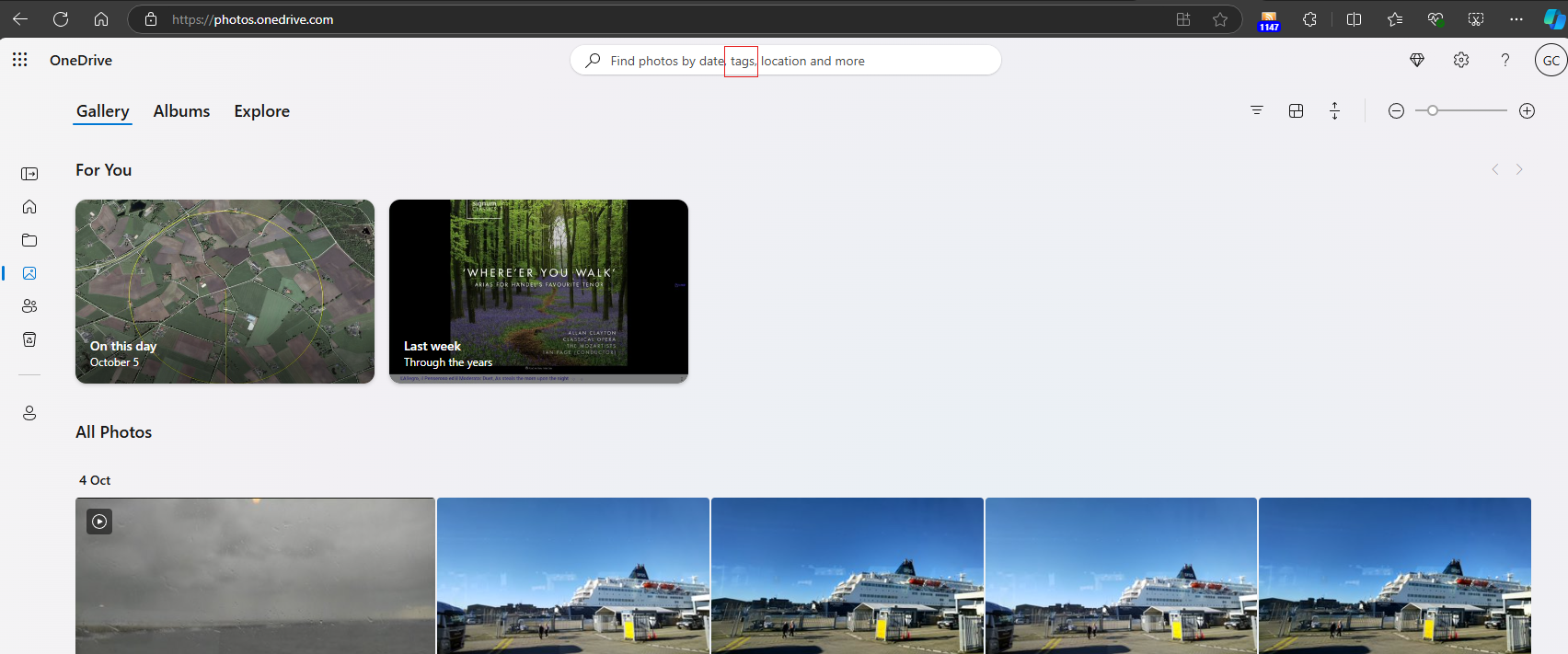
However, when I attempted to search for any of my tags in my photos, this function no longer works. Microsoft appear to have silently downgraded OneDrive, presumably to match their abysmal Photos app, which has never had the ability to support photo metadata tags since it was introduced.
Once again Microsoft snatches defeat from the jaws of victory.
Addendum: Here’s an example… My Pictures folder is backed up to OneDrive. Using Windows File Explorer to search for the tag “Watson” gives 1,895 photos as the result:
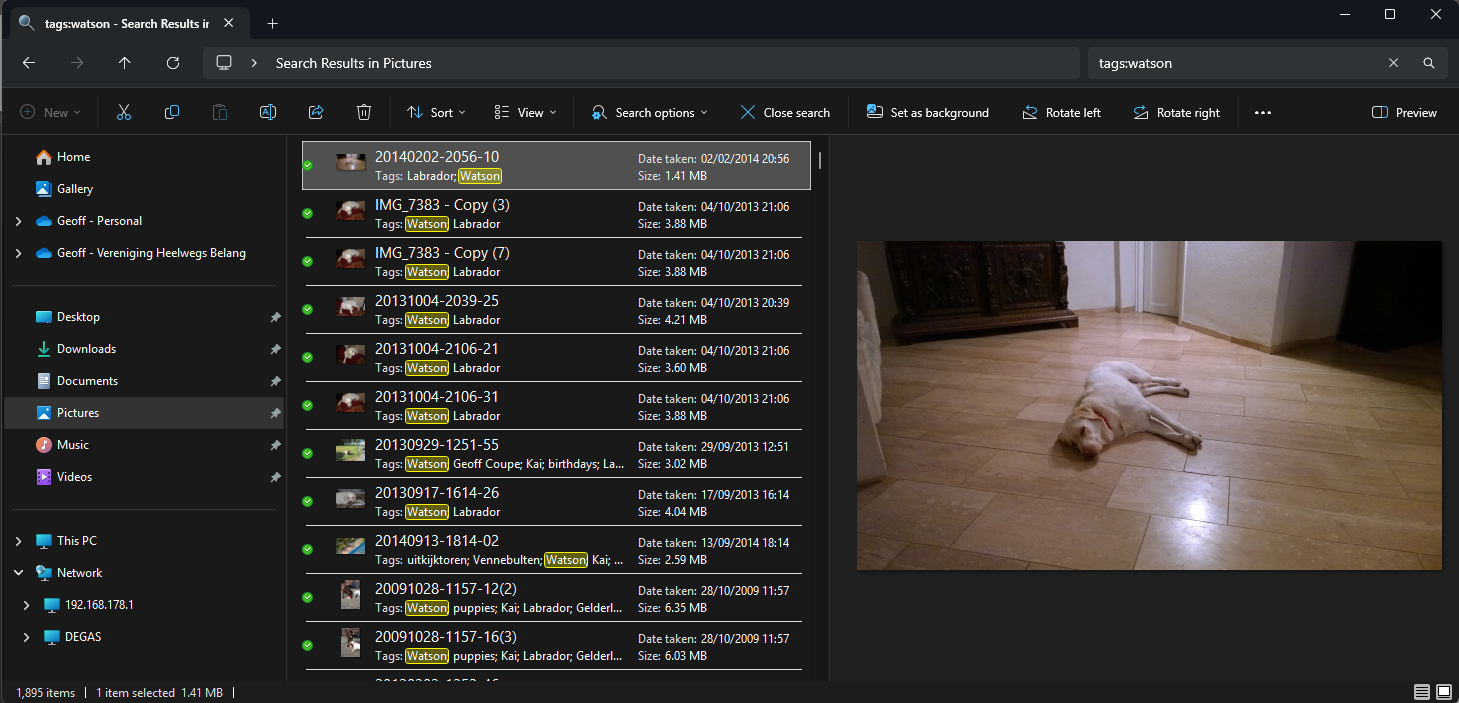
OneDrive knows about the tags for each photo; for example:

But searching for “Watson” in OneDrive only finds photos with “Watson” in the filename; all the tags are being ignored…

Addendum 17 February 2025: I tried once again to contact Microsoft Support to report this (all my previous attempts disappeared into the ether). This time I actually got a link to a Community Post describing the same issue. The post was dated October 5th 2024. The issue was acknowledged to exist, but a few replies further on was this:
FYI, in the past week I’ve been told by Microsoft this issue had been fixed, then that it would be fixed by the end of December, and finally I was told that the feature is being removed from One Drive altogether. Yes, you read that correctly: Microsoft is removing the search feature for photo tags.
Un-f*cking-believable…
However, a few posts further on, someone discovered a workaround, which is to post a query of the form:
Try this link, https://photos.onedrive.com/explore/things/thing?id=testmytagsplease and replace “testmytagsplease” with your tag.
Well, great that I can search for a single tag, but I used to be able to search on multiple tags in an AND operation, e.g. show me photos that have both our dogs in them (search for the tags Watson AND Lexie). Microsoft has simply removed this functionality and neutered OneDrive.
Addendum 26 February 2025: I think I’ve discovered what Microsoft has done. They have indeed removed the ability to search our photo tags. Instead, OneDrive relies on their bloody AI engine to assign tags, and then group them on a new “Explore” page. It appears that your own tags are totally ignored when building these categories and Search now only searches photo filenames.
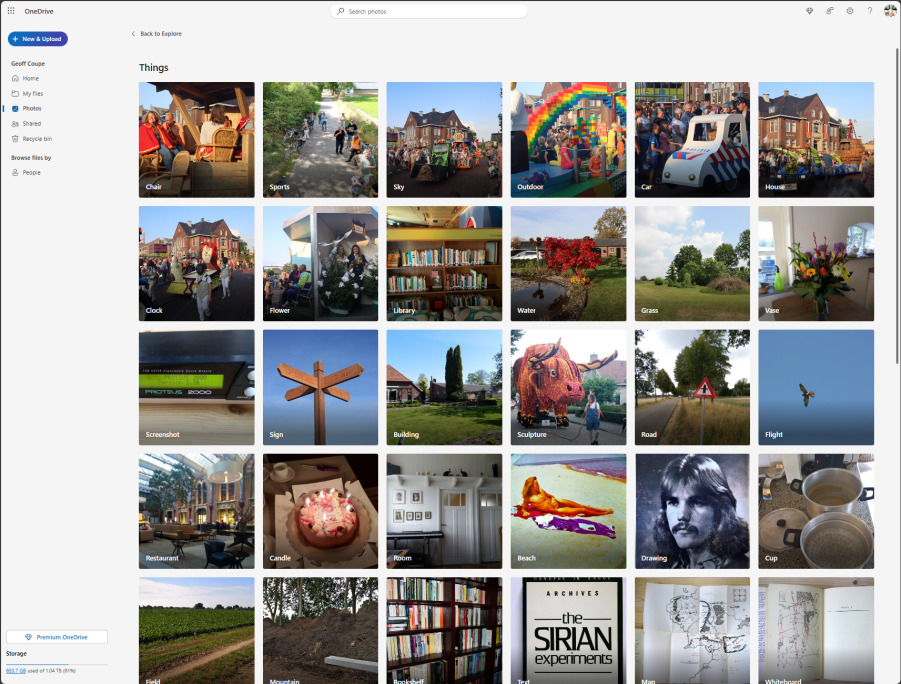
Well, that’s a pile of Dingos’ kidneys – it renders OneDrive totally useless to me as an online resource to manage and search my photo library, and the AI is not much good either. There are many errors, and I simply haven’t the will to keep correcting its mistakes.
Microsoft – you’ve ruined OneDrive for me.
Addendum 28 February 2025: Just when I thought this couldn’t get any worse, Microsoft has managed it in spades. I turned off the Tag option in OneDrive, because Microsoft’s AI tags were poor and not what I wanted; I just wanted to have my own curated tags present. I checked that my tags were still present in the photos up on OneDrive (even though the Search function no longer works) and they were, and could be searched using the workaround I showed earlier.
However, Microsoft has pulled a fast one on me – when the option was on, as OneDrive was assigning AI tags to photos, it appears to have downloaded versions of those photos with no tags at all to my PC. This is a complete turnabout to the old OneDrive, which preserved tags in downloaded copies.
I discovered that I now have 32,000+ photos in my library that have had all my tags stripped out.
Fortunately, I have my photos replicated in a shadow set of folders safely out of the reach of OneDrive, but now I have a lot of work to do to replace the castrated photos in my Pictures folder with curated ones.
There was a time when the Microsoft software developers working on photo applications lived by the mantra that “the truth lives in the file” – i.e. accurate metadata and its preservation were paramount considerations. Those days are no more.
Addendum 30 July 2025: Well, it appears as though the ability to search our tags has been restored to OneDrive. Pity that Microsoft didn’t bother to tell us…


 Geoff Coupe's Blog
Leave a reply to OneDrive Now Searches Tags! | Geoff Coupe's Blog Cancel reply