Reflections on life at “De Witte Wand”…

The Media Library in Windows Home Server 2011–Revisited

A week ago, I blogged about my first impressions of using the Media Library in Windows Home Server 2011. My experience wasn’t entirely positive, as I found a couple of wrinkles when I was accessing the server via the Remote Web Access facility.

Since then, I’ve played around with it some more, and I have to say that my earlier misgivings have not been assuaged with further use. Indeed, accessing the Media Library via Remote Web Access is not a particularly satisfying experience for me at the moment. This is, as almost to be expected, somewhat in contrast to the experience of Microsoft people such as Sean Daniel.

Let’s take a closer look at what seem to be its shortcomings…

When I use Remote Web Access to look at my server, after I sign in with my userid and password, I’m presented with the home screen of my WHS 2011 server. As you can see, the attached computers and shared folders are seen at once, but the view of the Media Library is still being built.
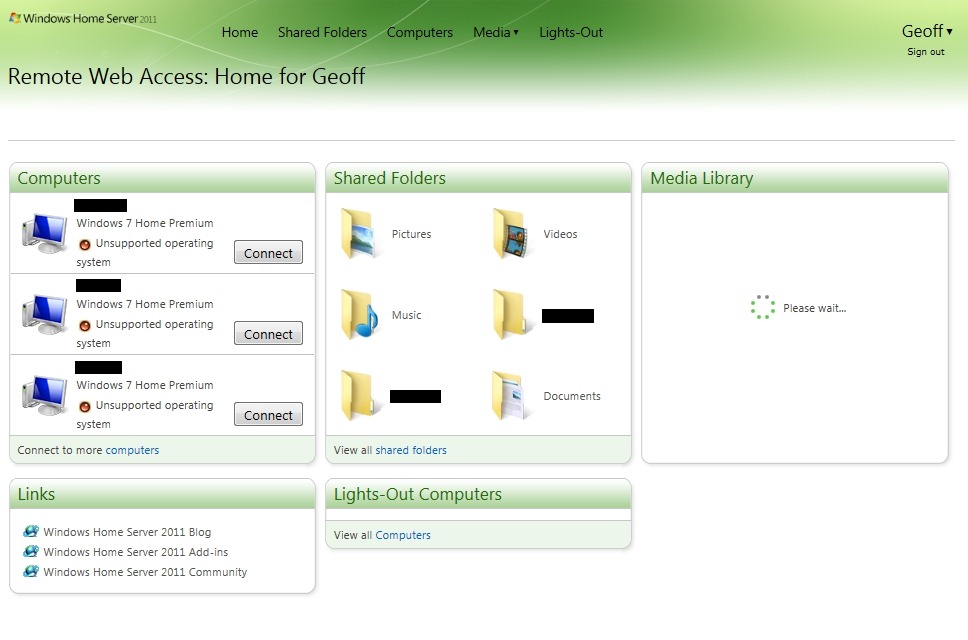
WHS2011 46

Now, I don’t mind waiting (a short while) for the view of the Media Library to be built, but what I do object to are messages such as this (An error has occurred on the server. Please try again later. If the error continues, view Support Information for help):
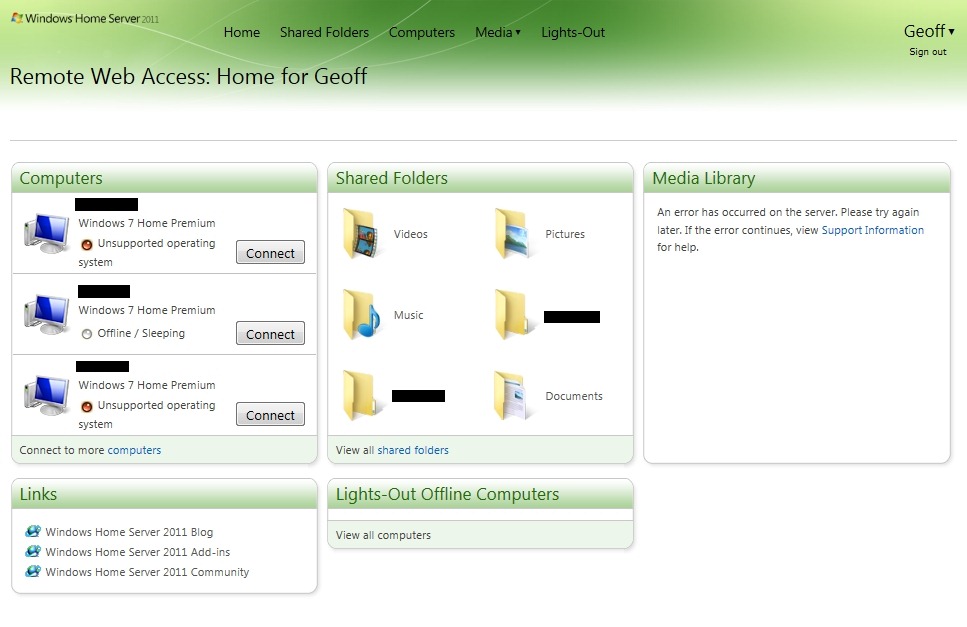
WHS2011 36

…or this (An unknown error occurred. Please try again later. If the problem persists, view Support Information to help resolve this issue at http://go.microsoft.com/fwlink/?LinkId=179234):
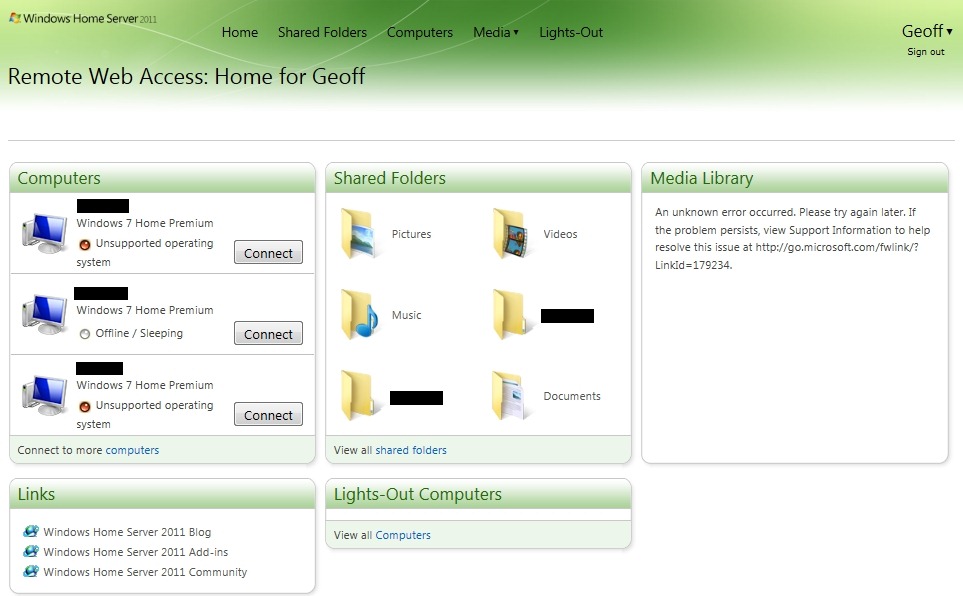
WHS2011 49

…or this (I have 45,125 pictures, not 2,000, and 12,513 songs, not 1,000 as is claimed here):
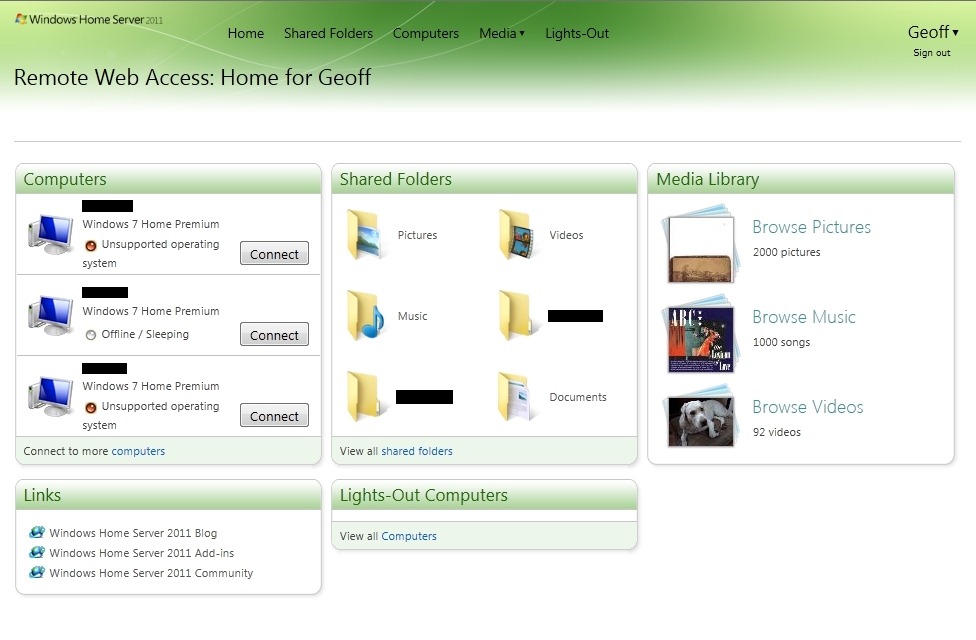
WHS2011 44

Such errors occur frequently, not rarely, and almost always when I first log on remotely. This all adds up to a bad experience, not a good one.

But it doesn’t stop there.

I had thought of using the media library facility via Remote Web Access to enable friends and relatives to browse through my photos. So, when I click on the β€œBrowse Pictures” link, it seems that for 50% of the time, I get an error message, instead of a view of the Photo Folders:

WHS2011 45

Trying again usually will get me what I expected in the first place, a view of my photo folders:

WHS2011 47

Note, though, the β€œLoading details” message; the first time around after changes have been made to your photos, this can take some time to enumerate. After moving a few folders containing no more than a few dozen photos, I waited for 20 minutes for the index to be rebuilt and the details displayed…

While my friends and relatives could browse through the photo folders, this is a pretty clumsy way of trying to find photos of interest. I have tagged all my photos using the IPTC Core Metadata standard. So I naturally assumed that using the β€œSearch your pictures” box shown above I could enter photo tags and display the relevant photos.

Wrong.

That search box only seems to understand filename searches – and that’s simply not good enough. This limitation is all the more surprising because tags are displayed along with photos, see here for an example:

WHS2011 43

By the way, notice how the β€œDate created” field in the above screenshot is using the US format (mm/dd/yyyy), despite the fact that the format setting on my server has been set to the European format (dd/mm/yyyy). Furthermore, is this field the date the file was created, or the date the picture was taken? β€œDate created” is NOT necessarily the same as β€œDate taken” for digital pictures. Windows Live Photo Gallery 2011 recognises this, and displays the β€œDate taken” field (see screenshot below). The Media Library in WHS 2011 is either displaying a different field or using the wrong metadata name. More inconsistency in the user experience, it would seem.
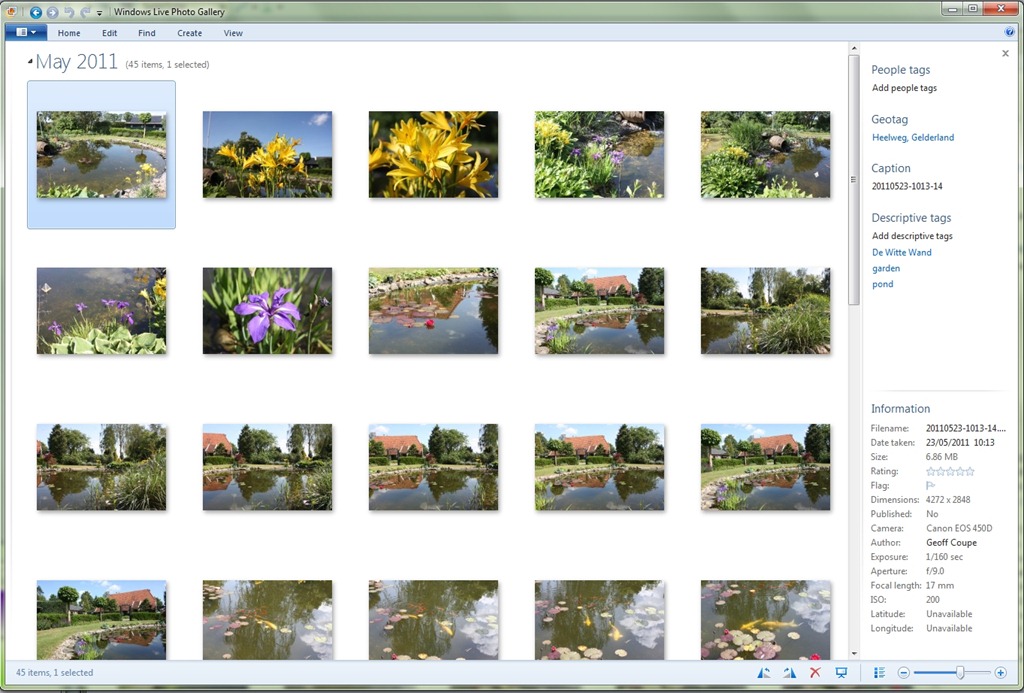
WLPG 10

Update 6/6/2011: I’ve just discovered that the Slideshow function in Remote Web Access is not working for me either. I get a blank screen:
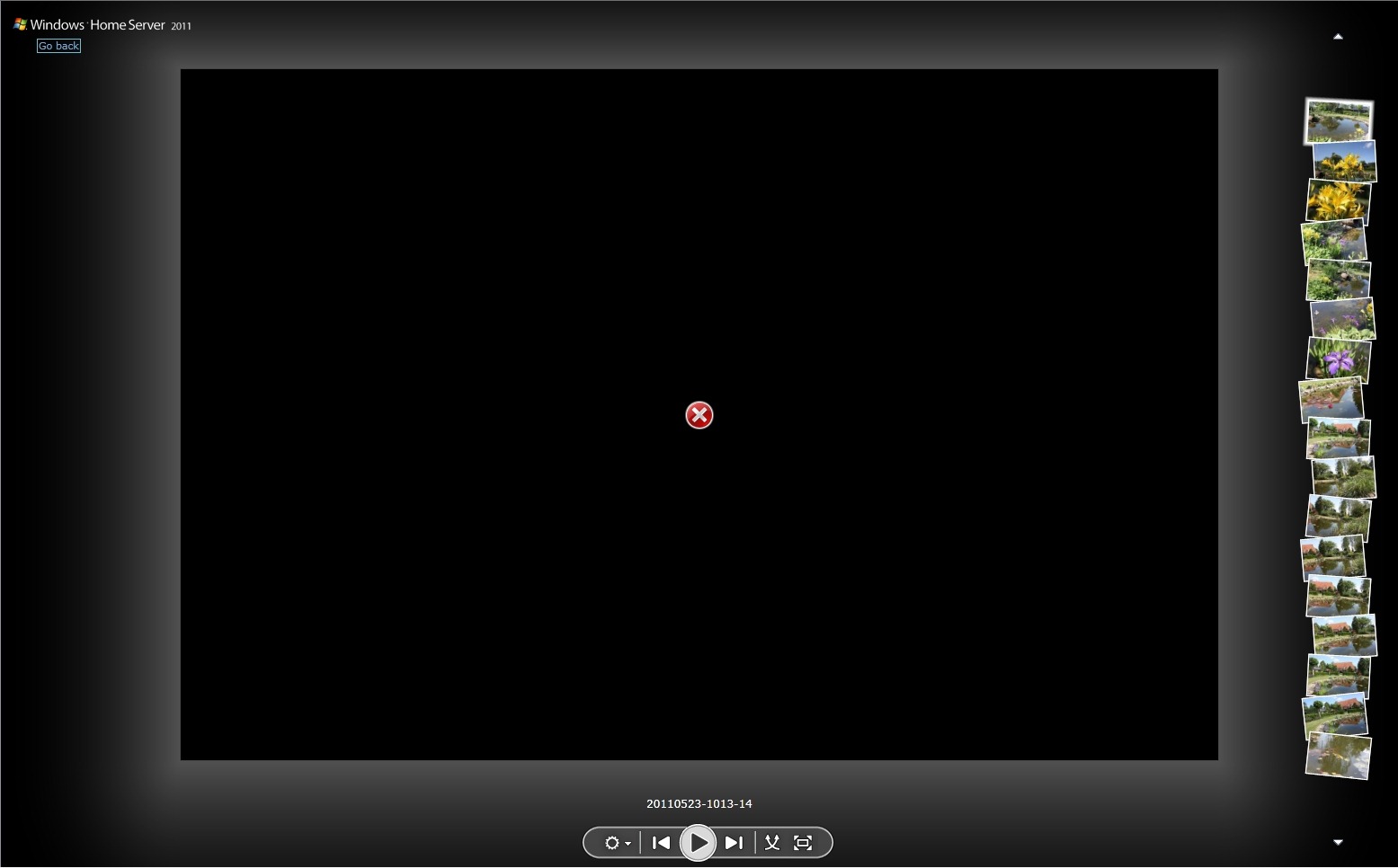
WHS2011 50

Oddly enough, it just seems to be this particular folder. Other picture folders that I’ve checked seem OK, but not this one. I don’t think it’s related to the number of items, or the size of the photos, either individually or collectively. Other folders that have comparable numbers or sizes are working in the Slideshow view, but admittedly, I haven’t been through every single folder in the Library to check this.

Oh, and the search function seems to fall over more often than not anyway:
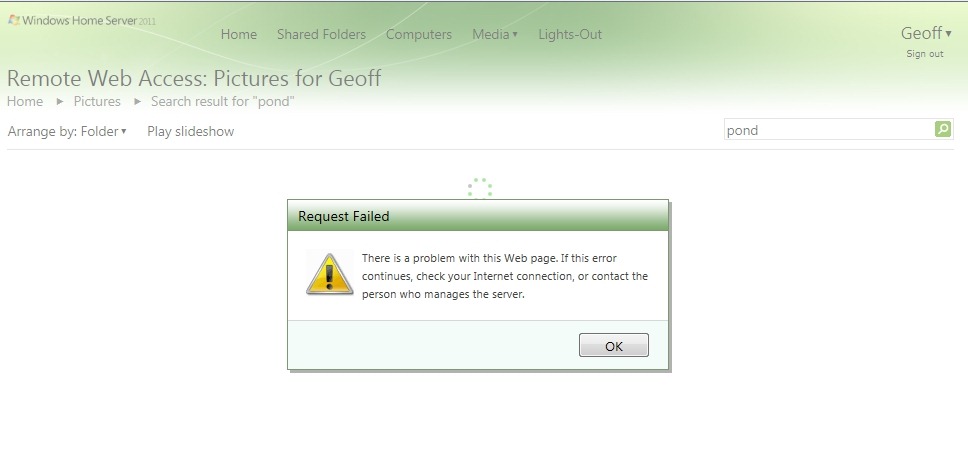
WHS2011 40

And, even more bizarrely, while you can’t search for photo tags within the Media Library, if you switch to using Shared Folders via Remote Web Access, you can:
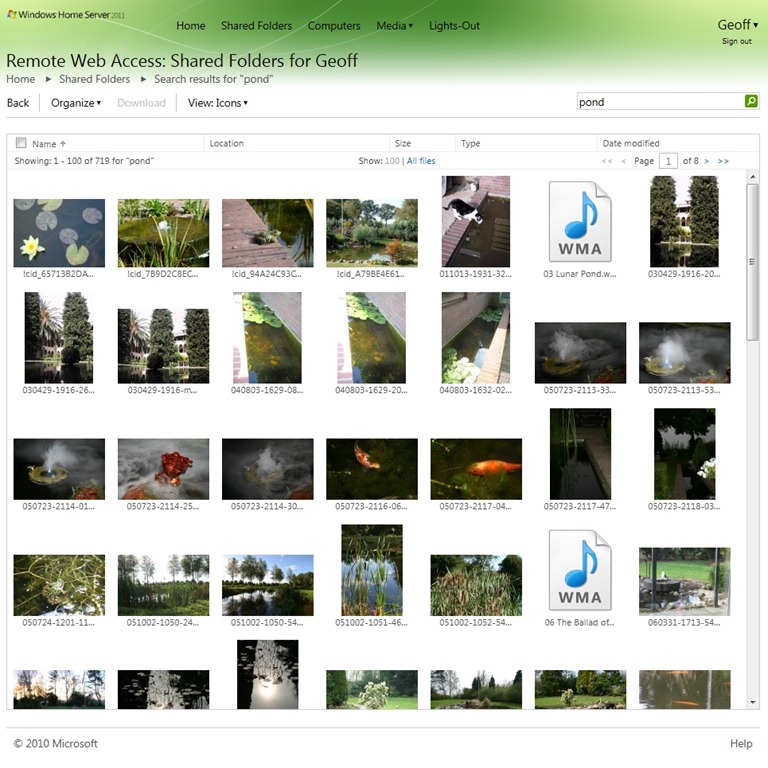
WHS2011 48

This however, has its own limitations. You’ll notice that I searched for the tag β€œpond”. I did this while viewing the shared folders containing my photos. However, the search has returned results from all of my shared folders… Sigh.

Oh, and remember that I said that the Media Library would display the tags contained in photos, even if you couldn’t search on them? Well, the Shared Folders won’t display any tags in photos (there’s no equivalent of the β€œFile properties” view in Remote Web Access), but you can search on tags… Honestly, is this experience designed, or did it just grow, like Topsy?

So, to summarise; I’m seeing both errors and design shortcomings:

Errors:

  • Every time I first log on to my WHS 2011 domain, I will get some sort of error from the Media Library. I need to refresh the browser, and then I will see the Media Library folders. I’m using IE9.
  • Clicking on the “Browse Pictures” link in the Media Library results in an error about 50% of the time.
  • Searching on the pictures in the Media Library frequently results in a “Request Failed” error.
  • The Slideshow function of the Pictures Library is not working.

Design shortcomings:

  • The Search function in the Media Library only seems to search on the filename – it does not search picture tag metadata. And yet, selecting a photo will display the tag metadata.
  • The Search function in the Shared Folders does search tag metadata, yet selecting a photo in the Shared Folders view does not display tag metadata (i.e. you can’t display the properties of a file).
  • The Search function in the Shared Folders view searches across all the folders – it does not seem possible to restrict the search to a subset of folders – e.g. search only within the Picture folders.

With these issues and shortcomings, I’m reluctant to open up access to my photo library for friends and relatives – I fear that the experience will turn them off more than encourage them to use it.

Update: I just wanted to mention the fact that in addition to these issues, it also appears as though WHS 2011 will rummage through the Album Art and metadata of your music files – and overwrite them as it sees fit. A disaster if you’ve spent hours/days/weeks getting your Album Art and metadata the way you want it to be.

80 responses to “The Media Library in Windows Home Server 2011–Revisited”

  1. […] I have discovered more issues with the Media Library. See this post. GA_googleAddAttr("AdOpt", "1"); GA_googleAddAttr("Origin", "other"); GA_googleAddAttr("LangId", […]

  2. […] The Media Library in WHS 2011 Posted on June 18, 2011 by Geoff Coupe A couple of weeks ago, I blogged about some of the errors and design issues I was seeing when using the Media Library within Windows Home Server 2011. Since then, another […]

  3. Erik Verreijt Avatar

    Geoff,

    I am also an WHS 2011 user with the same expiriences you have, the media libary throws these errors randomly at me, but sometimes it works flaweles.
    This kind of bugs me on the new release 2007 was configured with less media expierence, but at least that build was stable.
    Just like you I am located in the Netherlands but dutch intead of British I saw some topics on Connect about this issue but no answer from Microsoft yet.

    I have another question is your WHS 2011 also memory hungry and slow while doing folder transfers?

    1. Geoff Coupe Avatar

      Erik, thanks for your comments. Yep, we’re not the only ones experiencing these issues with the Media Library in Remote Web Access. However, I don’t expect any sort of quick fix from Microsoft. It will probably wait until at least the service pack – if there ever is one.

      I’ve got 4GB memory in my system, but I’ve only ever seen a maximum of 3GB being used during file transfers – most of the time I’m at 2GB. Mind you, this is with SyncToy copying of shared folders to a backup disc connected via USB 2.0. So I’m only seeing 25 MB/s transfers anyway.

    2. Geoff Coupe Avatar

      Erik, I’m trying to elinimate possible causes here. Any you using a Fritz!Box modem/router by any chance? Thanks.

  4. Helmer Zandbergen Avatar

    Hi there,

    I have similar issues since I installed the RTM of WHS 2011. Maybe it’s a problem only the Dutch have? πŸ™‚ I’m also from the Netherlands, let’s hope there will be a fix from MS soon.
    I’m really into WHS 2011, even now with the Windows Phone 7 app in beta. Too bad with the issues on the website I’m unable to use the cool WP7 app 😦 because the media stuff doesn’t work…

    Let’s pray and hope for a quick fix from Microsoft!

    regards,
    Helmer

    1. Geoff Coupe Avatar

      Helmer, I don’t think it’s just us Dutch πŸ™‚ I’m afraid we’ll all have to wait for a fix…

    2. Geoff Coupe Avatar

      Helmer, I’m trying to elinimate possible causes here. Any you using a Fritz!Box modem/router by any chance? Thanks.

  5. […] what he sees as design limitations in the Media interface. An interesting read which you can find here. // | Share this WHS Article | var addthis_config = {"data_track_clickback":true}; […]

  6. Mike Avatar
    Mike

    I’m also seeing intermittent errors with the remote media sharing. And no, it’s not a Dutch issue as I’m stateside. πŸ™‚

    In addition to the media errors, I’m also experiencing stability issues with USB-connected hard drives. It appears system restarts and inadvertent losses of the USB connection are causing “intermittent” loss of folders. I have been testing both Drive Bender and Stablebit DrivePool, but have been reluctant to fully commission either given the instabilities. At first I thought the issue might be related to the “drive extenders,” but I’m seeing problems with neither being active.

    1. Geoff Coupe Avatar

      Mike, that’s an interesting comment about stability issues with USB-connected hard drives. I wonder if that was behind the problems I had when trying to rotate USB Backup drives for offsite storage. See:

      My WHS 2011 Experience (Thus Far)

    2. Geoff Coupe Avatar

      Oh, and just to add to my last comment – I’m not running either Drive Bender or Stablebit DrivePool, or indeed, any form of RAID for that matter. I just have a very simple setup,,,

  7. Christian Johansson Avatar
    Christian Johansson

    Hi,
    I’ve not used the Remote Access functions of WHS 2011 yet, but I’m experiencing problems in local network that can be related to media library shortcomings also.

    I have an Xbox360 setup as media viewer – accessing the WHS 2011 through the console’s similary named libraries “Movies”, “Pictures” and “Music”.
    Accessing Movies for example, can be a bit of a gamble; sometimes it work just fine – sometimes not. Ususally with the error “No movies found”. And I have several hundreds of them…

    On WHS v.1 this worked almost flawlessly.
    On WHS 2011 it’s a 50/50 hit or miss first time, you have to persist and try multiple times to enjoy a movie.

    What can be the real problem here, a bad implementation of “Windows Media Player Library” or whatever it’s called?

    1. Geoff Coupe Avatar

      Christian, I don’t have an Xbox, so I can’t compare. I have to say that my HTPC (with MyMovies) seems to be fine with WHS 2011, but then again, it’s probably not invoking any functions of the Media Library, but just using the WHS 2011 as a file server…

  8. Dannybuoy Avatar
    Dannybuoy

    I also get these media library errors (in the UK!). I have a fairly large media library, I haven’t tried to see if it works with a smaller set of files, but I may do that when I get the time. Sometimes when I first log in it starts to work, although reporting the incorrect numbers of items, and once I even managed to get it to show a photo slideshow. I’ve never got audi or video streaming to work though.

    One thing to investigate though is UPnP on the router, I’m not sure whether this needs to be working correctly for the remote web access to the media library. I sometimes get errors that my router is not set up correctly, so I am going to eventually try a factory reset or firmware upgrade of my router or maybe get a new one.

    1. Geoff Coupe Avatar

      Danny, I thought using UPnP to open up ports was a one-time thing when the Remote Web Access is first set up. However, in addition to ports 80 and 443, I see that I have a number of randomly-assigned UDP ports as well, and indeed, I think that these may be associated with the activities of the Media Library.

      You may well be on to something here. But if it is down to UPnP failures, then I’m not going to be changing my router any time soon. For one thing, it’s pretty new (a Fritz!Box 7340 – supplied by my ISP), and it’s needed for IPv6 support. The firmware is also the latest.

  9. Glenn Avatar
    Glenn

    Geoff, I share your pain. I moved from WHS2011 RC1 which had no problem with an over 16k MP3 library (just a little slow, as it appeared to build the view every time someone logged on). With the RTM paid for version I can never get to look at my music library without an error. Also, nothing reported anywhere on what the exatc error is.

    1. Geoff Coupe Avatar

      Glenn, the only hope is that enough people will be having these issues to make Microsoft acknowledge the problems and do something about it. Otherwise, nothing will be done, and we’ll just have to live with it.

  10. Christian H. Avatar
    Christian H.

    Same problems here. German Homeserver 2011 RTM. Huge Libraries, though.

    1. Geoff Coupe Avatar

      Christian, I’m trying to elinimate possible causes here. Any you using a Fritz!Box modem/router by any chance? Thanks.

  11. Joel Leichty Avatar
    Joel Leichty

    I’d like to add another huge design flaw – you can’t set user permissions for media sharing. So I can’t view all photos via the media link, but let my extended family view a subset of photos.

    I’ve read other posts where they use DLNA compliance as the excuse, which is just not correct because you are logging into a authenticated site, not just putting a share on your home network.

    Bottom line is the only option to share photos is using the folder view. It’s just horrible design.

    1. Terry Downes Avatar

      Hi Joel,

      This is the exact same issue I’m having, you can stop users viewing certain folders using Shared Folders by permission changes but it goes completely out of the window when using Media Library!!

      I have to say though that apart from the router giving me configuration errors every 30 mins it’s the only other problem I have.

      I’m generally happy with the way my server is running and the media streaming isn’t an issue for me.

      Specs: HP Proliant Microserver: AMD 1.5Ghz x2, 8GB RAM, 8TB HDD (4x2TB) WHS v2011 (x64)

  12. AGA Bloga Avatar

    Hi Geoff
    I am having the problem where the media libraries are not populated. i have restarted the server several times and still cannot get them to populate. Do you have any suggestions? is there a service that i should start or somthing.
    Other than this problem i am pleased with the server. I am using a Shuttle XS – Atom fanless system. so far so good! Running itunes as well so that i can stream to the Apple TV.
    thanks
    John

    1. Geoff Coupe Avatar

      John, one thing you could perhaps try is to delete the current Media Library index, and force a rebuild. That might perhaps kickstart things. See here for the steps that you’ll need to follow:
      http://social.microsoft.com/Forums/en-GB/whsvailbeta/thread/acf30d3b-c3e3-4880-af0e-d2d6c6ab2f53

      1. Andy Avatar
        Andy

        Hey Guys, I have have a repro on the empty media library on login. Not every time but I would say 9 times out of 10. I found that restarting Windows Media Player Network Sharing Service and refreshing the browser would get the library to populate. I created a scheduled task to stop and start the service. I think this will cause issues if for instance I was streaming a movie from the server, and there are probably other impacts. I will try this for a day to see how it goes. I also need to check out your link above as that might be a more elegant way to overcome the issue. Good Luck!
        Andy

        1. Andy Avatar
          Andy

          This approach isn’t really going to work, of course the media library errors out while the service is restarting so it pretty much defeats it’s own purpose.

  13. Al Feersum Avatar

    Hi Geoff,

    So far I haven’t used the media library stuff on WHS 2011 in anger – I’ve had real issues with my install running as a Hyper-V guest on a 2008 R2 server. I thought I’d be clever and use 128G VHDs mounted as software RAID, but it kept stuffing bad clusters on the disk (low level format, and a full check cleaned ’em all out, now the drive is mounted direct through a Hyper-V virtual device).

    Today is the first real test of the remote media functionality: when I got to work today I found that my iPod database got corrupted (probably due to a WinAmp sync this morning), so I thought I’d stream music from my library.

    Works great!

    … until the login session times out, and the SilverLight remote media player reports that the tracks it’s trying to play have ‘errors’. Think I’ll have to have a dig around and see if I can increase the session timeout.

    1. Geoff Coupe Avatar

      Hi Al, sounds as though you’ve been doing the “one step forwards, two steps back” waltz along with the rest of us with WHS 2011. πŸ™‚

      The Media Library is still giving me issues via Remote Web access. I see that over at Microsoft’s Connect site, where they track bugs with their products, this problem has now been marked as “Closed”, with “External” as the qualifier. What this means is that they acknowledge it as a problem, but the resolution is not in the hands of the WHS 2011 team. I suspect that it’s over to the Silverlight team to fix the damn thing.

    2. CAM55 Avatar
      CAM55

      Al,

      When you run WHS in a Hyper-V environment, you will have success if you pass through your drives instead of using vhd files. Leave the drives offline in the host OS and then set them up directly as scsi drives in the settings for the WHS machine. You will then see the drives when you run the machine. I was running that way for a couple of years without any issues and over 9TB of HDD space (internal SATA, eSATA, and USB for backup drives). I only recently separated my Home Server to reduce comlexity for any restore issues. I hope this is helpful.

  14. Wouter de Poter Avatar

    Hi,i also have WHS 2011.It’s running ok but i also have problems with media libary remote acces.Sometimes the pictures,music and some movie folders appear but mostly not.I think that the problem is Upnp related.Most of the time WHS 2011 gives an alert that the router is not correctly working.But everything works fine with shared folders,also streaming films on a mediaplayer.
    And there are a little video extensions such as mkv. that are not supported.So i hope that Microsoft takes a look in this problem.On the former WHS1 i had also a WordPress blog.Pity there are no add ins for WHS 2011 yet.Cheers Wouter.

    1. Geoff Coupe Avatar

      Hi Wouter, It’s interesting that you say you get Alerts relating to UPnP not working properly. I’ve not had any such alerts, but I do wonder whether the problems are indeed related to UPnP settings – in particular the setting up of UDP ports used for streaming.

      Anyway, now that Microsoft have acknowledged that there is a problem (see my reply to Al Feersum above), we’ll see whether someone in Microsoft will fix it…

  15. Morty Avatar
    Morty

    windows home server 2011 media library error
    ———————————————————————
    Here is what I found.
    I had placed 1400 photos into the Pictures directory. It seems as WHS 2011 cannot
    handle this number.

    I created a folder and moved them into it.
    I have ~ >30 subdirectories with ~ more than 3000 photos.
    Everything seems to work now. I hope this helps.

    1. Geoff Coupe Avatar

      Thanks for the comment Morty. Unfortunately, for those of us with larger libraries, it’s still very much broken.

      I currently have 47,404 photos in 867 subdirectories. WHS 2011 simply cannot cope.

  16. e Blue Avatar
    e Blue

    I’m seeing pretty much the same things that everyone else has mentioned. I don’t think its UPNP-related because I see the same ridiculously bad performance on my local network. Either it has the worst indexing system ever designed or it simply doesn’t actually index the files and tries to generate the media listing on the fly. My gut feeling is that the product was not adequately tested on larger (>10,000) media libraries. For me the net effect is that it is pretty much unusable and considering that it was the only real reason to consider ‘upgrading’ to WHS 2011 the move has been a colossal waste of my time.

  17. Simon Russell Avatar
    Simon Russell

    Just to say that this is #1 in the Google rankings when searching for the error. I’ve had it since shortly after installing and have not got any further on.

    I don’t have #that# much in my library either. Maybe 2000 songs, couple of hundred photos, couple of hundred videos. I am gradually migrating all of my media over, since it was in a mess, and it fell over around this level.

    Occasionally it works, mostly it doesn’t. Thought an update fixed it a while ago, but after five minutes, back to normal.

    I’m in the UK, although that doesn’t seem to matter.

    I also get a “cookie rejected” error when trying to remote connect to the dashboard, but I don’t think that’s related.

  18. […] the Media Library in Windows Home Server 2011. As well as the shortcomings and design issues that I wrote about here, it also turned out that WHS 2011 has a tendency to corrupt music metadata and Album art stored in […]

  19. Tom Avatar
    Tom

    Hi, although i havent got errors, my libary just wont fill after a specific folder so i can acces my libary but not all of it, same on my xbox it does not show all of my libary, now for my xbox i installed tversity and its doeing pretty well(it also transcodes mkv) but web acces libary is a failure, however you can rebuild your libary it worked once for me so you could give it a shot

    http://social.microsoft.com/Forums/en-GB/whsvailbeta/thread/acf30d3b-c3e3-4880-af0e-d2d6c6ab2f53

    I read however geof you allready did that.

    1. Geoff Coupe Avatar

      Yup, been there, done that, didn’t help me…

  20. DT Avatar

    Just installed WHS 2011…Media Library will not populate…

    1. Geoff Coupe Avatar

      DT, you could try forcing the Media Library to rebuild itself… See here for the steps listed by Masahiko Sada on how to do this:
      http://social.microsoft.com/Forums/en-GB/whsvailbeta/thread/acf30d3b-c3e3-4880-af0e-d2d6c6ab2f53

  21. Jeremy Avatar
    Jeremy

    I’ve been having some problems with the Media Library as you described but lately, it just plain stopped working and now just shows 0 items in all three libraries. Many reboots and restarts of IIS later, nothing is resolved.

    Overall, this has been a disappointing product and having lost the libraries function, I’m tempted to just wipe this box and install a standard copy of win2k8r2 and be done with WHS forever.

  22. Schwemmi Avatar
    Schwemmi

    Hi. I have the same problems with the Libraries (Lots of Pics & Music) but each are shown with 0 Elements. I delete my Librarie File and the Server created a new one: about 600MB. But either with MediaPlayer as Foreign Library in the LAN nor with the WebAccess over Internet: Still 0 Elements. And, yes, I use a FritzBox, but I can’t see a Problem with this, because the MediaPlayer in my LAN has an empty Database, too. It’s disappointing.
    Schwemmi, German WHS 2011 on Hyper-V.

    1. Geoff Coupe Avatar

      Hi Schwemmi, if I understand you correctly, you are saying that Windows Media Player running on a client PC in your home network doesn’t see any media stored on your WHS 2011, even though you have added the folders into the WMP Library?

      That’s odd. All my client PCs are able to access the media stored on my WHS 2011 over the LAN – it’s only when I try and use the Media Library services over Remote Web Access that I have problems.

      There must be something else going on in your case.

      1. Schwemmi Avatar
        Schwemmi

        Hi Geoff.
        No, I always had Access to my e.g. Music Folder, Media Player was able to build his own, local Library with the Music Files. That was not the Problem. Even via Webinterface I could open the Folders and I saw the content.
        What not worked was the Media Library in the Web Interface. Always shown with 0 Items.
        So, please check your Settings as I described below.
        Schwemmi

    2. Schwemmi Avatar
      Schwemmi

      Schwemmi again:
      I found a solution for my Problem (Remember my Issue was that in my Media-Library the Folders Pictures, Music and Videos were shown with 0 Itmes)
      I try to Translate form German OS:
      So I went to the Dashboard -> Server Settings -> Homenetworkgroup.
      There I clicked Change Settings.
      In this Window all my Folders have been marked with no Access. (I wonder about this because in my LAN and in my Remoteweb I had Access to those folders)
      Anyway: I set my Music, Pictures and Videos to Full Access!
      Suddenly everything was fine!

      Rgds from Germany,
      Schwemmi

      1. Geoff Coupe Avatar

        See, I thought that there must be something else going on… Glad you got it sorted. As far as I understand it, the Media Server settings control the DLNA service available over the Remote Web Access. This is separate from the Media Library settings…

  23. Michael McDermott Avatar
    Michael McDermott

    I had the same problem as Schwemmi — no media visible to DLNA server or remote access. Turns out if you turn off Homegroup file sharing, nothing is made available! Talk about counter-intuitive.

    1. Geoff Coupe Avatar

      Michael, the Homegroup feature has its own problems, but the issue you describe is not one of them, I think. I do not use the Homegroup feature, because I want access controls per user. If you don’t define any users, then certainly no media will be visible to DLNA devices or remote access.

      1. al feersum Avatar

        I have to agree with Geoff here. Don’t use Homegroup – you lose the granularity of user controls. I don’t want people in my household accidentally making changes or deleting data ‘by accident’.

    2. Morty Avatar
      Morty

      I experienced the same problem and solution. Turning of HomeGroup made things visible again.

  24. dszigeti Avatar

    Geoff, As I have similar problems to you with WHS 2011 and the Media Library (for example not showing photos and indicating “X” in slideshow mode … I decided to log into my WHS 2011 box directly (I have a head on it) and see what happens directly in Windows Media Player.

    Lo and behold, WMP didn’t show all of my photos (surprise, surprise). After I checked a few settings that really didn’t change anything, I decided to run an β€œApply media changes” (on the β€œorganize” menu) … and then I waited … and waited … but it would not complete. I did notice that the message on the dialog indicated that the β€œServer was busy”, and sometimes the indexing would reinitialize to 0%. It barely made it to 5% for a few hours. I tried upping the priority of WMP but it didn’t help.

    I then ran WMP using the β€œRun as Administrator” (I know that I am logged in as Administrator … but what the heck!) …

    Sure enough the library finally updated to 100%. Logging back in through the web interface showed all the photos and allowed the slide show mode to run correctly!!!

    So now all I need is for someone (err Microsoft?) to tell us how to fix this permanently … I hope this helps us resolve the issue sometime soon.

    1. Geoff Coupe Avatar

      Hmm, interesting. My system is headless, but I’ll try using RDP and poking around. Thanks for the suggestion!

  25. Mark J Avatar
    Mark J

    Having the same problem with 100k files. Wasn’t a problem with a few CD rips but once I got them all in, selected and shared the WMP has had the CPU pegged for several hours now. This isn’t a typical home server either. I dropped in a Intel Dual Port Gigabit Server NIC and LSI raid card. The CPU is a Core 2 duo, not super-duper fast but I never had problems indexing those same files before. So really this is a software problem. WMP shows all the files in there but at the bottom right updating the media library for T:\X folder. Even more odd is that when I clicked on the Music portion of the window media player on the server locally I got an error: “The remote media library did not allow the connection. Please contact device manufacturer.” Um I am the device architect. This is the local machine, what connection failed? I can get to the stuff on the share drive that I have mapped over the lan, why not at the core on the machine it’self. I wonder if updating windows media player might do it.

    1. Geoff Coupe Avatar

      Since it’s a server, I doubt whether Microsoft consider using WMP locally to be a supported scenario, so it doesn’t surprise me that there are problems using it. There are clearly issues in the media library/DLNA implementation of WHS 2011. I just hope that Microsoft are addressing them.

  26. Mark J Avatar
    Mark J

    Also of interest the library started to build and there was a lot but sometime after 3 pages of music it failed.

  27. Anno Avatar
    Anno

    Hello, is there all a solution to the error problem. My library don’t work at all.

    1. Geoff Coupe Avatar

      Anno, well, if your library doesn’t work “at all”, then I think there must be some other problem that needs to be fixed first. But if you are getting the same errors as I am, then I’m afraid that all Microsoft can suggest is that we reduce the size of our libraries…

      http://social.technet.microsoft.com/wiki/contents/articles/media-streaming-known-issue-and-workaround-with-windows-home-server-2011-and-windows-storage-server-2008-r2-essentials.aspx

      On Microsoft’s bug reporting site they state:

      “We are aware of the particular issue that you have reported. However, due to circumstances we will not be able to address it in the current release, it will continue to be tracked in our system and we will aim to address it in the near future.”

      The “near future” probably translates to “in a year or two, if you’re lucky”.

  28. Simon Avatar
    Simon

    Oddly enough, my error went away a while ago. I don’t recall doing anything bizarre to the server.

    I started using a client machine’s Media Player to Find Album Info and Update the music. I don’t know whether that inadvertently fixed a file that the server was tripping over on.

    Mind you, I’ve only got about 2k photos, 6k songs and a few hundred videos. I have more, but I’m moving them over gradually so I can have a clear out on the way.

    Really wish I could offer a solution, but somehow mine just started working again.

    1. Geoff Coupe Avatar

      Simon, I think that’s the thing – Microsoft’s media library software simply doesn’t scale. I have over 50,000 photos and 12,500 songs, and the media library just doesn’t work without throwing errors.

      1. Simon Avatar
        Simon

        Yes, agreed. Thing is, I used to get the error 99% of the time. I was thinking that maybe I’d thrown too much at it too quickly, and it takes an unreasonable amount of time to process the library. I certainly haven’t removed anything from the library, so who knows.

        Like you say, everything points to large libraries (or at least large as far as WHS is concerned).

        1. Anno Avatar
          Anno

          Here there same problem. i have a lot of photos and some music. I have the problem from the start. about a year now. So it will take some more waiting time than. But nobody except Microsoft can fix the problem?

          1. Geoff Coupe Avatar

            I don’t think that there is an easy-to-install third party equivalent of Microsoft’s Remote Web Access to the Media Library feature. Some people are using Subsonic to stream music via the web, but that’s not a complete solution, nor does it look easy to setup and maintain. So unless someone has another suggestion, it looks as though we’re stuck with waiting for Microsoft.

            If you want to replace Microsoft’s Media Libary for access over your local network, then some people are using Serviio to do this. Since my problems are with Remote Access over the Web (local network access works fine), then I haven’t gone down this route.

            1. Anno Avatar
              Anno

              The local access works fine to (but the load time of starting the dashboard is long). Oke i will wait and hope that someone beats microsoft whit fixing this problem. (ow and I have followed this site since I had the problem)

            2. Duke Avatar
              Duke

              Hi all,

              I’ve been experiencing these media library error for months, using either remote web access or the Windows phone application for WHS 2011. Please note I’m using this for music only (roughly 1300+ tracks).
              I spent hours and hours trying to isolate the error/find a workaround (I posted recently on Microsoft Connect, too) without success, and finally gave up.

              Then, some days ago, the Windows Phone application for WHS 2011 was updated. I tried using it again, and… it worked?!!! I went back to the remote web application… it also worked, whereas it would have systematically failed before.
              And this has been working without any error for several days now… I looked at the Windows update history, but could not identify any WHS 2011 specific one, so I wonder what was the trigger…

              Am I just lucky?

              1. Geoff Coupe Avatar

                Duke, I think you’re right that things have improved following the update, but they are not totally solved for me. I still get errors when trying to view my photos sorted by date…

                1. al feersum Avatar

                  I’ll have to agree Geoff. Something /has/ improved… but it still isn’t great. I think the only real alternative is to crack open the SDK and work on replacing the remote interface as a collaborative open sourced project. Perhaps, then, with community involvement and a community of developers, a team can put together something that works /properly/ and also adds the features that users want, instead of using the default ‘basic’ interface. After all, that /is/ what the SDK is for…

                  1. Duke Avatar
                    Duke

                    What SDK are you talking about, Al? AFAIK, there’s no publicly documented SDK…

                    1. Al Feersum Avatar

                      @Duke, see http://msdn.microsoft.com/en-us/library/bb425866.aspx – and wrapped up with the Windows & .NET 4 SDK (for interfacing with WMP and using WCF – Silverlight) something quite neat could be rolled up. Or even without Silverlight – use HTML5 and RIA, which will remove the dependence on using an SL player…

  29. Dave Avatar
    Dave

    Problem using Remote App on an iTouch connecting to iTunes running on Windows Home Server 2011.
    Have recently built a server with Windows Home Server 2011, but am having an issue adding the iTunes Library on my iTouch. When I select add a library on my iTouch the passcode is displayed on my Win HS 2011 server and is accepted. But on the iTouch it just hands and the library name is not displayed. (I tried turning off the firewall but no effect). It all works fine on my Windows 7 64bit PC.
    Has anyone had a similar problem or things to try?

    1. Dave Avatar
      Dave

      PS when the the iTouch it hangs, I any able to move back. iTunes is working OK on the server it’s just the remote that’s the issue.

  30. […] and I think I should add that none of the many other issues with the Media Library in WHS 2011 listed in this post have been resolved. They are all still there, making the use of the Media Library via the Web […]

  31. haim benalon israel Avatar
    haim benalon israel

    Hello,
    I have exactly the same problem. Photos (lots of) wont show on media library and an error message appears. Am waiting for a fix. Like your blog:-) see what happens:-)

    1. Geoff Coupe Avatar

      Hi, I’m afraid there’s no fix in sight at the moment. Microsoft is aware of the issue, but all they suggest is to reduce the size of your media library…

  32. […] people to access its media collection via the internet. At least, that’s the theory. In practice, the software is riddled with problems. I cannot use it, and Microsoft has no intention of fixing […]

  33. Craig Avatar

    Geoff, now that it’s 2015 what are you using for server software? I am still using whs 2011 and it’s still not very good even with all the updates.

    1. Geoff Coupe Avatar

      Craig, well, I’m still using WHS 2011, but I’m certainly not using the web-based Media Library feature. That’s as broken as it ever was.

      I am still using WHS 2011 as a media server, and for taking daily backups of our client PCs and tablets. For those purposes, WHS 2011 still excels, as far as I’m concerned.

      The server holds all our media (films, recorded TV, music and photos), and makes it available over our home network to client devices. I still find myself using Windows Media Center on our HTPC for music/photo playback, but I’m still in the process of choosing between Plex and Emby (formerly known as MediaBrowser 3) for other media and devices. Whichever I choose, the media will still be held on the WHS 2011 system.

      1. Simon Avatar
        Simon

        I’m currently in a similar boat. I’m migrating away from using Windows Media Center in favour of simpler clients and having a server perform the back end work (Chromecast/Raspberry Pi). Getting tired of maintaining PCs at every screen, when there are plug and play options out there. In the process of converting all movies to MKV and am running Plex for now, but not set on it. No one solution out there can get live TV, movies, music etc all in a single interface like WMC could. Trying out OSMC (what was Raspbmc), and seeing if I can get Plex in that to look native.

        The main difference is that my Movies are on an unRaid server (with all other files on WHS2011). The version of unRaid currently in RC status supports installing Plex (and other dockers), and can run virtual machine, so I am considering setting up some backup on that and doing away with the WHS2011 box altogether. Plex handles the web side, and Microsoft didn’t seem to care much for the home user, plus they appear to be acknowledging that others do the media side better seeing as they’re dropping WMC.

  34. […] with some features that had obvious design shortcomings or that never worked properly – hello, Media Library, I’m looking at you… Even the new server backup feature of WHS 2011 had a design […]

  35. Sherwood Mcmasters Avatar

    Good write-up. I certainly appreciate this website. Keep it up!πŸ˜ƒ 🀠 2021-09-23 23h 38min

Leave a reply to Morty Cancel reply