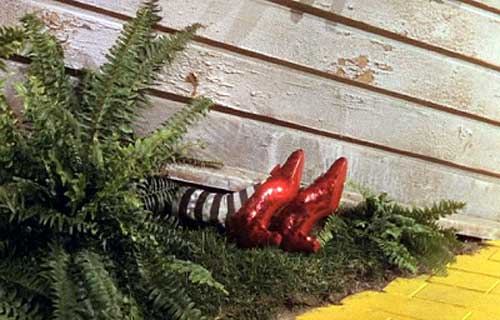
Reflections on life at “De Witte Wand”…

  • Best Laid Down – And Avoided

    In recent years, there’s been a fashion for “historical drama documentaries” on TV. You know the sort of thing – get a historian to front a programme on say, the Wars of the Roses, and fill most of the airtime with badly-paid and badly-acting extras re-enacting the battles. What could have been an opportunity for a knowledgeable expert to analyse a historical event gets pushed aside in favour of amateur dramatics and, shudder, “spectacle”.

    Tonight, for example, on BBC One, there will be a programme on Pompeii, fronted by Dr. Margaret Mountford. Now, Dr. Mountford recently completed her studies with her thesis on Papyrology, so she may well have the chops to be able to talk knowledgeably about the lives of Pompeiians in 79 AD, but I fear the worst. The programme is called Pompeii: The Mystery of the People Frozen in Time, and is billed as “a one-off landmark drama documentary”. The programme web site contains plenty of stills of costumed extras pretending to be citizens of Pompeii.

    Oh dear, this does not look promising. Particularly when I recall a documentary on the same subject that the BBC first broadcast in 2010: Pompeii: Life and Death in a Roman Town. No pointless dramatical reconstructions there – just an acknowledged expert on Roman life, Professor Mary Beard, talking about her beloved subject. And because of her knowledge and enthusiasm, she was able to bring the citizens of Pompeii to life for me far better than hordes of the toga-clad extras that I suspect will be paraded before us this evening.

    Just last year, the BBC broadcast a series of programmes made by Professor Beard on the Romans, and once again she brought them all to life without any need for “dramatical reconstructions”. Give me that sort of approach to history, and I’m happy. I think I’ll be giving Dr. Mountford’s drama documentary a miss this evening. I see that on BBC Two at the same time we have Sir Terry Pratchett contemplating the role of mankind in the eradication of the planet’s species, and considering his own inevitable extinction, hastened as it is likely to be by his Alzheimer’s disease. That sounds much more interesting and thought-provoking to me.

    2 responses to “Best Laid Down – And Avoided”

    1. Matt Healy Avatar
      Matt Healy

      Perhaps this is only because my parents both taught History for many years at a State University, but books remain my preferred format for learning about the distant past.

      1. Geoff Coupe Avatar

        Yep, I prefer reading Simon Schama’s history books to seeing the dreadful drama documentaries that he made with the BBC…

    Leave a comment

  • Wilson, Kepple, but no Betty

    Funny how things can stick in your mind. Impressions from years ago that, even then, were hand-me-downs from your parents and older family members. Things that you would never have experienced firsthand, yet were alive to you.

    So it is with Wilson, Kepple and Betty.

    I could never have seen this trio perform, yet somehow I grew up with them and the sand dance. here’s Wilson and Kepple, in a recording of their most famous number.

    Camp, endearing, and somehow absolutely wonderful.

    Leave a comment

  • Small Steps

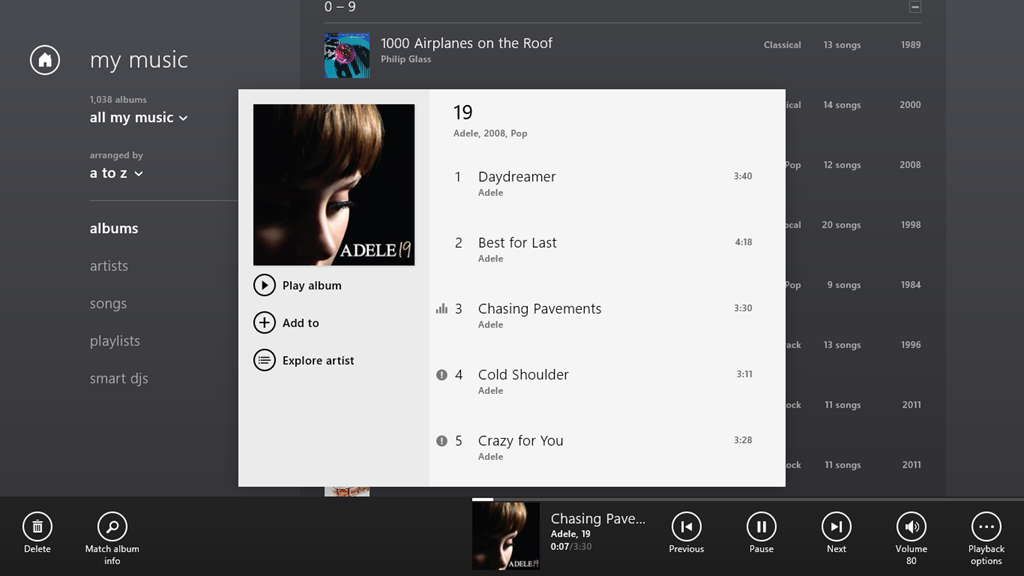
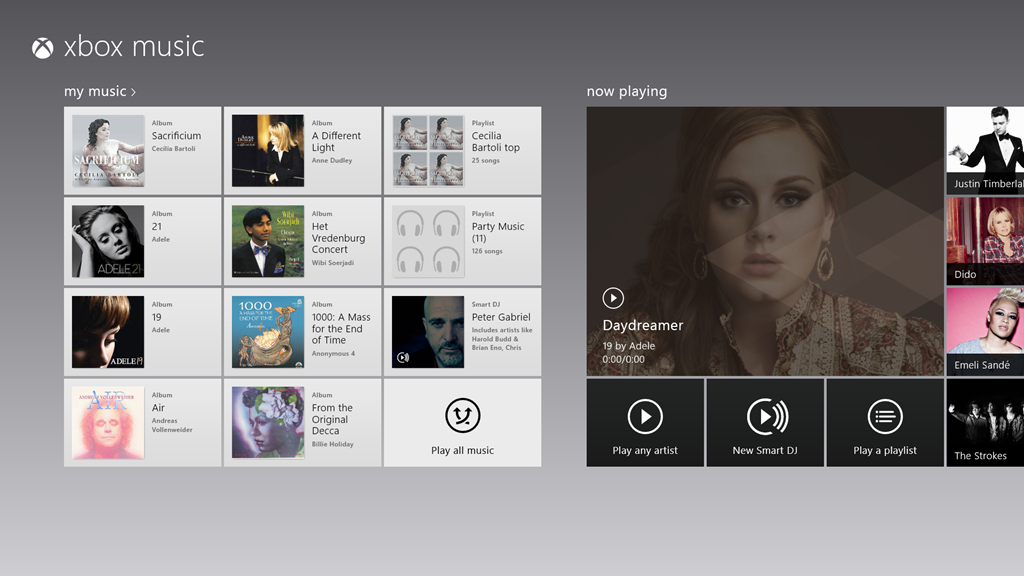
    Microsoft released new versions of some of their Windows 8 Apps today. The ones that I’ve seen so far are the Mail, Calendar, People and Messaging Apps, together with a new version of the Xbox Music App.

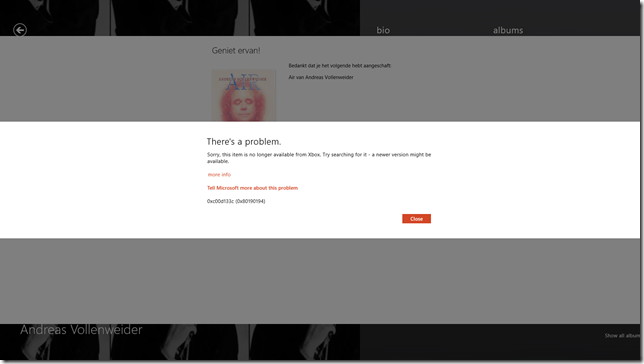
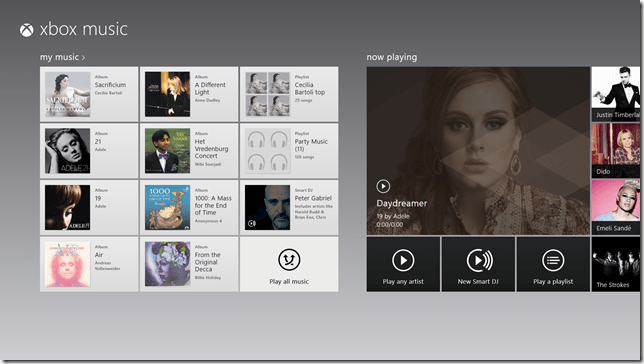
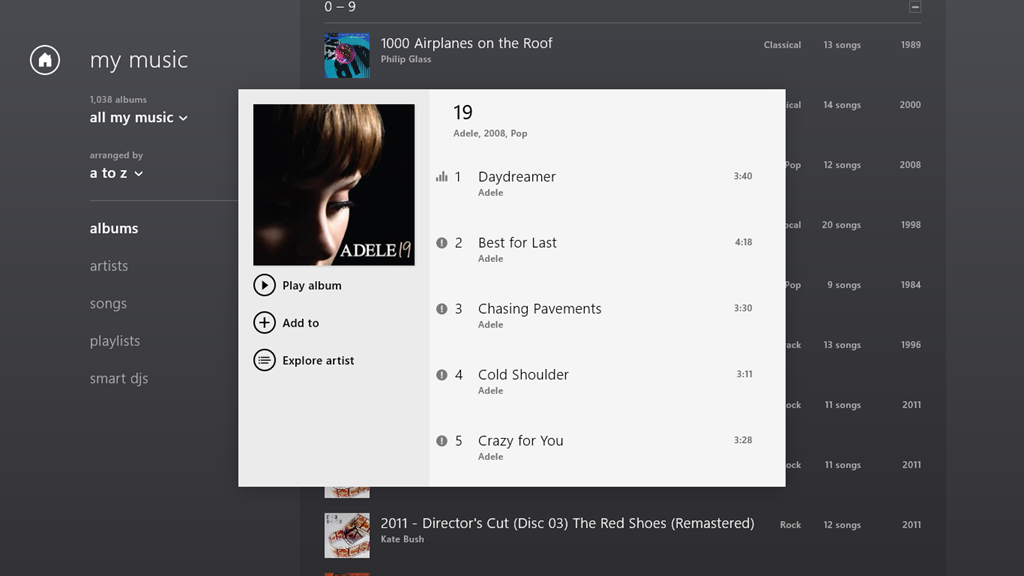
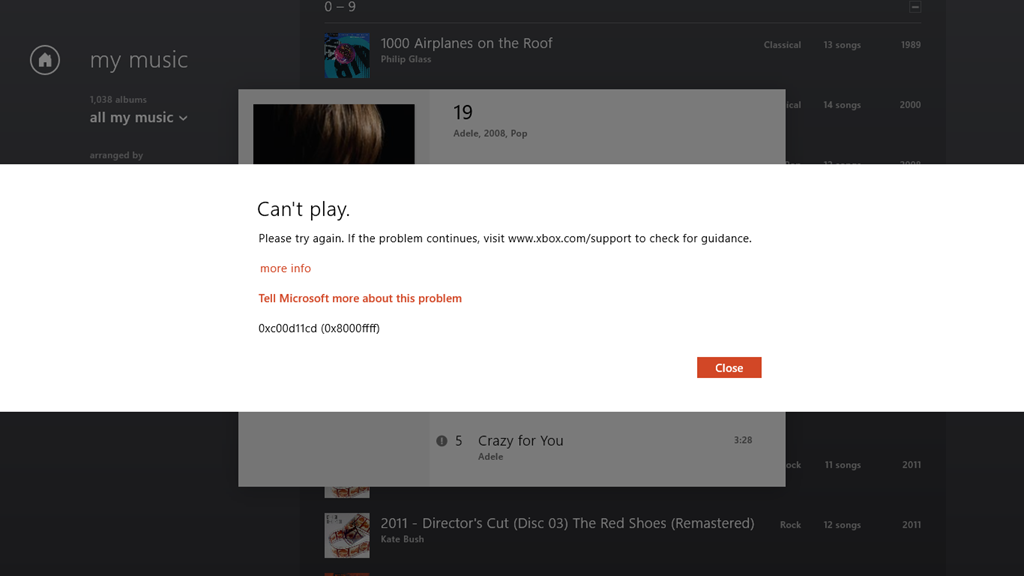
    I’ve updated my post on the Xbox Music App here. In summary, whilst navigation has taken a step forward, there are many issues with this App that have not been addressed.

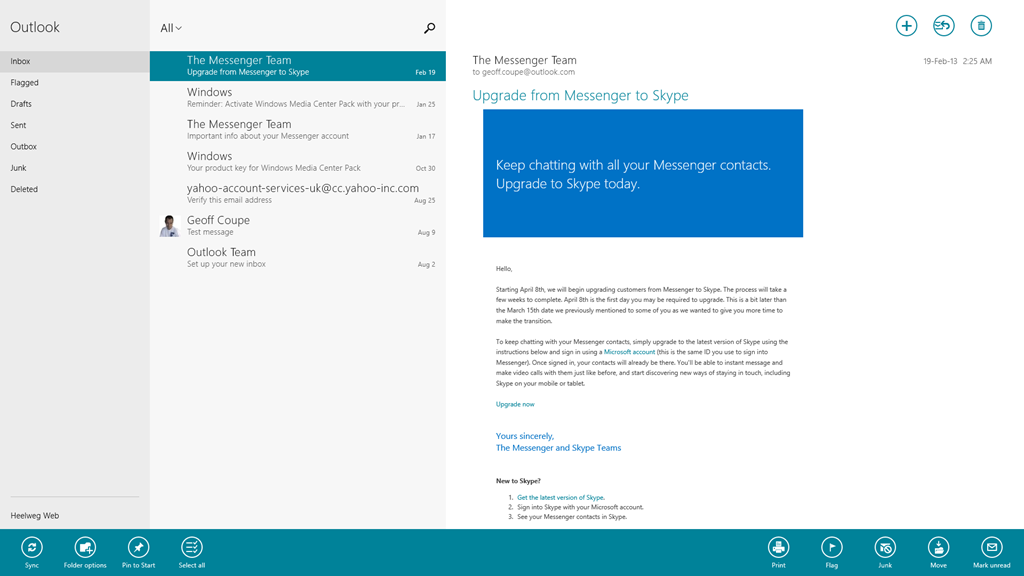
    The Mail App has got some improvements. I like the fact that I can at last create my own Folders and view them in the Mail App, and also that I can search both locally and in my online IMAP folders automatically. I see that the Mail App still cannot handle POP accounts. Yes, it’s legacy, but it is still in widespread use by many service providers who don’t yet support IMAP.

    Mail App 01

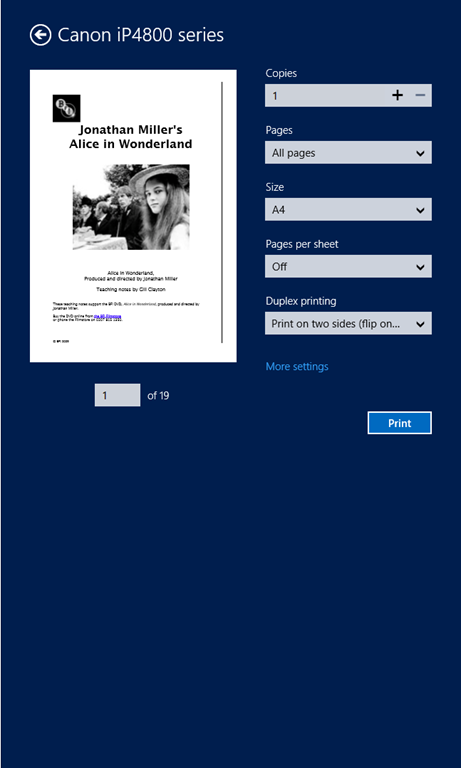
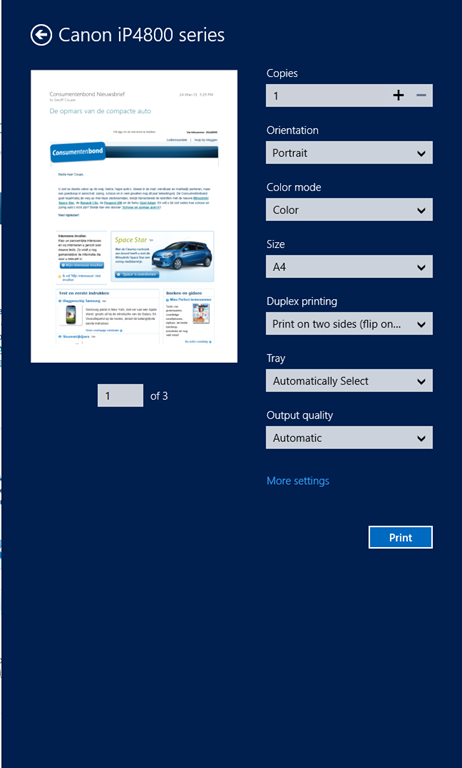
    In addition, the Mail App still hasn’t got a clue when it comes to printing out a message. It is still not possible to print just a range of pages – you can only print out every page in a message. It’s the same with the Modern UI version of Internet Explorer 10; it’s all or nothing. Clearly the Mail and IE 10 teams don’t understand how to use the new print subsystem of Windows 8 properly. They really should talk to their colleagues in the Microsoft Reader App team. Here’s an example of the print controls using the Reader App.

    W8 Print 03

    Note that you’ve got a “Pages” setting, where you can select to print “All pages”, “Current page” or a “Custom” selection of pages from the document.

    Now here’s what you see (using the same printer device) when you want to print out a mail message from the Mail App (you’ll also see the same settings when you print out a web site in the IE10 App):

    W8 Print 01

    Whoops, no “Pages” option to print out a range of pages. And it’s not lurking under the “More settings” link, either:

    W8 Print 02

    I find it ironic that the Windows 8 Engineering Team posted an entry last year on the Building Windows 8 blog entitled: Simplifying Printing In Windows 8. It seems to me that when Microsoft’s own teams come up with inconsistent and poor user experiences for the task of printing out documents, then something is wrong somewhere. And talking of simplifying printing, I notice that the Mail App now sports a “Print” icon on the pop-up task bar at the bottom of the App. I suspect that many people are finding it confusing to print by going to the Charms bar, and choosing the “Devices” Charm…

    The new version of the Calendar App offers a few extra views, but personally, I don’t find it a great leap forward.

    Calendar App 01

    Clearly, Microsoft expect all their customers to have Smartphones or Tablets – there’s no way to print out anything from the Calendar App. Some of us do still occasionally like to have bits of paper handy…

    The People App remains very plain for me; most entries have simply the generic person icon. That’s because, by choice, I am not a Facebook or Twitter user. I communicate mostly by email.

    People App 01

    For the same reason, I’ve never had occasion to use the Messaging App, so I have no opinion on whether it’s any better in the new version.

    To sum up, despite these new versions of the Mail, Calendar and People Apps, I don’t see myself using them as my primary communication applications. I still find that job is better done using Windows Live Mail, which combines all these functions into one application that I prefer to use. Having said that, I do find myself occasionally using the Mail App on my ThinkPad Tablet to check email when I’m not at my Desktop PC. So it may grow on me, but I think further improvements will be needed first.

    4 responses to “Small Steps”

    1. […] As I wrote here, Microsoft has recently updated the Xbox Music App for Windows 8. The update improved the navigation of the music library to the extent where I thought I could start using the App (it was absymal on first release). […]

    2. […] I thought at first that the new release of the Xbox Music App for Windows 8 was promising. That is, until my recent […]

    3. […] found that Microsoft’s Mail, Calendar and People Apps are still far inferior to Windows Live Mail. The Xbox Music App is still lagging traditional music library applications, and the less said […]

    4. […] is also the same with the IE10 App in Windows 8 (but that has been fixed for IE11 in Windows 8.1). They drop the “Pages” setting from the Modern UI Print screen. This is with a newer build (17.3.9431.0) of Mail from the one in Windows 8 (build 17.0.1119.516). […]

    Leave a comment

  • The Death of a Teacher

    Lucy Meadows is dead, most probably she committed suicide. What drove her to take her life was quite possibly the toxic combination of The Daily Mail and Richard Littlejohn.

    A petition has been set up to ask for a formal apology from the Mail, and for Littlejohn to be dropped from his job at the Mail.

    One response to “The Death of a Teacher”

    1. Cyrus Curwood Avatar

      Geoff, thanks for highlighting this story. I was completely unaware of this awful tragedy and have now signed both petitions.

    Leave a comment

  • I Am The Doctor – And I Am Afraid…

    It’s coming – the next series of Doctor Who. My place on (or behind) the sofa is booked. This will be the 50th year since Doctor Who has been showing in the haunted fish tank, and each year I seem to be getting more excited than ever.

    Ooh – I can hardly wait!

    Leave a comment

  • A Cappella After Ever After

    I think that this young man has a future in showbusiness…

    Clever words, too…

    Leave a comment

  • The Challenger

    Last night, BBC Two showed “The Challenger” – a film dramatisation of the public inquiry (the Rogers Commission) that investigated the causes of the catastrophic accident that befell the space shuttle Challenger. The film has the title Feynman and the Challenger in the US.

    It was riveting. Amidst the political manoeuvering, and the attempts by NASA officials to mislead the inquiry at the time, Richard Feynman ploughed a course that uncovered the true cause of the disaster. He was played in this dramatisation by William Hurt, who delivered a completely believable portrait of Feynman, culminating in the scene where Feynman destroys the testimony of the NASA officials with a glass of iced water. I remember seeing the actual event on TV at the time, and thinking how extraordinary it was.

    The dramatisation was based on Feynman’s experience on the Rogers Commission, as documented in his book What Do You Care What Other People Think? As wikipedia has it:

    Feynman’s account reveals a disconnect between NASA‘s engineers and executives that was far more striking than he expected. His interviews of NASA’s high-ranking managers revealed startling misunderstandings of elementary concepts. For instance, NASA managers claimed that there was a 1 in 100,000 chance of a catastrophic failure aboard the shuttle, but Feynman discovered that NASA’s own engineers estimated the chance of a catastrophe at closer to 1 in 100. He concluded that the space shuttle reliability estimate by NASA management was fantastically unrealistic, and he was particularly angered that NASA used these figures to recruit Christa McAuliffe into the Teacher-in-Space program. He warned in his appendix to the commission’s report (which was included only after he threatened not to sign the report), “For a successful technology, reality must take precedence over public relations, for nature cannot be fooled.”

    That statement closed the film. It’s a film worth seeing.

    Leave a comment

  • There Is No God

    Just a reminder of what some people are going through because they say that: There is no god except Allah; Mohammed is his messenger.

    Leave a comment

  • Great British Innovations

    Via Gia Milinovich’s blog, I came across the Great British Innovations web site, which is asking members of the public to vote for their top past and future scientific innovations. The results will be announced on the 25th March 2013.

    The lists are interesting, and I’m finding it difficult to choose which two (past and future) I will vote for. Perhaps it’s just me, but when I think of the term innovation, I tend to think of something that results in practical impact on our lives in a fairly direct manner. So, for example, while Turing’s Universal Machine was a stunning scientific theorising about the nature of computation, I don’t think it could be said to lead directly to computers as we know them today. Tim Berners-Lee’s invention of the protocols that underpin the World Wide Web, on the other hand, has completely transformed the way in which we share information in just over twenty years. In the same vein of practical impacts, Percy Shaw’s catseyes have had direct impact on making the roads safer for millions of road users.

    I see that Gia will be voting for Jocelyn Bell Burnell’s discovery of pulsars, which, again, while it transformed aspects of astronomy enormously, I don’t think it has resulted in practical impacts on most of our lives. The Bell Burnell story is an interesting one, and one that, as Gia says, deserves to be better known. But, practical impact? I’m not so sure.

    The shorter list of future innovations also contains a couple that seem to me to be out of place when judged in terms of direct practical impact. For example, the discovery of the Higgs boson is indeed a stunning scientific achievement, and a confirmation of the standard model in physics, but isn’t this really about the engineering achievement of the building of the Large Hadron Collider? I’m not sure what the practical impact of that will be for the rest of us, unless it leads to the engineering that will enable us to build fusion reactors. That would indeed be a real innovation, and a revolution in our energy sources.

    It looks as though the Raspberry Pi is currently the front-runner in the votes. Personally, it’s not a favourite of mine. I can see that it has had a direct impact on a new generation of children growing up and getting them introduced to programming, but I’m not entirely convinced that we really need “to create a new generation of computer programmers”. I think I’d be more inclined to vote for one of the others, e.g. Graphene, or Ionic Liquids, or Quantum Dots.

    Leave a comment

  • The Sign of the Glass Tumbler

    Jesus and Mo ponder the puzzle of why many Christians do not condone assisted dying.

    Leave a comment

  • Aerial Ballet

    I was out working in the garden today, when I became aware of bird cries that were unfamiliar. Looking up, I saw a flock of Cranes (Grus grus) lazily circling above the house.

    20130304-1424-50

    The flock of 38 birds continued circling and wheeling, gradually moving away to the North.

    20130304-1424-4820130304-1424-49

    20130304-1424-50(001)20130304-1424-53

    And, just as I’ve been writing this some hours later, I saw another, even larger, flock of cranes pass in single file over the house. Alas, I didn’t have time to grab the camera, I could only watch entranced as they disappeared Northwards into the twilight.

    Pure magic.

    One response to “Aerial Ballet”

    1. […] The last time I saw migrating Cranes was back in 2013, in March. That time they were going North for the Summer, and they were flying lower and circling over the house. […]

    Leave a comment

  • Keeping Tradition Alive

    In this part of the Netherlands (the Achterhoek), there’s a tradition that when a new building is constructed, and the highest point is reached, then the neighbours will erect a Meiboom (a Maypole) alongside the building. Here’s a translation of the relevant section of the entry in the Dutch Wikipedia:

    In addition, it is customary in some parts of the Netherlands (including the Achterhoek and Limburg), that when a newly built House has reached the highest point of the building, a Maypole is placed by it. The maypole also stands for in this case as a symbol for fertility and prosperity. The tree is fetched by local residents from, for example, a neighbouring forest and after the placement, a glass is drunk and a toast raised together. The maypole is sometimes placed on the building, in other cases next to or nearby. In some cases, a permit must be applied for if one wants to plant a maypole.

    This is traditionally done when it’s dark, so that the building’s owner doesn’t know what’s going on until it’s too late. The maypole also has to be taller than the highest point of the building. I’ve been told that traditionally, the building’s owner would subsequently use the maypole to make a ladder to reach the roof for putting on the roof tiles, but I suspect that might be apocryphal.

    Our nearest neighbour is a dairy farmer, and he’s having a new cattle stall built. Last week, the building frame was complete, and so the highest point was reached.

    20130223-1501-27

    Martin and I are his noaste noabers, so we are responsible for organising the rest of the neighbours in his buurt (neighbourhood) to celebrate occasions such as this.

    Last Friday afternoon, while it was still daylight, four of us, including myself, met up at a local forester’s, and selected a fir tree that was tall enough to use as a meiboom. It was felled by the forester, and the lower branches were trimmed off. Some were kept for the later making of a wreath that is suspended around the trunk on the meiboom. One of the neighbours had borrowed a large tractor and trailer to haul it back to the neighbourhood.

    That evening, the neighbours gathered at our house to prepare the meiboom. It’s the tradition to decorate the meiboom with crêpe paper flowers, so we made dozens of the things. It’s also the tradition that it’s the women who do this, while the men prepare the tree. Martin and I naturally wanted to break down this separation on roles, so Martin and one of the men also set to work on making the flowers. It was noticeable though that the older men refused to break with tradition here!

    Later we prepared the tree, by making the wreath, putting it around the tree, and attaching the flowers. A spot was selected next to the cattle stall, and a hole was dug for the tree to be rooted in. When all was ready, we went back to the house for a toast.

    Then we brought the tree to the selected spot and erected it in position. Traditionally, this would be done by manpower alone (and I’ve been involved a couple of times where this was done). The tree is gradually raised by pushing ladders under it to make it upright. It requires a lot of men and brute force. We didn’t have a lot of (young) men this time, but what we had was someone who had thought it through. He said that in place of blood pressure, we should use hydraulic pressure. So he fetched a tractor with a fork raise attachment on it, and he used that to raise the tree. It worked wonderfully, and the tree was raised and in position in a couple of minutes.

    20130304-1314-58

    Martin then pinned the traditional poem from the buurt onto the tree, and we went back to the house to raise a few more toasts to celebrate. A job well done, and a tradition upheld. We all felt very pleased with ourselves, and the farmer and his wife like the meiboom as well.

    3 responses to “Keeping Tradition Alive”

    1. Al Feersum Avatar

      It would appear that the traditions of the Dutch that we acquired over here from various invasions were transported rather than exported or assimilated, like tiny shoes in the loft, or inhuming a live cat in lieu of cavity wall insulation…

    2. Ludwig Avatar

      Congratulations to this fine neighborhood! It is gratifying to see such traditions and friendships being carried on. All the best!

    3. […] are responsible for organising the rest of Herman and José’s neighbourhood (Buurt) in times of celebration or […]

    Leave a comment

  • The Joy of Schadenfreude

    I’m sorry, but I cannot refrain from giving in to some feelings of schadenfreude at the news that Cardinal Keith O’Brien has resigned following accusations of acts of inappropriate behaviour.

    This is the man who has consistently demonised us.

    Good riddance.

    Update 3 March 2013: O’Brien has now admitted, and apologised for, sexual misconduct. However, even in his statement it seems as though he wishes to offer his disingenuous version of the facts. His statement reads, in part:

    In recent days certain allegations which have been made against me have become public. Initially, their anonymous and non-specific nature led me to contest them.

    However, the facts of the matter are that the allegations, by an ex-priest and four serving priests, were not anonymous and non-specific:

    A narrative has begun to be embroidered on the cardinal’s magic mitre. A fairytale. He is named but his accusers are not, and therefore the accusations are invalid. Let us be clear about one thing: the three priests, and one former priest, who have made complaints are not anonymous. They have given sworn, signed statements to the papal nuncio.

    The four complainants made their statements to the papal nuncio, Archbishop Mennini, around 8 or 9 February.

    The Cardinal is either being utterly disingenuous, or he’s telling porkies.

    Once again, with feeling: good riddance.

    4 responses to “The Joy of Schadenfreude”

    1. Al Feersum Avatar

      Whether he’s bigot or not, I couldn’t give a stuff. Anything that damages the reputation of the church of any faith is fine by me.

      But the Catholic faith is particularly strange. Consider the symbolism: “Kneel down and kiss my ring.” – WTF is that all about? Innapropriate behaviour is kind of built in.

      Still – what is it they say? Evil contains the seeds of its own destruction – and here it is in action.

      1. Geoff Coupe Avatar

        Al, Catholicism is no stranger than its parent – a religion that fetishises an instrument of torture as the very symbol of its faith? I find it all very perturbing.

    2. […] and now, of course, he has shown himself to be a hypocrite. Hoist by his own petard. Just […]

    Leave a comment

  • Microsoft Does It Again…

    I see that I’ve used the phrase “open mouth, change feet” a number of times in the life of this blog to describe the continuing ability of Microsoft to snatch defeat from the jaws of victory. Today I came across yet another example.

    I had noticed some reports that people weren’t able to get their navigation software to interface with the GPS sensor built in to some Windows 8 tablets.

    Now the thing is that until very recently, PCs did not have GPS hardware built into them. Instead, external devices such as GPS Data Loggers were used to provide GPS data, and interfaced to Windows software applications via Windows COM (communications) ports. In the old days, these were physical RS232 ports. These days, they are “virtual” ports set up over a Bluetooth or USB connection.

    In the development of Windows 8, support for a variety of sensors, including GPS, was built into the operating system, and exposed by a new set of APIs. The point being that this means that there is a new set of interfaces for developers to use, and they are different from the traditional COM port interfaces.

    So, as you might expect, traditional Windows navigation software, which has been written expecting to find GPS data coming in via traditional COM port interfaces, won’t see the new generation of GPS receivers being built directly into PC hardware running Windows 8.

    And so it is. Here for example is the very latest version of Microsoft’s AutoRoute 2013. I downloaded a trial version and installed it on my Lenovo ThinkPad Tablet 2, which has a Broadcom GNSS Gelocation Sensor in it. As you can see, AutoRoute 2013 expects to find GPS data arriving via a COM port, and complains that it can’t find the GPS receiver:

    Autoroute 01

    What I find truly ironic about this is that Microsoft trumpets the fact that AutoRoute 2013 now has support for the Touch features of Windows 8:

    Autoroute 03

    However, the AutoRoute team has completely forgotten to use the new interfaces for GPS sensors that may be present in Windows 8 devices. Open mouth, change feet.

    A further irony is given by the fact that when this issue was raised in a Microsoft forum, Janet Schneider, a Microsoft employee, blithely writes that

    You can use the Location API and a Location Provider Driver to get NMEA strings, instead of using a virtual COM port.

    Janet, please tell that to your fellow developers in Microsoft, not us, the poor users of this stuff. The left hand of Microsoft clearly has no clue what the right hand is doing.

    Now what would be really useful is for someone in Microsoft to code a software shim that would connect a virtual COM port to a Location Provider Driver. That would enable us to carry on using our legacy Windows navigation software on Windows 8 tablets with GPS receivers. It would even allow the AutoRoute 2013 software to work as advertised.

    Addendum: Well, Microsoft hasn’t bothered to write a software shim, or updated their Streets & Trips or AutoRoute software at this time of writing (December 2013), but at least two third parties have developed shims:

    Addendum 25 February 2014: If you’re looking for a map application that has maps held on your Tablet, and which will work directly with the GNSS sensor in the ThinkPad Tablet 2, then the good news is that Nokia has released its HERE Maps App for all Windows 8.1 devices. Even better, it’s free.

    Addendum 8 July 2014: Microsoft has announced that AutoRoute, Streets and Trips, and Mappoint will no longer be developed, and will be dropped. I can’t say that I’m surprised, but on the other hand there are many Line of Business applications that have been built on top of MapPoint services, so those will have to be migrated over to Bing, HERE or Google Maps…

    Addendum 25 August 2015: And Microsoft drops the ball once more… I’m now seeing reports that Microsoft has changed something in Windows 10 that affects the traditional virtual COM ports. The effect is that Bluetooth GPS loggers no longer connect properly. This means that I can no longer use my Qstarz GPS logger with my Surface 3 to feed GPS data into the Microsoft Maps app. Honestly, I despair at Microsoft sometimes; they are their own worst enemy…

    Addendum 30 August 2015: For those of us who are definitely having problems getting the SPP slave port to work, there could be some good news on the horizon…
    I’ve just upgraded my Yoga 3 Pro to the latest Insider Preview build (10532), and the SPP problem seems to have been fixed. I’m able to connect my Qstarz GPS logger and get data. This result has been confirmed by another person who had the same problem with the 10240 build of Windows 10.  I hope that this fix will be present in the October update to Windows 10 that will be available to everyone…

    Addendum 1 October 2015: Microsoft has issued an update (KB3093266) to Windows 10 that fixes the virtual COM ports issue. Excellent.

    32 responses to “Microsoft Does It Again…”

    1. Peter Ferguson Avatar
      Peter Ferguson

      Oh no! I have been waiting for the Surface Pro specifically to run Oziexplorer which I have been using for over 10 years on MS X86 laptops for Marine navigation. Originally I used it with a GPS attached via the serial port then via USB Garmin GPS (when laptops stopped having serial ports). So I Google the subject and find not only are people having problems connecting such software to the internal GPS on W8 laptops they are having problems connecting to external USB GPS’s. Garmin have produced W8 driver updates but problems still exist. One guy says his “sees” the external GPS 50% of the time, another guy says he only got his to work by rolling back the device driver for the GPS. Very frustrating.

      1. Peter Ferguson Avatar
        Peter Ferguson

        After finally purchasing a Sony Vaio Duo 11 (which I am extremely happy with) because it does have an internal GPS I too discovered that not many navigation programs are able to use the sensor API provided by W8. But the latest version of Oziexplorer does support it. (A fact discovered by Geoff quite a while back I read in a forum.) It seems a simple programming change is all that is needed for these programs to be able use the sensor API’s. I know it also seems strange that MS’s own software was not able to do this from the get go but according to guru Paul Thurrott, no division of MS ever liaise with another. A major problem at MS in his opinion.

        1. Geoff Coupe Avatar

          Peter, glad that you’ve found that the latest version of Oziexplorer works with the internal GPS; my apologies for not closing the loop with you here. And yes, I can confirm, from personal experience, that the many divisions of Microsoft often act as warring fiefdoms. See https://gcoupe.wordpress.com/2012/11/13/a-sudden-departure/

    2. Charles Avatar
      Charles

      Hello,
      I encounter the same problem with my Lenovo Tablet 2, on which I managed to install Fugawi Global Navigator 4.5. My remedy for the time beeing is the successful connection of a WinTec Data Logger GPS device via Bluetooth. That works without any driver problems, as you don’t need to install them for a Bluetooth connection. Another possibility could be the use of GPSGate, which is able to digest many different kinds of GPS inputs, not only COM-Ports, and to generate many COM-Port outputs. For that, I do need some more information how to access the inbuilt GPS sensor of my Lenovo Tablet. I’m still waiting for an answer from Lenovo….

      Kind regards, Charles

      1. Geoff Coupe Avatar

        Charles, thanks for your comment. I have a Qstarz GPS data logger, which uses Bluetooth. I did a test and added it to my ThinkPad as a Windows 8 device. Windows 8 installed it automatically, and it set up a couple of virtual COM ports using Serial Link over Bluetooth itself. So then AutoRoute was able to use the Qstarz to get GPS data. That’s similar to what you did with the WinTec Data Logger. However, it rather defeats the object of being able to just take the ThinkPad along without an extra piece of kit.

        This issue seems common to a lot of existing software out there that has been written to use the virtual COM port technique of interfacing with GPS devices. I suspect that some of the software vendors will adapt their software to use the new Location Provider Driver and APIs. See the discussion on this thread for example:
        http://forums.arcgis.com/threads/75252-Using-ArcGIS-for-Windows-Mobile-with-the-Windows-sensor-location-API

        I’ve also seen a comment from a Lenovo staff member promising to see whether Lenovo would be able to develop a “software shim” to allow interfacing between virtual COM ports and the new APIs and drivers. However, I’m not holding my breath. Unless Microsoft does this for everybody, then I think what we will see, over time, is that every GPS software vendor will develop their own software shims. Reinventing the wheel many times instead of once.

        It’s possible that GPSGate may come up with their own software shim, but at the moment they haven’t. They are still working with the legacy interfaces; as far as I know they haven’t released anything for the new interfaces.

    3. Peter Ferguson Avatar
      Peter Ferguson

      Geoff, have you tried http://www.centrafuse.com/centrafuse-localizer. It is designed to output sensor data to a virtual comm port. I cannot get it to work on my Sony Vaio Duo 11 but others have it working on Lenovo TPT2

      1. Geoff Coupe Avatar

        Peter, I’ve gone the route of using software that recognises the GNSS sensor data via the Windows 8 Location APIs, so I don’t need the centrafuse shim. But thanks for pointing it out; this should help others.

        1. Peter Ferguson Avatar
          Peter Ferguson

          Geoff,
          May I enquire the name of the software?

          1. Geoff Coupe Avatar

            Peter, I’m simply using Bing Maps on my tablet. My main navigation device is my Nokia Windows Phone (Lumia 800). I use that for drive navigation (Nokia Drive) or recording GPS tracks (Run the Map).

            1. Peter Ferguson Avatar
              Peter Ferguson

              Got it. Nokia Drive on a Nokia Phone is the Rolls Royce.

    4. Ken Zielinski Avatar
      Ken Zielinski

      I’ve solved that problem with a little VB magic… Using Janet’s API I was able to convert the Longitude and Latitude to a NEMA sentence that I send to output com port. The magic is complete when I employed a free virtual comport software that cross couples two virtual com ports together. I now have Delorme Street Atlas V8 (circa 2000) connected to one virtual com port and my program to the other and Delorme is happy. Ken Zielinski kazielinski@mindspring.com

    5. […] Like the Surface Pro, the Surface Pro 2 does not have GPS. I find this surprising. Many tablets and convertibles (e.g. the ThinkPad Tablet 2) have this; why would a top-of-the-line tablet not have it? Perhaps Microsoft thinks that it is necessary to have 3G/4G/LTE mobile connectivity (the Surface Pro line does not have this) before GPS is provided. If so, they are wrong. It is true that Microsoft’s own Maps App for Windows 8 requires internet connectivity to get map data while on the move, but not all navigation applications require this. Indeed, Microsoft’s own AutoRoute and Streets and Trips applications are designed to run on Windows laptops without internet connectivity. All they need is GPS data to be supplied. But there again, Microsoft have shot themselves in the foot here, because these applications don’t use the new Windows 8 GPS data interfaces. […]

    6. […] has a GPS chip, Microsoft's Streets and Trips CAN'T USE IT! See here for the full sorry story: Microsoft Does It Again… | Geoff Coupe's Blog You'll need something like the Centrafuse localiser to act as a software shim to interface between […]

    7. […] use a COM port) and I'm not aware of any windows software that is updated to use the new interface. Microsoft Does It Again? | Geoff Coupe's Blog googletag.cmd.push(function() { googletag.display('div-gpt-ad-1385926220379-0'); }); […]

    8. powermatt Avatar

      An alternative I’ve found for those of us that own an Android smartphone; an app called extGPS. Admittedly, it defeats the purpose of having built-in GPS, because it uses your phone’s GPS radio instead. Essentially, you pair your phone with your tablet, and then the extGPS app can create a virtual com port through the Bluetooth driver (the same way dedicated GPS receivers do it). There might be some issues with specific phones, though. It works well with an HTC One, but not at all with a Nexus 4.

    9. nathan Avatar
      nathan

      I just got a Dell XPS with win 8.1, intent on mounting it in my big rig. My previous system was an XP pro machine. I used a Garmin USB receiver and GPSGate to create a virtual com. It worked great with my logbook program (eclipse) and my nav software (ALK Copilot truck laptop). I tried the same setup on the new Dell XPS W8.1 only to find my logbook program sees it but not my nav software. I tried a couple different nav programs but to no avail. I also installed Centrafuse Localizer but never could get that running. I’m running out of ideas here. Any thoughts?

      1. Geoff Coupe Avatar

        Nathan, it seems odd that the logbook program will continue to work, but that your nav software doesn’t. Both should be seeing the GPS data coming in through the virtual COM port created by GPSGate, as they did on Windows XP Pro. It sounds as though the connection between GPSGate and ALK Copilot is not working properly.

        The Centrafuse Localizer software would only work if your Dell XPS is fitted with an internal GPS chip – is it? Then you would be using the internal GPS chip to provide GPS data (appearing in the Windows 8.1 Location Service) via the Localizer, which takes that data and creates a virtual COM port to interface with your applications and pipe the data to them. In that scenario, you wouldn’t be using your Garmin USB receiver at all.

    10. Ben Williams Avatar
      Ben Williams

      Geoff, struggling with Bluetooth GPS devices, OziExplorer and Win 8.1 specifically a Surface Pro 3, a Toshiba Encore and a Toshiba Slider. A USB device works fine with OziExplorer however when I try a Bluetooth device I only get occasional position updates. It would be nice to get back to the virtual COM ports etc that work with win 7 and before. Advice please. Ben

      1. Geoff Coupe Avatar

        I’m not sure what you mean by “It would be nice to get back to the virtual COM ports etc that work with win 7 and before”. These are just the same in Windows 8 as in Windows 7.

        You seem to be saying that your USB GPS device is providing more position updates than your Bluetooth GPS device. I assume that the Bluetooth device is showing up in the GPS Port Checker utility that Oziexplorer provides? I don’t know whether it is possible to adjust the BT GPS device settings? I suggest you email Oziexplorer support, they’ll probably be able to help you more than I can. I don’t use Oziexplorer myself.

    11. Zach Anderson Avatar
      Zach Anderson

      I’m attempting to write a Visual Basic app for desktops to receive GPS NMEA data. My old USB GPS receiver (Delorme Earthmate LT-20) is apparently not supported in Windows 8.1, although it is detected as a device and as functioning properly. I do have a Nokia Lumia 920 Windows Phone w/GPS, however. I could use either USB or BT, I suppose, but nothing is detected so far by any app on my laptop. How can I receive the data onto my laptop? VB.Net code appreciated. Thanks.

      1. Zach Anderson Avatar
        Zach Anderson

        My laptop does not have a GPS chip.

      2. Geoff Coupe Avatar

        Zach, if your GPS receiver is detected and apparently functioning properly, then it should be delivering GPS data via a COM port. You could try installing the trial version of Maps Pro (https://mapspro.uservoice.com/), which can use either COM ports or the Location service to obtain GPS data. I don’t know of a way to feed the GPS data from a phone through to a COM port on your laptop. Sorry.

    12. Peter Ferguson Avatar
      Peter Ferguson

      Thought I better update my experiences here. My Sony Vaio Duo 11 died (lent it to my sister who when for a 2 week trip on a yacht with it.) Bought a surface pro 3. Absolute love it EXCEPT no GPS. I have searched the internet for a week trying to find someone who can absolutely tell me the name of a USB or BT GPS that will work on surface pro 3 with 8.1. I have 2 Garmin USB GPS that are more than 8 years old. I have tried all new drivers but nothing, I cannot get them to work. I have my beloved oziexplorer loaded on my surface 3 just waiting for any real GPS to connect.

      1. Geoff Coupe Avatar

        Peter, when you say you cannot get them to work, do you mean that they won’t work anymore with oziexplorer, or they don’t work period? I have an old GPS logger (a Qstarz) that is of a similar vintage, and this still works in Windows 8.1. Can you try the dongles with a different mapping program? For example, try the Maps Pro app (in the Windows store). That will work with both the Windows Location service interfaces or the old-school virtual COM ports. Could be a way to check where the issue lies?

      2. Matt Avatar
        Matt

        I realise this is an old post, but I thought I’d share for reference. Globalsat BU-353S4 is a USB GPS receiver that I have recently setup successfully on a Dell tablet running Windows 10. Oziexplorer works (set to USB Mouse GPS) well, I went for a drive and moving maps works as expected. The GPS has a magnetic base so you can put it on your roof and it is also water proof. They’re only 70 odd dollars and I see that you can purchase them from Oziexplorer direct.

    13. Clive Avatar
      Clive

      Well, after a long time Microsoft seems to have made a step forward! I’ve just upgraded to the major revision of Windows 10 (Threshold 2) and was pleased to find that USB GPS are recognised by the location service. You don’t even need to tell the location service that one is there. That means that you can now use your USB GPS with the Windows 10 Maps App, which is reasonable as free software and lets you download maps for many countries, so you don’t need to be connected to the internet. I still prefer to use Autoroute 2013, which runs fine under Windows 10, even though Microsoft withdrew support at the end of 2014.

      As an aside, before the major update I was having problems installing Autoroute under Windows 10 due to the ‘licensing error’ that has arisen at times for people since Windows 7. The problem was resolved after the major update.

    14. Sean Avatar
      Sean

      Looks like I am not the only one that is disappointed that the Surface doesn’t have built in GPS! Obviously there are solutions and workarounds for this, however my issue is that I have a Lumia 950 and cannot find an app that allows me to share my NMEA GPS data from my Lumia to Surface. Any thoughts suggestions on the subject are welcome…..

      Cheers!

      1. Geoff Coupe Avatar

        Sean, I don’t think such an app exists unfortunately. And with the current low market share of Windows Phone, I doubt that we’ll be seeing one appear. A separate GPS logger using Bluetooth is probably your best bet to get NMEA data into your Surface.

    15. Lukas Jenkins Avatar
      Lukas Jenkins

      Would a Surface 3 LTE with built in GPS (Broadcom GNSS 47531 chip) provide NMEA data to applications automatically? Or does the visual com that exists in Windows 10 have to be set up somehow? Or would a external GPS such as the GlobalSat BU-353-S4 USB GPS Receiver be needed for NMEA data?

      1. Lukas Jenkins Avatar
        Lukas Jenkins

        spelling correction: *virtual com

      2. Geoff Coupe Avatar

        Lukas, I’m not sure what the Surface 3 LTE will do. If it’s anything like my Lenovo ThinkPad 10 (which has a Broadcom GNSS 4752 chip fitted), then it should use the chip to feed data to the Windows 10 sensor APIs, which are used in turn by Windows 10 apps.

        Also, as far as I know, most of the external USB GPS receivers will use Virtual COM ports to feed in NMEA data (the traditional Win32 method). You’d need to use Windows 10 apps that supported this set of APIs – e.g. Maps Pro.

    16. Marcus Avatar

      Thank you for being youu

    Leave a comment

  • Disingenuous, Contemptible, or Both?

    I’ve commented a couple of times before on the new licensing models that Microsoft has introduced with Office 2013.

    The nub of the situation is that whilst with earlier versions of Office (e.g. Office 2003, Office 2007 and Office 2010) it was possible to transfer your licence from one computer to another; with Office 2013, if you buy a licence for Office 2013 and install it on a computer, that’s it. You can’t transfer it to another computer. So if, for example, after a couple of years, you upgrade your computer to a newer model, you can’t move your Office 2013 licence across. You have to purchase a completely new licence, which is in turn locked to your new computer.

    I see that Jevon Fark, in Microsoft’s Office Team, has attempted to clarify the licensing situation. However, he singularly fails to make the proper comparison between the earlier so-called Full Package Product versions of Office 2003, 2007 and 2010 (i.e. Office products that were supplied with actual DVDs) and the current situation with Office 2013, where it is no longer possible to purchase the software. Instead, all you get is a product key, and if you download the software to a computer and activate it using the key – that’s it – it is locked to that particular computer.

    So, is Fark’s blog post disingenuous, contemptible, or both?

    In my opinion, it’s both.

    I will neither purchase Office 2013 licences, nor subscribe (at five times the cost of my current Office licences). Instead I will continue to use my (transferable) Office 2010 licences for the foreseeable future. And if in the future I require to replace my Office 2010 product, then I will seriously consider alternatives before I look again at what Microsoft has to offer.

    Update 6 March 2013: Well, it appears as though Microsoft has had second thoughts. Mr. Fark has now posted that it is possible to transfer licences between computers. Good to see that common sense can prevail after all. Thank you to all those who protested that Microsoft were doing the wrong thing with the original licence conditions.

    5 responses to “Disingenuous, Contemptible, or Both?”

    1. Simon Bradley Avatar
      Simon Bradley

      This is something that bothers me, also, and I have pretty much the same plan as you, Geoff: I’ll continue with Office 2010 for now, but I’ll probably move to LibreOffice (assuming it maintains the same level of quality it enjoys now) when the time for an upgrade arrives.

    2. Mark Avatar
      Mark

      I currently have no plans for office 2013 – the licensing thing is part of the issue ( I wonder how many people will be bitten by that a few years from now ) and I am more of a “buy” guy, not a “rent” guy so the whole monthly payment to keep using my software doesn’t appeal at all.

      But truth be told, I don’t use 99% of the power of office 2010, and the new features which are primarily cloud-centric don’t appeal to me, so the only reason I would have to upgrade would be ease-of-use and the the beta I played with was far too white and seemed worse in that regard.

      So I will be one of Therot’s “luddites” for as long as I can.

    3. […] 6th March 2013: Following protest, it appears as though Microsoft has changed its mind. Excellent […]

      1. Geoff Coupe Avatar

        Brother Feersum – I know. I’ve welcomed the change, Microsoft sees sense for once.

    Leave a comment

  • Doctor Dream Is No More

    Another influencer on my early adulthood is no more: Kevin Ayers has died. Damn. Time to listen again to some of his work: Joy of a Toy, Bananamour, and of course: The Confessions of Doctor Dream. RIP Mr. Ayers.

    Ayers1

    One response to “Doctor Dream Is No More”

    1. Al Feersum Avatar

      Yup – real shame. And a highly influential musician to boot.

      Dunno if you frequent it, but Stuart Maconie’s Freak Show features SM’s ‘Probe’. It’s only available for a couple more days though: http://www.bbc.co.uk/programmes/b01qrkp5

      Stuart Maconie’s Freakier Zone is doing an hour of Canterbury Scene: http://www.bbc.co.uk/programmes/b00rwkjd (12 hours left at the time of writing – get it while it’s hot)

    Leave a comment

  • Why Don’t You Govern The Bloody Country?

    …instead of making asinine comments on media storms in teacups?

    Honestly, I despair about David Cameron’s ability to discern what is important and what is not.

    Hilary Mantel’s piece about Royal Bodies was a forensic analysis, flensing the media spin from the actuality. It’s a pity that Cameron could not comprehend this, and does not bode well for his governance.

    Hadley Freeman has a better eye than David Cameron for what is going on.

    Leave a comment

  • Parenthood Is No Place For Perfectionists

    While still shaking my head over the idiocy of David Jones, who claims that two same-sex partners cannot provide a warm and safe environment for their children, I came across a new book written by Andrew Solomon: Far From the Tree: A Dozen Kinds of Love. In it he:

    tells the stories of parents who learn to deal with their exceptional children and find profound meaning in doing so.

    He introduces us to families coping with deafness, dwarfism, Down syndrome, autism, schizophrenia, disability, with children who are prodigies, who are conceived in rape, who become criminals, who are transgender. While each of these characteristics is potentially isolating, Solomon documents repeated triumphs of human love and compassion to show that the shared experience of difference is what unites us.

    Solomon is himself the gay child of straight parents, and is now, in turn, a parent himself. Here he talks movingly and lucidly about the nature of vertical identities (those that we inherit from our parents) and horizontal identities (those that we do not share with our parents, and which we develop through our peer groups). This short video is worth watching.

    The Guardian’s Carole Cadwalladr also has an interesting interview with him.

    His book is now on my list to get. Perhaps David Jones should also read it. He might learn a thing or two.

    Leave a comment

  • “Clearly”

    It’s a word that I use a lot in my blog posts: “Clearly”.

    I use it where others might deploy “Obviously” or “Without a shadow of a doubt” or “It must be patently obvious to all people with more than one brain cell to rub together that…

    And today I read that Tory MP David Jones, the Welsh Secretary, no less, has used the same word in an interview. He said:

    “I regard marriage as an institution that has developed over many centuries, essentially for the provision of a warm and safe environment for the upbringing of children, which is clearly something that two same-sex partners can’t do”.

    Clearly, David Jones is a fuckwit. Clearly, some people voted for him to represent them. Clearly, they should be regretting that they ever thought that he had any ability to think things through. Clearly, if ever I happened to find myself in his constituency, I would not be voting for either him or his idiotic ideas.

    Clearly.

    3 responses to ““Clearly””

    1. Simon Bradley Avatar
      Simon Bradley

      What an idiot! It’s disappointing that the people of Wales would elect such a fuckwit, as you so rightly label him. Fortunately, the Conservatives are relatively underrepresented in Wales (8/40 MPs and 14/60 Assembly seats). But those numbers are still too high for my liking! (Well, clearly, zero would be optimal.)

    2. Mark Avatar
      Mark

      I don’t understand, does he really feel that two same-sex partners are incapable of creating a warm and safe environment for the upbringing of children? how sad, to be incapable of believing in the goodness of people.

    Leave a comment

  • A Sad Day For Hedgehogs Everywhere

    Ronald Dworkin has died. By coincidence, I listened last week to the podcast of Thinking Allowed, originally broadcast on 26 January 2011. In it, Dworkin discussed his book Justice for Hedgehogs with the philosopher A. C. Grayling and the sociologist Laurie Taylor. I thought at the time that I should get hold of the book, and now I definitely will.

    Leave a comment